

I have not had any issues with One Drive on Windows. Its always been instant and fast. On Mac its a dumpster fire so I don't use it there.WatchTheGuitar wrote: Sun Dec 24, 2023 4:26 am I don’t use OneDrive for anything as it can sync at a horrible time and affect stuff you’re in the middle of doing plus it doesn’t play nice with a bunch of things I use (non music, coder apps). I’ve also relocated my downloads folder to a non system drive that gets a once a fortnight backup onto a huge slow HDD. It’s in the “important but doesn’t change too often” category for me. Leaves my system drive smaller so I can back it up to external SSD in an hour or so.

Roland Cloud
-

- KVRist
- 176 posts since 21 Aug, 2023
-
- KVRian
- 1077 posts since 24 Apr, 2008 from USA
They still can't fix the issue of XV, JV and SRX software instruments to work properly on all Mac computers
Main Computer Specs: MacBook M1 Max, 32GB, 4TB, Cubase 13.
-
 WatchTheGuitar WatchTheGuitar https://www.kvraudio.com/forum/memberlist.php?mode=viewprofile&u=440193
 - KVRAF
- 13256 posts since 30 Apr, 2019
Well you’re lucky, I have had big issues on Windows so I don’t trust it.DashOfLime wrote: Sun Dec 24, 2023 4:29 pmI have not had any issues with One Drive on Windows. Its always been instant and fast. On Mac its a dumpster fire so I don't use it there.WatchTheGuitar wrote: Sun Dec 24, 2023 4:26 am I don’t use OneDrive for anything as it can sync at a horrible time and affect stuff you’re in the middle of doing plus it doesn’t play nice with a bunch of things I use (non music, coder apps). I’ve also relocated my downloads folder to a non system drive that gets a once a fortnight backup onto a huge slow HDD. It’s in the “important but doesn’t change too often” category for me. Leaves my system drive smaller so I can back it up to external SSD in an hour or so.
Like most things everything’s fine until it’s not.
-
- KVRist
- 211 posts since 5 Apr, 2023
JonSolo wrote: Sat Dec 23, 2023 6:56 pm Massive glitch to report:
I was trying to download the SH-101 EXP for the Fantom EX. This is done via the Roland Cloud app. I put the EXP on my jump drive and tried to upload it to my Fantom. I could not find it on the flash drive, and thought it might be a file error.
SOOOOOO, I decided to redownload it. As it was "installing" to the Windows directory (taking a VERY long time), I literally had a window open to my Download directory and watched as, instantly, thousands of files were deleted before my eyes. (I had specified the root of the Downloads folder to put the download in.) Then the Roland Cloud app crashed.
Gladly (I really am trying to be optimistic here) it was only my Downloads directory that got wiped (not recoverable...paid app can find the files but no file headers appear so they cannot be recovered). I had a LOT in there from about two years.
Has this happened to anyone else here?
Files not recovered, but I was able to install the EXP...not much consolation. My guess is that it happened on the "cleanup" of the install files. It cleaned up everything in the directory instead of just the Roland files.
Hey JonSolo. So sorry to hear about this! Just so everyone knows our installers and uninstaller never remove whole directories, only files we have created and stored links in the Windows Registry. As such, it isn't possible for our software to remove anything from your Downloads directory (or any other directory, for that matter), other than the files we have installed.DashOfLime wrote: Sun Dec 24, 2023 4:02 am Its ridiculous and yet another example of how bad RCM can be. I was joking (maybe a bad one) but it would be really nice if Windows had an hourly snapshot feature like Time Machine. Its one of the reasons I store my most important stuff and downloads in One Drive on my Windows box. At least there its easy to get them back. That of course assumes paying for One Drive.
Hey Atlatnesiti. It's currently in testing. We are getting closer and closer.Atlatnesiti wrote: Sun Dec 24, 2023 3:57 am Galaxias has been updated but still no promised Vst/Au support

Hey TS-12. I know this is frustrating and sorry you are having this experience. This issue is for such a small amount of users it's been hard for our testers to recreate the issue and learn where the problem is occurring. But this issue hasn't been forgotten. I can't remember if you have made a ticket for it, but if the problem persists after updating your OS, DAW and Roland Cloud Manager, it is always helpful to do so because it gives us more information to diagnose the problem with.TS-12 wrote: Sun Dec 24, 2023 6:13 pm They still can't fix the issue of XV, JV and SRX software instruments to work properly on all Mac computers
-

- KVRian
- 974 posts since 4 Jul, 2012 from Blue Crest, Eastern Europe
Hi Jon,Jon at Roland wrote: Thu Dec 28, 2023 5:25 pm But this issue hasn't been forgotten. I can't remember if you have made a ticket for it, but if the problem persists after updating your OS, DAW and Roland Cloud Manager, it is always helpful to do so because it gives us more information to diagnose the problem with.
I'm having a serious problem with RCM on MacOS Ventura. I'm clicking "Install" on my owned plugins and the prompt changes to "Queued". After the percentage reaches 100%, the prompt reverts to the label "Install" as if nothing happened. I checked the VST3 folder on my system and there are no plugins installed. I checked in my DAW and there are no plugins installed.
I tried this several times. I uninstalled and reinstalled RCM and the behaviour is the same.
My plugins don't get installed.
-
- KVRist
- 336 posts since 5 Jan, 2022
yup, same problem here trying to install the JX 8P but has been ongoing for two years.cocoazenith wrote: Thu Dec 28, 2023 7:22 pmHi Jon,Jon at Roland wrote: Thu Dec 28, 2023 5:25 pm But this issue hasn't been forgotten. I can't remember if you have made a ticket for it, but if the problem persists after updating your OS, DAW and Roland Cloud Manager, it is always helpful to do so because it gives us more information to diagnose the problem with.
I'm having a serious problem with RCM on MacOS Ventura. I'm clicking "Install" on my owned plugins and the prompt changes to "Queued". After the percentage reaches 100%, the prompt reverts to the label "Install" as if nothing happened. I checked the VST3 folder on my system and there are no plugins installed. I checked in my DAW and there are no plugins installed.
I tried this several times. I uninstalled and reinstalled RCM and the behaviour is the same.
My plugins don't get installed.
-
- KVRian
- 974 posts since 4 Jul, 2012 from Blue Crest, Eastern Europe
I own 3 SRXs and 2 Legendaries. None of them gets installed on Ventura (Air M2).N 4 LIFE wrote: Thu Dec 28, 2023 8:59 pmyup, same problem here trying to install the JX 8P but has been ongoing for two years.cocoazenith wrote: Thu Dec 28, 2023 7:22 pmHi Jon,Jon at Roland wrote: Thu Dec 28, 2023 5:25 pm But this issue hasn't been forgotten. I can't remember if you have made a ticket for it, but if the problem persists after updating your OS, DAW and Roland Cloud Manager, it is always helpful to do so because it gives us more information to diagnose the problem with.
I'm having a serious problem with RCM on MacOS Ventura. I'm clicking "Install" on my owned plugins and the prompt changes to "Queued". After the percentage reaches 100%, the prompt reverts to the label "Install" as if nothing happened. I checked the VST3 folder on my system and there are no plugins installed. I checked in my DAW and there are no plugins installed.
I tried this several times. I uninstalled and reinstalled RCM and the behaviour is the same.
My plugins don't get installed.
Don't have any problems on my other computer, an older iMac (intel).
-

- KVRAF
- 2990 posts since 13 Apr, 2008 from Charleston, SC
Jon, I appreciate your response.
But...it DID happen. The downloading file hung at 99% installing in RCM for over a minute (which is weird because it is just a few MBs in size) as I watched the directories and files being deleted in chunks at a time. I was trying to force close RCM and it would not let me. When the installation finished there was only one directory left in my Downloads...ACB002_Sh101_Fantom_EX.
So... it absolutely DID glitch. And your devs need to look into what might have happened. I had nothing else going on. No viruses on my system (did multiple checks), no malware detected. But most importantly: the installing hung at 99% for over a minute and I could not force close RCM quick enough as I watched the directories and files disappear. Once they were gone...it read Complete (I'll say) and the SH101 update was the ONLY folder left.
If this had been a virus or anything else, there is no reason THAT folder would have been left behind all by itself untouched.
Therefore, I respectfully have to inform you, that you are wrong. The software did delete my files. It was likely a glitch, but one the devs need to hear about.
But...it DID happen. The downloading file hung at 99% installing in RCM for over a minute (which is weird because it is just a few MBs in size) as I watched the directories and files being deleted in chunks at a time. I was trying to force close RCM and it would not let me. When the installation finished there was only one directory left in my Downloads...ACB002_Sh101_Fantom_EX.
So... it absolutely DID glitch. And your devs need to look into what might have happened. I had nothing else going on. No viruses on my system (did multiple checks), no malware detected. But most importantly: the installing hung at 99% for over a minute and I could not force close RCM quick enough as I watched the directories and files disappear. Once they were gone...it read Complete (I'll say) and the SH101 update was the ONLY folder left.
If this had been a virus or anything else, there is no reason THAT folder would have been left behind all by itself untouched.
Therefore, I respectfully have to inform you, that you are wrong. The software did delete my files. It was likely a glitch, but one the devs need to hear about.
-

- KVRAF
- 9064 posts since 1 Aug, 2003
I admire your efforts to deal with all the disenchantment here, Jon at Roland - but this reply of yours is terrible (while JonSolo has been extremely patient and forgiving)
It's not impossible there's another explanation - but the least Roland could do is investigate, instead of seemingly imply the customer is at fault.
It's not impossible there's another explanation - but the least Roland could do is investigate, instead of seemingly imply the customer is at fault.
Jon at Roland wrote: Thu Dec 28, 2023 5:25 pmHey JonSolo. So sorry to hear about this! Just so everyone knows our installers and uninstaller never remove whole directories, only files we have created and stored links in the Windows Registry. As such, it isn't possible for our software to remove anything from your Downloads directory (or any other directory, for that matter), other than the files we have installed.JonSolo wrote: Sat Dec 23, 2023 6:56 pm Massive glitch to report:
I was trying to download the SH-101 EXP for the Fantom EX. This is done via the Roland Cloud app. I put the EXP on my jump drive and tried to upload it to my Fantom. I could not find it on the flash drive, and thought it might be a file error.
SOOOOOO, I decided to redownload it. As it was "installing" to the Windows directory (taking a VERY long time), I literally had a window open to my Download directory and watched as, instantly, thousands of files were deleted before my eyes. (I had specified the root of the Downloads folder to put the download in.) Then the Roland Cloud app crashed.
-
- KVRist
- 211 posts since 5 Apr, 2023
Hey Jonsolo. I'm not sure what I did to offend you but I really apologize if it came off a certain kind of way that was not my intention. I was just informing everyone that it would be very difficult for our software to do this and help explain exactly what it does so everyone understands. As far as I know it has never happened before and no one in our dev team has heard of this happening before as well, but the team has been notified.JonSolo wrote: Thu Dec 28, 2023 11:04 pm Jon, I appreciate your response.
But...it DID happen. The downloading file hung at 99% installing in RCM for over a minute (which is weird because it is just a few MBs in size) as I watched the directories and files being deleted in chunks at a time. I was trying to force close RCM and it would not let me. When the installation finished there was only one directory left in my Downloads...ACB002_Sh101_Fantom_EX.
So... it absolutely DID glitch. And your devs need to look into what might have happened. I had nothing else going on. No viruses on my system (did multiple checks), no malware detected. But most importantly: the installing hung at 99% for over a minute and I could not force close RCM quick enough as I watched the directories and files disappear. Once they were gone...it read Complete (I'll say) and the SH101 update was the ONLY folder left.
If this had been a virus or anything else, there is no reason THAT folder would have been left behind all by itself untouched.
Therefore, I respectfully have to inform you, that you are wrong. The software did delete my files. It was likely a glitch, but one the devs need to hear about.
We always appreciate you reporting serious issues like this and you if you'd like to further explain and help us make a ticket it would be very helpful. You can do so through our customer support portal. Again sorry if you felt offended and thank you for reaching out to us!
-
- KVRist
- 211 posts since 5 Apr, 2023
Hey everyone! I wanted to share with y'all the Total D-50 Lifetime Key Bundle.
If you buy a Lifetime Key for the D-50 Software Synth by following this link, you can get six patch collections for free.
Sound packs include patches by Don Solaris and INHALT and more. Plus, get free updates and new features for life— this does not need a membership. Let me know if you have any questions!
https://www.rolandcloud.com/news/total-d-50
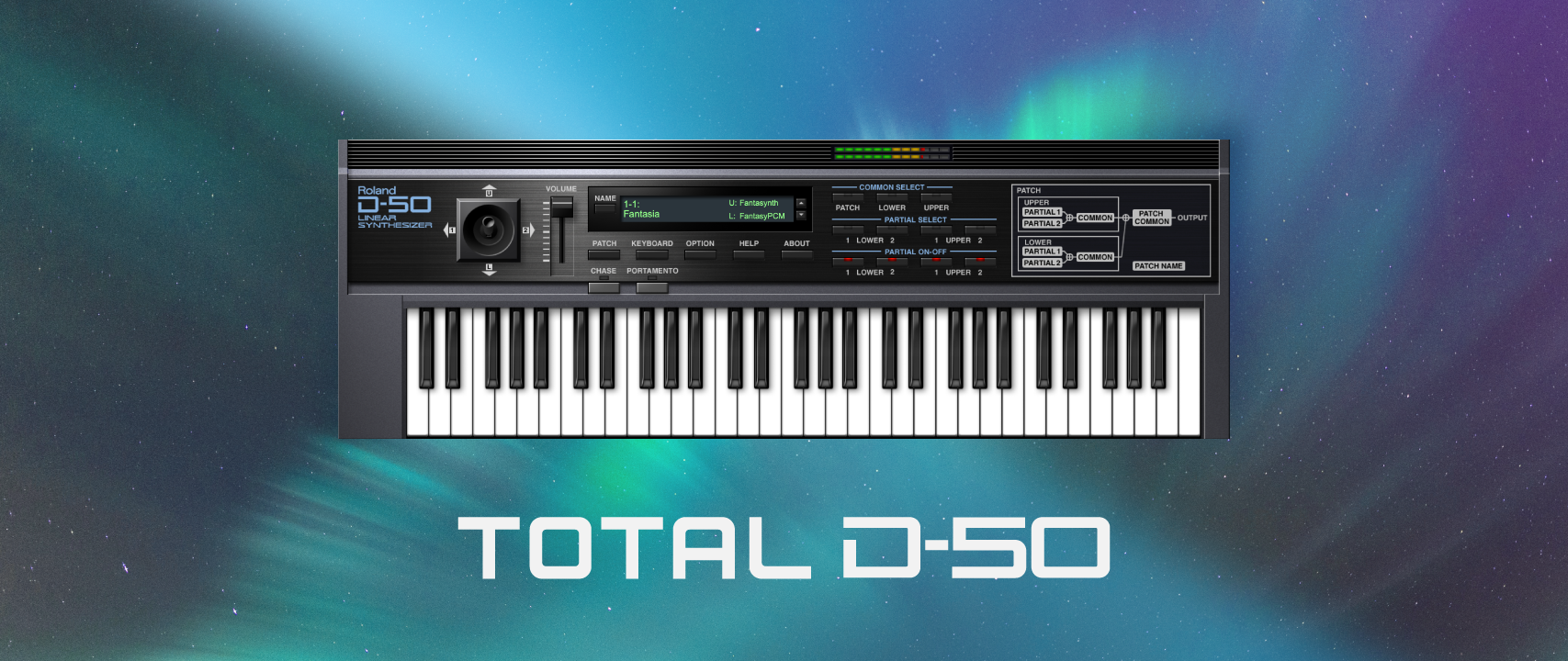
If you buy a Lifetime Key for the D-50 Software Synth by following this link, you can get six patch collections for free.
Sound packs include patches by Don Solaris and INHALT and more. Plus, get free updates and new features for life— this does not need a membership. Let me know if you have any questions!
https://www.rolandcloud.com/news/total-d-50
-

- KVRian
- 920 posts since 12 Jan, 2004 from Boston, MA
...Will we be seing any new synths added to RolandCloud this year?
I am kind of losing hope, given the last "new synth" was ... just a shell for existing synths...
I am kind of losing hope, given the last "new synth" was ... just a shell for existing synths...
-
- KVRist
- 37 posts since 21 Sep, 2021
Jupiter 6 would be really cool! There is a Jupiter 6 from Cherry Audio but I think the Roland plugins sound so much better than Cherry Audio.
-
- KVRist
- 211 posts since 5 Apr, 2023
Hey Introspective! I hear you, I would love to mess around with a new instrument as well. I am not allowed to specify dates or give information about up and coming releases when I do hear about them. Just know that we have tons of stuff planned for this year that we are looking forward to share with you.Introspective wrote: Tue Jan 23, 2024 12:05 am ...Will we be seing any new synths added to RolandCloud this year?
I am kind of losing hope, given the last "new synth" was ... just a shell for existing synths...
These are both very good suggestions and would be awesome to see. Appreciate your feedback Sacer!