


Hi plugmon, will Tokyo Ghost for Bazille be getting the re-order-able FX functionality they just added to the default skin? Tokyo Ghost is my favorite skin for any product ever. I think the Eurorack-like look of it just clicks with me in a way that the other stock skins don't.plugmon wrote: Sat Aug 31, 2024 12:43 pm Update done!
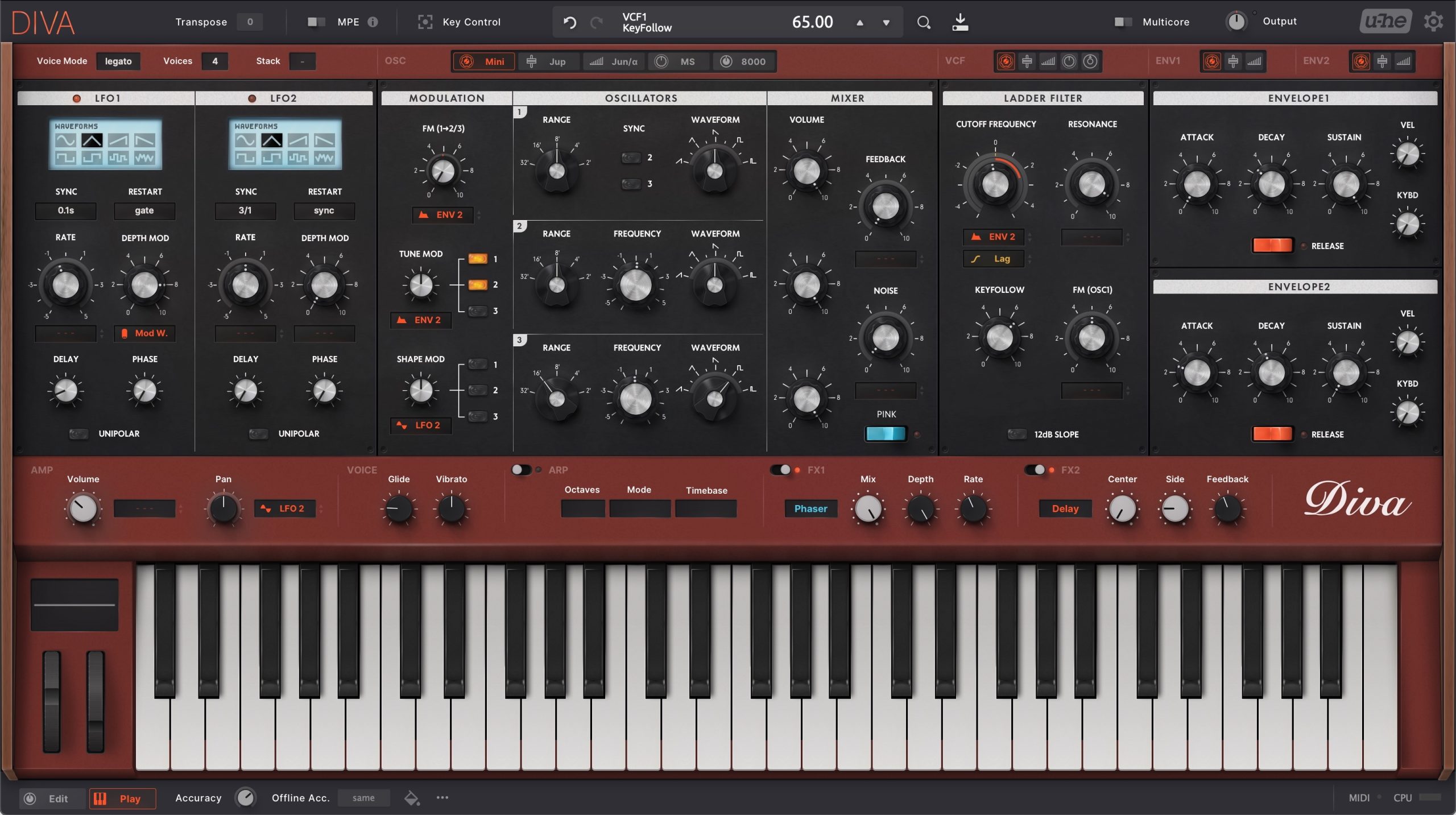
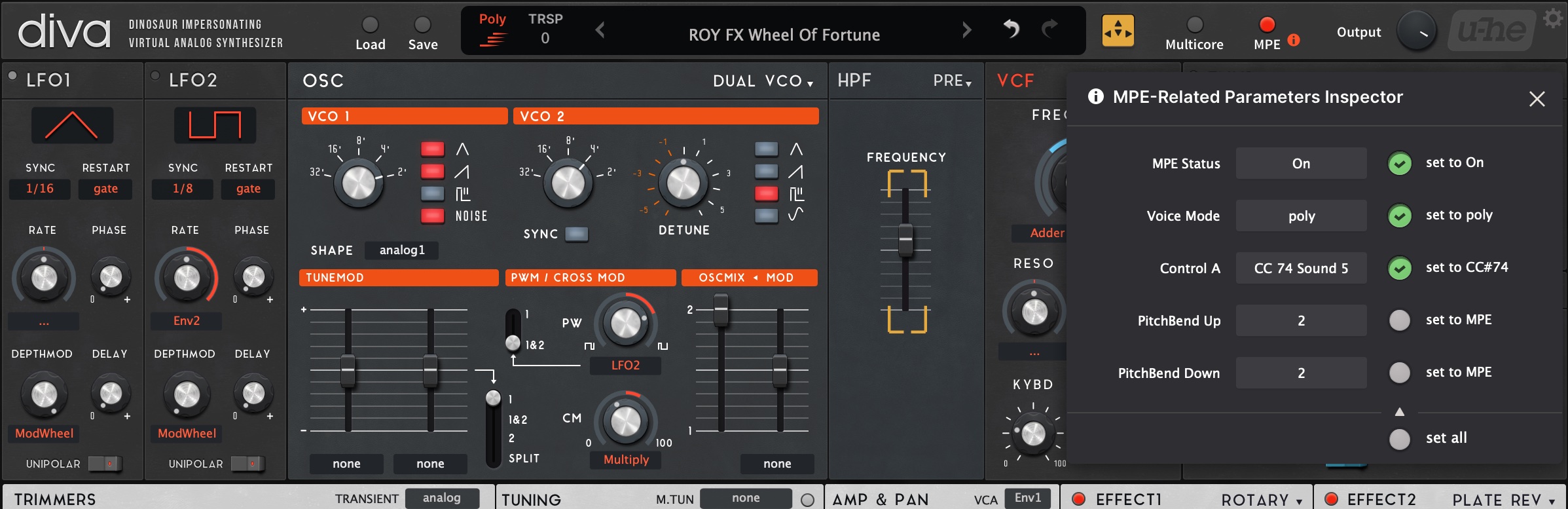
Added MPE and Key Control compatibility. Also, it includes some usability and fun update.
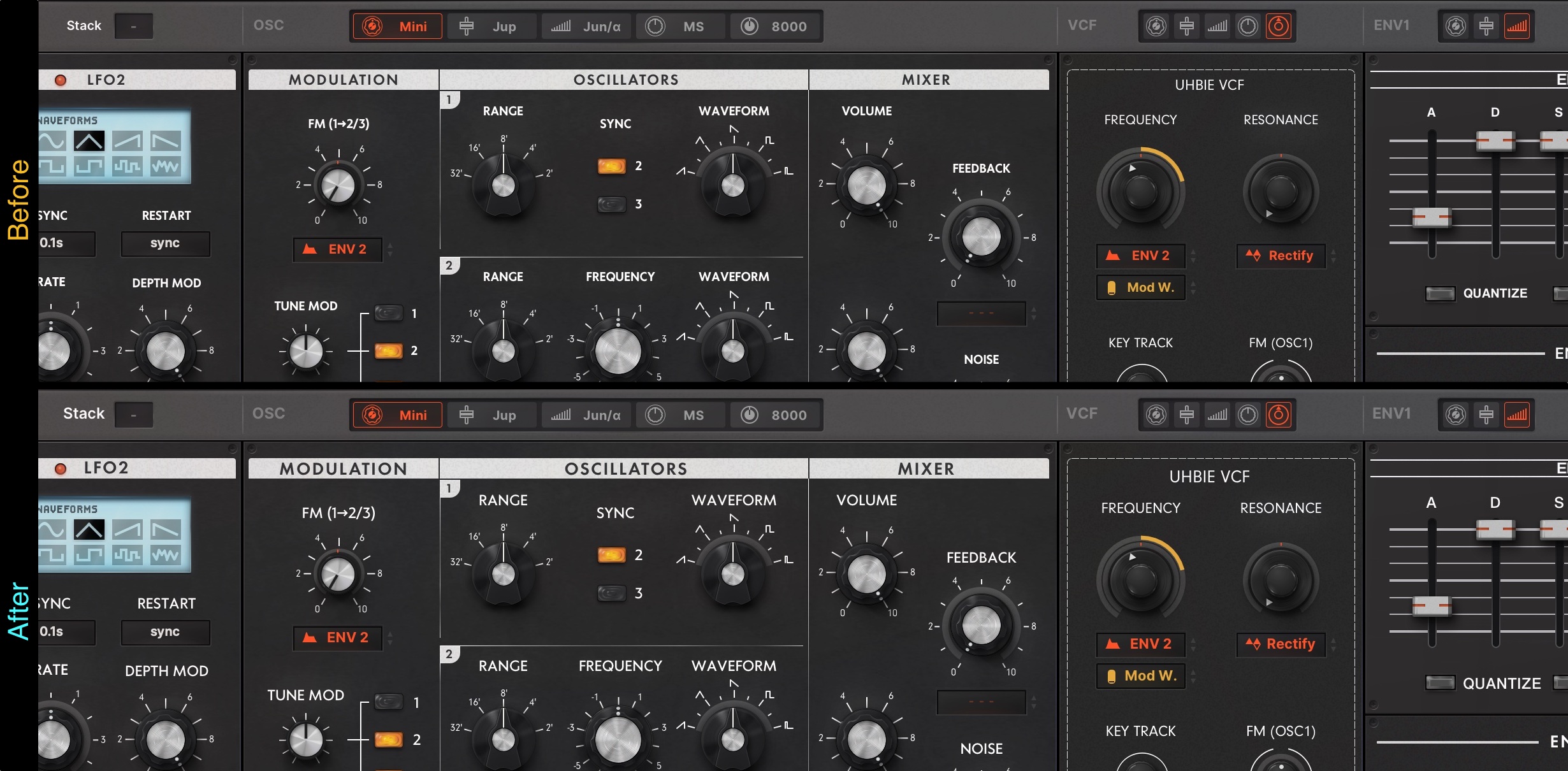
1. Addtitional Red version!
2. Optional larger font images
(*users have to manually replace image files.)
This is a remedy for those who find the font too small when displaying MONA at 80% or 90% zoom rate.
3. Mod Wheel in the Easy Access section
You can get the latest version from your account page:
https://plugmon.jp/my-account/
MONA - New GUI for Diva
-
Funkybot's Evil Twin Funkybot's Evil Twin https://www.kvraudio.com/forum/memberlist.php?mode=viewprofile&u=116627
- KVRAF
- 12443 posts since 16 Aug, 2006
-

- KVRist
- Topic Starter
- 395 posts since 3 Mar, 2015 from Japan
Funkybot's Evil Twin wrote: Sat Aug 31, 2024 2:54 pm Hi plugmon, will Tokyo Ghost for Bazille be getting the re-order-able FX functionality they just added to the default skin? Tokyo Ghost is my favorite skin for any product ever. I think the Eurorack-like look of it just clicks with me in a way that the other stock skins don't.
 This is awesome!!
I have to inspect the code but I'm sure that this can be imported to Tokyo Ghost.
I've long been thinking of putting effects into bottom area rather than overlapping the main area so I'll definitely try this.
And Tokyo Ghost will soon get MPE update too


-
Funkybot's Evil Twin Funkybot's Evil Twin https://www.kvraudio.com/forum/memberlist.php?mode=viewprofile&u=116627
- KVRAF
- 12443 posts since 16 Aug, 2006
Something that never occurred to me until today but may be worth consideration: I kind of feel like the bottom panel order of Mona should swap the positions of the "Amp/Pan" and "Arp" sections. I think that change would more closely follow the actual signal path in Diva where the amp/pan section is the last thing in the audio path until you hit the Post-FX.
-
Funkybot's Evil Twin Funkybot's Evil Twin https://www.kvraudio.com/forum/memberlist.php?mode=viewprofile&u=116627
- KVRAF
- 12443 posts since 16 Aug, 2006
Very cool! Looking forward to it. Thanks!plugmon wrote: Sat Aug 31, 2024 3:21 pmFunkybot's Evil Twin wrote: Sat Aug 31, 2024 2:54 pm Hi plugmon, will Tokyo Ghost for Bazille be getting the re-order-able FX functionality they just added to the default skin? Tokyo Ghost is my favorite skin for any product ever. I think the Eurorack-like look of it just clicks with me in a way that the other stock skins don't.
I have to inspect the code but I'm sure that this can be imported to Tokyo Ghost.
I've long been thinking of putting effects into bottom area rather than overlapping the main area so I'll definitely try this.
And Tokyo Ghost will soon get MPE update too
-
- KVRist
- Topic Starter
- 395 posts since 3 Mar, 2015 from Japan
The layout of the Editor panel was something I struggled during development.Funkybot's Evil Twin wrote: Sat Aug 31, 2024 3:26 pm Something that never occurred to me until today but may be worth consideration: I kind of feel like the bottom panel order of Mona should swap the positions of the "Amp/Pan" and "Arp" sections. I think that change would more closely follow the actual signal path in Diva where the amp/pan section is the last thing in the audio path until you hit the Post-FX.
Indeed, that also makes logical sense. Placing the volume control in the middle does have the advantage of being closer to the OSC mix-related knobs.
But on the other hand, placing the volume knob on the left edge is also a common choice in hardwares (Jupiter-8, OB-X, minilogue...). This is likely to come from the convenience for volume adjustments with the left hand during performance (in real physical world).
There is also the clarity that comes from having important parameters positioned at the edge.
Both configurations are possible, and it's hard to say definitively which is better. If more similar feedback arises, I will take it into serious consideration again.
-
Funkybot's Evil Twin Funkybot's Evil Twin https://www.kvraudio.com/forum/memberlist.php?mode=viewprofile&u=116627
- KVRAF
- 12443 posts since 16 Aug, 2006
I may even try a personal mod of the skin (I wouldn't share of course) that tries that out just to see how I like it.
-
- KVRist
- Topic Starter
- 395 posts since 3 Mar, 2015 from Japan
Ah that's nice! Just for your information, these are the lines that defines the positions of each part of editor section:Funkybot's Evil Twin wrote: Sat Aug 31, 2024 3:54 pm I may even try a personal mod of the skin (I wouldn't share of course) that tries that out just to see how I like it.
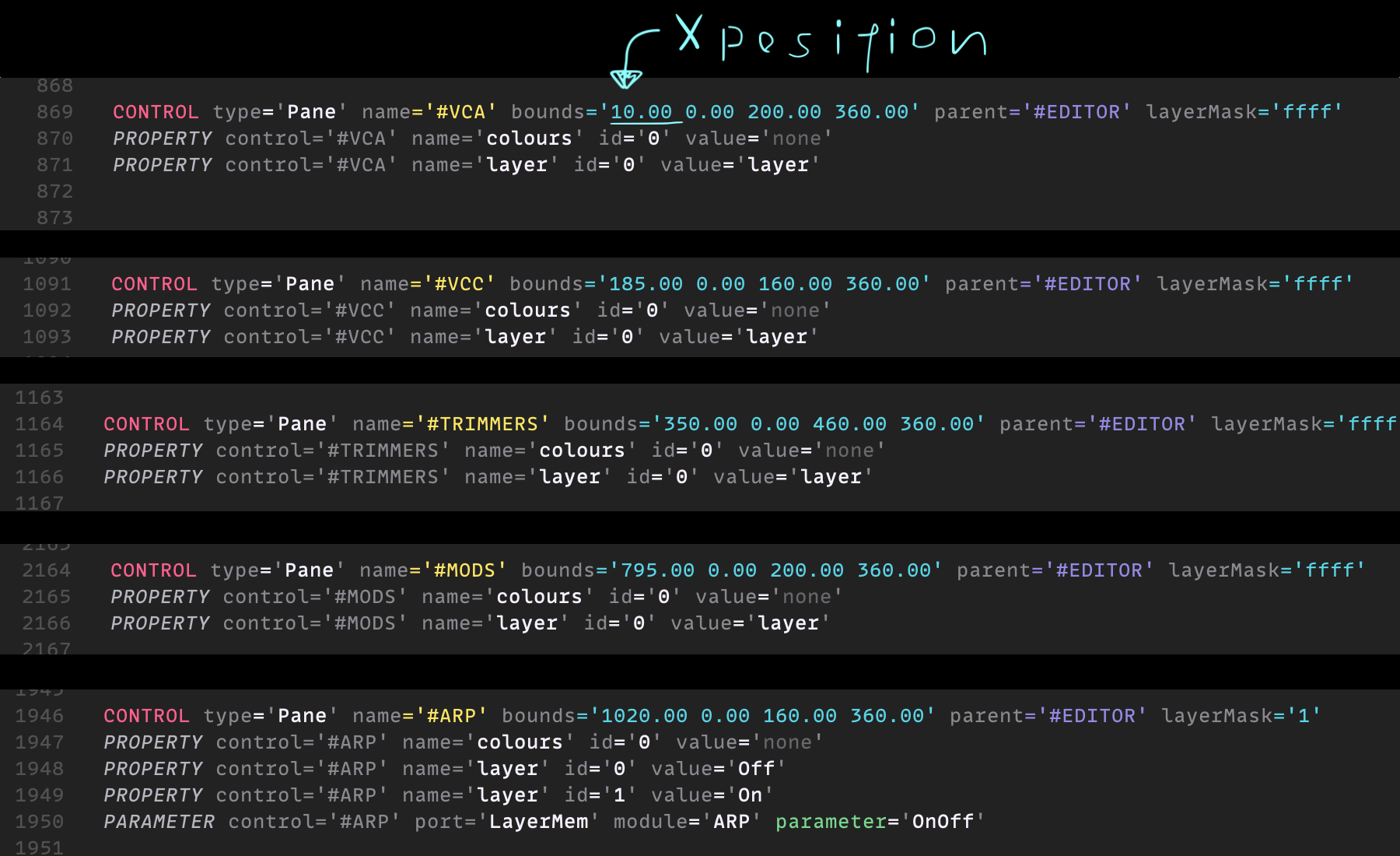
VCA panel is 40px wider than ARP so you may need to shift all the others (VCC, TRIMMERS, MODS) to 40px left, and put #VCA in the X position of 980 instead of 1020, maybe.
-
Funkybot's Evil Twin Funkybot's Evil Twin https://www.kvraudio.com/forum/memberlist.php?mode=viewprofile&u=116627
- KVRAF
- 12443 posts since 16 Aug, 2006
Thanks! The moving the controls/script part is relatively easy compared to smoothly blending the background panels in the BG-Bottom.png without source layers due to the lighting differences. That's where the time suck would be for me.plugmon wrote: Sat Aug 31, 2024 4:09 pmAh that's nice! Just for your information, these are the lines that defines the positions of each part of editor section:Funkybot's Evil Twin wrote: Sat Aug 31, 2024 3:54 pm I may even try a personal mod of the skin (I wouldn't share of course) that tries that out just to see how I like it.
VCA panel is 40px wider than ARP so you may need to shift all the others (VCC, TRIMMERS, MODS) to 40px left, and put #VCA in the X position of 980 instead of 1020, maybe.
-
- KVRist
- Topic Starter
- 395 posts since 3 Mar, 2015 from Japan
Oh, I can share the swapped background image like via Dropbox and send the link through P.M.Funkybot's Evil Twin wrote: Sat Aug 31, 2024 4:28 pm Thanks! The moving the controls/script part is relatively easy compared to smoothly blending the background panels in the BG-Bottom.png without source layers due to the lighting differences. That's where the time suck would be for me.
Just wait for minutes.
-
Funkybot's Evil Twin Funkybot's Evil Twin https://www.kvraudio.com/forum/memberlist.php?mode=viewprofile&u=116627
- KVRAF
- 12443 posts since 16 Aug, 2006
Let me just publicly say, thank you so much! You are an absolute legend.plugmon wrote: Sat Aug 31, 2024 4:33 pmOh, I can share the swapped background image like via Dropbox and send the link through P.M.Funkybot's Evil Twin wrote: Sat Aug 31, 2024 4:28 pm Thanks! The moving the controls/script part is relatively easy compared to smoothly blending the background panels in the BG-Bottom.png without source layers due to the lighting differences. That's where the time suck would be for me.
Just wait for minutes.
-
Funkybot's Evil Twin Funkybot's Evil Twin https://www.kvraudio.com/forum/memberlist.php?mode=viewprofile&u=116627
- KVRAF
- 12443 posts since 16 Aug, 2006
Thanks again plugmon! Got the modified theme up and running in a few minutes with that new BG.png and some light script editing.
-
- KVRist
- 282 posts since 4 Feb, 2015
Thanks for the MONA update, plugmon!
Will AIKO (and maybe ECLIPSE for Hive) also be updated?
Will AIKO (and maybe ECLIPSE for Hive) also be updated?
Last edited by e-musician on Sun Sep 01, 2024 5:31 pm, edited 1 time in total.
-
- KVRist
- Topic Starter
- 395 posts since 3 Mar, 2015 from Japan
Now working on AIKO!e-musician wrote: Sun Sep 01, 2024 2:09 pm Thanks for the MONA update, plugmon!
Will AIKO (and maybe ECLIPSE for Hive) will also be updated?
Then monolith, Tokyo Ghost, Eclipse and IZMOs......

-
- KVRist
- 282 posts since 4 Feb, 2015
plugmon wrote: Sun Sep 01, 2024 2:40 pm Now working on AIKO!
Then monolith, Tokyo Ghost, Eclipse and IZMOs......

Just take your time. No need to rush.
-

- KVRAF
- 24411 posts since 7 Jan, 2009 from Croatia
@plugmon: Maybe there is some bug in the update? On the bottommost panel, it now says Priorit, MicroTunin, VC, Transien. Last letter is missing.
But also, consider: Tuning will look nicer than MicroTuning (and is shorter). Or at the very least, lowercase that T, the world writes that as microtuning not as microTuning Offline Acc. looks ugly with that dot there, it makes sense to shorten it to just Offline.
Super nitpick: would be absolutely great to use dB instead of DB where it shows on the GUI!
The red variant looks STUNNING!
EDIT: Looks like the suggestions to increase the font size from this post aren't working anymore? Wonder if this is a bug on u-he side... The browser really has too small fonts at 100% zoom...
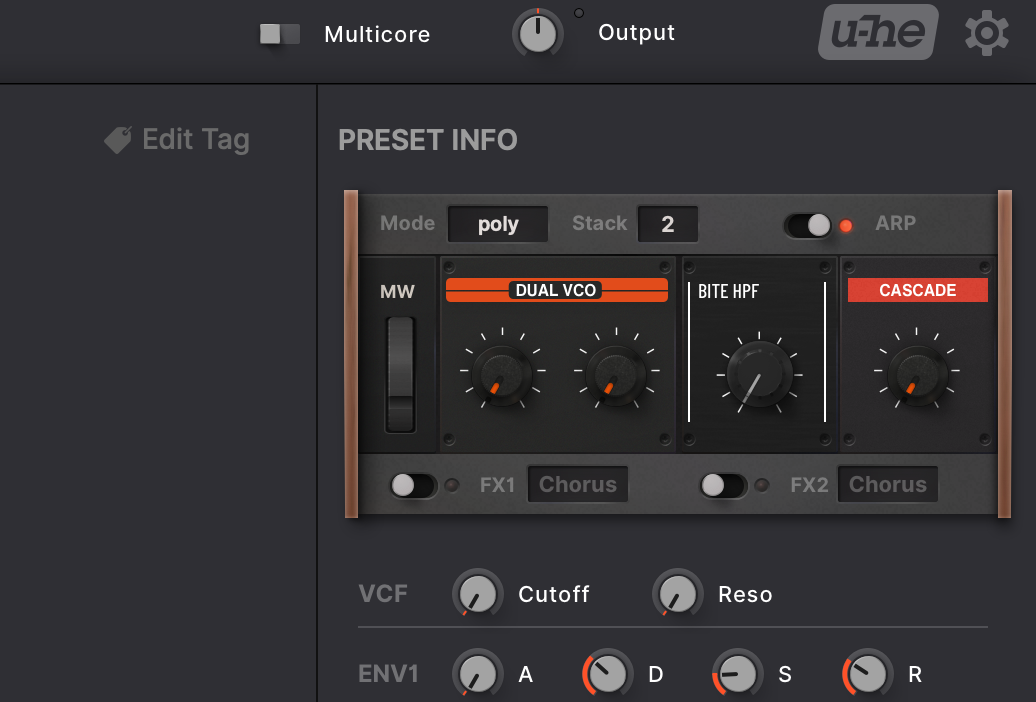
EDIT #2: In Preset Info panel, it is impossible to read the path to the preset, the text is completely blending with the background making it basically invisible. Maybe makes sense to add some backdrop to it if the color of that label cannot be changed? EDIT #3: OK I found it, you CAN change this color, line 11303 is Mono29 color which is way too dark. I changed it to Mono49 and it is instantly way better!
But also, consider: Tuning will look nicer than MicroTuning (and is shorter). Or at the very least, lowercase that T, the world writes that as microtuning not as microTuning
Offline Acc. looks ugly with that dot there, it makes sense to shorten it to just Offline.Super nitpick: would be absolutely great to use dB instead of DB where it shows on the GUI!
The red variant looks STUNNING!
EDIT: Looks like the suggestions to increase the font size from this post aren't working anymore? Wonder if this is a bug on u-he side... The browser really has too small fonts at 100% zoom...
EDIT #2: In Preset Info panel, it is impossible to read the path to the preset, the text is completely blending with the background making it basically invisible. Maybe makes sense to add some backdrop to it if the color of that label cannot be changed? EDIT #3: OK I found it, you CAN change this color, line 11303 is Mono29 color which is way too dark. I changed it to Mono49 and it is instantly way better!