


IIRC you don't need double click. Just one L-Click
Did you know (Tips and Tricks) NO CHAT!
-
- KVRAF
- 5573 posts since 30 May, 2006 from Hollow Earth
ABEFLGMOPPRRST 
-
- KVRAF
- 5144 posts since 3 Oct, 2013
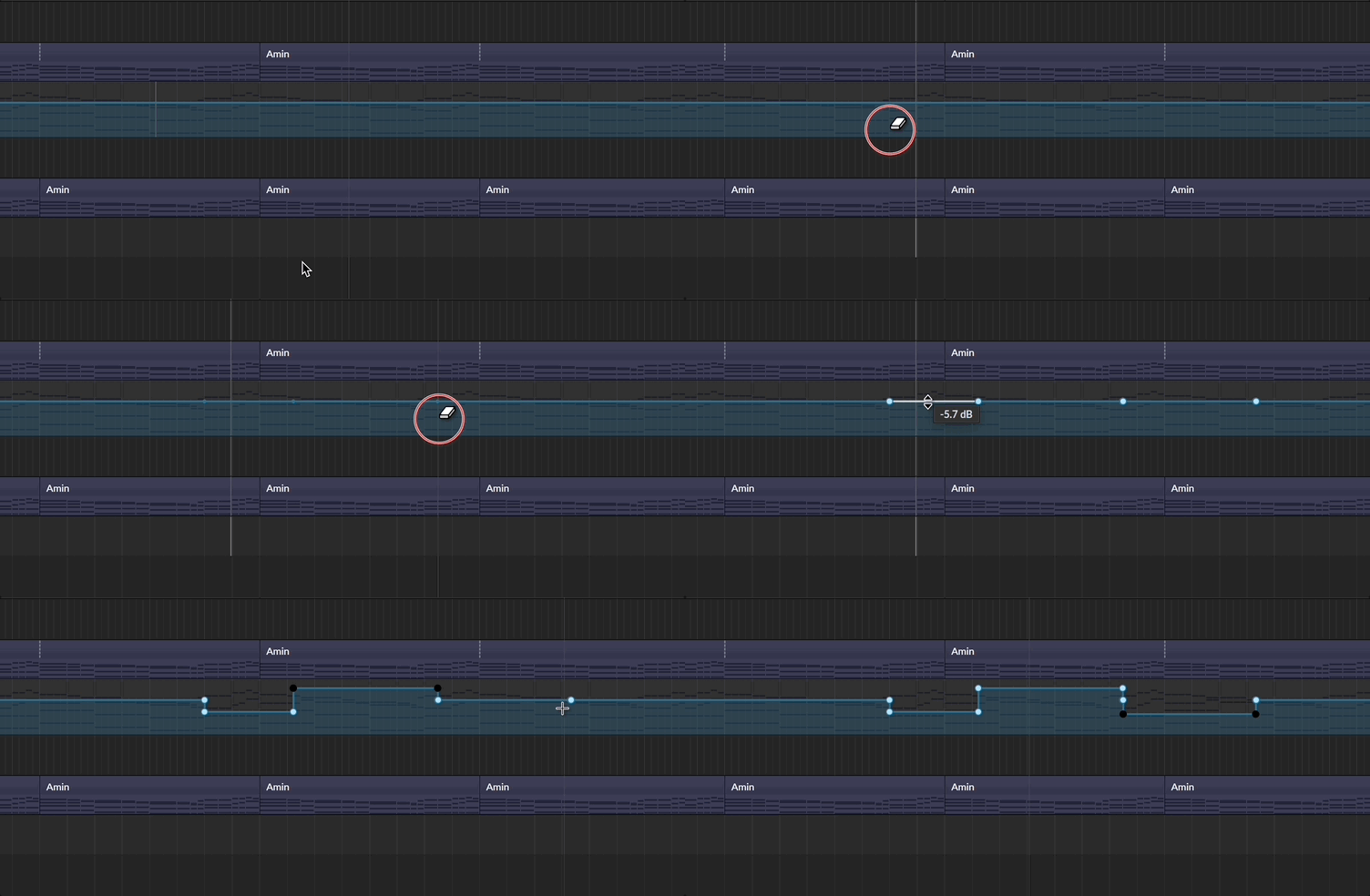
By the way, I hadn't realized until now that because it's a range tool, without dragging it automatically creates two points; it is good to know that too. 
"Where we're workarounding, we don't NEED features." - powermat
-
- KVRer
- 7 posts since 3 Jan, 2021
paranoid_android wrote: Mon Dec 21, 2020 9:39 am Hello everyone,
I've been planning to do this for a long time. This thread is now 5 years old and has 15 pages. Some of the presented tips are no longer valid, some only apply to some specific versions of BWS. OTOH some great tips are buried between things of less value. Would you be interested in having access to a compiled list of all these tips? I was thinking of doing a searchable, sortable spreadsheet, like this one:
https://docs.google.com/spreadsheets/d/ ... sp=sharing
It's just a beginning, since it's a tedious work. But I'm sure that I'd be able to add tips for one page of this thread per day. So it should take just a little bit more than 2 weeks to have it all combined.
What do you think? Is it worth the effort? I don't want to do it for myself only, but if anyone else will benefit, I'm willing to do it. I may even give access to a few people and we can colaborate.
Besides, any suggestions are greatly appreciated. What should the categories and subcategories be? How can I tell which tips apply to which versions of BWS, etc. ?
Is there a update on this ? Seems very usefull.
-
- KVRAF
- 5144 posts since 3 Oct, 2013

the good old browser also includes modulators and grid modules, the latter being interesting because it's better managable than the one in the Grid, which can even be disabled. Yay
(just enable the category subwindow too)"Where we're workarounding, we don't NEED features." - powermat
-
- KVRAF
- 5144 posts since 3 Oct, 2013
modulating the amount of modulation
from the inpector
You do not have the required permissions to view the files attached to this post.
"Where we're workarounding, we don't NEED features." - powermat
-

- KVRist
- 212 posts since 15 Jul, 2020
Ever wondered how you can see midi clips layered in editing mode like you can do audio clips?
You just need to select all clips (or just some) in the track:
And edit them with "show drum editor" option selected.
You can easily see differences between clips in that view (yeah I know they are all the same) and you can edit each one separately.
If you want to add new notes outside of visible range, just select one of the notes then change key in the inspector in the range you want to put new notes in, like lmb and swipe the mouse up and down:
And you have it, more space for new notes:
You can reset the view by clicking a piano-roll editor and clicking back a drum editor.
You just need to select all clips (or just some) in the track:
And edit them with "show drum editor" option selected.
You can easily see differences between clips in that view (yeah I know they are all the same) and you can edit each one separately.
If you want to add new notes outside of visible range, just select one of the notes then change key in the inspector in the range you want to put new notes in, like lmb and swipe the mouse up and down:
And you have it, more space for new notes:
You can reset the view by clicking a piano-roll editor and clicking back a drum editor.
You do not have the required permissions to view the files attached to this post.
-
- KVRist
- 194 posts since 21 May, 2020
When you add a plugin which has a oversample option, you can make a button in a global modulation and toggle all your oversamples on/ off with a same button.