
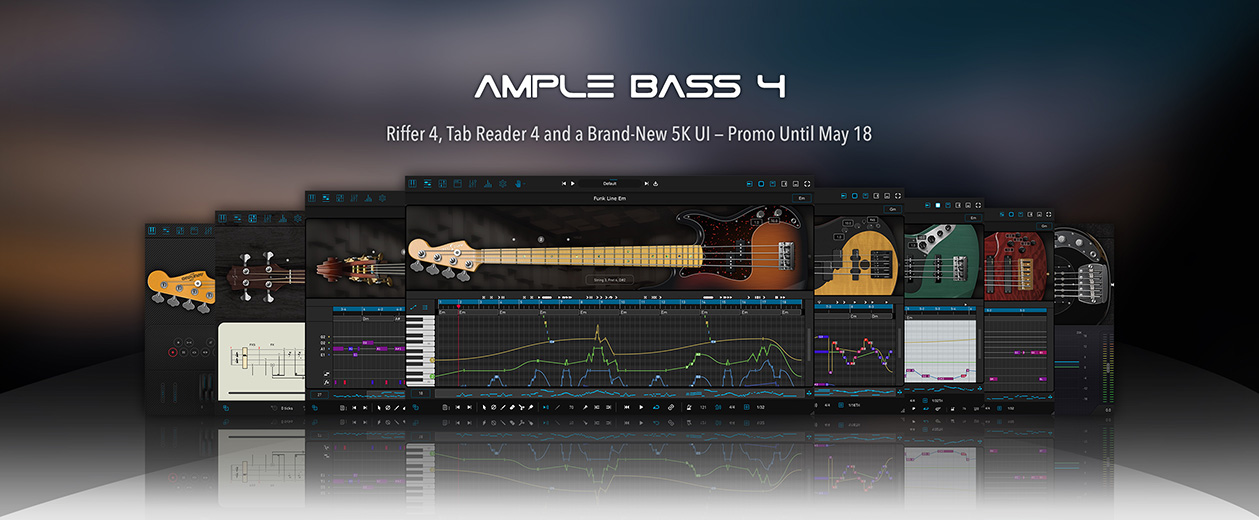
Ample Sound releases Ample Bass v4 with Special Promotion

Official support for: amplesound.net
RELATED
PRODUCTS

Post

Ample Sound Releases Ample Bass v4, featuring 8 upgraded bass instruments: ABP, ABJ, ABJF, ABY, ABTR6, AMR, ABU, and ABA.

Image

New Features in Ample Bass v4:
  • Riffer 4: A MIDI editor tailored for plucked string instruments.
- Dual View Modes: Seamless real-time switching between Piano Roll and Guitar Tab views — a first of its kind, offering two perspectives for reviewing and editing the compositions.
- String Visualization System: Strings are now visualized within the Piano Roll, enabling MIDI writing that adheres to authentic plucked instrument techniques — automatically preventing polyphony on the same string and intelligently assigning fingering. The result is MIDI that sounds closer to real performance.
- Full MIDI Import/Export Compatibility: Whether import external MIDI files or export from Riffer to DAW's MIDI or instrument track, the playback result remains identical and accurate.
- Extensive Riff Library: Hundreds of brand-new bass riffs to spark creativity and accelerate the workflow.
- Intuitive Technique Editing: Easily program fingering, articulation, legato, and expression — no need for cumbersome key switches or complicated MIDI CC programming.
- New MIDI CC and Velocity Editors: View and edit multiple MIDI CC lanes simultaneously with different colors and transparency. One-click CC curve presets allow fast and expressive automation.
  • Tab Reader 4: Compatible with Guitar Pro formats from GP3 to GP8. Capable of importing full bass tracks into Riffer with all fingering, articulations, and performance data preserved.
  • Ample Sound v4 Engine: Improved audio processing performance and efficiency.
  • Brand New 5K UI Design.
  • Completely Remade Presets: All presets have been redesigned for a more mature, polished tone. Each preset is paired with a Riffer demo for quick audition and inspiration
This upgrade is free for all existing users.
Users can log in to the MyAmpleSound page to download:

Ample Sound is also running an Ample Bass Promotion until May 18.
All single products and related bundles are available at a 25% discount, and existing customers can enjoy an additional discount on top of that.

Post

I can't see the last line with the articulations on my screen and the plugin can't be resized. I think it doesn't support a screen resolution lower than 1080, mine is 720. The update made my copy almost useless since I can't edit articulations

edited: I actually can't see the options in the last line. I can edit articulations just fine. I use FL Studio and I found a workaround for this issue but I'd really like to have an option to resize the plugin to fit my screen like Toontrack does with their products. Besides that there're really nice new features in this update!
Last edited by TonyKun on Fri Apr 18, 2025 8:13 pm, edited 1 time in total.

Post

Well done Team! Very positive reaction so far....but dragging a riff to Logic does not output midi channel information from ABA to Logic, no matter what boxes I tick in settings/midi. Can't update till that's fixed.
Also, odd that if I click the String Select pulldown for ABA I get a choice of 5 strings for a four string bass.

Do we need to update Libraries for the new Riffer?

[update after a few hours]
Mac Studio M1 Max, 32Gb and Logic 11
- crackles and pops when playing
- CPU maxes out
- crashes Logic on exit
- tested Rosetta and Low Latency mode, no change
- running empty project, nothing else running but ABA playing preset Riffs

Can't use this.
Mac Studio M1, 32Gb, Logic 12.2.2, Tahoe 26.2.4

Post

Chrismat52 wrote: Fri Apr 18, 2025 4:42 pm Well done Team! Very positive reaction so far....but dragging a riff to Logic does not output midi channel information from ABA to Logic, no matter what boxes I tick in settings/midi. Can't update till that's fixed.
Also, odd that if I click the String Select pulldown for ABA I get a choice of 5 strings for a four string bass.

Do we need to update Libraries for the new Riffer?

[update after a few hours]
Mac Studio M1 Max, 32Gb and Logic 11
- crackles and pops when playing
- CPU maxes out
- crashes Logic on exit
- tested Rosetta and Low Latency mode, no change
- running empty project, nothing else running but ABA playing preset Riffs

Can't use this.
The new Riffer system support sync with host playback, so you don't need to drag Riff out to Logic.

Do you mean Logic crashed when you play ABA riff? Have you tried different riffs or different presets?

Post

TonyKun wrote: Fri Apr 18, 2025 4:02 pm I can't see the last line with the articulations on my screen and the plugin can't be resized. I think it doesn't support a screen resolution lower than 1080, mine is 720. The update made my copy almost useless since I can't edit articulations

edited: I actually can't see the options in the last line. I can edit articulations just fine. I use FL Studio and I found a workaround for this issue but I'd really like to have an option to resize the plugin to fit my screen like Toontrack does with their products. Besides that there're really nice new features in this update!
Actually the Riffer can be resized, but still the minimum resolution is 1280 * 640, so it doesn't support your display well. Could you post a screenshot of the plugin here?

Post

The new Riffer system support sync with host playback, so you don't need to drag Riff out to Logic.

Do you mean Logic crashed when you play ABA riff? Have you tried different riffs or different presets?
[/quote]

If I can drag a riff to Logic, should it not have channel info with it? "Sync with Host Playback" is not the issue.
Logic crashes when I close the project containing ABA, not while playing.
All presets and associated riffs max the cpu and crackle.
Mac Studio M1, 32Gb, Logic 12.2.2, Tahoe 26.2.4

Post

Thank you very much for the update. I tried it first with AMR. I clicked a string with the mouse and my Cubase Pro 14 gave the error message that cubase has become unstalbe. I tried to open AMR, but it was frozen. Then cubase crashed and just disappeared. I'm on windows 10, Intel(R) Core(TM) i7-10700K CPU @ 3.80GHz, 64 GB Ram, Geforce GTX1080, SSD etc. Usually my system is running fine, I have tons of plugins and my Ample Basses never crashed my DAW.
You do not have the required permissions to view the files attached to this post.

Post

musikus072 wrote: Sat Apr 19, 2025 7:43 am Thank you very much for the update. I tried it first with AMR. I clicked a string with the mouse and my Cubase Pro 14 gave the error message that cubase has become unstalbe. I tried to open AMR, but it was frozen. Then cubase crashed and just disappeared. I'm on windows 10, Intel(R) Core(TM) i7-10700K CPU @ 3.80GHz, 64 GB Ram, Geforce GTX1080, SSD etc. Usually my system is running fine, I have tons of plugins and my Ample Basses never crashed my DAW.
Sorry for the problem, could you send the .dmp file to lc@amplesound.net?

Post

Hello Liang, I've sent you an e-mail. I can reliably reproduce the crash even in an empty project.

Post

Chrismat52 wrote: Sat Apr 19, 2025 6:55 am The new Riffer system support sync with host playback, so you don't need to drag Riff out to Logic.

Do you mean Logic crashed when you play ABA riff? Have you tried different riffs or different presets?
If I can drag a riff to Logic, should it not have channel info with it? "Sync with Host Playback" is not the issue.
Logic crashes when I close the project containing ABA, not while playing.
All presets and associated riffs max the cpu and crackle.
[/quote]

Could you confirm that the Buffer size is at least 512 and the sample rate is 44.1k or 48k?

Post

Buffers 128, Sample rate 44.1kHz.
The crackles do not get added to the audio when I bounce down, so that's good. And they don't appear at the same time with each playthrough. It's processing thread 5 that shoots up; the first 4 stay inactive. I could do small video of the cpu monitor if that would help?
Mac Studio M1, 32Gb, Logic 12.2.2, Tahoe 26.2.4

Post

Getting pops & clicks with ABA and AMR on MAC Studio M2 Max also
Do we still have previous versions in our members area?

Post

Are there clear instructions on installing v4 when you already have v3 installed? Do I overwrite my existing files? Create separate folders for the new install files (DLLs, VSTs and Libraries)?

Post

Chrismat52 wrote: Fri Apr 18, 2025 4:42 pm Mac Studio M1 Max, 32Gb and Logic 11
- crackles and pops when playing
- CPU maxes out
- crashes Logic on exit
- tested Rosetta and Low Latency mode, no change
- running empty project, nothing else running but ABA playing preset Riffs
Can't use this.
I also experienced the crackles at the onset of notes with Bass v.4 (ABU) and I've reported it to Ample support.

At a buffer of 128/48k, I get the crackles at the onset of notes with an iMac Intel running Mojave and with an MB Air 15" M2 running Sonoma. Library lives on a Samsung T7 4TB external USB 3.1 SSD.

Increasing the buffer to 256, same problem.

But when I increase the buffer to 512 samples – everything plays fine!

However, I can play my AG12 v.3.7 on the same two systems using a buffer of 128 without any problems.

It seems that a bit of work needs to be done on the streaming-from-disk routine on Bass v.4. ;-)

/JHS
Last edited by Spitfire31 on Mon Apr 21, 2025 9:24 am, edited 4 times in total.
If it were easy, anybody could do it!

Post

phixate wrote: Sun Apr 20, 2025 7:19 pm Are there clear instructions on installing v4 when you already have v3 installed? Do I overwrite my existing files? Create separate folders for the new install files (DLLs, VSTs and Libraries)?
Better to backup all your presets, and also dlls if you don't have the old installers.

Post Reply

Return to “Ample Sound”