
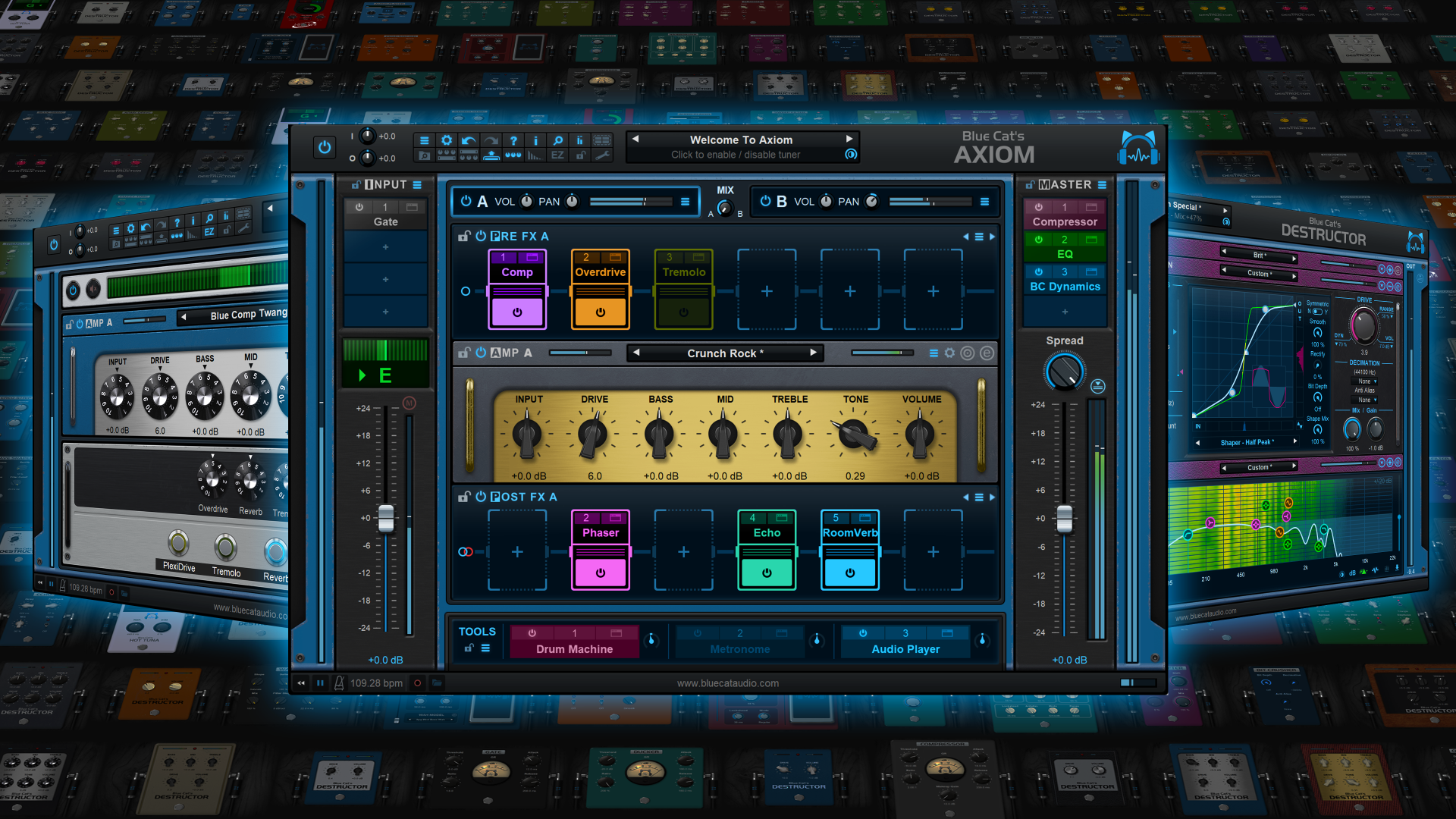
Blue Cat's Axiom 2.2 Released

Official support for: bluecataudio.com
Post Reply New Topic
RELATED
PRODUCTS
Axiom$199.00Buy

Post

We are glad to announce Blue Cat's Axiom 2.2, a free update for our flagship multieffects processor for guitar and bass!

Image

This new release includes the improved Miaow Wah plug-in, with new presets to get the best out of it, as well as lots of other improvements and fixes to enhance the overall Axiom experience.

What's New in Axiom 2.2
- Updated Miaow Wah built-in plug-in: new LFO to modulate the Wah's filter (with host sync option), new presets with modulation effects, custom colors support.
- New factory presets illustrating the new Wah plug-in modes.
- Select which plug-ins appear in the EZ view pedalboard and streamline your pedalboard when using many effects.
- New built-in phase flip plug-in.
- Synchronize application transport & bpm with other devices/software with MIDI Clock and/or MIDI Timecode (MTC). Both Send and Receive supported.
- Synchronize recording and backing track playback.
- Both plug-ins and application now support SysEx MIDI events.
- Reported latency is now displayed in the status bar (bottom right).
- New MIDI Loopback port to route MIDI events from hosted plug-ins back to Axiom's input.
- New "learn once" mode for both MIDI and macro controls.
- App can now receive and send MIDI even when no audio interface is selected.
- Plug-in and App can now send Bank Select and Program Change messages upon changes in the user interface to keep in sync with external controller.
- Find currently selected preset easily in the menu (folders containing the preset now display a check mark).
- Show current preset in Finder/Windows Explorer.
- Added an option to cycle next/previous preset in current bank.
- Application: it is now possible to adjust compression settings and activate UpnP for the Connector Slave network Audio Device.
- Application now reports plug-ins latency when running in network mode.
- Plug-in bypass now follows plug-in upon drag and drop.
- Improved performance of VST3 plug-in and VST3 host when receiving program change messages.
- Minor knobs graphics changes.
- Fixed Audio Player not properly syncing its playback position when resampling.
- Fixed plug-in slot bypass reset upon plug-in removal.
- Fixed a crash in the params map editor upon GUI load in some rare cases.
- Fixed plug-in slots display issue on MacOS 10.10.
- Fixed crash in app when showing MIDI devices with names using unicode characters.
- Fixed CPU meter display sometimes off by one pixel.
- Fixed Audio Unit registration issues in Logic and GarageBand after using the demo version.

Enjoy!

[original announcement]

Post

Is there a way to add effects between the pre and power amp if this sim, im trying to find sims that can so I can have dual amps

Post

Yes it is definitely possible, there are actually a few presets that demonstrate that. You can use an instance of the built-in Destructor modeler as a preamp and another as a power amp anywhere in the chain. It works well with parallel chains too.

Post

Blue Cat Audio wrote: Wed Aug 06, 2025 7:38 am Yes it is definitely possible, there are actually a few presets that demonstrate that. You can use an instance of the built-in Destructor modeler as a preamp and another as a power amp anywhere in the chain. It works well with parallel chains too.
is this available in the demo ? :hyper:

Post

Sure! The "Guitar - Clean/Clean Pre + Two Power Amps" factory preset should give you an idea of how to set things up.

Post

Blue Cat Audio wrote: Wed Aug 06, 2025 2:44 pm Sure! The "Guitar - Clean/Clean Pre + Two Power Amps" factory preset should give you an idea of how to set things up.
Ok so I got it and i stil cant figure out how I can create a set up, example zak wylde, just for fun to test this.

I need to have OD etc in front of the preamp, then between the preamp and power amp I want a chorus, out A returns to the power amp and out b to a return of a second Power amp (not in front before the preamp), I cant see anything indicating where effects go between the preamp and power amp, is this mentioned in the manual?

thanks

Post

Britishboxer wrote: Mon Aug 11, 2025 12:17 am
Blue Cat Audio wrote: Wed Aug 06, 2025 2:44 pm Sure! The "Guitar - Clean/Clean Pre + Two Power Amps" factory preset should give you an idea of how to set things up.
Ok so I got it and i stil cant figure out how I can create a set up, example zak wylde, just for fun to test this.

I need to have OD etc in front of the preamp, then between the preamp and power amp I want a chorus, out A returns to the power amp and out b to a return of a second Power amp (not in front before the preamp), I cant see anything indicating where effects go between the preamp and power amp, is this mentioned in the manual?

thanks
To do this you need to use separate Destructors as explained earlier. If you use the forementioned preset, you can add effects in the input slots right after the preamp. This was the effects will be applied before splitting to the A and B sections where the power amps and cabs reside.

It's not a "standard" setup, that's why there are just a few presets showing how to build your own. For most cases, using effects in the input section and two separate amps in the A and B section does the trick, without separating the preamp and amp/cab stages.

Post

Wow thank you so much!

Post Reply

Return to “Blue Cat Audio”