


'ANYA' - Presswerk Skin
-

- KVRAF
- 14436 posts since 16 Feb, 2005 from Planet Earth, Somewhere
I know you don't have sales past the intro sale, but since presswerk 1.6 was released today officially, it might have made sense to...
rsp
rsp
sound sculptist
-

- KVRist
- Topic Starter
- 395 posts since 3 Mar, 2015 from Japan
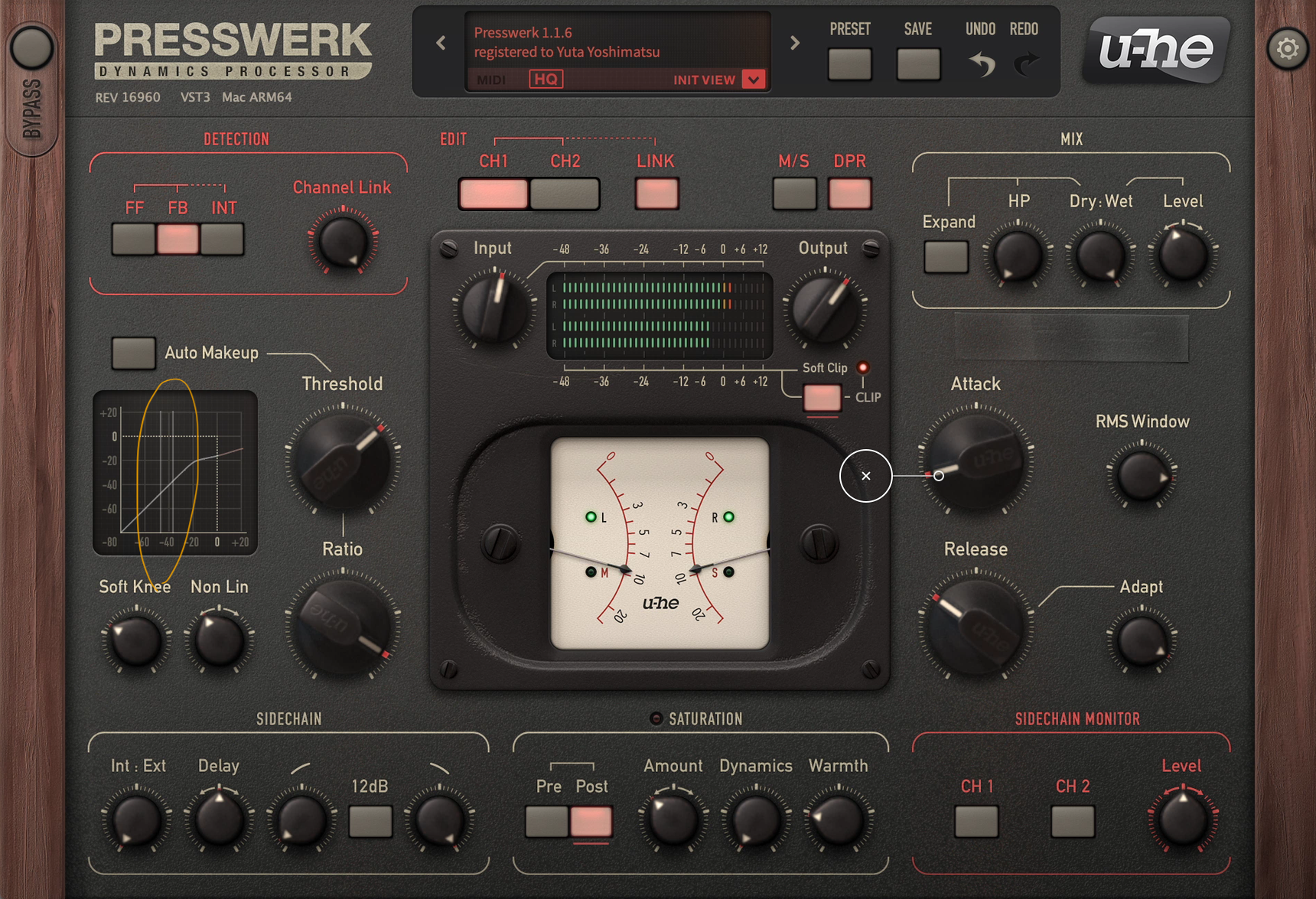
It basically works but unfortunately random glitches occur. I believe it's a bug rather than miscoding of ANYA because the places where glitches show up is quite random

Last edited by plugmon on Tue Mar 11, 2025 3:02 am, edited 1 time in total.

-
- KVRist
- Topic Starter
- 395 posts since 3 Mar, 2015 from Japan
Ah! Let me add a clarification. I just checked again and found that the same glitch occurs with the original skin as well. So, rather than being a skin-specific issue, it seems to be an error that happens in Presswerk itself depending on the environment.monophonK wrote: Wed Mar 05, 2025 8:29 pm Thanks for the feedback - this is of course inconvenient, I hope it can be fixed
Conversely, if the default skin works without any issues, there's a high chance that ANYA will work fine as well.

-
- KVRian
- 673 posts since 11 Apr, 2006
I use MONA and Izmo Dark 100% of the time, and Tokyo Ghost about 50% of the time. ANYA looks really nice, and the layout seems a bit nicer to use than the standard Presswerk skin. But, ANYA has a lot of empty space. (Even in the main view. There is a lot of empty space between the controls and sections.) When I'm doing mixing and mastering, unlike when I'm programming a synthesizer, I often have multiple plugins visible at once. So, in that scenario, I prefer skins which use up less of the screen, even if the controls look a little more cramped. Hmm.
-
- KVRian
- 673 posts since 11 Apr, 2006
I noticed this drawing glitch happens specifically when the input level crosses +0db. Either going upwards from below 0db to above, or from above to below.plugmon wrote: Thu Mar 06, 2025 3:18 amAh! Let me add a clarification. I just checked again and found that the same glitch occurs with the original skin as well. So, rather than being a skin-specific issue, it seems to be an error that happens in Presswerk itself depending on the environment.monophonK wrote: Wed Mar 05, 2025 8:29 pm Thanks for the feedback - this is of course inconvenient, I hope it can be fixed
Conversely, if the default skin works without any issues, there's a high chance that ANYA will work fine as well.
-
tasmaniandevil tasmaniandevil https://www.kvraudio.com/forum/memberlist.php?mode=viewprofile&u=62450
- KVRAF
- 2170 posts since 22 Mar, 2005 from a planet called u-he
Don't worry, it's on our to-do list to check why those glitches happen in the latest Presswerk version.
That QA guy from planet u-he.
-

- KVRAF
- 24411 posts since 7 Jan, 2009 from Croatia
@plugmon, I noticed two bugs in this skin:
1. In the flat UI part, Envelope frame, label says Addaptive Rel instead of Adaptive Rel.
2. In the flat UI part, Saturation/Clip frame, Amount/Dynamics/Warmth labels are shifted a few pixels upwards for Drum Comp/Bus Comp/MS Program Comp modes, compared to other modes.
And a small capitalization niggle: in Appearance Settings, BackGround looks kinda bleh, the label should be properly capitalized as Background. Maybe also, for consistency, rename MS Comp label to Mid/Side Program Comp (as that's the same name used in easy views selector).
Thanks!
1. In the flat UI part, Envelope frame, label says Addaptive Rel instead of Adaptive Rel.
2. In the flat UI part, Saturation/Clip frame, Amount/Dynamics/Warmth labels are shifted a few pixels upwards for Drum Comp/Bus Comp/MS Program Comp modes, compared to other modes.
And a small capitalization niggle: in Appearance Settings, BackGround looks kinda bleh, the label should be properly capitalized as Background. Maybe also, for consistency, rename MS Comp label to Mid/Side Program Comp (as that's the same name used in easy views selector).
Thanks!
-
- KVRist
- Topic Starter
- 395 posts since 3 Mar, 2015 from Japan
Thanks! I fixed them and updated the package (v1.0.1).EvilDragon wrote: Tue Dec 30, 2025 9:14 pm @plugmon, I noticed two bugs in this skin:
1. In the flat UI part, Envelope frame, label says Addaptive Rel instead of Adaptive Rel.
2. In the flat UI part, Saturation/Clip frame, Amount/Dynamics/Warmth labels are shifted a few pixels upwards for Drum Comp/Bus Comp/MS Program Comp modes, compared to other modes.
And a small capitalization niggle: in Appearance Settings, BackGround looks kinda bleh, the label should be properly capitalized as Background. Maybe also, for consistency, rename MS Comp label to Mid/Side Program Comp (as that's the same name used in easy views selector).
Thanks!
-
- KVRAF
- 24411 posts since 7 Jan, 2009 from Croatia
Great! One thing that is still left is on Appearance Settings, it still says BackGround instead of Background. That's all
