

Ableton Live | Max for Live | M4L | AMXD
-
- KVRAF
- 3402 posts since 6 Nov, 2006
there’s now a free extension.. two actually, that have chord guidance and progression .. but only if you have the current beta version of Live.
-
- KVRist
- 71 posts since 23 Aug, 2004
When starting Live from scratch, especially on older Live versions pre-12, loading a Max for Live device for the first time can sometimes take a few seconds due to Max initialization in the background. There should not really be any performance degradation at runtime though, but if you notice an issue happening over time that seems unrelated to the expected additional processing load from adding instruments and effects, contact me here or via email (hello@straycurrent.co) and I will look into it.kraster wrote: Fri Jun 05, 2026 8:46 pm One thing I noticed is that with Harmony beam I get a lot of spinning rainbow wheels and after a while Live really slows up.
Deleting it frees up Live.
Someone had also mentioned people noticing performance issues with the newest Live version/beta (the one that introduces Extensions) - I have not been able to test that one myself yet, but that sounds like it is an issue with Live itself.
-
- KVRAF
- 1895 posts since 8 Jan, 2022
I'm on Live 12.4 (non beta).Munin wrote: Sat Jun 06, 2026 4:25 amWhen starting Live from scratch, especially on older Live versions pre-12, loading a Max for Live device for the first time can sometimes take a few seconds due to Max initialization in the background. There should not really be any performance degradation at runtime though, but if you notice an issue happening over time that seems unrelated to the expected additional processing load from adding instruments and effects, contact me here or via email (hello@straycurrent.co) and I will look into it.kraster wrote: Fri Jun 05, 2026 8:46 pm One thing I noticed is that with Harmony beam I get a lot of spinning rainbow wheels and after a while Live really slows up.
Deleting it frees up Live.
Someone had also mentioned people noticing performance issues with the newest Live version/beta (the one that introduces Extensions) - I have not been able to test that one myself yet, but that sounds like it is an issue with Live itself.
I have heard that 12.4 has issued with random spinning wheels but I didn't really experience it until now.
I've use Harmony beam in other sessions now and I haven't encountered the slowdown.
-
- KVRist
- 71 posts since 23 Aug, 2004
Great to hear. If you encounter those kinds of issues again feel free to get in touch as I would also be eager to find out the cause. Have not had any similar reports thus far.
-

- KVRian
- Topic Starter
- 1422 posts since 14 Apr, 2008 from velvet noise
Last edited by noiseresearch on Sun Jun 14, 2026 8:23 pm, edited 1 time in total.
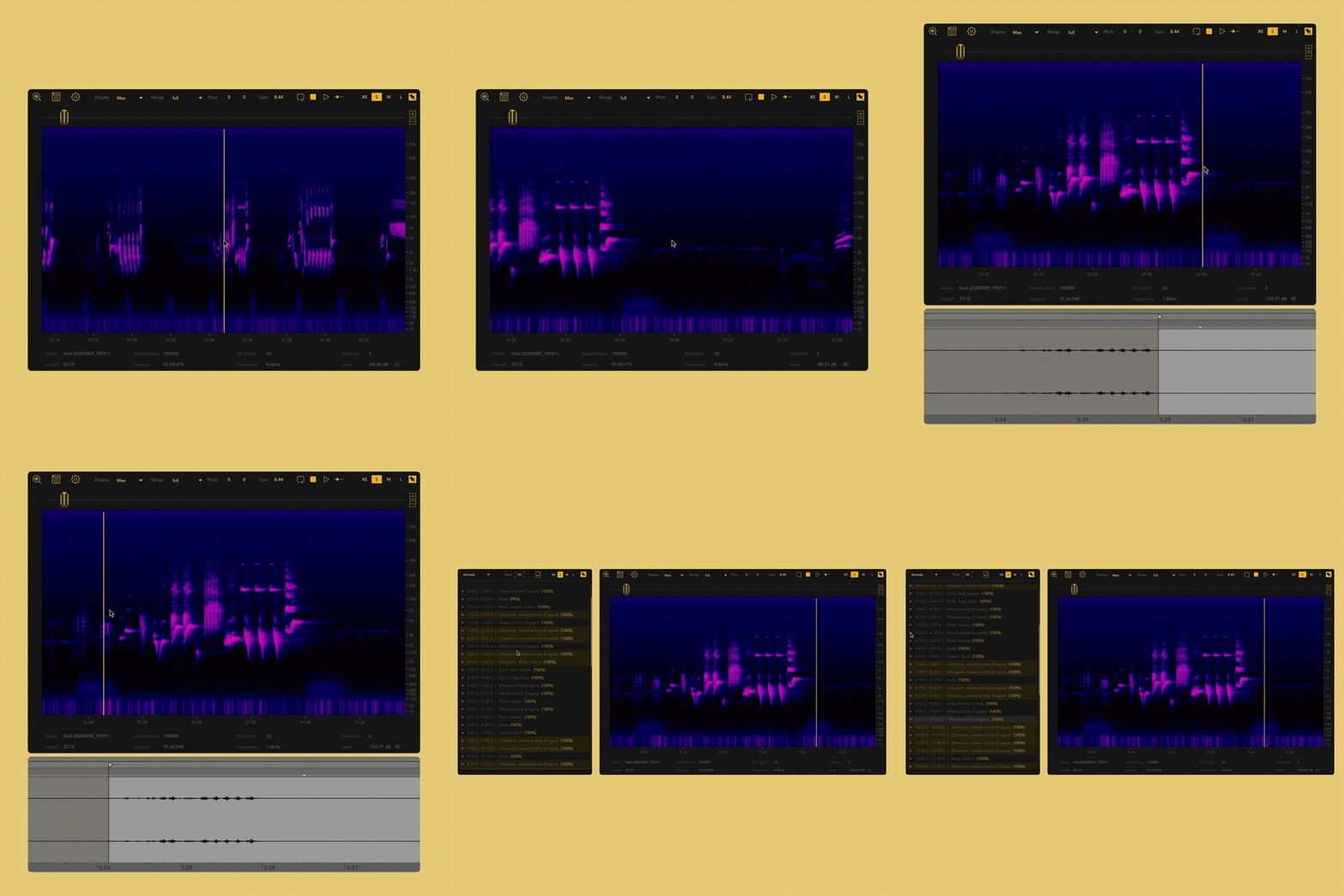
It refuses description, allowing only the vague approach of adjectives: dark, light, raw, angelic. Who or what is making these noises? Where are they coming from and what do they point to? What kind of entity can leave such a troubling sonic remnant?
-

- KVRAF
- 2249 posts since 10 Apr, 2002 from Saint Germain en Laye, France
Control Ableton Live with words
The Ableton MCP server that brings AI to Ableton Live. Free and open-source. Works with Claude, Gemini, ChatGPT, Ollama, and more.
It's a comprehensive AI assistant for Ableton Live with AI leveraging pretty much everything the Ableton Live API exposes :
https://producer-pal.org/
The Ableton MCP server that brings AI to Ableton Live. Free and open-source. Works with Claude, Gemini, ChatGPT, Ollama, and more.
It's a comprehensive AI assistant for Ableton Live with AI leveraging pretty much everything the Ableton Live API exposes :
https://producer-pal.org/

-
- KVRer
- 9 posts since 18 Feb, 2007
SceneQuencer - I created a tool to let you make a playlist of scenes in Ableton. It can then automatically record the playlist to arrangement view saving you the manual steps of triggering scenes.
Check it out at https://noisykid.com/
Demo video:
Check it out at https://noisykid.com/
Demo video:
Noisykid Tools: https://noisykid.com/
SceneQuencer - A playlist for Ableton Scenes
https://www.youtube.com/watch?v=Q20MAjpvlck
SceneQuencer - A playlist for Ableton Scenes
https://www.youtube.com/watch?v=Q20MAjpvlck
-

- KVRAF
- 3683 posts since 21 Nov, 2015
These use the Airwindows code plus adding saturation with oversampling.
https://nyquistlimited.gumroad.com/l/studio-eqs
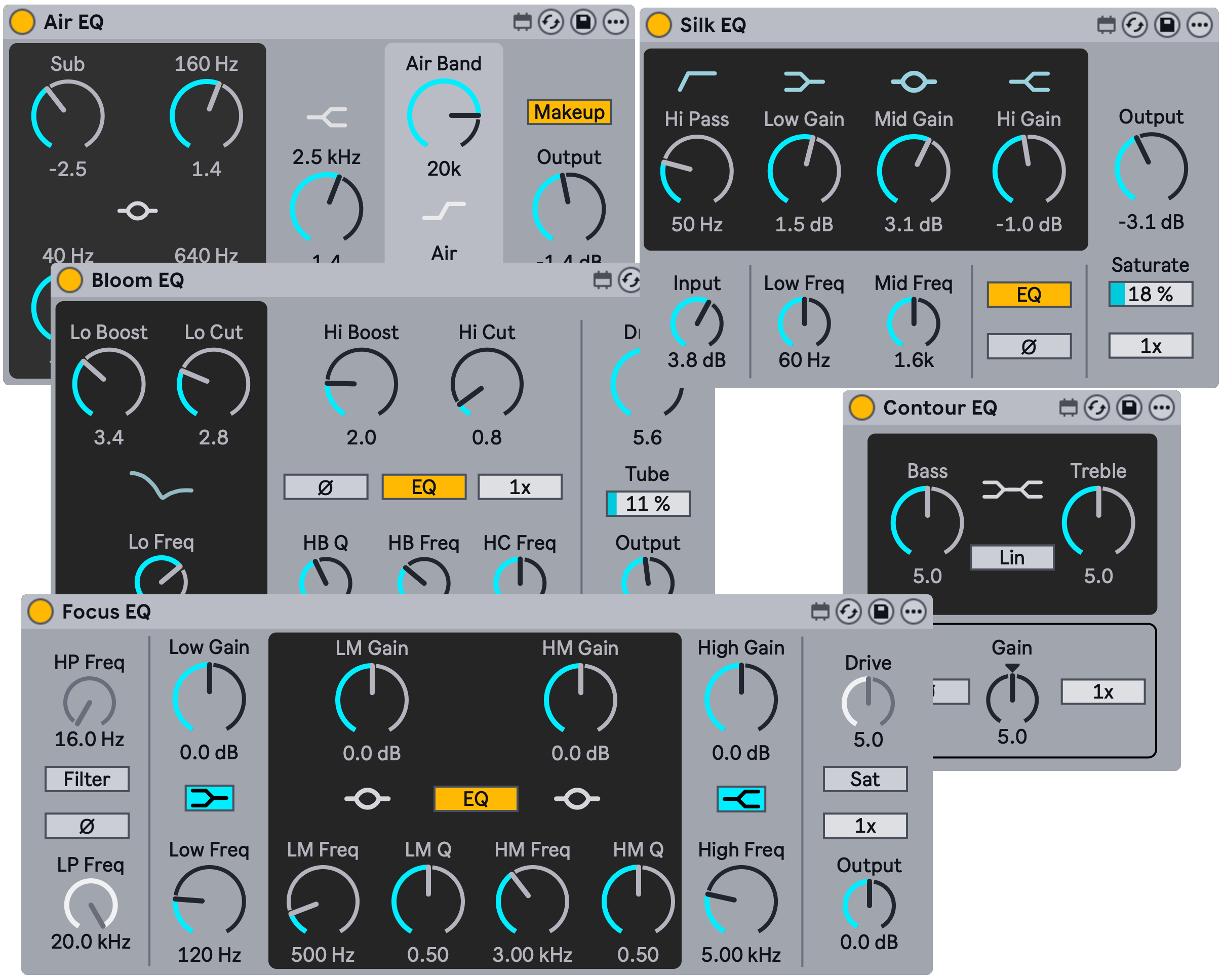
An Ableton Live pack with five studio equalizers accurately modeled with efficient C++ code, leveraging the best open source libraries for filter emulation, saturation, and oversampling.
Air EQ — Transparent equalizer with broad high-frequency band.
Bloom EQ — Passive equalizer with dual boost/cut bands and tube saturation.
Contour EQ — Wide-shelf equalizer with two model variants for broad tonal shaping.
Focus EQ — Solid state equalizer with precise control and console saturation.
Silk EQ — Smooth, musical equalizer with transformer saturation.
Each device comes with a set of presets for common mixing and mastering use cases.
Requires Ableton Live 12 Suite or Ableton Live 12 Standard with the Max for Live add-on. On Apple platforms, we support macOS Tahoe and Sequoia (both on Apple Silicon and Intel processors).
https://nyquistlimited.gumroad.com/
https://nyquistlimited.gumroad.com/l/studio-eqs
An Ableton Live pack with five studio equalizers accurately modeled with efficient C++ code, leveraging the best open source libraries for filter emulation, saturation, and oversampling.
Air EQ — Transparent equalizer with broad high-frequency band.
Bloom EQ — Passive equalizer with dual boost/cut bands and tube saturation.
Contour EQ — Wide-shelf equalizer with two model variants for broad tonal shaping.
Focus EQ — Solid state equalizer with precise control and console saturation.
Silk EQ — Smooth, musical equalizer with transformer saturation.
Each device comes with a set of presets for common mixing and mastering use cases.
Requires Ableton Live 12 Suite or Ableton Live 12 Standard with the Max for Live add-on. On Apple platforms, we support macOS Tahoe and Sequoia (both on Apple Silicon and Intel processors).
https://nyquistlimited.gumroad.com/
You can be creative in any right place on Earth, and not only in the wealthiest cities. Bring the world feelings from everywhere, and not only feelings of capitalistic or jail environment.
― Aleksey Vaneev
https://linuxdaw.org
― Aleksey Vaneev
https://linuxdaw.org
-

- KVRer
- 9 posts since 3 Apr, 2024
Latest device from myself -
Track Name Utility helps you clean up and organise Ableton Live projects fast.
Rename large numbers of tracks and clips in Ableton Live with just a few clicks. Find and replace text, add prefixes or suffixes, remove unwanted tags, automatically number tracks, and update selected tracks or entire projects at once.
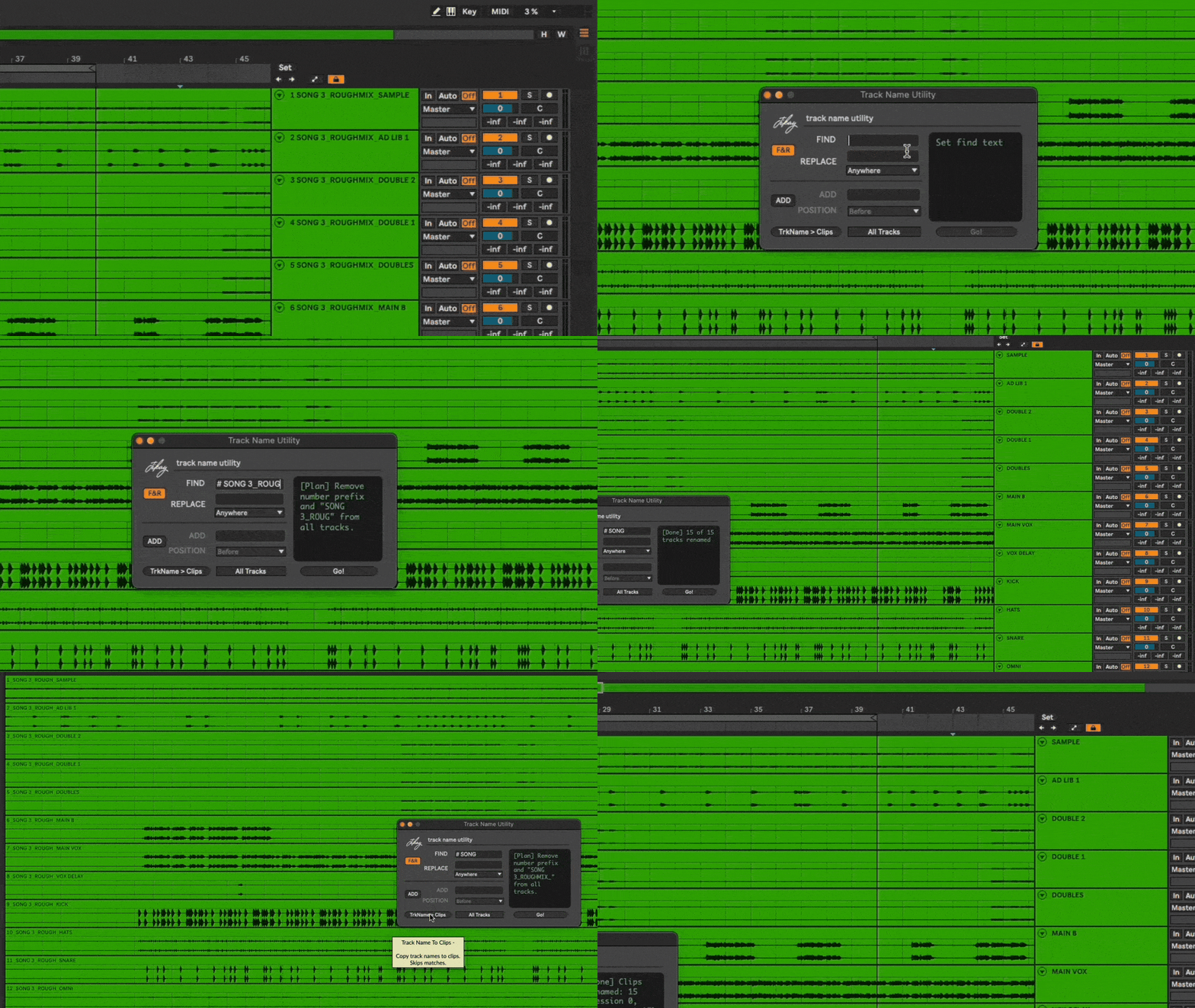
Great for cleaning up imported stems, preparing a project for mixing, or getting a session ready to send to a collaborator, Track Name Utility helps eliminate repetitive renaming tasks and keeps projects organised.
Track names can also be copied directly to clips with a single click, helping keep both Session and Arrangement View tidy and easy to navigate.
Spend less time organising projects and more time making music.
Download: https://jikay.gumroad.com/l/TNU
Track Name Utility helps you clean up and organise Ableton Live projects fast.
Rename large numbers of tracks and clips in Ableton Live with just a few clicks. Find and replace text, add prefixes or suffixes, remove unwanted tags, automatically number tracks, and update selected tracks or entire projects at once.
Great for cleaning up imported stems, preparing a project for mixing, or getting a session ready to send to a collaborator, Track Name Utility helps eliminate repetitive renaming tasks and keeps projects organised.
Track names can also be copied directly to clips with a single click, helping keep both Session and Arrangement View tidy and easy to navigate.
Spend less time organising projects and more time making music.
Download: https://jikay.gumroad.com/l/TNU