Darkpalace Studio - PARROT

Talk about all things "KVR Developer Challenge" related.
Post Reply New Topic
RELATED
PRODUCTS
Parrot

Post

It's colourful, It's always on time and it's free: Meet PARROT!

Image

Disclaimer: Our products are made with the heads and hearts of our team of 3, without the help of virtual aliens (also known as AI) that want to take over our creativity.

Hey fellow contestants, developers and plug-in enthusiasts,

We've been building PARROT as our entry for this awesome KVR Developers Challenge 2026 and we're absolutely stoked to be able to add our newest addition to our plug-in family!

This multi-modal delay tool is here to fly away with you. Of course, as per the rules of the KVR Developers Challenge, PARROT is and will stay completely free.

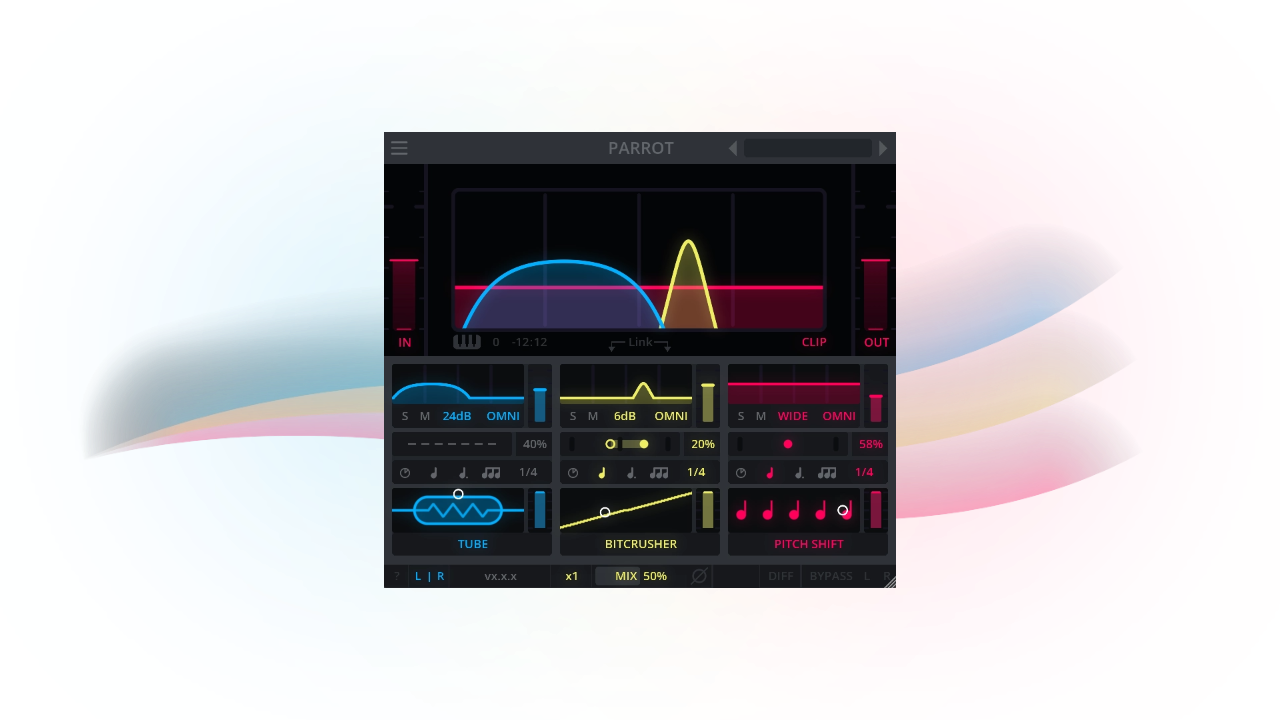
That said: let's celebrate this good bird! With PARROT, you can play around with effects ranging from chorus and saturation to disperser and pitch shift. Create up to 3 different cohesive delays or textures in parallel, adding a colourful character to your sound, all while targeting your desired separate frequencies freely on the frequency range spectrum.

YOUR 3 BEST FILTER FRIENDS
Ranging from chorus to pitch shift, you can play around with different filter effects. Create up to 3 cohesive delays in parallel, adding colourful character to your sound.

FREQUENCY FUN
Using 3 separate modal bands, PARROT allows you to freely target the frequencies where you want your delay or textures to happen, it's all up to you!

TO DELAY OR NOT TO DELAY
A tempo from 1/1 to 1/64 or up to 1500 ms. From dotted delays to triplets. Choose stereo delay, ping-pong delay or no delay to use PARROT for unique character.

Fun ideas to try out with PARROT:
- Bring textures and character to your sound using 'no delay' mode, also cool for spicing up the overall sound of your buses.
- Make use of the automation of the frequency bands, creating wild filter sweeps and transitions.
- And of course, use it as intended, as a crazy delay filter tool and delay multiple frequencies at once cohesively.


MORE ABOUT PARROT:
- Find your favourite effects in PARROT's effect library: tube, BBD, saturation, pitch shift, frequency shift, bitcrusher, disperser, flanger, chorus and flutter.
- Choose from narrow 24dB/oct peaks to broad 6dB/oct bandpasses per band.
- Control each band/effect independently using its personal controls including gain, mix, feedback, solo and mute.
- Use keytracking to move the modes to MIDI notes.
- Choose between 8 different MIDI channels, set to OMNI by default.
- Link bands together for easy adjustment.
- Change your processing from Left/Right to Mid/Side.
- Oversample up to 8x.
- Make your workflow as easy as possible using our signature utility footer.
- No worries about high peaks with true peak limiting.
- Get started quickly with or take inspiration from our useful or creative factory presets.
- Load in PARROT on your host of choice. VST3, AU, CLAP and LV2 compatible, with Windows, Mac and Linux support.

Thank you all for your ongoing support for Darkpalace Studio throughout the years, where we keep finding the inspiration to create more plug-ins and keep updating our existing ones with cool new features.

We hope you'll enjoy using PARROT! If you have questions or suggestions about it, please let us know here. :-)

Post

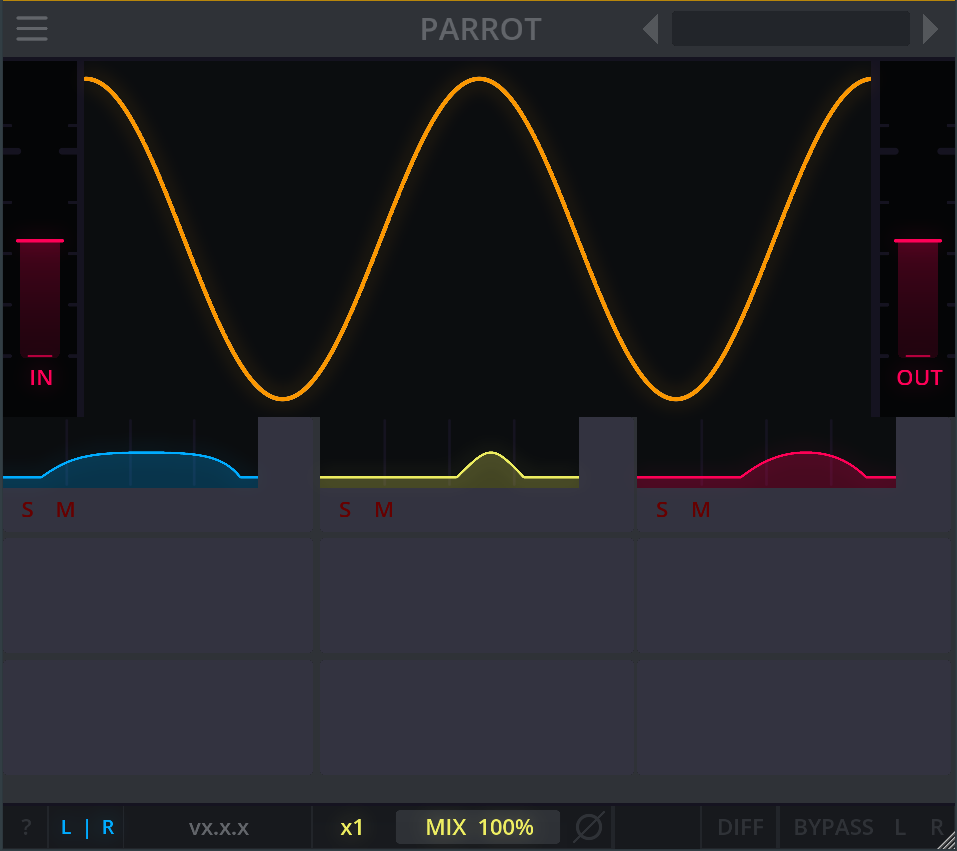
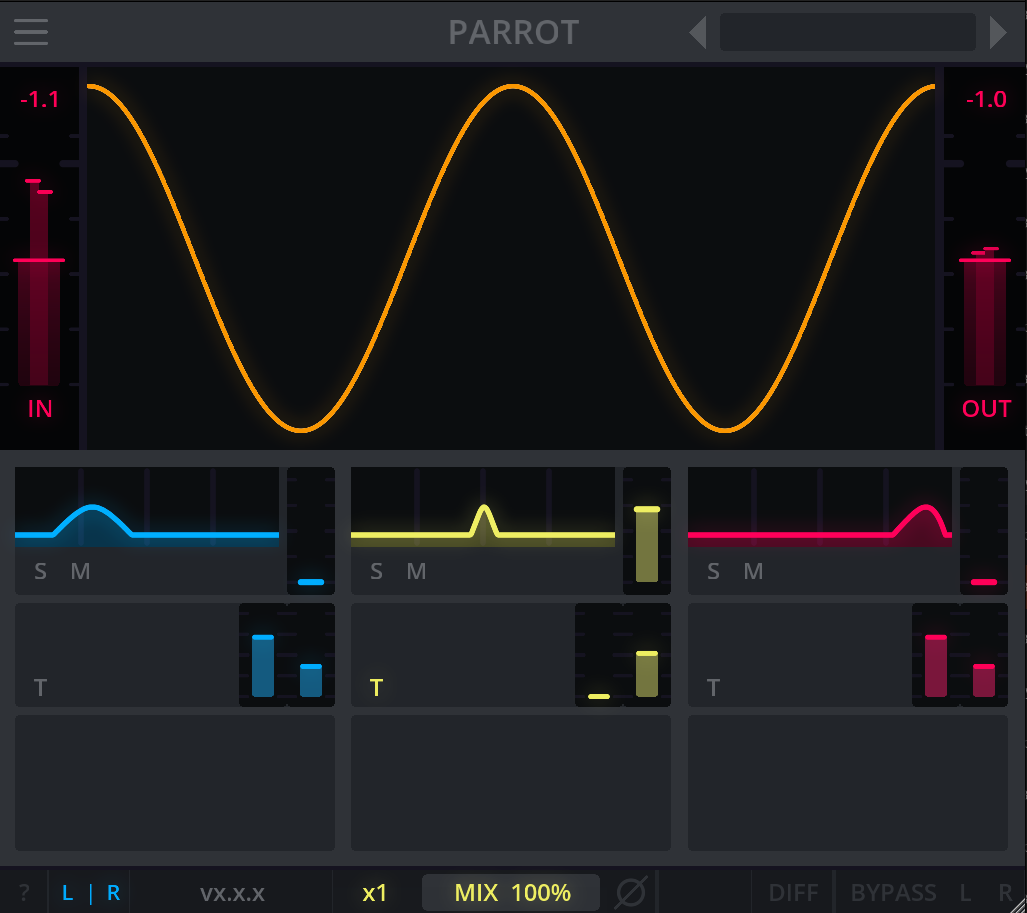
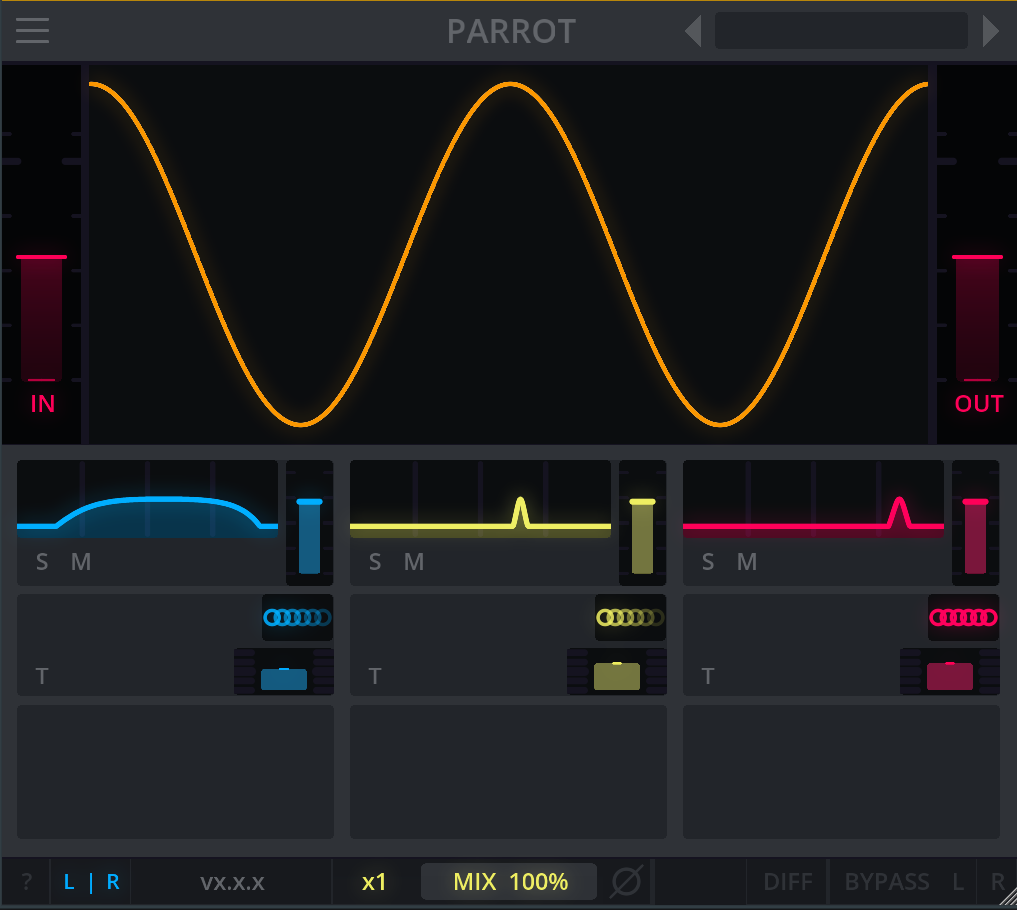
Thought it'd be fun to share some of the first UI sketches for PARROT from way back in the first week after the challenge started. We went on some evening brainstorm sessions with the 3 of us, thinking about how we could display the 3 bands that form PARROT's core, and how we could make it stand out as not to be 'just another delay tool'.

Image

The very first sketch, so simple, but it did form PARROT as it is now.

The next sketches, below, are quite similar to the end result. Though there were some difficulties with certain elements or sliders that turned out not to be what we hoped them to become, and we changed those to be more defined and clear for the user experience.

Image

Image

Post

Hey there! Another little update from our side. We're superhappy with the showcase and review that DATABROTH made about our lil' PARROT. It's definitely on point with all the examples! Thank you DATABROTH. <3

https://www.databroth.com/blog/parrot-free-delay-review

Last edited by darkpalacestudios on Fri Jul 10, 2026 7:13 am, edited 1 time in total.

Post

I've seen your other plugins before and they're very cool. I haven't had a chance to mess with parrot yet but it looks great.

Post

joradn wrote: Fri Jul 10, 2026 1:21 am I've seen your other plugins before and they're very cool. I haven't had a chance to mess with parrot yet but it looks great.
Thank you! :love: Feel free to let us know what you think about PARROT when you get the chance to try it out!

Post

Parrot was updated to v1.0.1.

Patch Notes:
- Bugfix: Input slider is now correctly hooked up (had no effect previously)
- Bugfix: Tooltip for synced/free delay and explanations

Post

Parrot was updated to v1.0.2

Patch notes:
- Bugfix: Fix display scaling on windows

Post

Love this plug-in! I'm not sure why you're giving this away for free. :-)

The UI isn't immediately obvious, and my main suggestion would be to have a little area at the bottom of the window to always show tooltips. Enabling the help was useful but I didn't like that it obscures a big part of the UI.

Also, something that confused me is that I selected one of the presets and it enabled the DIFF button. Then when I started messing around with the controls, I wasn't hearing what I expected. Only after I realized DIFF was turn on, and I turned it off, did stuff start to make sense.
My audio programming blog: https://audiodev.blog

Post

Just tried PARROT and honestly, I was blown away by the level of polish. I have to share this.

The usability is outstanding. I never opened the manual — I just started turning things, and everything responded exactly the way my hands expected. When a plugin makes cause and effect this intuitive, tweaking stops being work and becomes pure fun.

And the sound is so natural. There's clearly some complex processing going on under the hood, but the output always lands in a musical, usable place. You can feel how carefully each stage of the effect has been tuned — that kind of attention to detail really moved me.

Also, the look is just too charming! The retro-game-style UI made me grin the moment I opened it. It genuinely raises your mood before you've even touched a knob.

I own a fair number of plugins, but for shaping the texture and character of a sound, this ranks among the best in my collection. This is going straight into my main toolkit.
Thank you for making such a wonderful plugin — and best of luck in the challenge!!

Post

Enjoyed testing Parrot this morning. Used Reaper's LFOs to modulate some of the parameters and rendered this little demo. Normalized both clips to -6dB peak.

Dry: https://supercooltunes.com/wp-content/u ... st-dry.mp3
Parrot: https://supercooltunes.com/wp-content/u ... t-test.mp3

Post

kerfuffle wrote: Sun Jul 12, 2026 3:30 pm Love this plug-in! I'm not sure why you're giving this away for free. :-)

The UI isn't immediately obvious, and my main suggestion would be to have a little area at the bottom of the window to always show tooltips. Enabling the help was useful but I didn't like that it obscures a big part of the UI.

Also, something that confused me is that I selected one of the presets and it enabled the DIFF button. Then when I started messing around with the controls, I wasn't hearing what I expected. Only after I realized DIFF was turn on, and I turned it off, did stuff start to make sense.
Thank you so much for the encouraging words! It's nice to hear you tried PARROT out. :D

Sorry to hear that the UI wasn't immediately obvious for you, we always try our best to keep our UI and the controls as 'friendly' as possible, so it's a shame to hear you didn't get everything going immediately.

Because you are mentioning the tooltips, I'm wondering if you found the info text when you hover over buttons wasn't clear enough (without enabling the help toggle)?

As for the help toggle on the bottom left at the utility footer, we intentionally do it that way inside all of our plug-ins so our users can toggle a personal 'tutorial' whenever they need it, and it keeps our UI from being too cluttered. Totally understand there are different preferences for different users, though!

And with the DIFF button that got enabled with a preset, I can understand it makes messing around with PARROT a little difficult when you don't realize it was still enabled, since it is designed to listen specifically to the difference between input and output. The DIFF button can be used in various ways for specific sound design usecases, hence why some of the presets have it enabled.

Also: the utility footer (with the help toggle and DIFF button) is always the same in all of our plug-ins, so our users will always know what to expect there when they get into other plug-ins we have.

That said, we hope it helps and you can keep having fun with our lil' bird!

Hope to hear back from you about the tooltip question, we are always looking to improve, because without our users we wouldn't be here! :phones:

Post

NEJIMAKI AUDIO wrote: Sun Jul 12, 2026 3:56 pm Just tried PARROT and honestly, I was blown away by the level of polish. I have to share this.

The usability is outstanding. I never opened the manual — I just started turning things, and everything responded exactly the way my hands expected. When a plugin makes cause and effect this intuitive, tweaking stops being work and becomes pure fun.

And the sound is so natural. There's clearly some complex processing going on under the hood, but the output always lands in a musical, usable place. You can feel how carefully each stage of the effect has been tuned — that kind of attention to detail really moved me.

Also, the look is just too charming! The retro-game-style UI made me grin the moment I opened it. It genuinely raises your mood before you've even touched a knob.

I own a fair number of plugins, but for shaping the texture and character of a sound, this ranks among the best in my collection. This is going straight into my main toolkit.
Thank you for making such a wonderful plugin — and best of luck in the challenge!!
That was extremely nice to read! A smile on our faces. :D

Thank you so much for all the nice words and compliments. It really gives us the drive to always keep topping up our game, keep improving and making new things!

And surely we tried out Crayon Gainer as well, the mascot (and the whole UI, really) is SO cute. :love:

Post

Genetic_Junk wrote: Sun Jul 12, 2026 6:23 pm Enjoyed testing Parrot this morning. Used Reaper's LFOs to modulate some of the parameters and rendered this little demo. Normalized both clips to -6dB peak.

Dry: https://supercooltunes.com/wp-content/u ... st-dry.mp3
Parrot: https://supercooltunes.com/wp-content/u ... t-test.mp3
Oh damn! That sure sounds quite interesting. Thank you so much for sharing this, honestly very inspiring to hear this usecase. :phones: If you find more cool stuff, don't hestitate to let us know, we always love to check it out!

Post

darkpalacestudios wrote: Sun Jul 12, 2026 6:31 pm Because you are mentioning the tooltips, I'm wondering if you found the info text when you hover over buttons wasn't clear enough (without enabling the help toggle)?
Sometimes the tooltips were helpful, but the tooltip for DIFF is just "Diff", for example. So I think they could explain a bit more. :-)
My audio programming blog: https://audiodev.blog

Post

kerfuffle wrote: Sun Jul 12, 2026 6:58 pm
darkpalacestudios wrote: Sun Jul 12, 2026 6:31 pm Because you are mentioning the tooltips, I'm wondering if you found the info text when you hover over buttons wasn't clear enough (without enabling the help toggle)?
Sometimes the tooltips were helpful, but the tooltip for DIFF is just "Diff", for example. So I think they could explain a bit more. :-)
Thanks a lot for the clarification and for your time! We will definitely look into optimizing our small hover tooltip(s) for a future build. :D

Post Reply

Return to “KVR Developer Challenge 2026”