


janamdo wrote:looks good for the input and output management for the audiotracksmutools wrote:What about this improvement:
BUT ..i like to see in the composerscreen also the audiotracks that the new user not can be set on the wrong leg : where are the audio tracks located in the composerscreen ?
OR you must give a warning that the audiochannels are made after the recording process and that there are no audiochannels to be seen before recording them
The recording options panel is for that a good place too
A new user must always setup the recording options ..so it can miss
The best solution is a that Mulab opens with a audiotrack already there and with input and output to choose
The user can add later more audiotracks

I come back with a other idea when i user set his input/output in the recording options that a audio placeholder shows up with also the input and output in the composerscreen under the existing rack blocks
The new user nows now that there is audiochannel there in the composerscreen
and when the recording is done the real audiochannel is added
And to preserve the hybride character of Mulab it is optional to let show up the audiochannel marker with the input and outputs
So everbody is happy


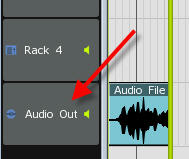

 )
) (leaving for holidays now)