


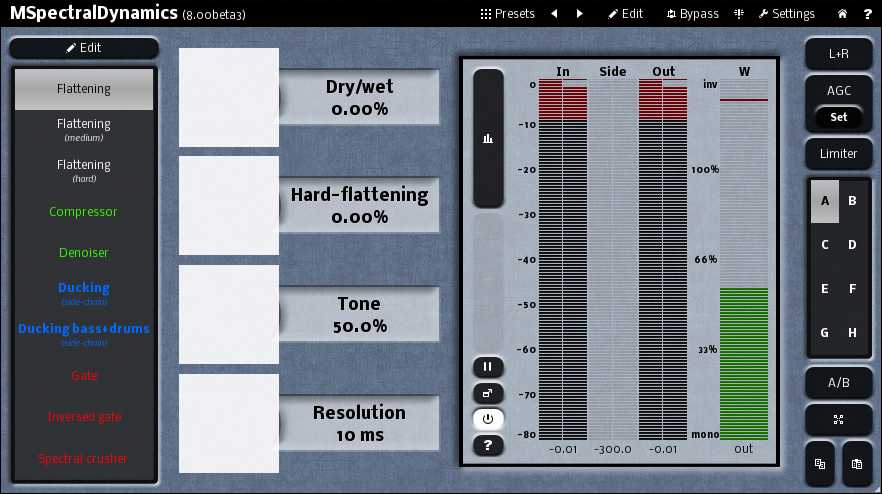
This also happened in the previous beta. This is on a Windows 7 HP Dv7 i5 laptop with switchable graphics. Happens regardless of whether I select 'high performace' or 'power savings' as the graphics card.


Thanks, it has already been fixed, will be available in the final version. It means you have an ancient GPUSaganTech wrote:Just installed beta 3 and if I enable graphics acceleration I see this:
This also happened in the previous beta. This is on a Windows 7 HP Dv7 i5 laptop with switchable graphics. Happens regardless of whether I select 'high performace' or 'power savings' as the graphics card.
 .
.  ) And offcourse that same MIDI triggered envelope could at the same time modulate another FX parameter etc etc.
MMultiBandFreqShifter, too tired to even notice I didn't mention which FX..DarkStar wrote:Which FX? i was going to suggest disabling the[Link] button on the Bands, but it's working OK here (in MultibanDynamics)
 Thanks for pointing that out, edited it in now...
  . There you'll be able to "process your brain out" ...
 ). Crossfeedback between bands is even further... But it is quite simple to do that in MXXX.....
I was "afraid" so.MeldaProduction wrote:I'm afraid I won't be merciful and tell you right now that you will have to wait for MXXX

When can we have it, when when when?MeldaProduction wrote:There you'll be able to "process your brain out"

I mean for instance routing the LFO (or the "Normal" part) in modulator 1 to modulate some parameter, the follower in modulator 1 to modulate some second parameter, the envelope to modulate a third parameter and the random to modulate a fourth parameter while the pitch part could modulate a fifth. I can't seem to do it now, as soon as I click "follower" a parameter that was modulated by the "Normal" LFO now becomes modulated by the follower instead. Clearer? Possible? CPU would shoot through the roof?MeldaProduction wrote:I quite didn't understand the last paragraph about "routing each component" (whatever that means). Anyway I believe it's already possible to modulate a modulator parameters, so theoretically what you want is already there


Submit: News, Plugins, Hosts & Apps | Advertise @ KVR | Developer Account | About KVR / Contact Us | Privacy Statement
© KVR Audio, Inc. 2000-2026
