Xhip Effects - Skinning

VST, AU, AAX, CLAP, etc. Plugin Virtual Effects Discussion
RELATED
PRODUCTS
Xhip Effects

Post

People have subjective tastes. That's one reason the skinning features make sense. Any time someone wants to complain about how a plug-in looks they can fix it themselves or hire someone to make them a custom skin!

As far as developing the skinning features (the purpose of this thread) the same trouble of subjectivity applies with regard to knowing which features are important to people who want to make new skins or customize features of the GUI. I'm limited to creating what I can use to make the changes I want to make, but I have no way to tell what someone else will want to do.

It requires a significant investment of effort to add a simple feature like customization for the LEDs. The most frustrating part of that work is if the work is done and the feature is never used by anyone :)
Xhip actually had the same skinning features in 2006!
Last edited by aciddose on Sat Apr 25, 2020 3:49 pm, edited 1 time in total.
Free plug-ins for Windows, MacOS and Linux. Xhip Synthesizer v8.0 and Xhip Effects Bundle v6.7.
The coder's credo: We believe our work is neither clever nor difficult; it is done because we thought it would be easy.
Work less; get more done.

Post

vata44 wrote: Wed Apr 22, 2020 4:42 pm My idea is make them 8 sliders and 8 knobs only. Many many midi controllers have only 8 knobs or 8 knobs and 8 sliders. Make them fit the most common layout of those like 8 knobs in a row. So then they will be fun and logical when you assign them to a midi controller. You won’t have to think which is assigned to what. Left to right.

I know some things like the reverb have many controls and options, but how about making 8 knobs in a row for the most common parameters and everything else below for the deep tweaking?

That I think would be the most useful thing.
It would make more sense to work on making it possible to define that from a effect.xfxskin that gets included into the GUI configuration file. Sadly no one has shown much interest in this so far, they often mention it briefly and then disappear.

As an example, here's the complete source-code (current skin) for the Xhip Effects - Reverb:

Code: Select all

#include "reverb_gui.h"
#include "reverb.h"

#define EFFECT_NAME reverb
GUI_ADDER(EFFECT_NAME);
#undef EFFECT_NAME

#include <ad/gui/backgrounds/box.h>
#include <ad/gui/backgrounds/text.h>
#include <ad/gui/widgets/led.h>

using namespace ad;
using namespace ad::gui;
using namespace ad::gfx;
using namespace xhip;

reverb_gui::reverb_gui(xhip::effect_t*xfx) : xhip::effect_gui(xfx), lfo_led(nullptr), echo_led(nullptr)
{
	const ad::point margin = dimensions.group.get_margin();
	point total = margin;
	total += dimensions.get_group_size(1, 3); // mod
	total.x += margin.x + dimensions.get_group_size(2, 2).x; // diffuse
	total.x += margin.x + dimensions.get_group_size(4, 2).x; // tail
	total.x += margin.x + dimensions.get_group_size(1, 2).x; // echo
	total.x += margin.x + dimensions.get_group_size(2, 2).x; // output
	total += margin;
	set_size(total.x, total.y);

	set_parameters(fx->num_parameters);
	set_background_color(color::hls(0.62f, 0.4f, 0.75f));

	check_init(this, "reverb gui");
}

void reverb_gui::populate()
{
	const ad::point margin = dimensions.group.get_margin();
	const ad::point size = dimensions.widget.get_destination();
	const ad::point led_offset = point(0, size.y - dimensions.scale(4));

	ad::gui::element_t *p = get_background();
	ad::point offset = margin;

	ad::gui::element_t *diff = add_group(p, "Diffuse", pointf(2, 3), offset);
	add_control(diff, 0, 0, reverb::PRERANGE);
	add_control(diff, 0, 1, reverb::PRESPREAD);
	add_control(diff, 0, 2, reverb::PREDISTRIBUTION);
	add_control(diff, 1, 0.5, reverb::PREDELAY);
	add_control(diff, 1, 1.5, reverb::PREDIRECTION, 1);
	add_switch_label(diff->find("Direction"), "<,>");
	offset.x += diff->width() + margin.x;

	ad::gui::element_t *mod = add_group(p, "Mod", pointf(1, 3), offset);
	add_control(mod, 0, 0.5, reverb::MODRATE);
	add_control(mod, 0, 1.5, reverb::MODDEPTH);
	lfo_led = add_led(get_control(reverb::MODRATE), led_offset, "led red", "mod led");
	offset.x += mod->width() + margin.x;

	ad::gui::element_t *tail = add_group(p, "Tail", pointf(4, 3), offset);
	add_control(tail, 0, 0.5, reverb::APMODE, 1);
	add_control(tail, 0, 1.5, reverb::DIRECTION, 1);
	add_control(tail, 1, 0, reverb::TIME);
	add_control(tail, 1, 1, reverb::FEEDBACK);
	add_control(tail, 1, 2, reverb::DIFFUSE);
	add_control(tail, 2, 0, reverb::ELEMENTS);
	add_control(tail, 2, 1, reverb::SPREAD);
	add_control(tail, 2, 2, reverb::DISTRIBUTION);
	add_control(tail, 3, 0.5, reverb::HIGH);
	add_control(tail, 3, 1.5, reverb::LOW);
	add_switch_label(tail->find("Algorithm"), "A,B");
	add_switch_label(tail->find("Direction"), "<,>");
	offset.x += tail->width() + margin.x;

	ad::gui::element_t *echo = add_group(p, "Echo", pointf(1, 3), offset);
	add_control(echo, 0, 0.5, reverb::ECHOTIME);
	add_control(echo, 0, 1.5, reverb::ECHO);
	echo_led = add_led(get_control(reverb::ECHOTIME), led_offset, "led red", "echo led");
	offset.x += echo->width() + margin.x;

	ad::gui::element_t *out = add_group(p, "Output", pointf(2, 3), offset);
	add_control(out, 0, 0.5, reverb::TONE);
	add_control(out, 0, 1.5, reverb::TONEQ);
	add_control(out, 1, 0, reverb::MIX);
	add_control(out, 1, 1, reverb::WIDTH);
	add_control(out, 1, 2, reverb::GAIN);
	offset.x += out->width() + margin.x;
}

void reverb_gui::idle()
{
	xhip::effect_gui::idle();

	ASSERT(lfo_led);
	if (lfo_led && lfo_led->idle_time()) {
		float lfo = 0.0f;
		float echo = 0.0f;
		fx->get_data(0, &lfo);
		fx->get_data(1, &echo);
		lfo_led->set_value(lfo);
		if (echo) {
			echo_led->set_value(1.0f);
		} else if (echo_led->get_value() > 0.01f) {
			echo_led->set_value(echo_led->get_value() * 0.7f);
		}
	}
}
Here it is with some small tweaks to the config.addb.txt in your ~/appdata/xhip/effects/:

Code: Select all

version = 6.6;
guiscale = 1.5;

knob {
	type = spline;
	color = named(black);
}

switch {
	type = simple;
	color = named(black);
}

group {
	border = on {
		shape = rounded;
		color = gray(1/2, 0);
	}
}
Image

Quick pseudo-skin: (the skins will ideally look exactly like this!)

Code: Select all

reverb_skin
{
	background { color = hls(0.62, 0.4, 0.75); }

	layout {
		diffuse = group(2, 3) {
			range = control(0, 0, Range, 0);
			spread = control(0, 1, Spread, 0);
			distribution = control(0, 2, Distribution, 0);
			delay = control(1, 0.5, Delay, 0);
			direction = control(1, 1.5, Direction, 1) {
				switch_label = "<,>";
			}
		}
	}
}
... and so on.

Something like that would be required to specify the arrangement of widgets on the GUI. The database parser already works. I would only need to implement parsing the particular layout {} chunk and calculating the size of each sub-group, spacing and so on (this would replace the set_size() stuff in the beginning of the source-code.)

Handling of LEDs would be more complex, but assuming the desire would merely be to show/hide/move/modify the LEDs and not create new ones, that would be reasonably trivial.
Free plug-ins for Windows, MacOS and Linux. Xhip Synthesizer v8.0 and Xhip Effects Bundle v6.7.
The coder's credo: We believe our work is neither clever nor difficult; it is done because we thought it would be easy.
Work less; get more done.

Post

How do we get the backgound color to change ?
None are so hopelessly enslaved as those who falsely believe they are free. Johann Wolfgang von Goethe

Post

Teksonik wrote: Fri Apr 24, 2020 4:43 pm How do we get the backgound color to change ?
You can either change the color on its own, or blend with a background bitmap. There are a ton of blending modes, shading modes and border styles.

The background color will be:

Code: Select all

background { color = hls(3/12, 1/2, 1); }
Image

That'll give you a neon green. I suppose I should write a quick list of documentation of all the current variables.
Free plug-ins for Windows, MacOS and Linux. Xhip Synthesizer v8.0 and Xhip Effects Bundle v6.7.
The coder's credo: We believe our work is neither clever nor difficult; it is done because we thought it would be easy.
Work less; get more done.

Post

Here's a quick outline of all the vars I'm aware work so far:
http://xhip.net/effects/releases/xfx_config_vars.txt

There are many variable types including:
http://xhip.net/effects/releases/xfx_datatypes.txt

This will continue to become more complex as the functionality increases, so documentation will possibly need to become a PDF + chapters or a wiki. At some point that documentation will likely be accessible from the http://xhip.net/effects/ page.
Last edited by aciddose on Sat Apr 25, 2020 6:29 pm, edited 2 times in total.
Free plug-ins for Windows, MacOS and Linux. Xhip Synthesizer v8.0 and Xhip Effects Bundle v6.7.
The coder's credo: We believe our work is neither clever nor difficult; it is done because we thought it would be easy.
Work less; get more done.

Post

Thanks but it's already too complex for me.
None are so hopelessly enslaved as those who falsely believe they are free. Johann Wolfgang von Goethe

Post

(BTW: I'm not sure if you mean "it's / that's" referring to only changing the color, or the whole shebang. I assure you though that this is only minimally complex, I wouldn't even call it complicated at all yet. It will possibly become a bit complicated if enough features are added... but I don't think I'll ever produce something like Reaper's skinning functionality.)

Trivial:
I'm not sure how it could be any more simple, but to change the background color you merely edit ~/appdata/roaming/xhip/effects/config.addb.txt by adding the "background { color = hls(0, 1/2, 1); }" line.

Easy:
That's a global override, so it'll override the default colors set by the effects individually. In order to override a specific effect requires importing a skin into the file rather than applying the change at the global level. Such skins aren't yet implemented because there has been no interest in them, but the difficulty of implementing them would be reasonably small.

Medium:
If you prefer to use red-green-blue codes, it's also possible to use { color = rgb(1, 1/2, 0); } for orange, for example. People might prefer to type something more like html/css #ff8000 and I could implement such a thing, but I find the current system much easier.

Medium-hard:
Currently the function arguments are passed through an expression evaluator. So you can type simple expressions like "1/5 + 1/9", or "14/45".

Hard:
Well, that's not implemented yet.

Extreme chaos wizardry:
We won't go there even in our dreams just yet.
Free plug-ins for Windows, MacOS and Linux. Xhip Synthesizer v8.0 and Xhip Effects Bundle v6.7.
The coder's credo: We believe our work is neither clever nor difficult; it is done because we thought it would be easy.
Work less; get more done.

Post

aciddose wrote: Fri Apr 24, 2020 11:09 pm (BTW: I'm not sure if you mean "it's / that's" referring to only changing the color, or the whole shebang. I assure you though that this is only minimally complex, I wouldn't even call it complicated at all yet.
You might not call it complicated but most of us don't write code. I've edited the .config or .ini files of dozens of plugins with success. This just seems unnecessarily complicated or incomplete.

aciddose wrote: Fri Apr 24, 2020 11:09 pmI'm not sure how it could be any more simple, but to change the background color you merely edit ~/appdata/roaming/xhip/effects/config.addb.txt by adding the "background { color = hls(0, 1/2, 1); }" line.
Already tried that earlier. Didn't work. I'm probably missing a character or tag somewhere but since I'm not a programmer I wouldn't know.


Xhip.png
Simple is Background color = RGB 243,153,000 or #FD9900, Frame = RGB 080,080,082 etc
You do not have the required permissions to view the files attached to this post.
None are so hopelessly enslaved as those who falsely believe they are free. Johann Wolfgang von Goethe

Post

Teksonik wrote: Fri Apr 24, 2020 11:48 pmAlready tried that earlier. Didn't work.
Looks like the 2017 version has a bug which ignores/overwrites the config setting for background color. I'll need to release a patched version shortly. You can try the current alpha version (r1199) from xfx_r1199.7z here which does work: http://xhip.net/alpha/

r1199.7z doesn't include Compressor, Crossfeed or Follower because I need to make a couple fixes to those to ensure they work correctly when loading them in old projects. For now, just keep the old versions that work.
Teksonik wrote: Fri Apr 24, 2020 11:48 pm Simple is Background color = RGB 243,153,000 or #FD9900, Frame = RGB 080,080,082 etc
I agree, I'd like to make it possible to type: background.color = rgb_hex(ABCDEF) or rgb_byte(123,45,67) to simplify things where you only want to access one variable. In cases with more complex skins though the c-structure format helps keep things organized much better. Different datatypes are trivial to add such as hex FF or byte 0-255.
Free plug-ins for Windows, MacOS and Linux. Xhip Synthesizer v8.0 and Xhip Effects Bundle v6.7.
The coder's credo: We believe our work is neither clever nor difficult; it is done because we thought it would be easy.
Work less; get more done.

Post

Ok it's working now with the latest Alphas. I just need to get my head around how the 0,1/2, 1 etc numbers correspond to the final color. I've managed to get white, black, and a light green so far.


Xhip2.png
You do not have the required permissions to view the files attached to this post.
None are so hopelessly enslaved as those who falsely believe they are free. Johann Wolfgang von Goethe

Post

Teksonik wrote: Sat Apr 25, 2020 2:38 amI just need to get my head around ... https://en.wikipedia.org/wiki/HSL_and_HSV
Wikipedia wrote: The HSL color space was invented for television in 1938 by Georges Valensi as a method to add color encoding to existing monochrome (i.e. only containing the L signal) broadcasts, allowing existing receivers to receive new color broadcasts (in black and white) without modification as the luminance (black and white) signal is broadcast unmodified. It has been used in all major analog broadcast television encoding including NTSC, PAL and SECAM and all major digital broadcast systems and is the basis for composite video.
Hue can be thought of as divided into red, green and blue thirds:
Red = 0/3 (0 degrees)
Green = 1/3 (120 degrees)
Blue = 2/3 (240 degrees)

You can further divide the color hue "wheel" into 6ths or better yet 12ths:
Red = 0/12 (red = #ff0000)
Orange = 1/12 (orange = #ff8000)
Yellow = 2/12 (yellow = #ffff00)
Chartreuse = 3/12 (chartreuse = #80ff00)
Green = 4/12 (green = #00ff00)
Spring = 5/12 (spring = #00ff80)
Cyan = 6/12 (cyan = #00ffff)
Sky = 7/12 (sky = #0080ff)
Blue = 8/12 (blue = #0000ff)
Purple = 9/12 (purple = #8000ff)
Violet = 10/12 (violet = #ff00ff)
Pink = 11/12 (pink = #ff0080)
(edit: Yaargh! I've just finished deliverin' ye color bbcode, now for a pint of rainbow rum on relaxation island. Arr. Arrlthough, pink is generally considered something more like this luscious bloom of glorious #ff80ff softer half-saturated violet.)

For luma and chroma (intensity/lightness and saturation/color) there are two methods. In the one I use intensity is normalized with white = 1 (100%). To leave some space for color you need to back it off to 1/2 (50%). Color or saturation is always simple at 0 for grayscale and 1 (100%) for full color.
Last edited by aciddose on Mon Apr 27, 2020 1:30 am, edited 2 times in total.
Free plug-ins for Windows, MacOS and Linux. Xhip Synthesizer v8.0 and Xhip Effects Bundle v6.7.
The coder's credo: We believe our work is neither clever nor difficult; it is done because we thought it would be easy.
Work less; get more done.

Post

aciddose wrote: Sat Nov 04, 2017 8:59 pm One thing I have trouble with is understanding exactly what looks good/normal/bad because people have such subjective tastes. That's one reason the skinning features make sense, because any time someone wants to complain about how a plug-in looks they can simply fix it themselves (or hire an artist to make them a custom skin!)
one and the feature is never used by anyone :)
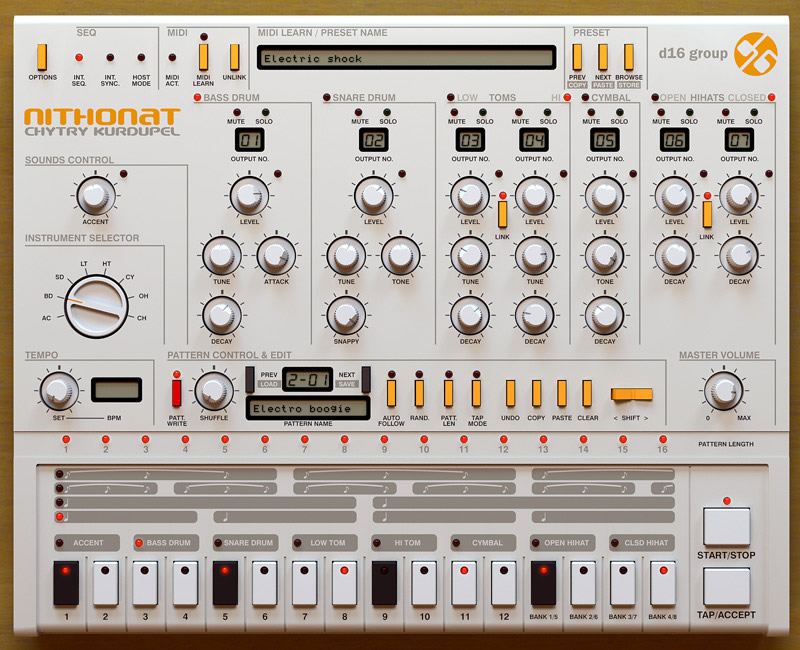
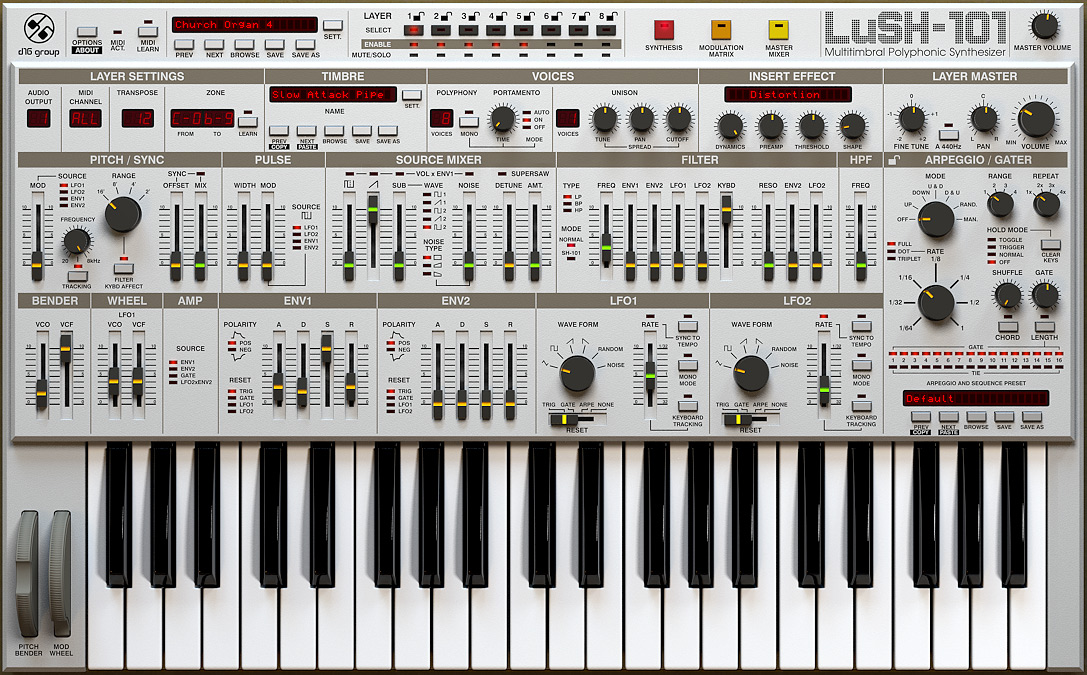
Easy, just make it look like actual hardware photo, not like a graphics made from pixels.
Scan some knobs from synths and some textures of real units, change colors around.
Everyone loves this kind of GUI , i can tell You that:
Image
Image
Image
Soft shadows under knobs are the key to achieve this look, also nothing is white, its mikly/gray at max.
Last edited by bwwd on Sat Apr 25, 2020 3:39 pm, edited 1 time in total.

Post

bwwd wrote: Sat Apr 25, 2020 3:36 pm Everyone loves this kind of GUI , i can tell You that:
That is not true.

Xhip Effects already support replacing the controls and backgrounds with bitmaps. The skinning features already make this possible, so if you'd like to do so you're welcome to.
Last edited by aciddose on Sat Apr 25, 2020 3:41 pm, edited 1 time in total.
Free plug-ins for Windows, MacOS and Linux. Xhip Synthesizer v8.0 and Xhip Effects Bundle v6.7.
The coder's credo: We believe our work is neither clever nor difficult; it is done because we thought it would be easy.
Work less; get more done.

Post

You can make a poll, most of us love hardware and GUI's in this style for subtractive synths are great.
D16 group got a lot of compliments for those GUI's.

Post

bwwd wrote: Sat Apr 25, 2020 3:41 pm You can make a poll, most of us love hardware and GUI's in this style for subtractive synths are great.
D16 group got a lot of compliments for those GUI's.
This thread is for discussion of the skinning system.
Free plug-ins for Windows, MacOS and Linux. Xhip Synthesizer v8.0 and Xhip Effects Bundle v6.7.
The coder's credo: We believe our work is neither clever nor difficult; it is done because we thought it would be easy.
Work less; get more done.

Post Reply

Return to “Effects”