MSuperLooper Wishes

Official support for: meldaproduction.com
RELATED
PRODUCTS

Post

MeldaProduction wrote: Sat May 16, 2020 10:11 pm
zerocrossing wrote: Sat May 16, 2020 9:56 pm I’m so excited about this! Why wasn’t I contacted!? As the preeminent looper in... well in my house, I expect to be consulted on all things audio looper! :lol: I’ve been expecting Möbius to stop working (it did for a while, at least in Bitwig) any day now, but I’m very excited to get this one and add it to my Melda collection.
:love:

Register for the newsletters! :borg: Then we will contact you all the time :D :D
That’s my problem! I registered for all the emails and I can’t get to them. :cry:
Zerocrossing Media

4th Law of Robotics: When turning evil, display a red indicator light. ~[ ●_● ]~

Post

sinkmusic wrote: Wed May 06, 2020 4:18 pm
TVbene wrote: Wed May 06, 2020 3:55 pm
MeldaProduction wrote: Sun May 03, 2020 8:56 pm 1. There's quite no benefit in multiple inputs - you always record one anyways. Even if that would be a good idea, most DAWs just don't like plugins with more than 2 inputs...
I'd argue that this would really improve the workflow for those who do live looping with multiple instruments, like I do. Then one instance of MSuperLooper mapped to one MIDI controller would be enough. For switching instruments, just navigate to a MSuperLooper track where the next instrument is routed to.
Big, big +1 ! :tu:
Just put it in a send/return track. Done. That’s how I run my loopers almost all the time.
Zerocrossing Media

4th Law of Robotics: When turning evil, display a red indicator light. ~[ ●_● ]~

Post

Here’s one thing I always wish all loopers had. When you are playing into a loop in overdub mode with less than 100% feedback on, you get this loop volume ratcheting that starts at the beginning of each loop iteration. If you have it set at 85% or higher, it still seems pretty smooth, but what I’d love is for when I want the loop to evolve quicker, say at 50% feedback, but without the volume jumps, could there be a “loop fade” function that faded the volume of the loop buffer to match the decayed volume that would start at the next loop pass. Just sort of an auto-volume-fade of the loop buffer.
Zerocrossing Media

4th Law of Robotics: When turning evil, display a red indicator light. ~[ ●_● ]~

Post

that's a cool idea

Post

MeldaProduction wrote: Sat May 16, 2020 9:35 pmActually the point of the internal FX is that you won't need to do that. You will use the reverb inside MSuperLooper, so you never need to wait. After all you'd need to wait either way in your scenario, which is quite a bummer :)
Seems pretty closed and prescriptive... Sorry if this is a nasty surprise, but most musicians/producers will already have their favourite/preferred effects and the built-in effects will likely never be touched by many users. The opportunity for a new looper isn't going to (and shouldn't!) make them change the rest of their setup to accommodate it. Trying to force users to just use the internal effects instead is more likely to dissuade them from buying/using this product. Surely a better approach to plugin development is to improve products' integration in users' (and potential users') setups. Hopefully development will address various (early adopter) user issues and I won't have wasted my money.

Post

Just playing with it again and having lots of fun. Have to say, that I'm using foot controllers all the time, because I want to be handsoninstrument all the time). Still some wishes more, eacht time I use it:

0. I have the impression, that it does not start record exactly that time I hit the record button (turned on toggle in realearn which should work quite well, but it's the same when only using internal midi in MSuperLooper). I could make a test, but I just have the feeling that Mobius is more on point, just reacting in the same millisecond you press the button. That's quite important, when jamming to another unsyncronized external loop (the sync wont last forever anyway, but I often just hit restart in such cases and have perfect timing for live usage that way). I once complained at Keith Mc Millen support that a device had about 15-20 milliseconds delay and finally after I send some tests they agreed... I'm very picky with controller latency. (I got their bop pads in the end b.t.w which are superfast and precise).

1. My Plugin window doesn't adapt to my screen(or window)size in reaper

2. I need an immediate delete or "kill last try" button, because when I make a mistake I want to immediately stop that and start again omn anm empty track. Undo does never show up somehow.

3. The greatest thing on this planet would be a reversed sync function, to somehow syncronize the host to the live-played tempo in MSuperLooper. I allways start playing free in a looper and I bet it's impossible, but I bet there would be a cool workaround.... maybe you should implement ableton link in it :-))

4. There really need to be a start/stop/restart immediately function. Syncing the looper to host leads to problems when using a free running tempo... O.K. the restart-button works, but stop is important too, which is not the same as the mute-like function which is there right now.


Thank you!!!

Martin

Post

zerocrossing wrote: Sun May 17, 2020 2:45 am
sinkmusic wrote: Wed May 06, 2020 4:18 pm
TVbene wrote: Wed May 06, 2020 3:55 pm
MeldaProduction wrote: Sun May 03, 2020 8:56 pm 1. There's quite no benefit in multiple inputs - you always record one anyways. Even if that would be a good idea, most DAWs just don't like plugins with more than 2 inputs...
I'd argue that this would really improve the workflow for those who do live looping with multiple instruments, like I do. Then one instance of MSuperLooper mapped to one MIDI controller would be enough. For switching instruments, just navigate to a MSuperLooper track where the next instrument is routed to.
Big, big +1 ! :tu:
Just put it in a send/return track. Done. That’s how I run my loopers almost all the time.
Yeah, true, I do it the same way. But then you need different routing options (= send amount) depending on what you want to record. I can use a script for my launchpad in Bitwig and have visual feedback and easy control for the amount of every send, so I'm fine.

Post

Playing again with MSuperlooper... So many ideas and inspirations. For now it's just a toy (a nice one) for me compared to abletons possibilities in live improvisation, but it is not so far from it. I could imagine a point where it would be more handy just to work with MSuperLooper, but there are some things to add to make it usefull for more than just sketching and having fun.

I'm getting more precise on my wish for an IMMEDIATE DELETE. When I record a Guitar Track over a basic Rhythem but I make a mistake I want to be able to CANCEL that recording. Even while recording and of course even in the middle of playback, when hearing that it does not fit.
It's all about improvisation for me and so that Looper tool has to react immediately. In Ableton or Mobius I have the ability to immediately interrupt or delete a recording. That's important for improvising workflow.

I also thought: Wow, it would be cool to be able to have Tracks with a fraction of the first, not only multiplies. When I e.g. start with a guitar chordsheme that lasts 4 bars, it would be cool to add a simple drum background with 1 bar length.

Very cool would be a fadeout feature for some functions. When I delete a take, it would be cool to have a fade instead of a sudden break, when it stops.

Martin

& P.S., yes, multiple outs would be really cool.

Post

mccy wrote: Sun May 17, 2020 6:10 pm ...
2. I need an immediate delete or "kill last try" button, because when I make a mistake I want to immediately stop that and start again omn anm empty track...
erase-record.JPG
Made this multiparameter and it does exactly what you described. Try it.
At first I used "clear loop" but that didn't work everytime, sometimes it would erase as last thing not first erase then record.
It clears track (all loops in it), resets it. Wont reset first track timing in non sync mode, same as the command outside the multiparameter but on tracks 2,3... works for that too.

You might what to enable or disable "immediate overdub" or "auto-overdub" depending on your needs.
("immediate overdub" disabled- it will start recording on next start / "auto-overdub" disabled- it will record 1 pass)
You do not have the required permissions to view the files attached to this post.

Post

At first: Great Additions in the actual Beta. Now we´re getting somewhere ;-)

Another FR: Drag and Drop Sample export (if possible). Save as wav works quite nice but sometimes its faster to export by Drag and Drop, not so much a stopper in Workflow (just my 2 cents).

Post

bojanboyss wrote: Thu May 21, 2020 10:54 am
mccy wrote: Sun May 17, 2020 6:10 pm ...
2. I need an immediate delete or "kill last try" button, because when I make a mistake I want to immediately stop that and start again omn anm empty track...
erase-record.JPG

Made this multiparameter and it does exactly what you described. Try it.
At first I used "clear loop" but that didn't work everytime, sometimes it would erase as last thing not first erase then record.
It clears track (all loops in it), resets it. Wont reset first track timing in non sync mode, same as the command outside the multiparameter but on tracks 2,3... works for that too.
You say, that clears the Track immediately without finishing record or without playing till end?! That would be cool. Will Test it soon.

Post

mccy wrote: Thu May 21, 2020 6:44 pm You say, that clears the Track immediately without finishing record or without playing till end?! That would be cool. Will Test it soon.
Here is what happens in my tests, if used during recording: visually it starts new recording (right away) like it wasn't in normal record moments before, when loop goes into new cycle you´ll see that previous "pass" is cleared and only new stuff gets recorded (you wont hear previous incomplete audio). Best to test on yr own to see.
Command is toggle, like recording, so you need to push slider to the full while recording and to the left when finished.
I do quick tests using Radio vst but you can use noise generator, just dont route to master out.

Here is copy of the multiparameter preset, copy text bellow and use icon for pasting in multiparameter window-preset area (first time using this):

$eNqNkEFLw0AQhe-5FcMcvGmqeBDMbsG2SsGU0GLvQ-Iswc1umN0VvfjbpRTbHhS8zRv43nu8avoxOHqHxj54w9dXEyb4NnS93xnO6fXyjqe2qOpNHqHPIYzQOrvUN6IyIEFtNZckNMuq8KlRRKTl3PBD+Izxa6ESQRcyjPe0Rhu0Y3p6WS66PgWtQ4cbw6uggzimvTyplQww-Bu-GYHO8IRpKy7jdB0MGmgLnyLb6liSHrNza-E7GL5lOv4PITMHUUoq7duZZ-lv-qfYOVruV7FFVf65nNriG4MRgGQ=
astartes wrote: Thu May 21, 2020 3:00 pm Another FR: Drag and Drop Sample export (if possible). Save as wav works quite nice but sometimes its faster to export by Drag and Drop, not so much a stopper in Workflow (just my 2 cents).
+1 Mrecorder has this so I guess (hope) its just matter of time. Maybe instead of trash icons since we already have "clear track" button on top

Post

What I’d love to see...

Feedback control... this is paramount to be able to create nice long ambient loops that slowly evolve. I can do this now using other loopers like Enso on another send/return track, but being able to do it inside MSuperlooper would be best.

Loop copy. Being able to create a loop, then copy it to a new loop track where it can be subjected to the above gradual replacement would be sweet. I guess it would be fine if it could be copied to the same loop track but different loop number. Either way...

Replace modes. Have a look at the functions of the Echoplex Digital Pro for inspiration. Möbius implements this too. Imagine you’re playing over a loop and all of the sudden you initiate a replace mode that turns a record mode on that replaces every other 16th (or any note division) with what ever new material is being fed into it. Manual mode would be good too. Great for glitchy fun.
Zerocrossing Media

4th Law of Robotics: When turning evil, display a red indicator light. ~[ ●_● ]~

Post

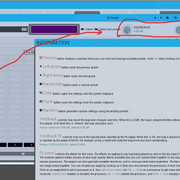
As for Feedback part only, have you tried latest beta? (click on image for full size)
Image

Post

Dirk Diggler wrote: Wed May 06, 2020 1:17 pm Request 3:
The ability to map the reverse controls on each highlighted track.
Personally I find the whole midi implementation very confusing, so maybe I've overlooking something. I only see the top 8 Main buttons being available in the mapping window.
+1

1 global reverse command (or any other track-specific command) for the current highlighted track would be easier to setup when using a HW controller and save many mappings. Similar to how record works.

Lets say I want to use 4 tracks for looping, currently I'd have to map 4 individual controller-footswitches for eachs track reverse. With a global one I'd only have to map 1 footswitch.

Post Reply

Return to “MeldaProduction”