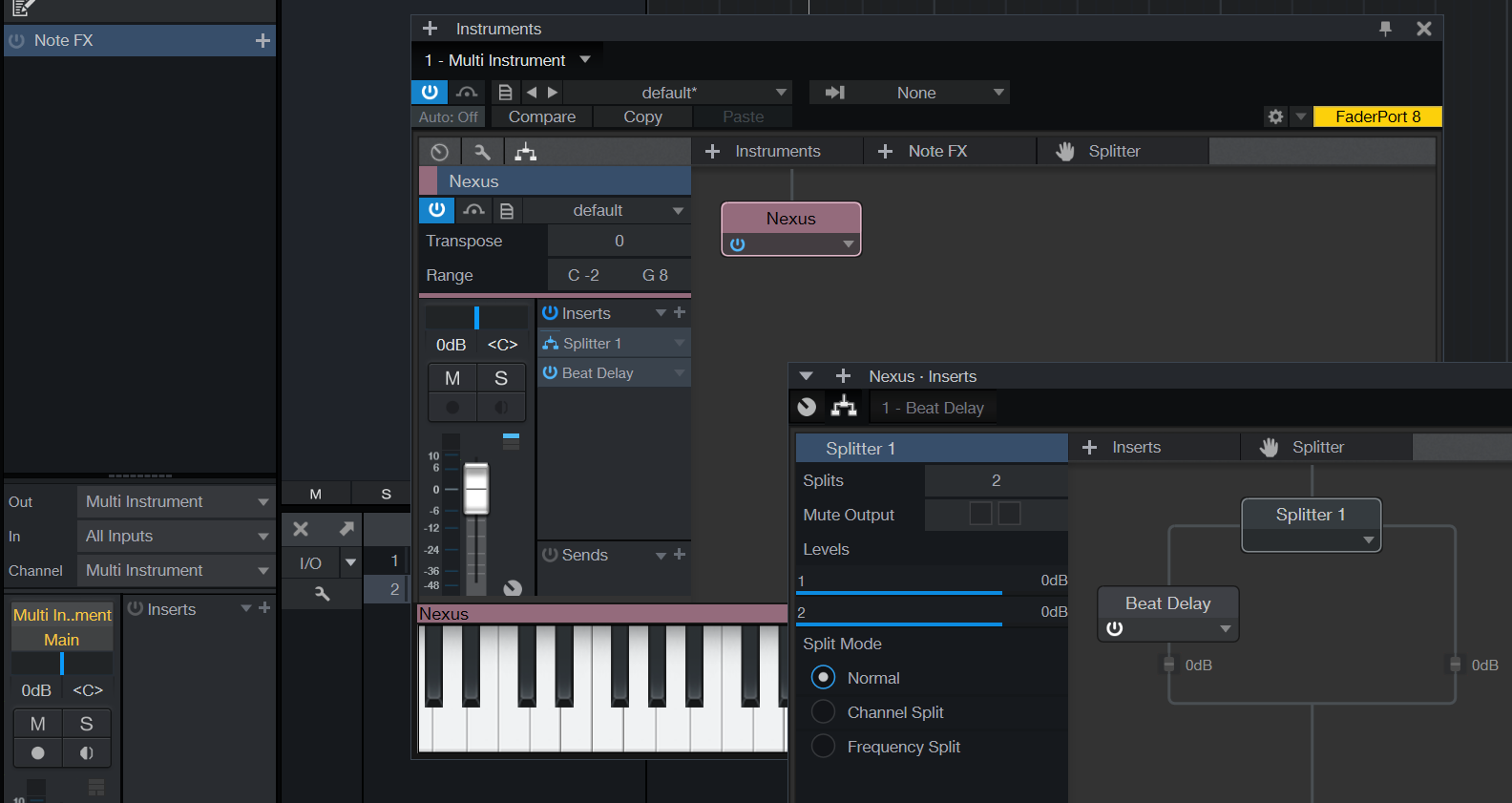
First I explain how I mix in Ableton.
I use a lot of effect racks. In one song I might have up to 20-25 tracks where there is at least one effect rack, some have 2 or even 3. Usually i use rack which has one channel dry and one channel has a pingpong delay (the usual 1/8 D or so with no or little feedback). Some channels has one pingpong rack and one rack for reverb. Some channels might have even three racks: pingpong, reverb and Mid/Side rack.
The reason I use racks like this is that I have learned that it is best to mix the song first with most effects (especially delays/reverbs) turned off, and after you have a good balance, then it is good to start to add them. If I didnt use a rack, I would have to use wet/dry balance control on a pingpong delay or reverb because most of them dont have separate sliders for wet/dry. So if I add pingpong, it will reduce the level of the dry signal and break my carefully crafted balance and I need to touch the channel volume slider which I would want to avoid.
Also another thing I do is that I do initial mixing in mono and only in the end I start to adjust side channel volumes. Reducing side channel volume would easy in S1, you just put a Binaural Pan and decrease width knob. Increasing side channel volume (while keeping mid channel untouched) is harder because increasing width will reduce mid-level. This is why I use mid/side racks in Ableton.
I tried to replicate effect rack workflow in Studio One and this is what I got. I have an instrument track called. "MSyn1" with a Sylenth. Then I need to create two audio tracks, "MSyn1-pingrack-dry", and "MSyn1-pingrack-ping". I need to choose "MSyn1" as input for these tracks but I dont remember the name of the Synth so I go to "MSyn1" inspector and notice that it is "Sylenth 7" that is associated to this track. Then I choose "Sylenth 7" as an input for both of the tracks and enable monitoring button on them.
After this I need to mute the original MSyn1 track. The only way I found how to do this is that i create a bus called "NULLBUS", route the output to this bus and mute the bus. After this I need to create still a new bus called "MSyn1-pingrack", and route both "MSyn1-pingrack-dry", and "MSyn1-pingrack-ping". to this bus.
So to implement a 2 channel effect rack in addition to the instrument track I need 2 audio tracks and 1 bus, (+NULLBUS) so the amount of tracks increase from 1 to 4. Now to replicate the "MSyn1-reverb-rack", I need more tracks/channels: "MSyn1-revrack-dry" audio channel, "MSyn1-revrack-rev" audio channel, and "MSyn1-revrack" bus. So now the amount has increased from 1 track to 7 tracks.
If I still add the 3rd rack for Mid/Side balance I have already 10 tracks/channels (1 instrument track + 6 audio tracks + 3 buses) for adjusting sound of one instrument! This would multiply the amount of channels/racks I have in one song and would make song management very difficult. What do you suggest as a solution?
Also if you know what would be the most logical way to solve this same problem in Logic Pro or Cubase, then let me know as I am likely to collaborate with some friends that use them.
A few other questions about S1.
- do you have any idea if there is some way for perfect undo/redo...? Now if I remove a track with VST-instrument. Then choose "redo", it will undelete the track but it will not undelete the VST-instrument. Or any rumors if this will be in v 3.0...?

- what would be the best way to emulate Ableton drum rack in S1? I use them mostly for other stuff than drums (just random psychedelic sounds, etc..).
- i use often pingpong delay with zero feedback so that the delay is heard only once in both sides. In S1 delays if I put feedback to zero it will be heard only in one side. It is not so bad problem as I can use 3rd party delay if neccessary but I prefer using DAWs own effects for the things I do frequently