


The updates include a new module, Riffer, a riff generator featuring MIDI edit of stringed instruments, multiple formats conversion, automatic riff creation, etc. The initial update includes 500 classic riffs.
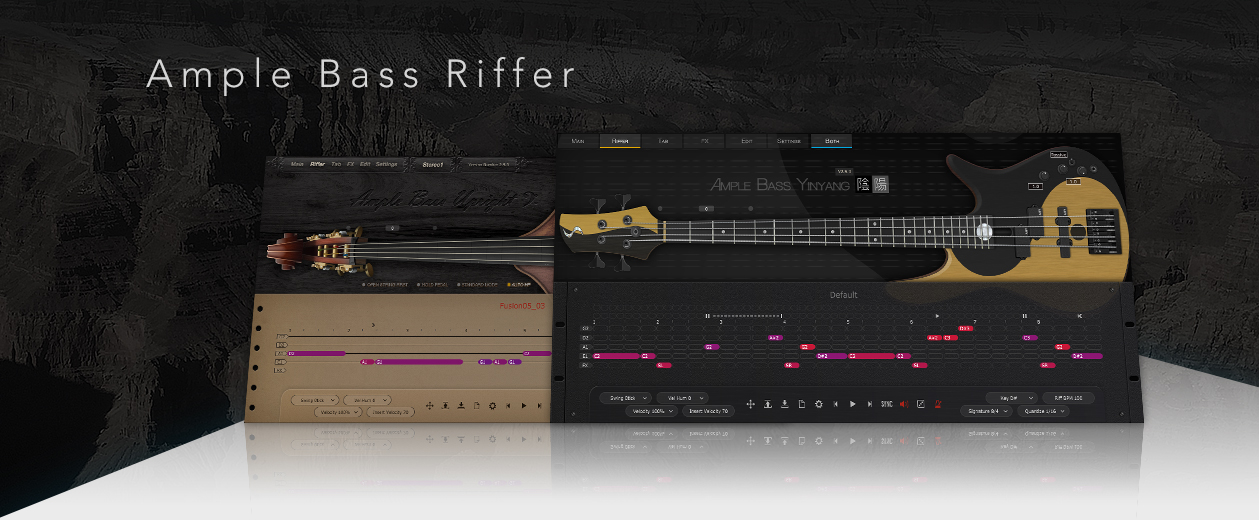
String Roll – Original notation of stringed instrument
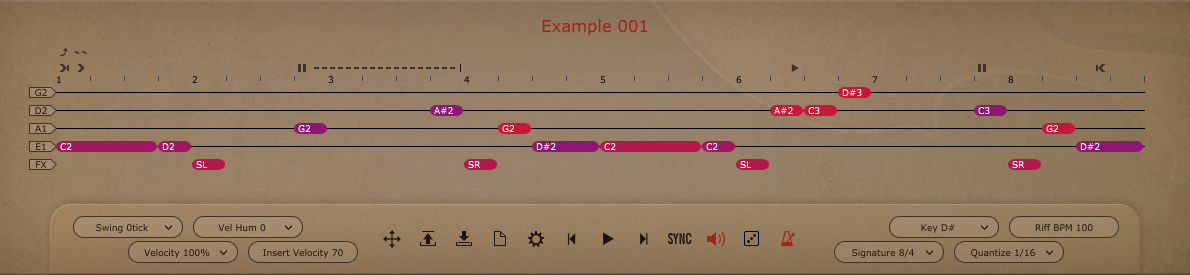
Riffer uses the notation invented by Ample Sound – String Roll. Traditional tab can only write quantized MIDI. It only records fingering without directly showing important information such as pitch, velocity and so on. While a Piano Roll can show MIDI in good detail, it cannot avoid using keyswitches and MIDI controller for fingering, articulation, expression of stringed instruments, resulting in messy notation.
String Roll preserves the composing details of MIDI while it can clearly show fingering, articulation, expression, and even noise in string performances. Every note has 8 attributes - pitch, velocity, length, off velocity, articulation, legato, vibrato and bend, with which the user can make a delicate lick.
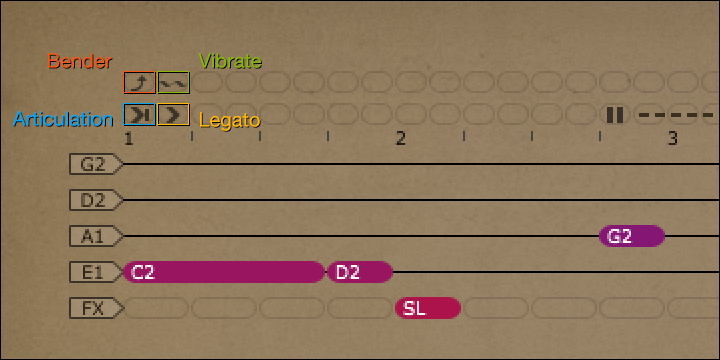
As shown in the image, these 4 lines represent 4 bass strings. Text on the notes represents pitch, Color represents velocity, and length represents duration. Four independent attributes - articulation, legato, vibrato, bend - are shown as icons above. Additionally, any noise including fret buzz, finger slapping or any other special performing skills could be written on the FX-line, which is below the 4 bass strings.
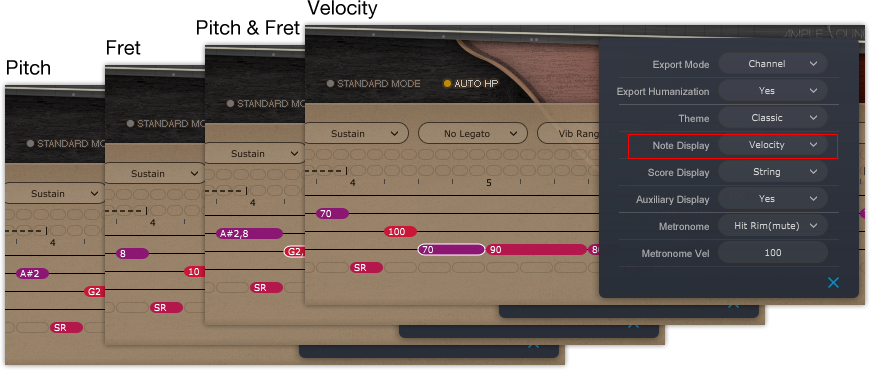
Information shown on the notes can be switched to various parameters such as pitch, fret, pitch + fret, velocity, duration, off velocity.

The user can easily use the graphic curve above to create a bend. Pitch wheel messages generated can also be used for bend in other virtual instruments.
Swing, Velocity Humanization, Velocity Proportion and other real-time parameters can give controllable humanization for quantized MIDI notes.
Dice - Automatic Composing
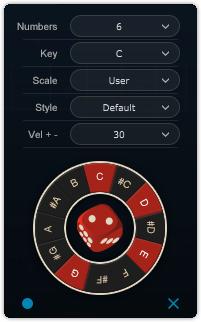
Select the number of notes, key, chord or scale, style, range of velocity, click the dice and a main riff will be created. It is not simply a random algorithm, it summarizes the rules of scale and groove of different styles through analyzing a bunch of music scores.
Multiple Formats Conversion
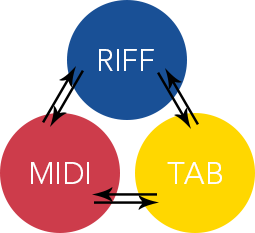
Writing and composing in the Riffer, users no longer need to worry about complex fingering, articulation and expression. They can directly drag the riff to a MIDI track of their DAW. Every fingering, articulation, and expression will be automatically converted to MIDI keyswitch and controller. Riffer humanizations can also be included in MIDI.
The user can also import their own MIDI files and tabs into Riffer without any loss (for tab to riff).
Other news in 2.5 Update:
Ample Metal Ray5 Bass adds some new samples.
New Tab Player UI, added Tab to Riff feature.
Added FX module for ABP, ABJ and AMR.
New UI for ABP and ABJ.
v2.5 update announcements:
Ample Metal Ray5 adds some new samples, Users need to install the full installer to upgrade, so there is not AMR v2.5 update installer.
500 Riffer presets are included in v2.5 full installer, but not in v2.5 update installer, users who installed v2.5 update installer need to install "Bass_Riffs_Installer"(login then visit download page) for the presets.
Update Celebration Event
All six Ample Bass are 25% off from March 3rd to April 3rd for both individual and bundle purchase.
Online Store

