


Hi there!
LOVE this software.
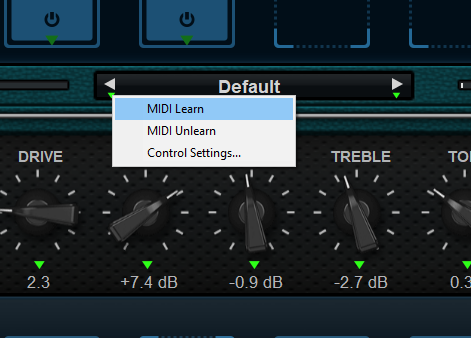
Feature request. Can these buttons be made midi-mappable? (ie. when clicking the gear icon, they get a green triangle below them):
- the left and right arrow buttons on the main preset browser
- the up button on the main preset browser
- the left and right arrow buttons beside the preset name in the middle top of the main window
- the left and right arrows for the amp preset
- bonus: the left and right arrows for an individual effect's preset changes (when it is expanded)
I realize that the main preset browser (and preset dropdown menu) has recently had arrow key shortcuts added, and that's a big improvement, but it still means I have to take my hand off my guitar to switch presets. That delay really breaks up the flow when I'm just trying to explore the different sounds.
I also realize, as well-documented, that I can switch preset banks and programs through the MIDI program change option, but while that's well-suited to live sets where you have predefined your preset banks and programs and just want to switch between them, that's an entirely different use case than simply wanting to explore different sounds at home while playing and not having to take your hands off the guitar while doing so. I've tried to use the existing functionality in this way and it just doesn't work out that well for that. Indeed, simply making the nav arrow buttons midi mappable would address all this. I'm hoping there's nothing in the software design that's preventing this (wondering why it wasn't thought of already). I think it would be a huge improvement.
Thanks for your work on this software. It truly is mastery.
Shiraz
feature request: make the preset nav arrows midi-mappable
-
- KVRer
- 5 posts since 20 Nov, 2020
-
 Blue Cat Audio Blue Cat Audio https://www.kvraudio.com/forum/memberlist.php?mode=viewprofile&u=39981
 - KVRAF
- 6349 posts since 8 Sep, 2004 from Paris (France)
Yes that's indeed something that we'd like to do as many MIDI controllers are limited to MIDI CC and do not have proper program change capabilities.
This would however only work for the main "Next/Prev" preset feature. MIDI control for other features is a bit more complex, so I am not sure this would happen soon.
This would however only work for the main "Next/Prev" preset feature. MIDI control for other features is a bit more complex, so I am not sure this would happen soon.
-
Blue Cat Audio Blue Cat Audio https://www.kvraudio.com/forum/memberlist.php?mode=viewprofile&u=39981
- KVRAF
- 6349 posts since 8 Sep, 2004 from Paris (France)
If you are using Axiom, a new preview is available with MIDI control support for Next and Previous preset 
How to download next release preview
How to download next release preview
-
- KVRer
- Topic Starter
- 5 posts since 20 Nov, 2020
excellent, thank you kindly!
-
- KVRer
- Topic Starter
- 5 posts since 20 Nov, 2020
edit: tried the new mapping of the preset buttons. works great! (i had a fail the first time round)