


Consider this: Plugin Alliance released a bunch of updates to its plugins. I installed the updates to the vst3 plugins I had, and for some reason I also installed the vst2 versions, which I didn't have.
So now Waveform shows this:

Notice how the vst plugins are at a higher version number than the vst3 ones? That's not true, though, as I've installed the new versions of the vst3 ones as well. In fact, if I run the validate tool on one of them, it shows the right version number:
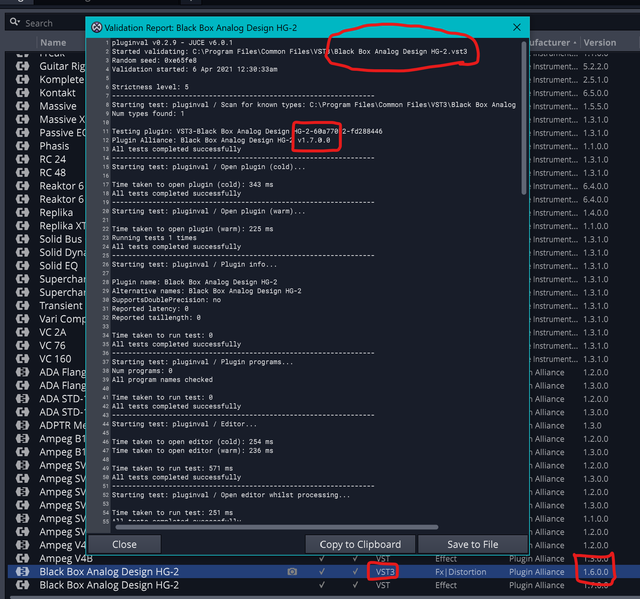
I've tried removing one of the vst3 plugins from the list, deleting the relevant file, restarting waveform and reinstalling the plugin: in this case when waveform picks up the updated plugin it shows the right version. I don't know if there's a faster way to selectively update one of those plugins without rescanning the whole list of plugins (and then again I'm not sure that would fix it).