


AUTO-ADMIN: Non-MP3, WAV, OGG, SoundCloud, YouTube, Vimeo, Twitter and Facebook links in this post have been protected automatically. Once the member reaches 5 posts the links will function as normal.
Hello KVR!After a lot of delays and testing we're happy to finally publicly announce MIDI Display (https://neotype.se/midi-display/) - a MIDI chord and note on screen display for Windows 10. If you've ever used the old VST midiChordAnalyzer then this is the same concept, except MIDI Display is not a plugin but an application that integrate and can start automatically with Windows.
Basically, when you press keys on your MIDI keyboard it will draw text on the screen with what notes or chord you're playing, no matter what DAW or instrument you're using. The layout and position of the text can be changed to whatever you want, but out of the box it looks like this:
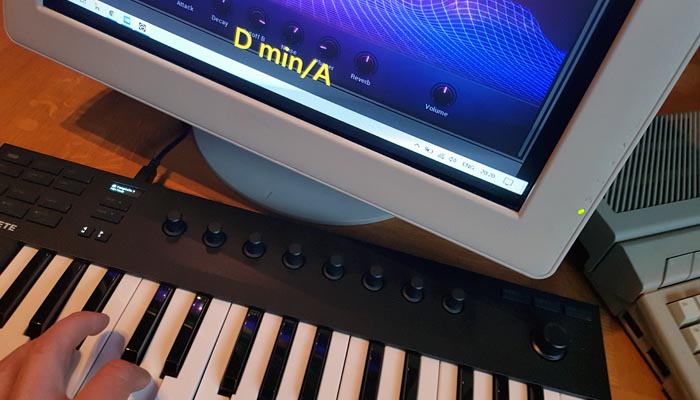 (https://neotype.se/midi-display/)
The setup is a little bit more tricky than just install and go but it's not that complicated, just follow the short setup guide on the homepage and you'll be up and running within a few minutes.
MIDI Display is $24.99/person (no calling home bullshit, use on as many machines you own), but the unregistered version is free for personal non-commercial use. If you decide to buy a license then for a limited time use the discount code KVRFORUM for 30% off the price.
I wrote most of the code so if you have any questions or comments feel free to reply to this post and I'll try to answer them best I can! :-)
