


discoDSP updates OB-Xd Virtual Analog Synthesizer to v3.22 and Bliss Sampler to v3.14

 discoDSP has updated OB-Xd to v3.22, bringing expressive aftertouch to ordinary keyboards with multi-destination routing, invertable response, and a new Poly AT mode for per-finger controllers. The update also fixes Windows HiDPI knob rendering and popup menu scaling.
OB-Xd is a classic virtual analog synthesizer that recreates the Oberheim OB-X with enhancements such as micro random detuning, polyphonic unison, and bi-directional MIDI control. Version 3.22 adds aftertouch and Poly AT support for non-MPE keyboards, so any keyboard with channel pressure can drive expressive timbral changes without needing an MPE controller.
Changes in OB-Xd 3.22
Aftertouch for Non-MPE Keyboards
- Channel pressure can drive any combination of Cutoff, Pulse Width, PW Offset (Osc2), Cross Modulation, Osc2 Detune, Pitch, Pan, and Amp simultaneously, the same destination set as MPE Y/Z.
- Depth and Mod Wheel Scaled controls let you set how far pressure pushes each destination, and optionally ride the amount from the mod wheel.
- Invert flips the response so pressure ducks the destination instead of boosting it - close the filter, pull pitch down, or duck amplitude as you press harder.
- Reads both mono channel pressure and polyphonic aftertouch - poly drives per-voice, mono fans out to all voices.
- Live LED previews on every routed destination so you see exactly what your pressure is doing.
- The Aftertouch menu appears only when MPE is off, so the two never conflict.
Poly AT Mode
- Controllers like the ROLI Lightpad in Multi Channel mode, which send per-finger MIDI channel but no MPE handshake, now drive per-voice aftertouch.
- Channel pressure is re-routed to the last note played on that channel.
- Mutually exclusive with MPE - enabling Poly AT disables MPE and vice versa.
- Notes on any channel are accepted, with per-channel bend collapsing to the global wheel.
- The Poly AT setting is saved per-instance and globally, so new instances inherit your last-used choice.
Windows Fixes
- Knobs no longer render blank at 150% / 200% display scaling - tall high-resolution filmstrips are now sliced past the Direct2D size limit.
- Popup menu text no longer double-scales on high-DPI Windows displays.
Bliss 3.14
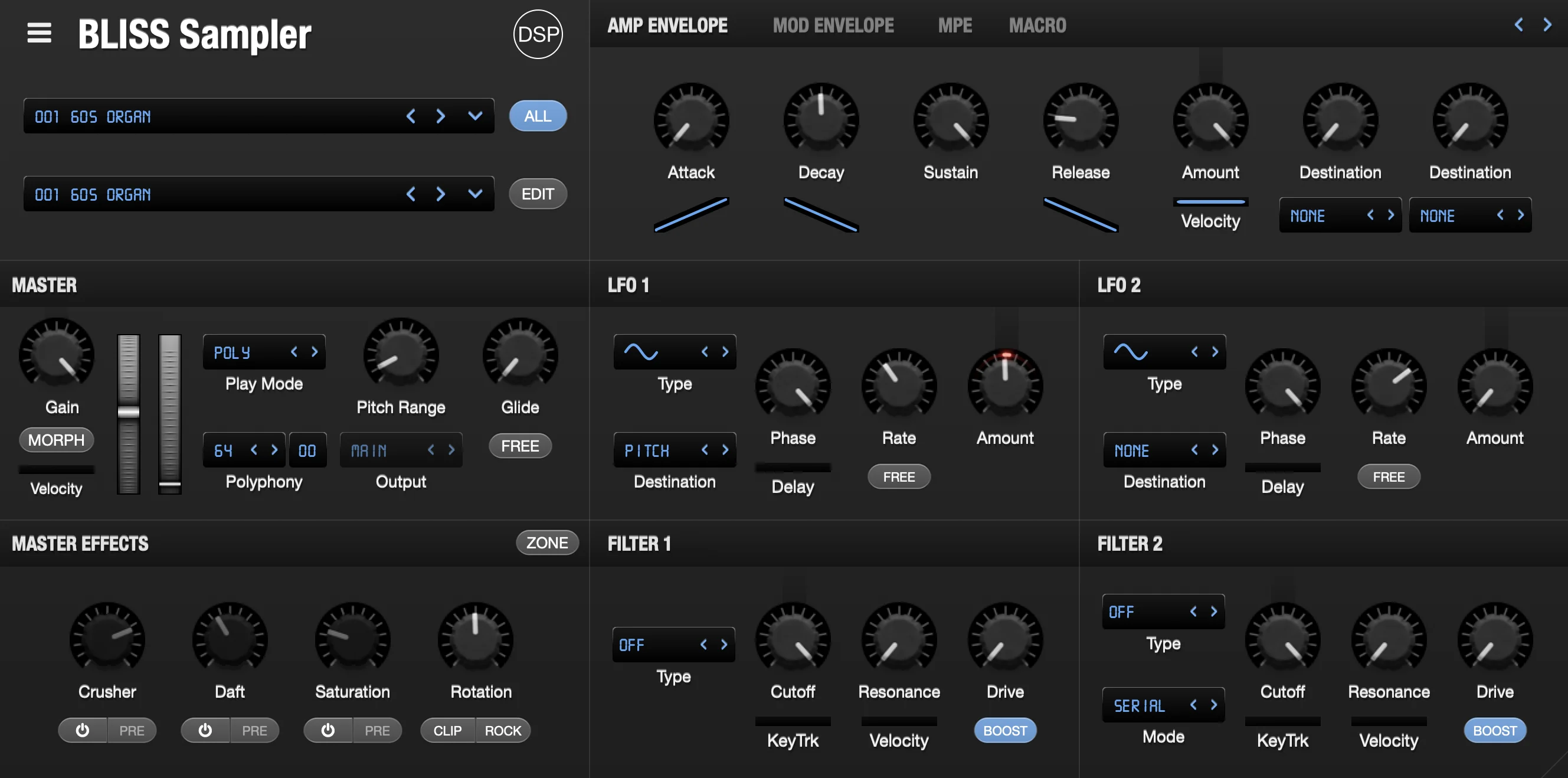 discoDSP has also updated Bliss to v3.14, a consolidated release covering five updates over the past month. Highlights include full MPE support, automatic loop cue extraction, tracker module and Jeskola Buzz sample import, four new sample effects, and a significant set of Sample Editor improvements.
Bliss is a professional sampler with VST/AU and hardware instrument recording capabilities, Visual Key Mapper, built-in wave editor, and comprehensive format support including AKAI S1000/S3000/S5000/S6000, NKI, EXS, SFZ, SoundFont 2, and CD-ROM disk images.
Changes in Bliss 3.14
Full MPE Support
- Per-voice X/Y/Z expression with per-channel pitch bend, timbre, and pressure routed independently to each note - works with ROLI, LinnStrument, Osmose, and other MPE controllers.
- Dedicated MPE panel with six routing slots (X/Y/Z) assignable to any modulation destination, each with an amount knob and invert.
- Configurable MPE settings: enable, Poly Aftertouch, timbre CC (default 74), pitch bend range, and per-axis rest position.
- Automatic MPE configuration via RPN, so most controllers enable MPE and set the bend range on connection.
- MPE preset system with save, load, copy, paste, and reset, plus a Paste > Program to Bank option.
- Live preview shows incoming MPE expression depth on the destination knobs.
- Manager-channel pitch bend and pressure are routed as global so hybrid controllers behave correctly.
Tracker and Buzz Sample Import
- Native import of classic tracker module sample formats (.mod, .xm, .s3m, .it).
- Native import of Jeskola Buzz wavetable samples (.bmx).
- Access decades of demoscene and tracker sound libraries directly inside Bliss.
Automatic Loop Cue Extraction
- Analyzes beats, harmony, and timbre to place cue markers around repeating loop segments automatically.
- Turn any loop into a properly cued, ready-to-play sample with one click.
New Sample Effects
- Sin Drive and Tanh Drive add musical saturation and warmth.
- Spectral Mirror provides real pivot-based spectral inversion.
- Erosion Clip delivers gain-compensated stackable clipping for aggressive textures.
Sample Editor Multi-Zone Operations
- Cmd/Shift+click and drag multi-selection in the zone list.
- Multi-zone support for Export, Resample, Time Stretch, Render Pitch Shift, and Trim by Loop Points.
- Double-click on the Sample Editor divider auto-fits zone list width.
- Adjust Root Note detects and sets zone root note from waveform.
Sample Editor Workflow
- Go to Zone submenu for quick zone selection.
- Virtual Keyboard Root Note menu to view and shift the on-screen keyboard octave.
- Toggle to show or hide the Sample Editor zone list with a keyboard shortcut.
- Auto-Adjust Zone List Width option that fits the list to the widest zone name.
- Change Zone by MIDI Note menu item.
Forward-Compatible Modulation
- Modulation-destination serialization is now enum-growth-safe, so patches saved today keep working as new modulation destinations are added in future updates.
Bug Fixes
- Fixed sample editor selection being ignored after a second selection.
- Fixed knob changes not applying to Shift+click and drag-selected zones.
- Fixed lost active zone when reopening Sample Editor.
- Fixed Sample Editor keyboard focus loss and modifier-key note triggers.
- Fixed playback cursor advancing past the cue stop boundary in pitch shift mode.
- Fixed section header preset dropdown arrow not showing on narrow buttons.
- Fixed VST audio silenced after Reset Program when Delay or Reverb on.
- Fixed Windows VST audio build issue.
- Fixed compiler warnings across parameters, GUI, and sample editor.


 Other Related News