



The team behind Stacktune, a browser-based collaboration tool for sharing and reviewing audio projects, has just released version 5, introducing a significant number of new features and workflow improvements. The update is focused on making remote mix reviews and feedback faster, clearer, and more mobile-friendly.
YouTube.com/watch?v=2ITrCtMNkJY
Highlights in Stacktune 5:
Redesigned Commenting Interface
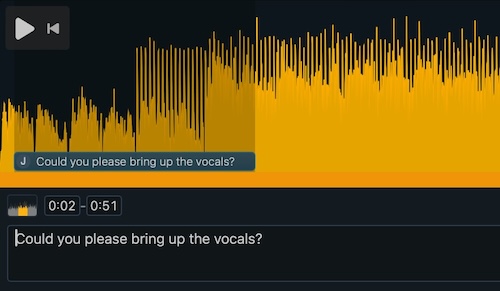
- Fully refreshed UI with modern layout.
- New comment modes: per time range, specific point, or entire track.
- Directly input comment positions for faster workflow.
User Icons and Notes
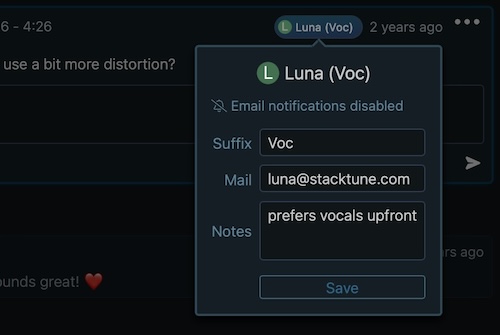
- Each user gets a color-coded icon with their initials.
- Add private notes or suffixes to distinguish users with similar names.
Improved Mobile Layout
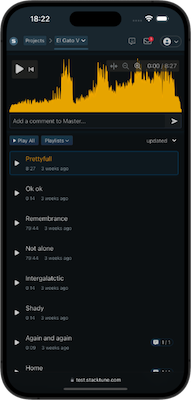
- Cleaner UI on phones and tablets.
- More accessible controls and navigation for touch interfaces.
Smarter Comment Management
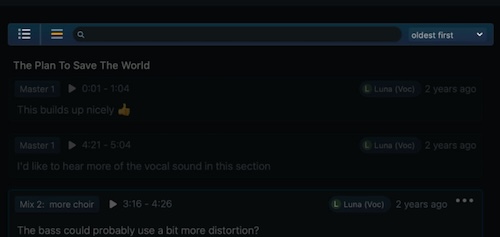
- Filter out completed comments.
- Limit view to current song.
- Full-text comment search across the project.
ZIP Export of Audio Files
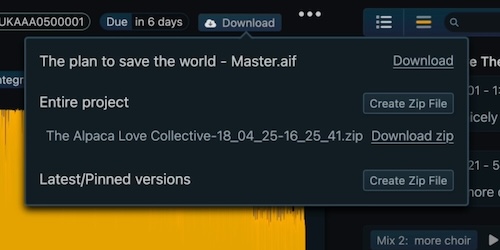
- Export all project files in a single ZIP.
- Option to include only latest or pinned versions.
Improved Invite Flow
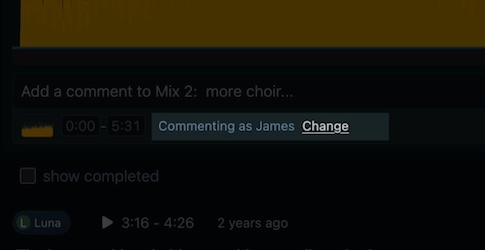
- Suggested display names based on invite emails.
- Users can still change names upon joining.
Playback While Commenting
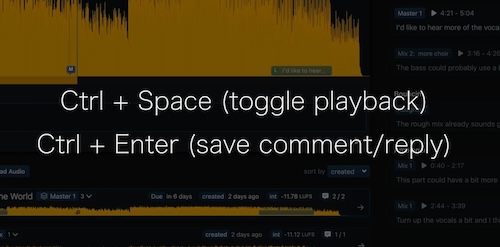
- Ctrl + Space to play/pause while writing a comment.
- Quickly save the a new comment with Ctrl + Enter.
