Log InCreate An Account
  1. Plugins
  2. »
  3. Candela Audio
  4. »
  5. Contour
  6. »
  7. Details

Contour

$49 Introductory offer
Contour
Contour Contour Contour
Contour by Candela Audio is a Virtual Effect Audio Plugin for macOS, Windows and Linux. It functions as an Audio Units Plugin and a VST 3 Plugin.
Product
Version
0.1.1
Windows 10+ (64-bit)
VST3 compatible DAW
4 GB RAM minimum (8 GB recommended)
SSE2-capable CPU
1280x720 min resolution
Product
Version
0.1.1
macOS 11+ (Big Sur or newer)
VST3 or AU compatible DAW
Apple Silicon or Intel i5+
4 GB RAM minimum (8 GB recommended)
1280x720 min resolution
Product
Version
0.1.1
JUCE-compatible Linux plugin host
VST3 compatible DAW
x86_64 CPU
4 GB RAM minimum (8 GB recommended)
1280x720 min resolution
Effect
Formats

MyKVR: Groups, Versions, ...

4 KVR members have added Contour to 1 MyKVR group 4 times.

Download KVR Studio Manager (FREE)

Not In Your MY KVR Groups
(or group limitation prevents versioning)
+1 in private groups

KVR Rank

Overall: 10597   8288   9273   798

30-Day: 3265; 7-Day: 237; Yesterday: 869

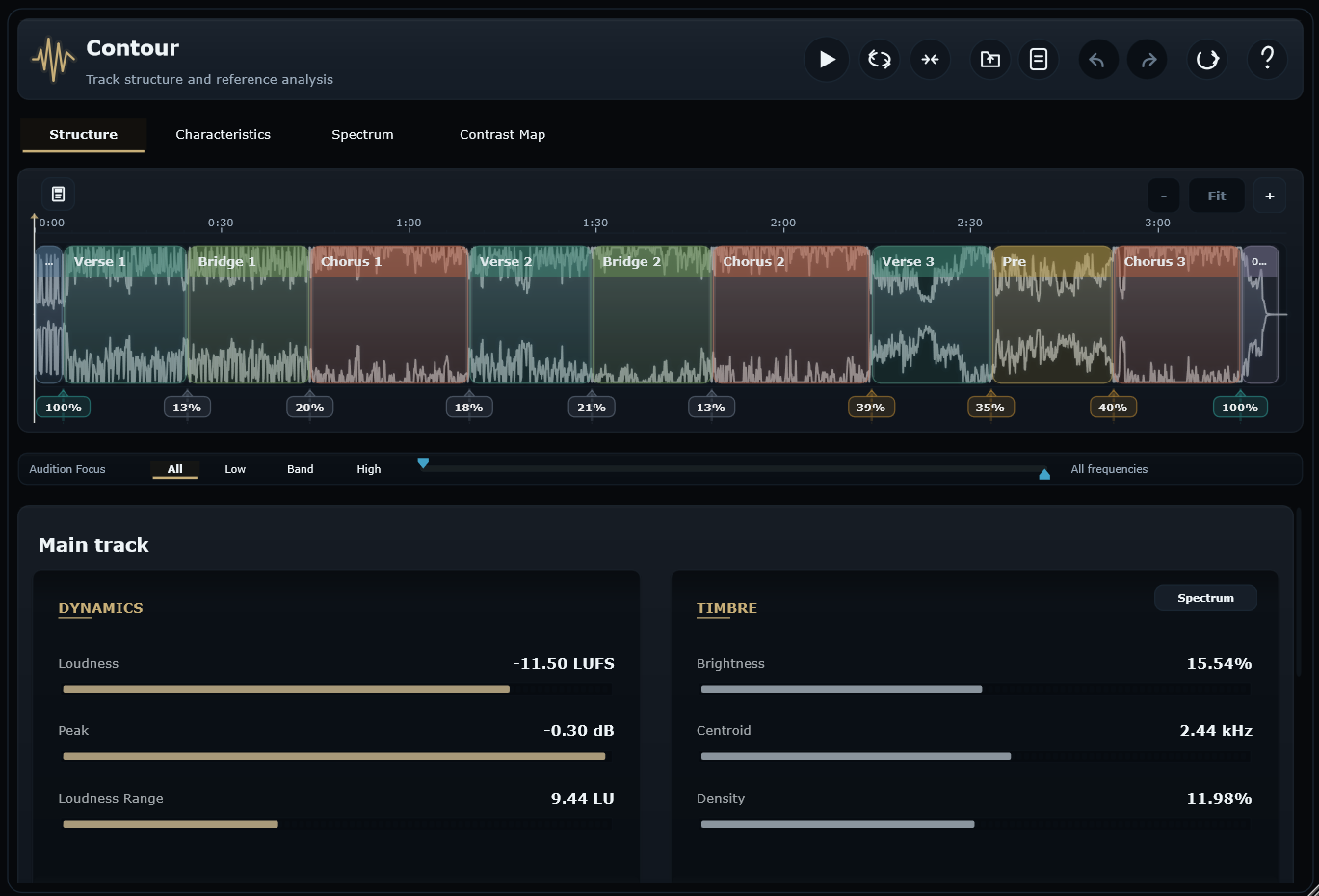
Contour by Candela Audio is a track structure and reference analysis plugin for producers, mix engineers, and arrangement-focused writers. It maps a song into editable sections, then shows how loudness, tone, low end, stereo image, density, transient energy and contrast change from intro to outro.

Instead of judging a track only as one full file, Contour helps you understand how the arrangement actually moves. Import audio or capture playback from your DAW, refine the detected section markers directly on the waveform, and inspect verses, choruses, drops, bridges and outros as musical targets rather than anonymous time ranges.

Load a reference track when you want a more controlled comparison. Contour lets you compare your chorus to the reference chorus, your verse to the reference verse, your drop to the reference drop, or whole track to whole track when that is the useful question. Level‑matched audition and low/band/high focus modes help you listen more precisely, while the analysis views show where the real differences are.

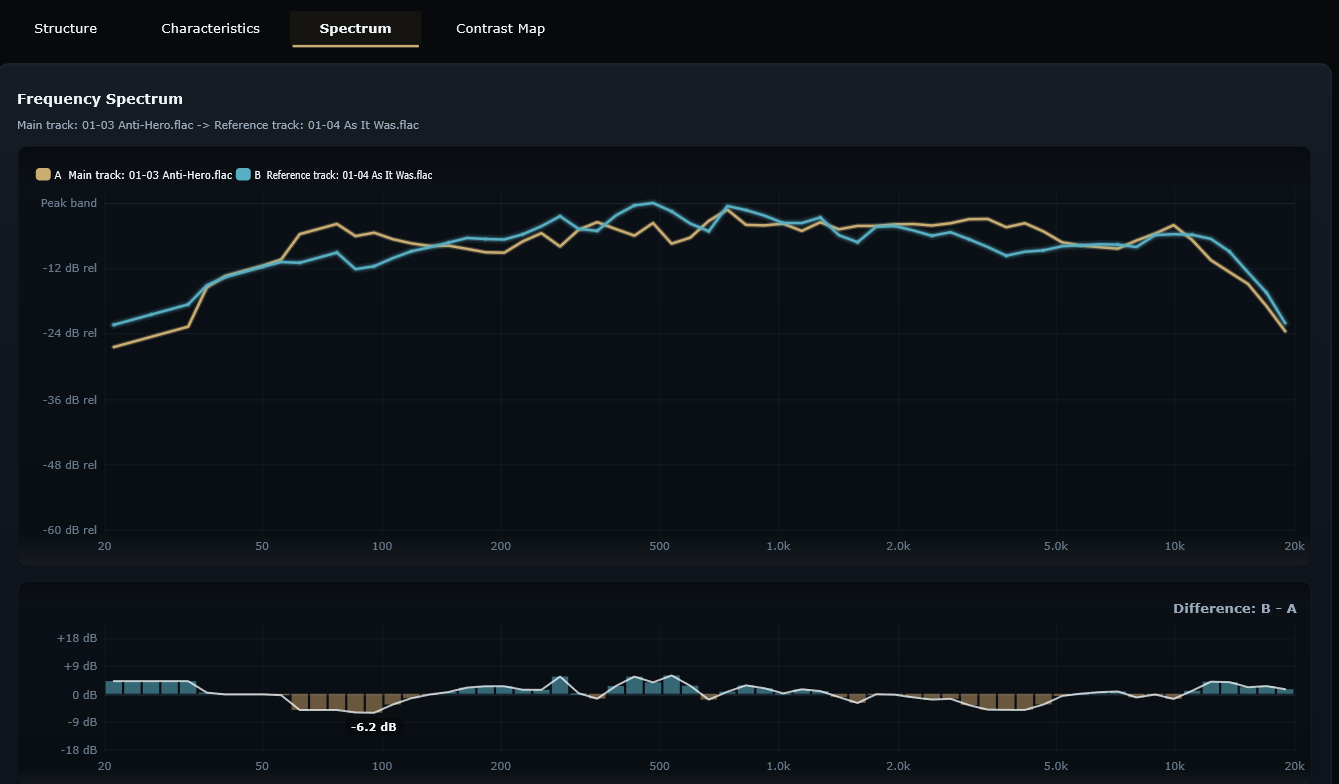
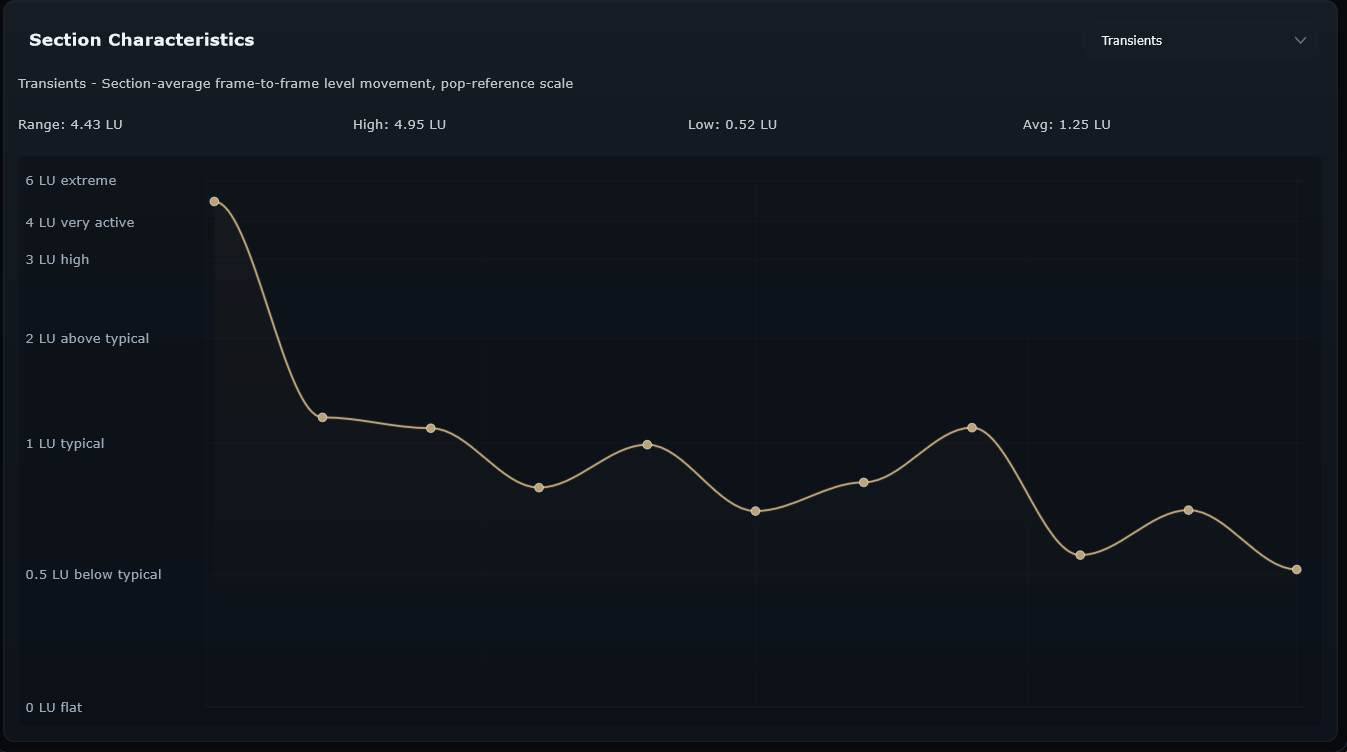
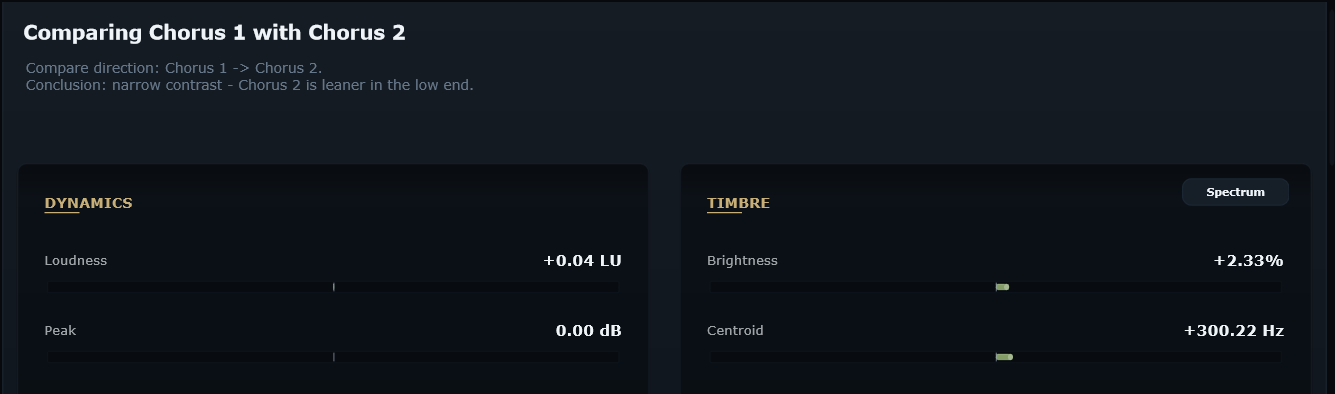
The Characteristics tab turns the song into a section‑by‑section arc for loudness, low end, brightness, width, density, transients and tone. The Spectrum view shows frequency balance for a whole track or selected section. Select any two different targets – two sections in the same track, a main/reference pair, or whole track against whole track – and Contour overlays both spectra with a Difference: B - A graph. The Contrast Map compares every section against every other section, making repeated ideas, weak lifts and high‑impact transitions easy to spot.

Contour is not just a classic reference plugin for broad whole‑track A/B checks. It is designed to help you understand your own track first, then reference with much more detail and control: section by section, metric by metric, and musical moment by musical moment.

Key features

  • Editable track structure analysis for imported audio or DAW playback capture.
  • Timeline markers that can be selected, dragged, resized, split, merged, renamed, deleted, undone and redone.
  • Section‑level metrics for loudness, low end, brightness, stereo image, density, transients and tone.
  • Characteristics view showing arrangement arcs across the full track or reference.
  • Section‑aware reference comparison: chorus to chorus, verse to verse, drop to drop, selected section to selected section, or whole track to whole track.
  • Spectrum view with source/reference overlays and difference graphs for selected targets.
  • Contrast Map showing percentage differences between every section pair.
  • Level‑matched audition with low, band and high frequency focus modes.
  • Main and reference timeline edit files using Contour's .sctm format.
  • 14‑day fully functional trial.

Tech specs

  • Formats: VST3 (Win/macOS/Linux), AU (macOS).
  • Hosts: Any compatible VST3 or AU DAW.
  • Audio: 32‑bit float processing, stereo analysis and audition workflow.
  • Import: WAV, FLAC, MP3 and .sctm timeline edit files.
  • Views: Structure, Characteristics, Spectrum and Contrast Map.
  • OS: Windows 10+, macOS 11+, Linux x86_64 with compatible VST3 host support.

Latest User Reviews

Average user rating of 0.00 from 0 reviews

Products similar to Contour...

Comments & Discussion for Candela Audio Contour

Discussion
Discussion: Active

Please log in to join the discussion

Log In To KVR Audio
