
4 KVR members have added Contour to 1 MyKVR group 4 times.
Download KVR Studio Manager (FREE)
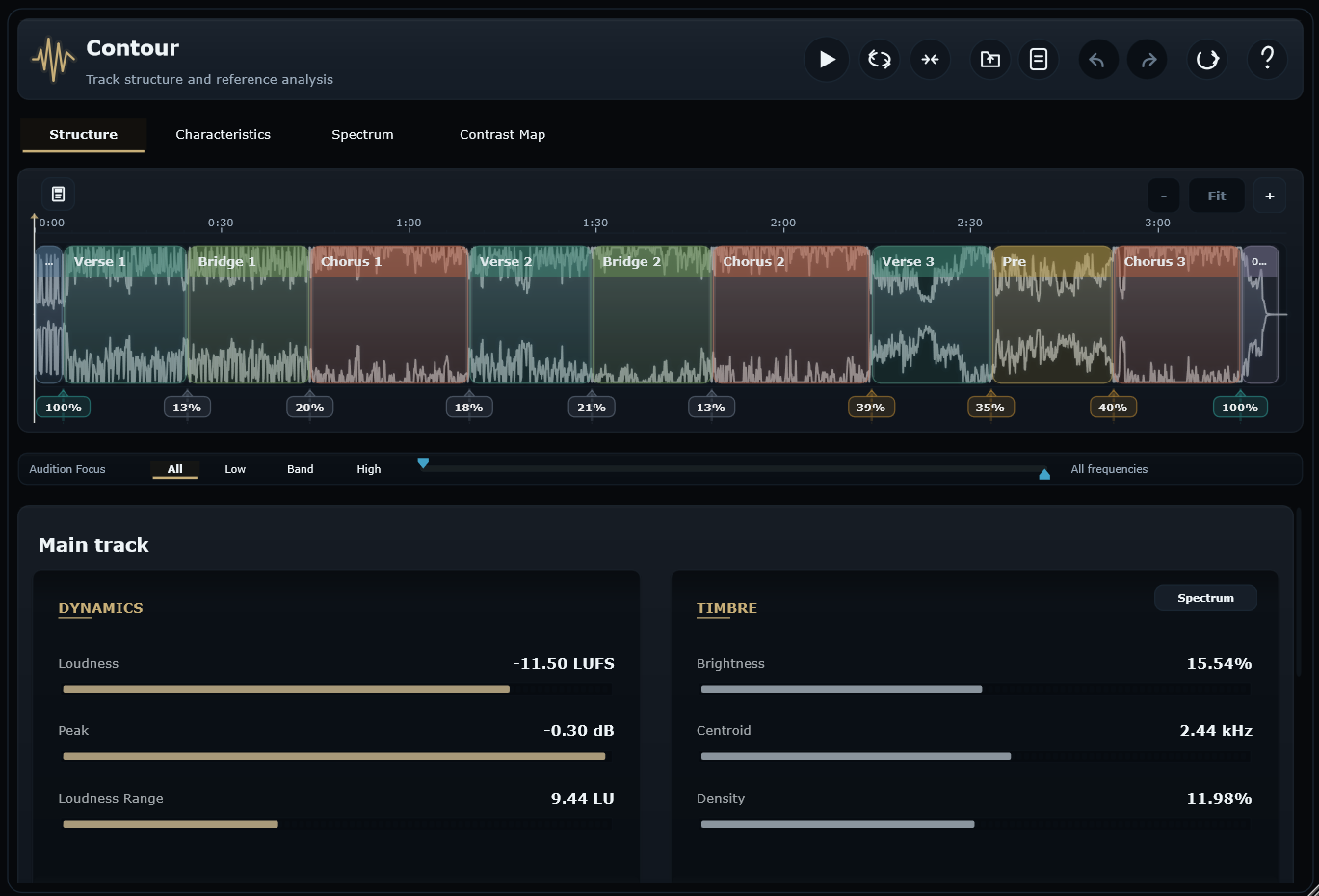
Contour by Candela Audio is a track structure and reference analysis plugin for producers, mix engineers, and arrangement-focused writers. It maps a song into editable sections, then shows how loudness, tone, low end, stereo image, density, transient energy and contrast change from intro to outro.
Instead of judging a track only as one full file, Contour helps you understand how the arrangement actually moves. Import audio or capture playback from your DAW, refine the detected section markers directly on the waveform, and inspect verses, choruses, drops, bridges and outros as musical targets rather than anonymous time ranges.
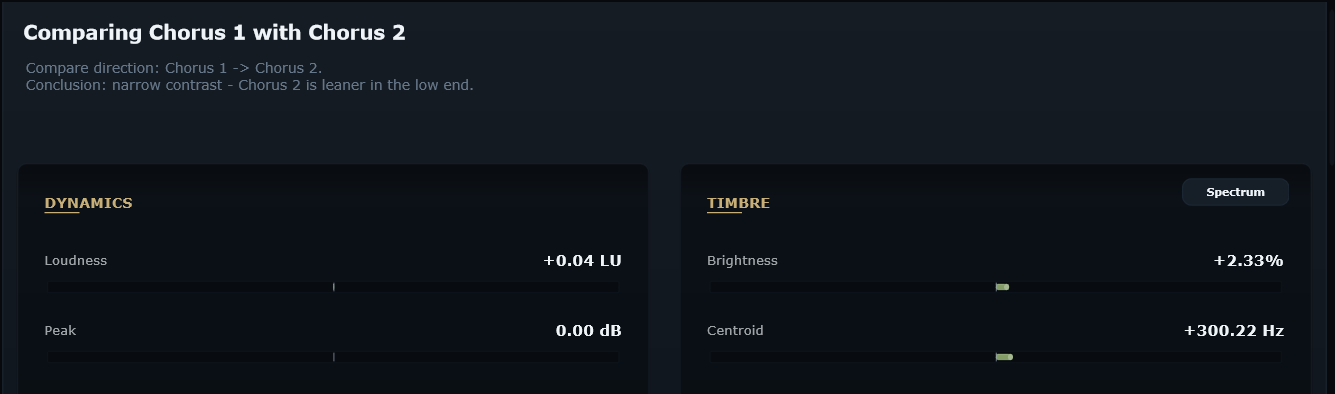
Load a reference track when you want a more controlled comparison. Contour lets you compare your chorus to the reference chorus, your verse to the reference verse, your drop to the reference drop, or whole track to whole track when that is the useful question. Level‑matched audition and low/band/high focus modes help you listen more precisely, while the analysis views show where the real differences are.
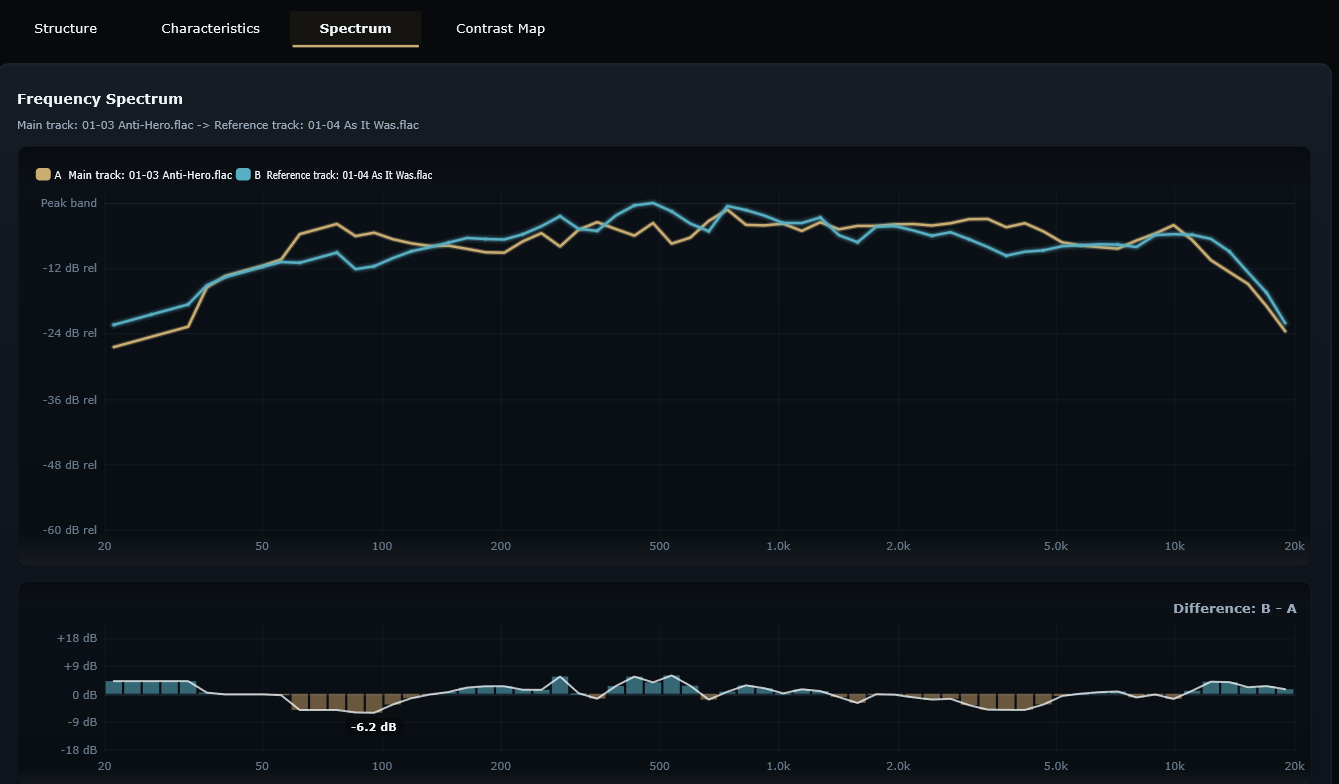
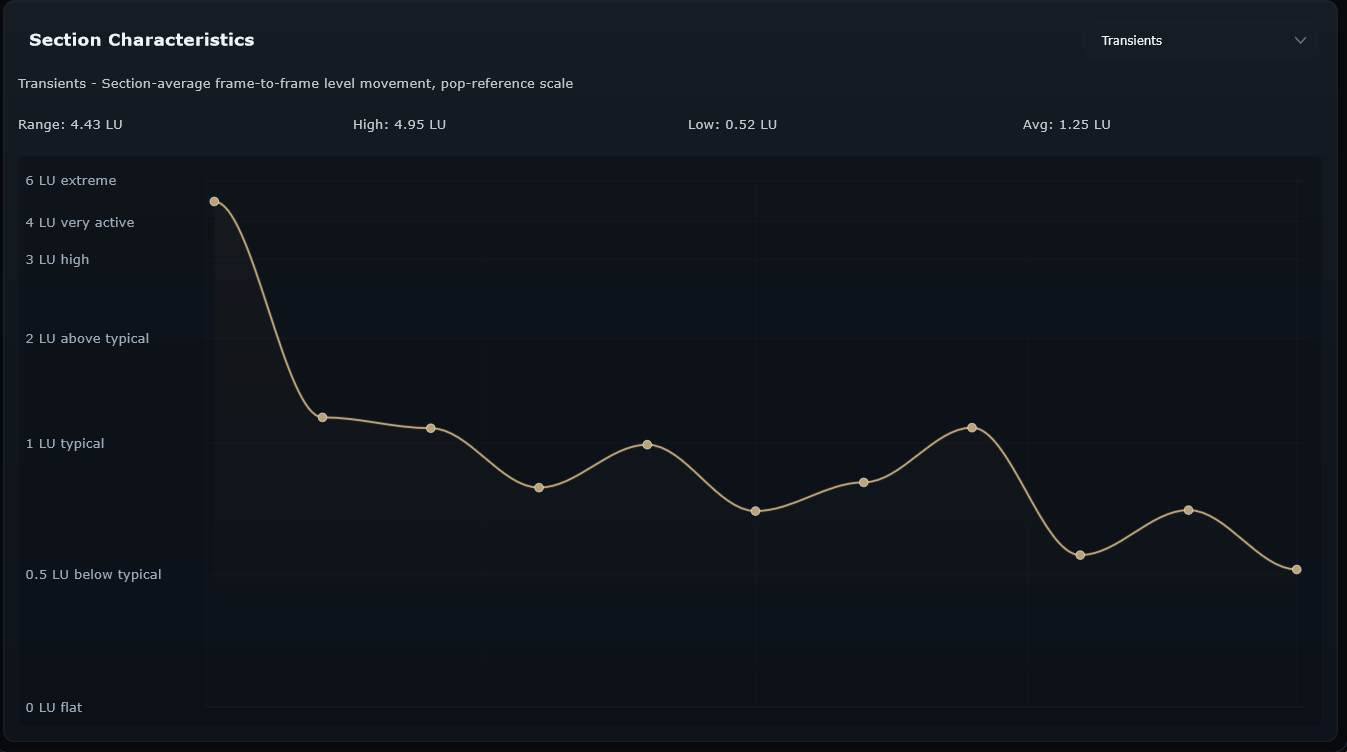
The Characteristics tab turns the song into a section‑by‑section arc for loudness, low end, brightness, width, density, transients and tone. The Spectrum view shows frequency balance for a whole track or selected section. Select any two different targets – two sections in the same track, a main/reference pair, or whole track against whole track – and Contour overlays both spectra with a Difference: B - A graph. The Contrast Map compares every section against every other section, making repeated ideas, weak lifts and high‑impact transitions easy to spot.
Contour is not just a classic reference plugin for broad whole‑track A/B checks. It is designed to help you understand your own track first, then reference with much more detail and control: section by section, metric by metric, and musical moment by musical moment.

Please log in to join the discussion
Submit: News, Plugins, Hosts & Apps | Advertise @ KVR | Developer Account | About KVR / Contact Us | Privacy Statement | Sell @ KVR | KVR Marketplace Terms & Conditions
© KVR Audio, Inc. 2000-2026

