







37 KVR members have added Cubase Elements 15 to 6 MyKVR groups 44 times.
Download KVR Studio Manager (FREE)
Steinberg introduces Cubase 15, setting a new reference standard for music production software. This latest version unlocks new creative possibilities through groundbreaking features, streamlined workflows, and an an intuitive design, elevating the entire music production experience. Available in three distinct versions—Cubase Pro, Cubase Artist, and Cubase Elements—the software caters to creatives of all genres, skill levels, and budgets, providing a complete solution to produce tracks from initial idea to final master. From Hollywood blockbuster composers and Billboard Hot 100 producers to home studio beginners, Cubase provides a fast, flexible, and powerful environment for music creation.
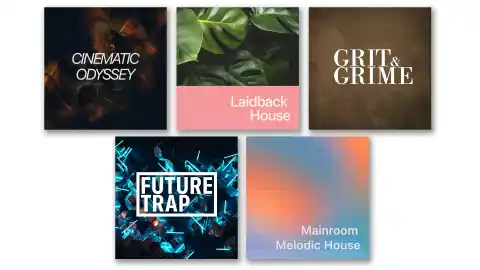
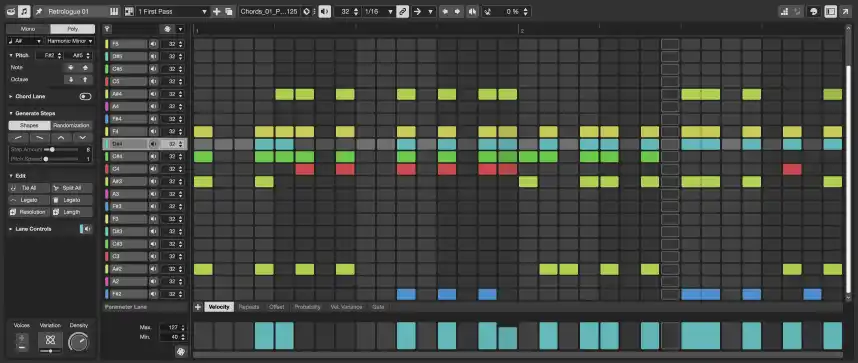
Cubase 15 delivers a host of new tools designed to shape unique sounds and provide enhanced control. Creativity is bolstered with a redesigned Expression Maps system for next-generation articulation control, a new pattern sequencer in the Pattern Editor for expressive melodic creation, and an evolution of the Modulators introduced in Cubase 14. Smart workflow enhancements are plentiful, including a redesigned Hub for smoother project startup, AI-powered stem separation tools (Pro version) for advanced remixing and sampling, and new automation shortcuts for faster editing. The new DAWproject format ensures seamless collaboration across different DAWs and Cubase editions. Furthermore, Cubase 15 expands its internal toolkit with new VST instruments and plug-ins, such as the Cubase Drum Machine with 40 modern kits, a redesigned Groove Agent SE 6, the new UltraShaper dynamics processor (Pro version), and the PitchShifter for creative and corrective pitch manipulation (Pro/Artist versions).
Reviewed By ebsynth [all]
October 11th, 2022
Version reviewed: 12 on Mac
Downloading and installing Cubase Elements 12 on MacOS requires at least 9.33 GB of disk space when including the required application and recommended libraries Halion Sonic SE 3 and Groove Agent SE 5 sample and loop libraries. Additional libraries and loops can also be downloaded if the user so wishes. All this can be easily managed using the Steinberg Download Assistant and Steinberg Activation Manager applications. The Steinberg Library Manager application allows the user to do custom installs of the libraries, samples and loops ... on an external disk for instance.
Steinberg is moving away from the USB-eLicenser system which means that you can now activate your single user license online and use it on three different computers. See https://www.steinberg.net/licensing/. Using the same MySteinberg ID that you used for downloading Cubase, you can also join Steinberg forums at https://forums.steinberg.net to discuss further software-related issues.
Being an erstwhile Logic user, one evident missing feature was not being able to use virtual instruments that only existed as their VST executables. So, it was mainly for this reason that I decided to purchase Cubase 12 Elements at a very tempting price point i.e. with a 40% discount. It turns out that the VST exclusive virtual instruments that I wanted to use were all in their 32-bit versions so they were useless anyway (read: they had to be purged from my MacBook Pro running Big Sur.) Nevertheless, I did some preliminary tests to get some idea of Cubase's workflow. This review then, is limited to the workflow in my MIDI home studio.
My first test was to integrate my MIDI hardware synths. This was very straightforward for most of my synths since Cubase Elements already contained configuration files for many classic prominent synths like the Yamaha DX7II, Korg Wavestation, Clavia Nord Lead, Roland JD-800 etc. However, in the case where a patch script (in Cubase parlance) did not exist for certain MIDI hardware, I had to search the internet for these files. For this literally hundreds of patch scripts could be found in the downloads section of rivetedstudios.com. Adding the necessary scripts to the /Applications/Cubase*/Contents//scripts/patchnames/inactive/* folder was easy enough requiring administrative permission. However, after relaunching Cubase and attempting to "Add MIDI Device" in the MIDI Device Manager, the newly added patch scripts were not recognized by my Cubase installation. I am looking into this issue in the Steinberg forums.
It was also not possible to set up an external MIDI instrument like a virtual one since the "Audio Connections" dialog box did not have an "External Instrument" tab in the Elements version.
With regards to setting up external MIDI keyboards for specific compositions, recording Sys-Ex dumps seemed impossible. Consulting the Operations Manual, this setup requires that you uncheck the SysEx boxes in the Preferences —-> MIDI —> MIDI Filter dialog box. Setting up custom patch banks was now easy.
Recording MIDI tracks using external synths was straightforward and rendering their respective sounds on to a separate audio track also went smoothly when routing audio outputs from the synth via an external sound card into the DAW.
Configuration scripts for well-known external MIDI controllers like Arturia Keylab, Korg nanoKontrol. Akai MPK and Novation Launchkey are also included in the software.
Navigating the timeline using key commands was easy enough using the "B" (back to the beginning of a segment) and "N" keys to the end of a segment. Shift-N was then required to proceed to the next segment. The "G" and "H" keys could be used to expand and contract the timeline. Without going into further details of the key commands my one complaint was proceeding backwards and forwards in bar length increments or triggering "Record" on an armed track could only be done using a numeric keypad with Num lock enabled. I was obliged to use the mouse pointer on the Transport bar for these operations since the Num Lock function does not exist on my MacBook Pro.
Creating Instrument tracks from both VST and VST3 collections was seamless. Tracking using external keyboard controllers was also a breeze.
Even though I have highlighted a couple of persistent glitches above, I considered my money well spent.
 25%OFF$299.00Bitwig Studio 624%OFF$75.00Bitwig Studio Essentials25%OFF$149.00Bitwig Studio Producer$329.99Cubase Artist 15$579.99Cubase Pro 15
Please log in to join the discussion
Submit: News, Plugins, Hosts & Apps | Advertise @ KVR | Developer Account | About KVR / Contact Us | Privacy Statement | Sell @ KVR | KVR Marketplace Terms & Conditions
© KVR Audio, Inc. 2000-2026

