
4 KVR members have added Fanan ASIO Driver to 1 MyKVR group 4 times.
Download KVR Studio Manager (FREE)
Fanan Asio is a universal ASIO driver that turns whatever sound hardware you already have; a laptop's built-in codec, a USB DAC, onboard Realtek into a low-latency, multi-channel ASIO device your DAW can actually use. No dedicated audio interface required. Install it, pick your device, and every ASIO host on your machine gains 16 inputs and 16 outputs with latency that competes with hardware many times the price.
Low Latency Without the Hardware
Most people reach for an audio interface for one reason: ASIO latency. Fanan Asio gives you that latency on the hardware you own. It runs your output on a single master clock driven directly by the Windows audio engine, and on capable devices its exclusive mode drops output latency into single-digit milliseconds. the kind of number that makes soft synths playable and monitoring feel immediate. The driver reads what your specific hardware can actually do and tells you, in plain language, exactly how far it can go.
Two Modes, One Decision
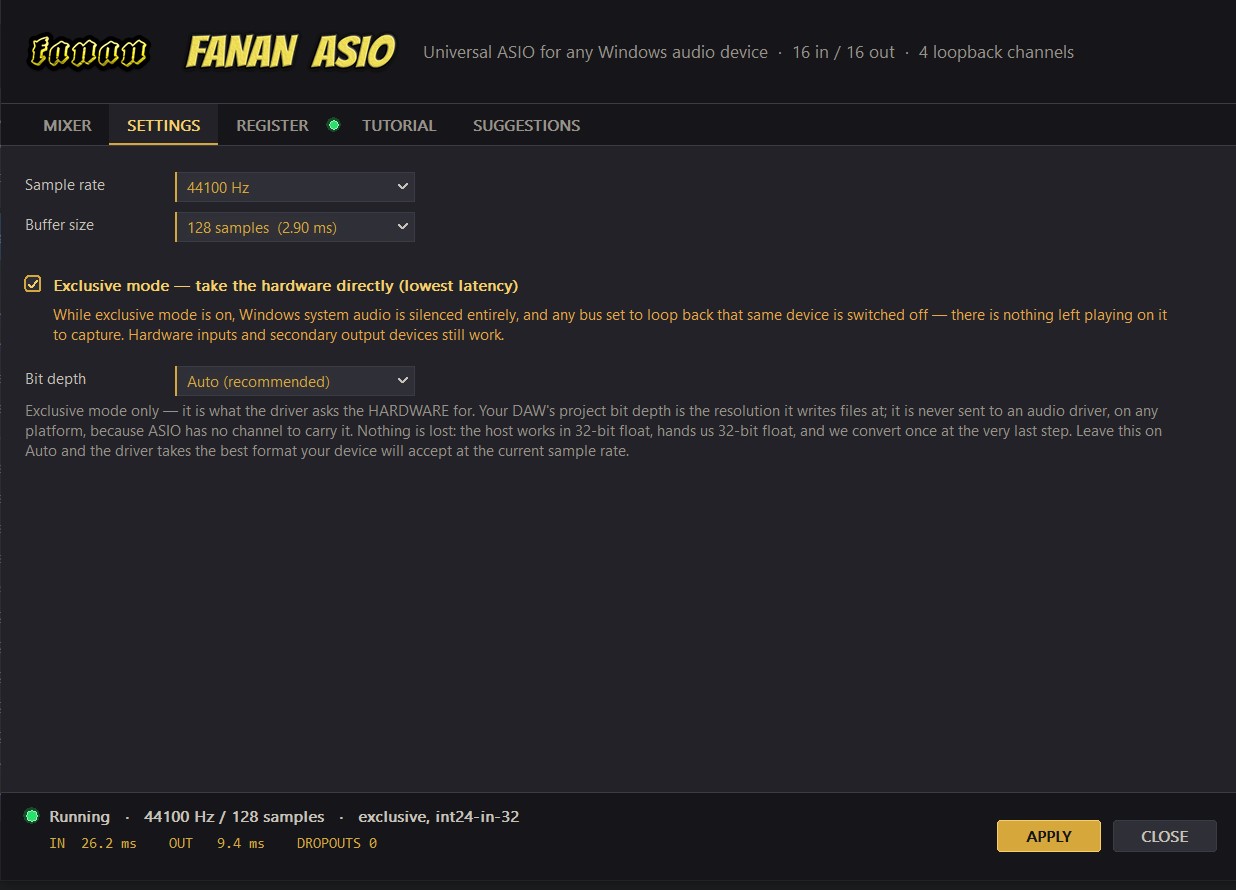
Fanan Asio runs in shared mode by default, so Windows keeps mixing and every other application on your machine keeps making sound. Flip on exclusive mode and the driver takes the hardware for itself. the lowest possible latency, at the cost of silencing everything else on Windows while it runs. There's no guesswork about which to use: the Suggestions tab measures your device's real capabilities at startup and tells you whether exclusive mode is worth turning on at all, because on some hardware it genuinely isn't.
Capture Anything Your PC Plays
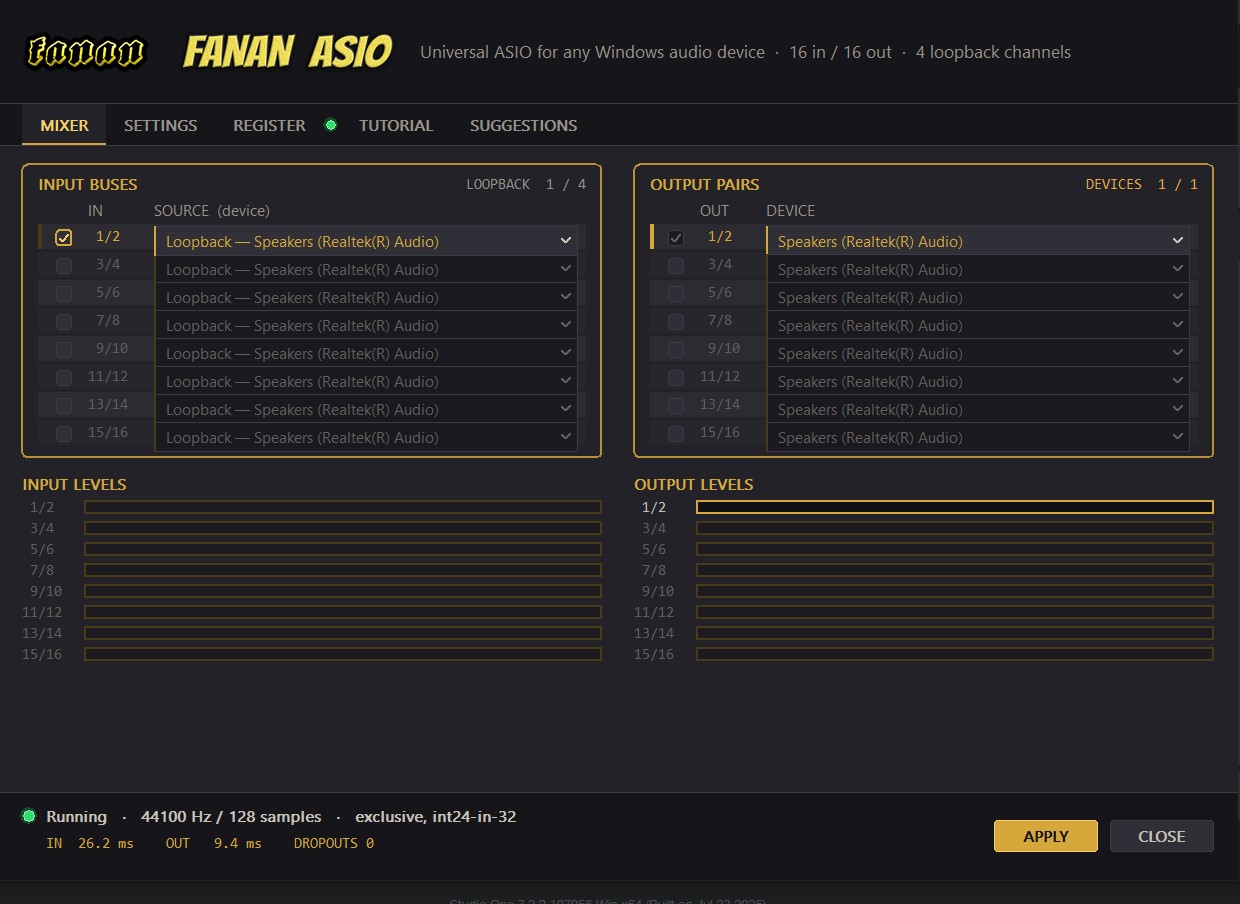
Four loopback channels let you record whatever Windows is playing: a browser, a media player, a game, another DAW, straight into your session as clean, routable inputs. Point a loopback bus at your system output and capture a stream. Point one at a second playback device and pull in audio from somewhere else entirely. Fanan Asio names each channel after what it carries, so "Loopback 1/2" shows up in your DAW's input list exactly where you'd expect it. No anonymous, unlabelled channels to guess at.
Real Inputs, Real Outputs
Alongside loopback, Fanan Asio exposes your hardware inputs; microphones, line ins - as first-class ASIO channels, and gives you eight stereo output pairs you can route independently. Send your main mix to your speakers and a separate headphone cue to a second device entirely. Every input and every output appears in your DAW's routing matrix, ready to assign.
One Clock, No Clicks
Mixing devices that run on different hardware clocks is where lesser solutions fall apart. The two crystals never tick at exactly the same rate, and the result drifts and clicks. Fanan Asio measures that difference continuously and resamples on the fly to hold every foreign source in step, whether it's a microphone, a loopback of another device, or a second output feeding your headphones. It just stays locked.
A Channel Count That Never Moves
Fanan Asio always presents 16 inputs and 16 outputs to your host (registered version), no matter how you have it routed. That's deliberate. Your DAW writes channel assignments into every project you save, so a driver that changed its channel count would quietly break the input and output routing in songs you'd already finished. Channels you aren't using simply pass silence; your projects stay intact, always.
Built to Tell You What's Happening
A dark, purpose-built control panel puts everything in one place: a routing table for inputs and outputs, a settings page, live level meters, and a running dropout counter that tells you the moment your buffer is too tight for what your project is asking of the CPU. A notification-area icon shows the driver's state at a glance: grey idle, gold running, red the instant audio drops and clicking it opens the panel from anywhere. When something isn't behaving, Fanan Asio shows you why instead of leaving you guessing.
Honest About Bit Depth
Fanan Asio works internally in 32-bit float, exactly as your DAW does, and converts once, at the very last step, to whatever your hardware accepts, with proper dither on the way down. In exclusive mode you can request a specific format; leave it on Auto and the driver simply takes the best your device will give at your current sample rate. Nothing is lost in translation.
Main Featurescapability probe with plain-language setup suggestions:

Please log in to join the discussion
Submit: News, Plugins, Hosts & Apps | Advertise @ KVR | Developer Account | About KVR / Contact Us | Privacy Statement | Sell @ KVR | KVR Marketplace Terms & Conditions
© KVR Audio, Inc. 2000-2026

