
0 KVR members have added Geodesic to 0 MyKVR groups 0 times.
Download KVR Studio Manager (FREE)
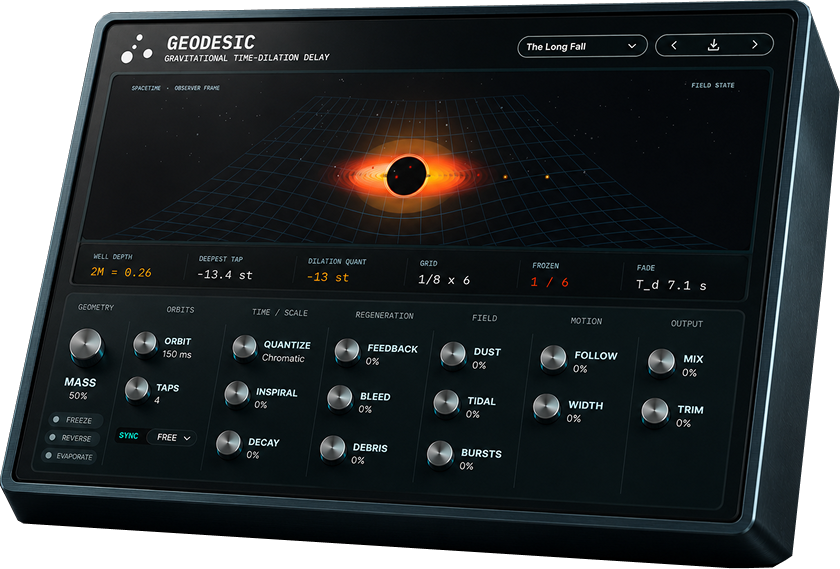
Geodesic is a gravitational time-dilation delay and freeze effect. It is a multi-tap delay whose taps orbit a gravitational source: each tap sits at a radius from a central mass, and the Schwarzschild metric sets its clock rate.
Turn up Mass and the well deepens. Inner taps slow down, darken, and redshift downward in pitch while outer taps remain comparatively stable. Push the system toward the horizon and the delay can park into a held field instead of falling forever. The result is a delay that stretches, descends, freezes, and thaws according to one governing law.
Geodesic is built around the gravitational time-dilation factor from general relativity:
alpha(r) = sqrt(1 - r_s / r).
In the plugin, that factor controls the read rate of each delay tap. A tap deeper in the well runs on a slower clock, so its echo stretches and pitches down. Because the read rate is integrated by the engine, the redshift holds as a stable state rather than approximating a pitch dive with modulation.
This is the core distinction: a conventional multi-tap delay places echoes at unrelated times. Geodesic places taps at radii, and every tap inherits its timing and pitch behavior from the same gravitational curve.
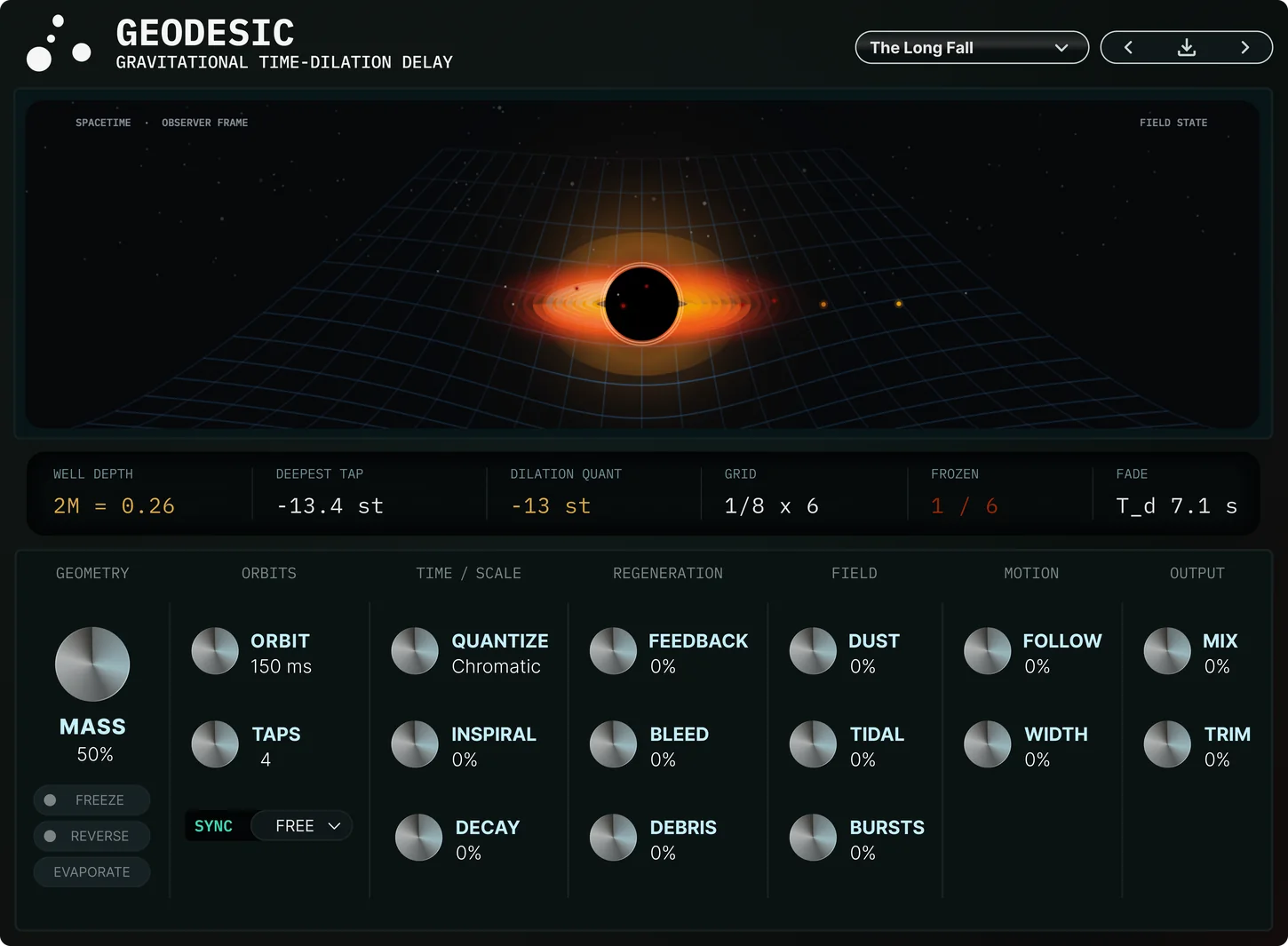
Mass is the main gesture. It deepens the well, slows the inner taps, and increases the redshift. Orbit sets the orbital period of the tap field: in Free mode it acts as an absolute time control, and in Sync mode it sweeps through host-tempo divisions. Taps sets how many orbits are in flight.
Quantize can snap the redshifted pitches to Chromatic, Major, or Minor, turning the relativistic pitch movement into a musical lattice. Feedback and Bleed regenerate the field. Dust darkens taps as they fall. Inspiral decays the orbits inward over time. Debris and Bursts add grains and sparks from the orbiting field.
Freeze parks the taps and holds the field indefinitely. Evaporate sheds mass and lets the captured field collapse. Reverse plays the captured field backwards. Follow lets the well respond to the input envelope, Width offsets the left and right orbits, and Mix and Trim set the output.
Geodesic works as a pitch-descending delay, tempo-synced multi-tap field, freeze effect, black-hole ambience generator, and transition tool.
Use low Mass for a subtle delay with gravitational pull. Raise Mass for redshifted echoes that fall into the well. Turn on Sync for rhythmic tap fields. Use Quantize when the pitch descent needs to stay musical. Hit Freeze near the horizon for a held bed that stays alive while new input feeds the accretion field. Hold Evaporate to collapse the well and release the capture.
The mechanism is time dilation, not a delay line with space-themed labels. Geodesic turns gravitational redshift into a playable delay field: orbit, fall, freeze, reverse, evaporate, and relight.
Learn more at https://chiral.audio/geodesic.
 $49.00Delay MEMORY-BRIGADE$79.00Delay TAPE-201$49.00Delay ETERNITY
Please log in to join the discussion
Submit: News, Plugins, Hosts & Apps | Advertise @ KVR | Developer Account | About KVR / Contact Us | Privacy Statement | Sell @ KVR | KVR Marketplace Terms & Conditions
© KVR Audio, Inc. 2000-2026

