
22 KVR members have added Masterlab Audio DynaQ to 21 MyKVR groups 22 times.
Download KVR Studio Manager (FREE)
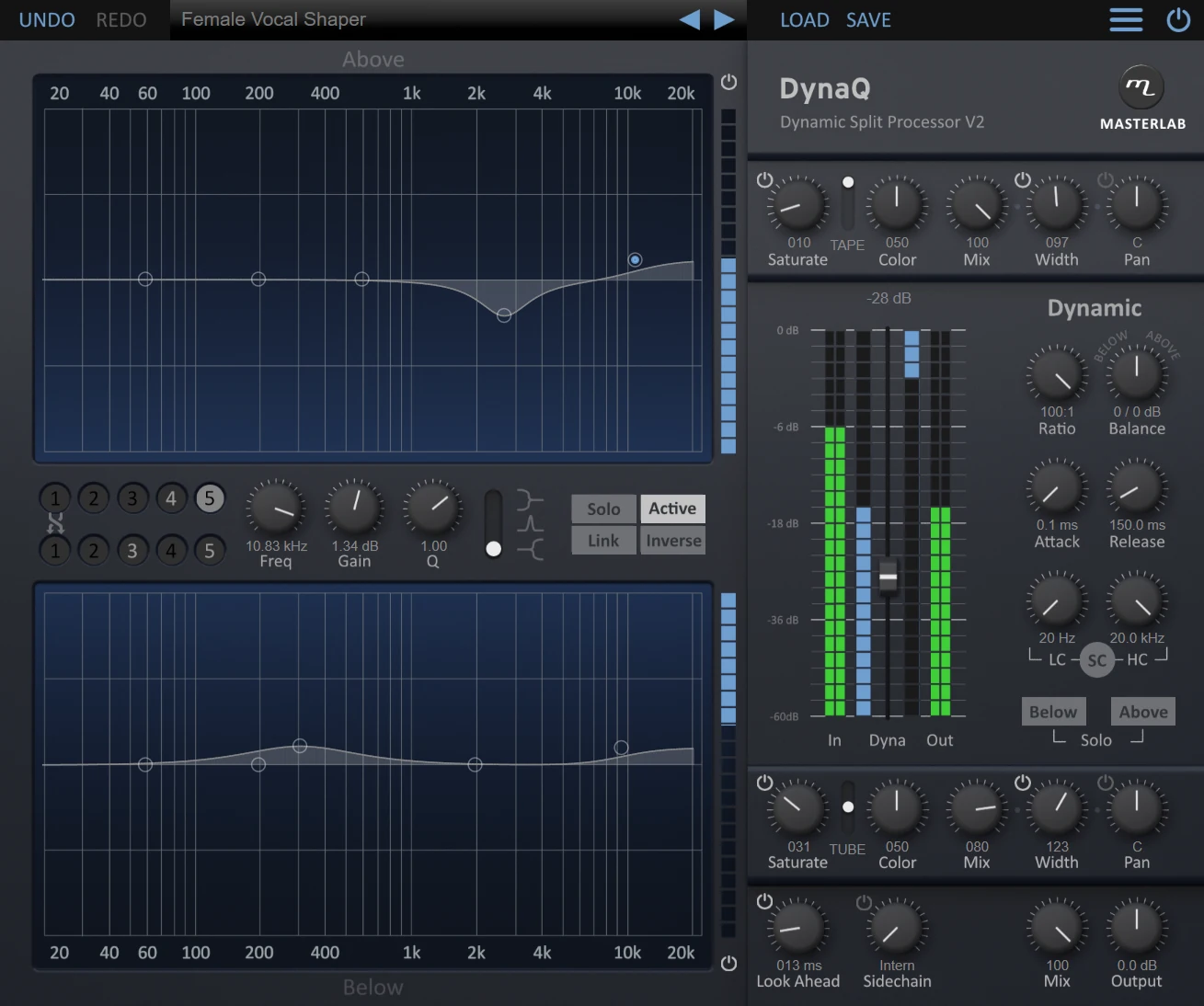
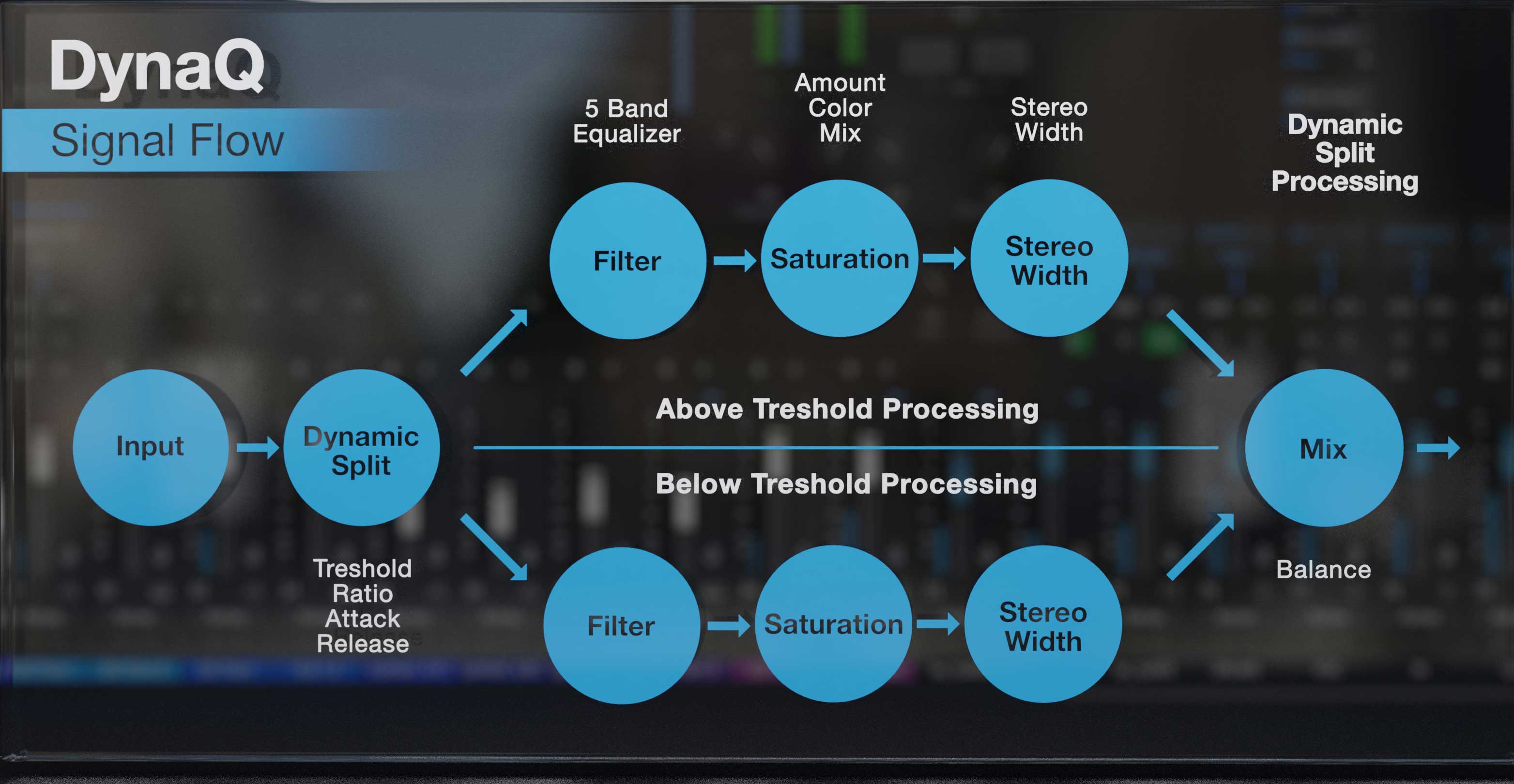
Filtering and sound-shaping are essential when it comes to balancing out recordings, fitting signals into the mix or doing creative sound design. But what might be great for the loud part of the signal, is not necessarily good for the quiet part and vice versa. Dynamic equalizers are around for quite a while and are doing a great job on dynamic selective filtering. On the other hand, dynamic EQs can be a little bit difficult to understand. Especially when it comes to below and above the dynamic threshold of the processing and it is also hard to deal with complex filter curves. Therefore, Masterlab Audio invented a completely new but very simple approach to dynamic selective processing. This not only allows you to add complex filtering curves very fast but also analog-style saturation and stereo widening. We call it "Dynamic Split Processing".
DynaQ Key Features:

Please log in to join the discussion
Submit: News, Plugins, Hosts & Apps | Advertise @ KVR | Developer Account | About KVR / Contact Us | Privacy Statement | Sell @ KVR | KVR Marketplace Terms & Conditions
© KVR Audio, Inc. 2000-2026

