Log InCreate An Account
  1. Plugins
  2. »
  3. Bremmers Audio Design
  4. »
  5. MultitrackStudio
  6. »
  7. Details

MultitrackStudio

Free / €74 / €134
MultitrackStudio
MultitrackStudio by Bremmers Audio Design is an Audio Plugin Host and a Mobile Audio App for macOS, Windows and iOS. It can host VST Plugins, Audio Units Plugins, VST 3 Plugins and CLAP Plugins.
Product
Version
11.4
Windows 7 or newer
Product
Version
11.4
macOS 10.11 or newer
Product
Version
5.4
iOS 11 or newer
Can Host
Instruments
Can Host
Effects
Sample Formats
Loads and/or Saves
Giga, SF2 (SoundFont), sfz
Copy Protection
Key File

MyKVR: Groups, Versions, ...

37 KVR members have added MultitrackStudio to 8 MyKVR groups 45 times.

Download KVR Studio Manager (FREE)

Not In Your MY KVR Groups
(or group limitation prevents versioning)
+8 in private groups

KVR Rank

Overall: 540   464   535   26

30-Day: 466; 7-Day: 1158; Yesterday: 2281

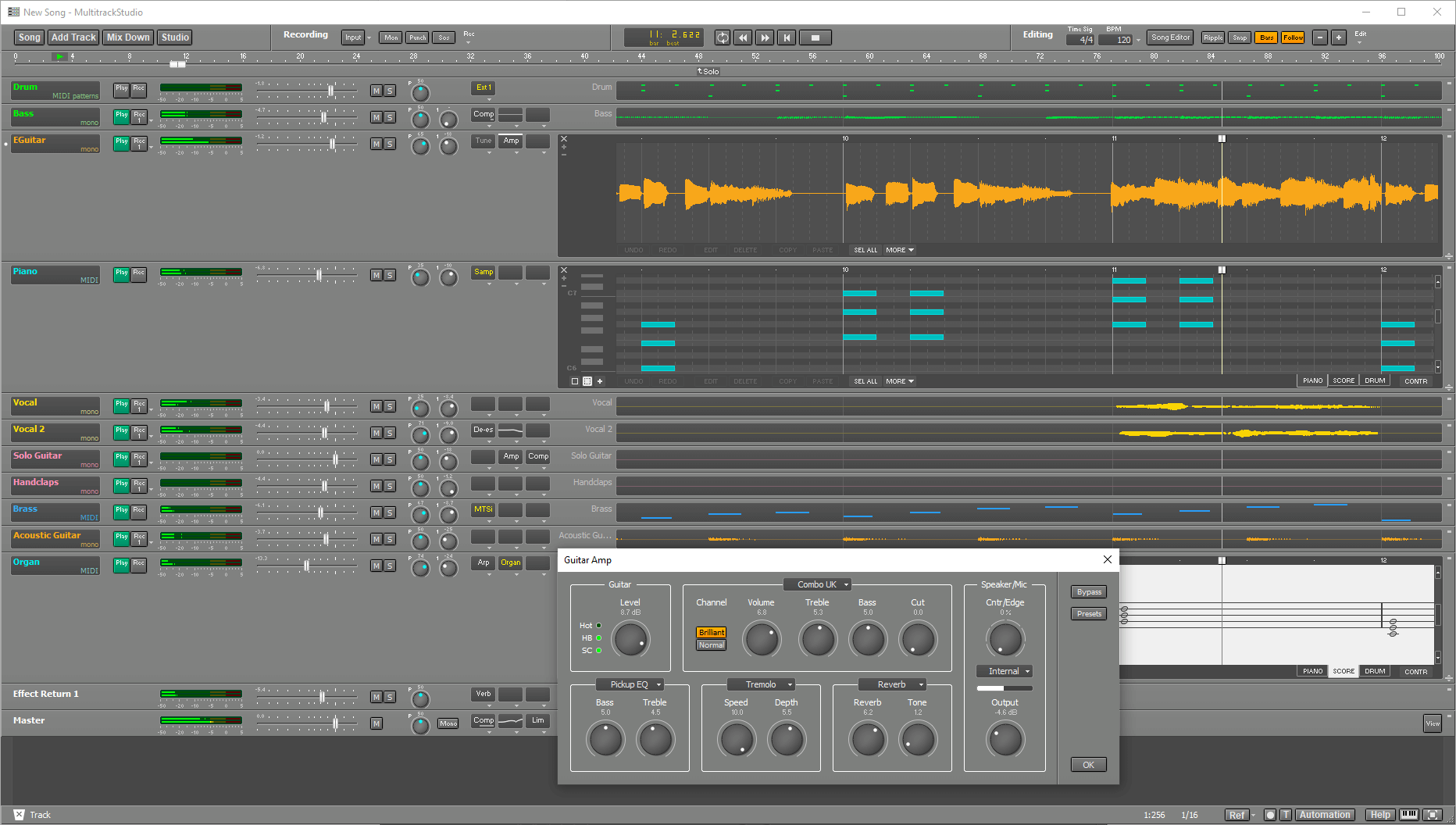
MultitrackStudio is audio/MIDI multitrack recording software for Windows and macOS. It combines a multitrack recorder, a mixer, lots of effects and a MIDI sequencer in one package: everything that's needed to turn your computer into a digital multitrack music recording studio.

Key Features:

  • Record new tracks while playing along with existing ones:
    • Audio (mono or stereo) and/or MIDI tracks.
    • Loop recording: record multiple takes automatically.
    • VariSpeed: change pitch of the song to match your instrument (Pro edition only).
    • Record alternate takes with just one key press.
  • Mix the tracks:
    • Unlimited number of groups and effect send/returns supported.
    • Route Group or Effect Return sections to soundcard outputs (Pro edition only).
    • Mixer / Effects automation (Pro edition only).
    • Use Song Versions to store/recall mixes.
  • Enhance your mix with real-time effects:
    • Over 25 high quality audio effects.
    • Use AU (Mac) / CLAP / VST plugins.
    • Add/move/remove effects on-the-fly.
    • Powerful effect sidechaining options (Pro edition only).
  • Use MIDI to play instruments you can't play or don't own:
    • MultitrackStudio Instruments (General MIDI sounds).
    • Supports third party AU (Mac) / CLAP / VSTi Instrument plugins.
    • Use external synths and/or your soundcard's synth.
    • Record expressive parts easily with MPE or MIDI 2.0 keyboards.
  • Correct your mistakes:
    • Punch in/out recording.
    • Non-destructive audio editing.
    • MIDI pianoroll, notation, drum and controller editors.
    • Unlimited levels of undo.
  • Touchscreen support:
    • Full touchscreen support, no mouse or keyboard required.
    • Multi-touch supported (most notably in the onscreen MIDI keyboard).
    • Works with Windows 10/11 tablets.
    • Also optimized for pen, with or without touchscreen.
  • Easy to use, no frustrations:
    • Well though out design.
    • Wizard to perform basic tasks.
    • Context sensitive help system: point the mouse and press F1 (Windows) / Shift-Command-? (Mac).
    • Fast and reliable.

Technical details:

  • The Pro edition supports multichannel recording (up to 140 channels, using ASIO driver).
  • Audio engine can utilise up to 8 CPUs.
  • 44.1/48 kHz samplerate (Pro edition supports 88.2/96/176.4/192 kHz as well).
  • Automation (Pro edition only) is sample accurate, except for VST2 plugins.
  • 32-bit audio processing.
  • HP-TPD dithering with or without noiseshaping.

Latest User Reviews

Average user rating of 4.00 from 1 review
MultitrackStudio

Reviewed By severak [all]
May 17th, 2025
Version reviewed: 10.5.1 on Windows

Multitrack Studio has one major advantage over other DAWs - it's very straightforward. While other DAWs sometimes feels like you are looking at space shuttle controls, MTS it very intuitive with small number of controls to choose from. When you don't know how to use something hover over it with cursor, press F1 and voila - you get very well written documentation open on exact chapter what you need.

It has built-in general MIDI sounds. These are not most realistic ones but are actually very usable (just keep in mind that these sounds works only on some range of notes similar to real instruments). It also have Hammond-like Wheel organ, chromatic (Sampler - which can play soundfont files) and drum (Matrix Sampler) samplers. You can make whole arrangement using just MTS built-in sounds.

It also have all types of effect types you can possibly need. I rarely load effects VSTs to MTS as everything I am looking for is already there.

It has obviously some downsides too - some things are not possible at all, working with MIDI patterns is very limited, it's basically one man show and it's almost unknown, so there is no big community to ask questions (it's not that a problem as you can figure out a lot of things just by looking at UI and reading help file).

It's not industry standard. But if you just want to do some multitrack recording and you don't want to waste your time by trying to understand some convoluted software UI this can be your tool.

Read Review

Products similar to MultitrackStudio...

Comments & Discussion for Bremmers Audio Design MultitrackStudio

Discussion
Discussion: Active

Please log in to join the discussion

Log In To KVR Audio