Log InCreate An Account
  1. Plugins
  2. »
  3. TBProAudio
  4. »
  5. mvMeter
  6. »
  7. Details

mvMeter

Newer Version:
mvMeter2
mvMeter has been replaced by: mvMeter2
mvMeter
mvMeter Themes
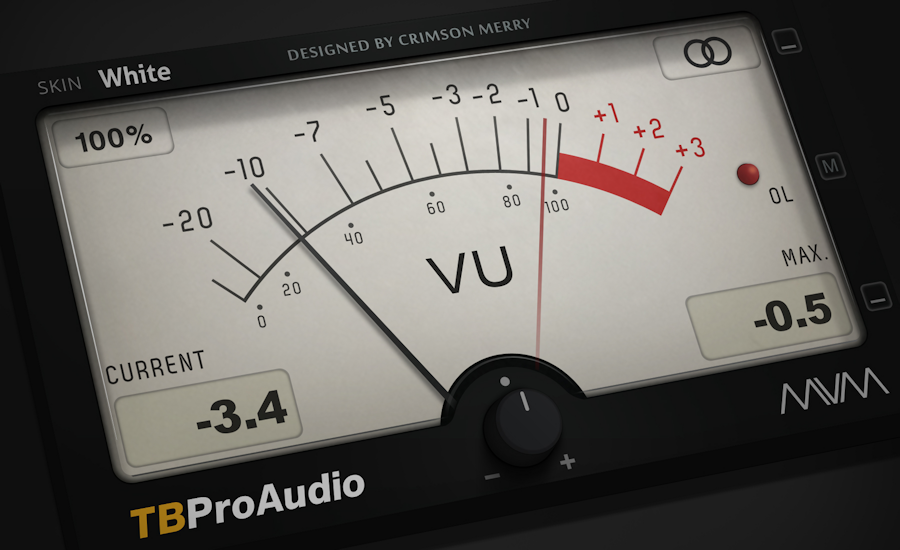
mvMeter by TBProAudio is a Virtual Effect Audio Plugin for macOS and Windows. It functions as a VST Plugin, an Audio Units Plugin, a VST 3 Plugin and an AAX Plugin.
Product
Version
1.0.8
Windows XP SP3/VISTA/7/8
Product
Version
1.0.8
Mac OS X 10.5+
Effect
Formats
Copy Protection
None

MyKVR: Groups, Versions, ...

25 KVR members have added mvMeter to 9 MyKVR groups 29 times.

Download KVR Studio Manager (FREE)

Not In Your MY KVR Groups
(or group limitation prevents versioning)
+9 in private groups

KVR Rank

Overall: 8774   6930   7757

30-Day: 2965; 7-Day: 22453; Yesterday: 8841

mvMeter is a multivariable meter including RMS, EBUR128, VU and PPM measurement.

Features:

  • behavior of classic analog VU and PPM meters.
  • multiple measurement modes: PEAK, RMS, EBU R128, VU and PPM.
  • multi channel metering: stereo, left, right, mid, side.
  • large and accurate live meters.
  • adjustable pre-gain, gain matching.
  • 64-bit internal processing.
  • 5 different meter themes.
  • instance label.
  • GUI resizing up 400%, ready for 4k displays.

Latest User Reviews

Average user rating of 1.00 from 1 review
mvMeter

Reviewed By ghettobird [all]
January 12th, 2017
Version reviewed: 1.0.1 on Windows

This thing looks beautiful and I would give it a 10 BUT I've found that it often gives me the wrong level in error. I then remove the plugin from my chain and re-insert it and then it will read correctly. This happens so much that it's not useable. That being said it's free so I really can't complain.

My system is Windows 7 64-bit, Abelton Live 9.6 64-bit.

Read Review

Products similar to mvMeter...

Comments & Discussion for TBProAudio mvMeter

Discussion
Discussion: Active
TB-ProAudio
TB-ProAudio
17 February 2017 at 5:51pm

Hello ghettobird, .

V1.0.2 update should fix it.

regards.

THIS POST HAS BEEN REMOVED

Please log in to join the discussion

Log In To KVR Audio
