60 KVR members have added Reverie to 40 MyKVR groups 65 times.
Download KVR Studio Manager (FREE)
Reverie is an audio effect built around a simple idea: everything can resonate.
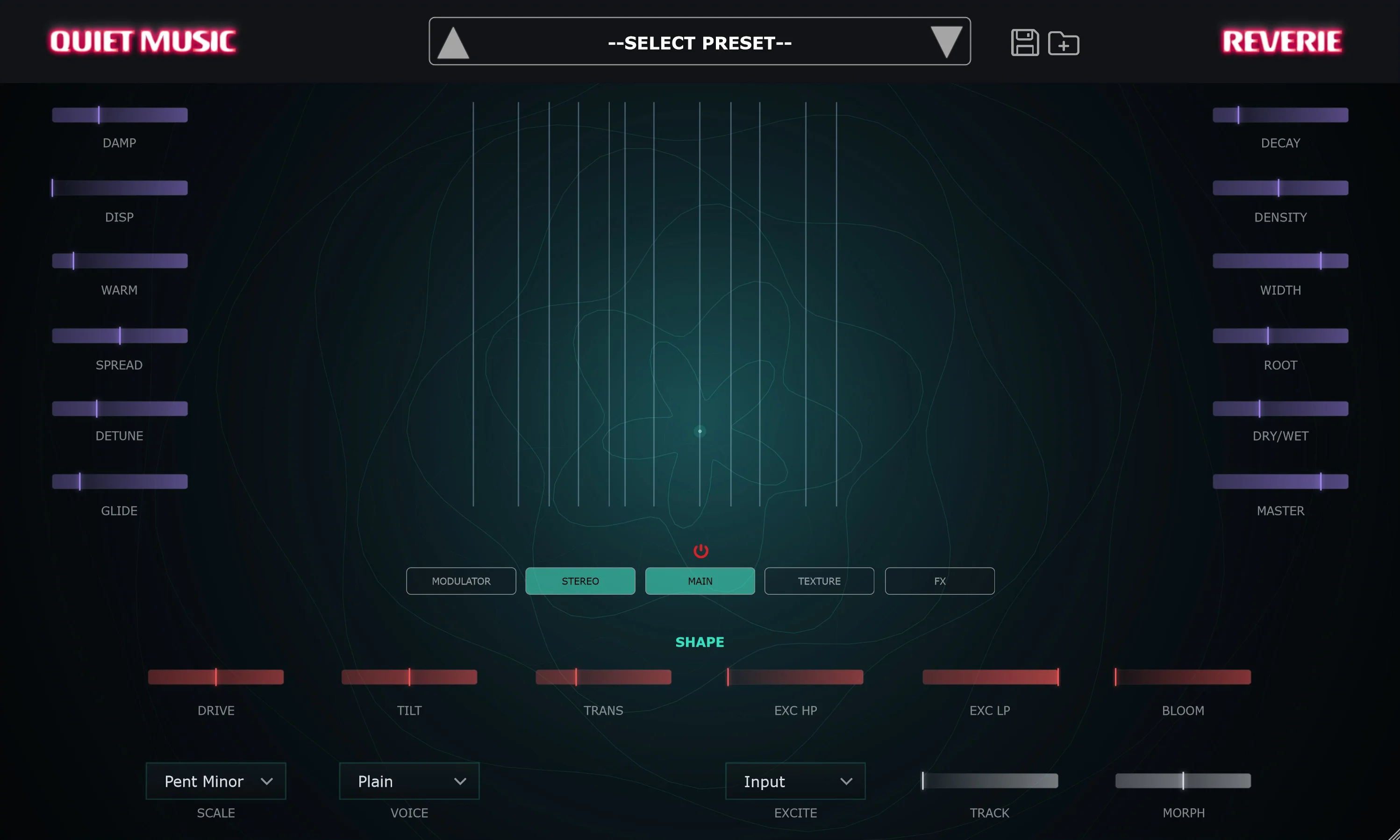
At its heart is a bank of sympathetic strings, modelled with Karplus-Strong synthesis and tuned to a musical scale of your choosing. Instead of playing them from a keyboard, you excite them with sound. Send in a drum loop and the strings ring out in sympathy with every hit. Send in a pad, a vocal, a field recording, or pure noise, and Reverie reconstructs it as a shimmering, harmonic version of itself, locked to your key. It is the acoustic phenomenon behind a sitar's drone strings or an open piano with the sustain pedal down, turned into a tool you can point at any track.
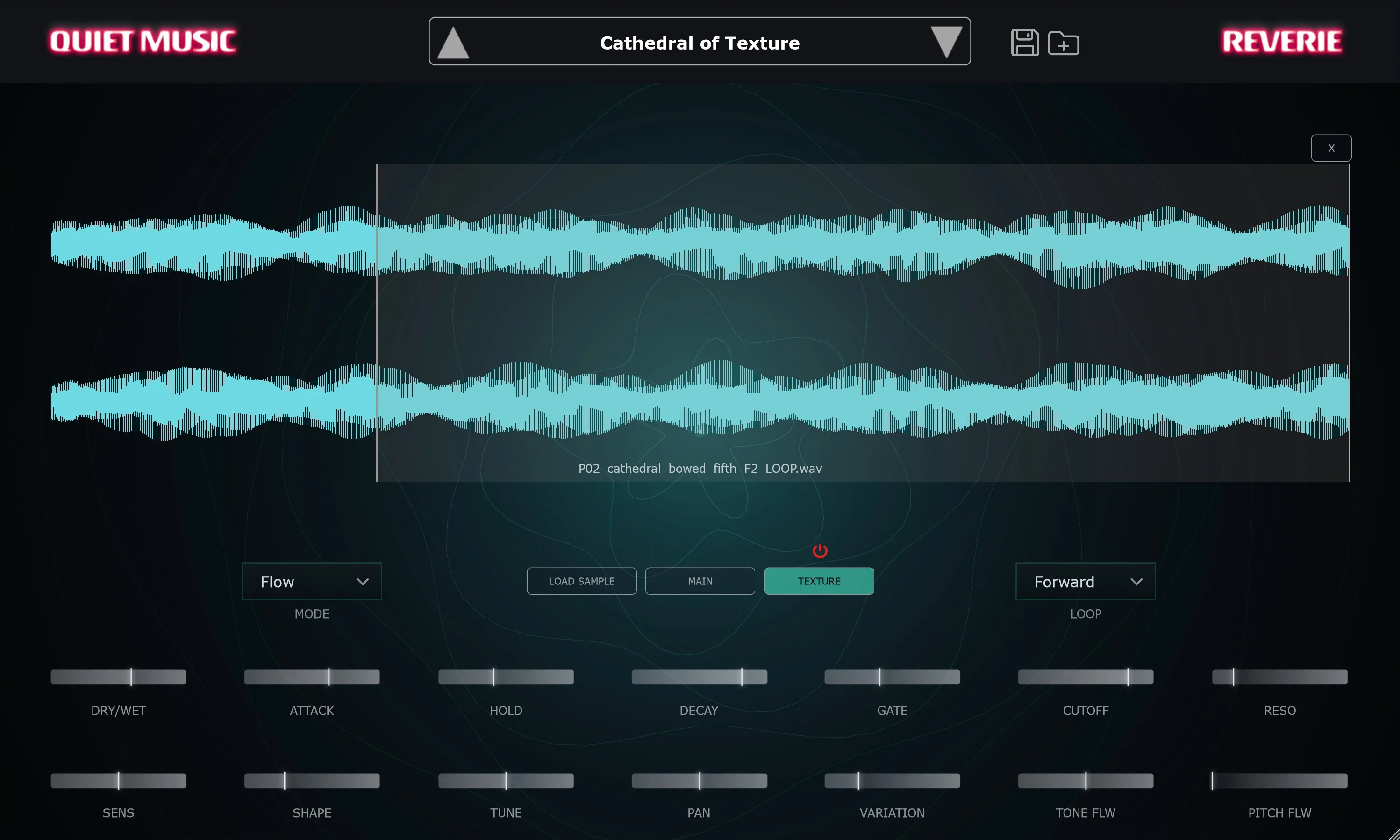
But Reverie is more than a resonator. It carries a second engine: an audio-reactive sampler called Texture. Load any sample, foley, percussion, atmospheres, a single struck bell, and it fires or loops in response to your input's dynamics, following its brightness and even its pitch. On its own, Texture is a reactive layering machine. Combined with the strings, it becomes something new.
The two engines are what make Reverie a single instrument rather than two effects in a chain. Three controls tie them together:
Around the engines sits everything you need to sculpt the result: twenty-one tuning scales including a custom scale builder, seven string materials, control over decay, damping, dispersion, warmth and stereo width, an excitation filter and bloom stage, a lush reverb with freeze, a feedback delay, and a fully drawable modulator that you can route to seventeen destinations across both engines.
Reverie ships with 48 factory presets, from pure string voicings and melody-tracking harps to deep ambient beds built on the series routing, and its full sample library installs automatically, so it is ready to play out of the box.
Reverie is not a synth. It has no keyboard, no MIDI, no notes to program. Its instrument is whatever you send it. Put it on a send, print it, resample it, or leave it live on a bus: whatever goes in comes back transformed, tuned, and alive.
Feed it anything. Reverie will find the music in it.
Features:
Technical specs:
Very cool. Retexture sounds, give them a note. No keytracking though.. otherwise i would have rated 5.
Awesome sounds, nice GUI, sweet presets. Really fun to play with, everything works smoothly and it's easy to get some cool sounds.
Reviewed By bitterlemondays [all]
July 15th, 2026
Version reviewed: 1 on Windows
Lovely idea. It can do some real fun stuff to design sounds with. Though it is not always too clear what exactly is happening. But I do like the sounds it makes.
Great concept! Wish it had a key function instead of an ambigous scale function without a key/root note.
Response from QuietMusic from Quiet Music on July 10th, 2026
Hi p3rcmusic, thanks a lot for trying Reverie and for the kind words on the concept! Quick tip that should change your experience: Reverie does have a key/root control. On the main page there is a ROOT knob that sets the root note, shown as a note name (C, D, E and so on), and the scale you pick is built from that root. So it is fully keyed, not scale-only. If that was not obvious from the layout, that is genuinely useful feedback, and we will make the ROOT control read more clearly as the key in an update. Happy to help if you have any other questions, and thanks again for taking the time.
 $79.00Colour Copy

BRILLIANT PLIGIN!!
Please add
Custom Scale via user interface.
MIDI key to Root (Or even make it fully MIDI polyphonically playable)
More string / resonator types
Unison string (like sting multiply and detune)
Better major /minor scales (the current ones have the strings too close together)
Other than that VERY INSPIRING. Playing percussion and various effects through it makes an ethnic acoustic instrument!
Hi, running the program I don't see any reference to scale, just root.
Quiet Music says "21 tuning scales including microtonal sets (Quarter Tones, Just, Pythagorean, Slendro, Pelog) and a 16-slot custom scale builder."
Where do I find them in the GUI?
Please log in to join the discussion
Submit: News, Plugins, Hosts & Apps | Advertise @ KVR | Developer Account | About KVR / Contact Us | Privacy Statement | Sell @ KVR | KVR Marketplace Terms & Conditions
© KVR Audio, Inc. 2000-2026