
16 KVR members have added Sinensis to 11 MyKVR groups 18 times.
Download KVR Studio Manager (FREE)
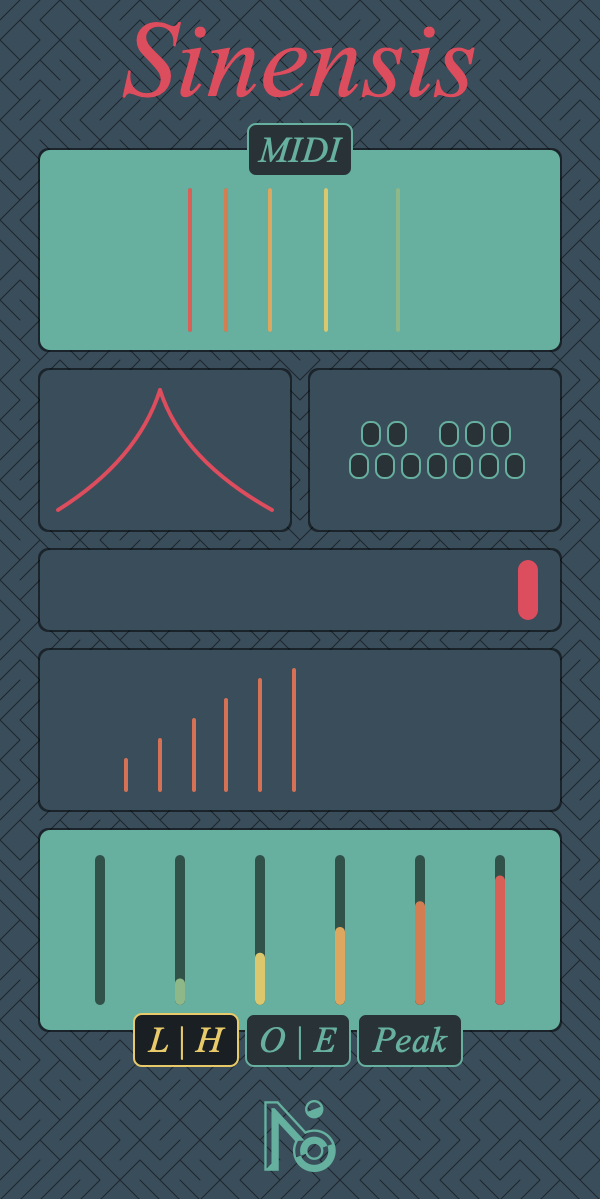
Sinensis is 6 bandpass filters. Inspired by modular such as Tides and Just Friends, you modulate their relation instead of their absolute frequencies.
You set the root frequency (either by hand with a tune widget, or with the MIDI input).
You then set the ratio between each band frequency and the gain of each band following simple functions. I constrained myself to avoid knob, sliders, drop-down menus and numeric values. Using colors and their evolution to inform the user. The goal being to show the state of the system, not to visualize each of its parameters.
In contrast with this unusual method, I chose to make a very clear and structured UI, big functionality blocks. I haven't had much feedback on this plug but I'd be curious to have some people to test it without explanation to inform my future conception of UI.
Taking functional feedback was interesting, how do I add people expectation while still following my idea, and should I add it altogether ?
Example: the note lock system. Usually, this kind of things is implemented with a drop-down menu containing all the possible musical scale. Here I chose to use twelve buttons. Inconvenient: people need to know their scales. In a way, I out-source scale selection to the users knowledge / internet. But allowing a more modular system also mean more manipulation, you can automate note lock for each note, or choose only three notes if you need it.
Harmonics being not to much of my concern, I find this to be a good balance: people who want to experiment have access to fundamental tool (12TET fundamental, which is not very fundamental) and hands-on manipulation, people who just want to be in tune can dial in their scale.
 40%OFF$29.00Filter MINI
Please log in to join the discussion
Submit: News, Plugins, Hosts & Apps | Advertise @ KVR | Developer Account | About KVR / Contact Us | Privacy Statement | Sell @ KVR | KVR Marketplace Terms & Conditions
© KVR Audio, Inc. 2000-2026

