They are on my blog (sorry for not having a direct link but its easier then having dead links to the file if I change things around in the future).


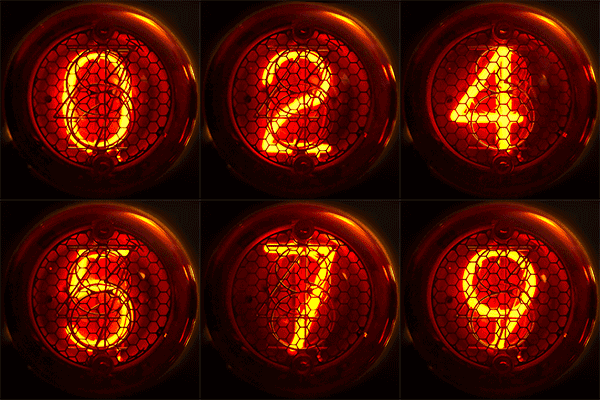
Wow that is an AWESOME image!!!!! hehe looks like funWOK wrote:I found this in Wikipedia (CC licence)
hello,ouroboros wrote:simple question, I think:
I have two boxes - a rectangle and a box. They are just borders, no fill. I would like to "conenct them so the perimeter is one large "T" shape. I forget how, though. I believe it has to do with the shape+/- etc., but I couldn't find it in the helpfile on the site. any tips?

well if that look works you can try this one here: see post below for updated link

didn't think of that. just tried that out cool.g200kg wrote:...the border (without FILL) dont work in Operation.
but this may be you want?
Set alpha of FILL color of parent to 0.
I do it all the time, images from my R5 ensembles on the blog and some older stuff I forgot about...Kriminal wrote:just a thought (i'll try myself tonight) has anyone tried making tape...like masking tape stuck on a synth body part...maybe for writing labels etc...know what i mean?

you're as bad (good#) as Scot Solida..whenever i mention a synth, usually o really old rare one, he says "yeah, i know it, i have 2 in my cellar..."Hlis93 wrote:I do it all the time, images from my R5 ensembles on the blog and some older stuff I forgot about...Kriminal wrote:just a thought (i'll try myself tonight) has anyone tried making tape...like masking tape stuck on a synth body part...maybe for writing labels etc...know what i mean?
I don't know if you could do it in Skinman. For myself I tend to use the unique tool and paint brush in photoshop to make the tape look, for area where the tape is lifting off the surface either by contact failure of other I will use the marquee to copy part and layer them with 0% opacity playing with the inner and drop shadowing.


yes it should. I did try but the numbers became less visible and I didn't have more time to mess with it. I'll have to try again tonight, perhaps with a differnt font or a hand drawn one. Perhaps using the smudge and blur tools would help as well with blending the colors in.novaflash wrote:@Hlis93 :
light orange should be on center of the number and
dark orange around, no ?
Submit: News, Plugins, Hosts & Apps | Advertise @ KVR | Developer Account | About KVR / Contact Us | Privacy Statement
© KVR Audio, Inc. 2000-2026