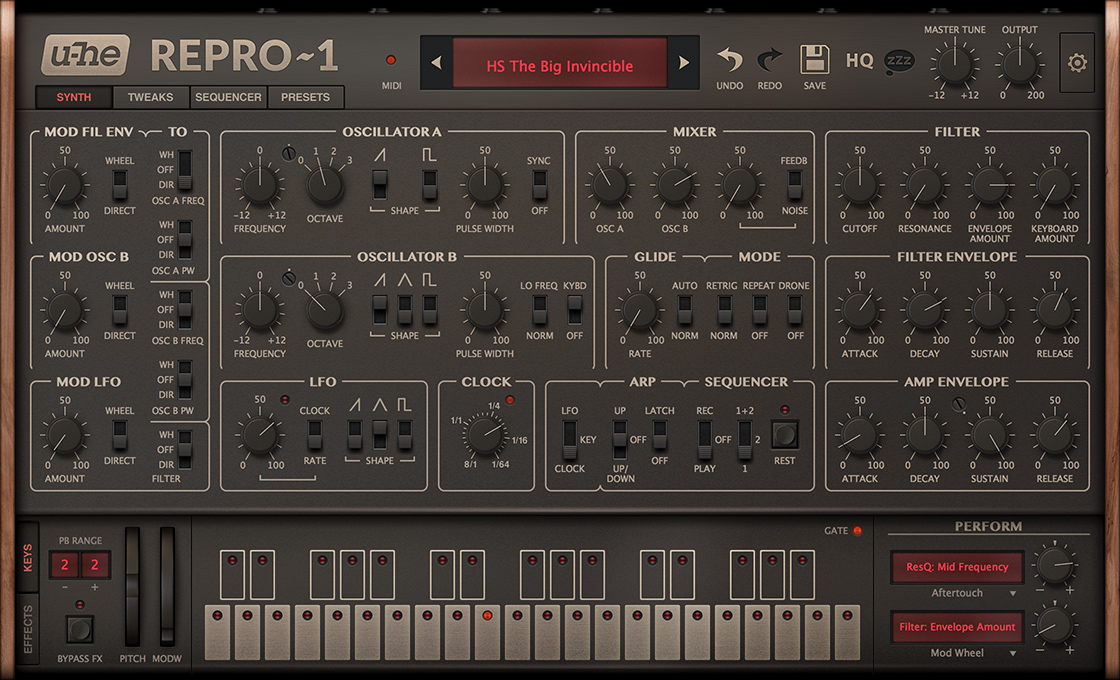
[Repro-1] Released!

Official support for: u-he.com
Post Reply New Topic
RELATED
PRODUCTS
Repro$169.00Buy

Post

Urs wrote: Yes. In most cases I find the difference barely audible. I think we should keep it that way and put together some information about what to look out for to make that decision. Maybe we could do a video or a website with some examples of settings where HQ really matters.
ok, that would be nice
letting me think one more time to buy it although it is "eigentlich" from my to-buy-list :tu:

Post

Hi

In sonar when in using ni kontakt 5 with machine drum selection and I load repro 1 and switch between them, repro 1 crashes.
Does someone has the same problem?
Don't call me a D.J.
I make my own music.

Post

Alex von Elzer wrote:Hi

In sonar when in using ni kontakt 5 with machine drum selection and I load repro 1 and switch between them, repro 1 crashes.
Does someone has the same problem?
Please check with our support. Sonar requires some sort of library that needs to be updated.

Post

Code4 wrote:Custom Repro-1 Skin
I created a custom anthracite/blue skin for u-he Repro-1.
Have a look 8)
1.jpg
2.JPG
Cheers,
Stefan

Does Repro have skin management built in like Diva? I didn't think it did. Would be a nice added if not a huge effort.

Post

Funkybot's Evil Twin wrote:
Code4 wrote:Custom Repro-1 Skin
I created a custom anthracite/blue skin for u-he Repro-1.
Have a look 8)
1.jpg
2.JPG
Cheers,
Stefan

Does Repro have skin management built in like Diva? I didn't think it did. Would be a nice added if not a huge effort.
Yes, it has :-)

Post

Here's a screen print of a desaturated skin I made today that gets rid of the brown-ish hue to the default GUI. All I did was pull out the color elements like LED's, and desaturated the background. Then I destaturated the knobs and mod wheels using some simple batch processing. The last thing I did, and this was the tricky part, was edit the Skins file to change the color of the non-image based text also.

I won't be sharing this since the undo/redo/HQ/Zzzz buttons only work at the default gamma (once you change the gamma you can see the boxes around the icons) and this replaces the original skin (rather than adding to it). However, I think it looks much better this way versus the brown-ish default background.

The "After" photo:
Repro Desat.jpg
And the "Before" photo for comparison:
Image
You do not have the required permissions to view the files attached to this post.

Post

This might be a very odd request and if the answer is "no" i perfectly and completely understand, but:

The effects are circuit modelled too, right?—I mean drench and the wave-volder and the delay and all. If so: if I was using a mono-synth in real life, I might try recording multiple tracks first to fake polyphony and then add the effects all in one go, at the end.

Now, I KNOW you said that having an 'fx-only' version was turning out to be difficult, but I wish there was some way to route multiple dry synth signals to a single FX group.

Either way, I think this product is phenomenal. I've been planning to buy Satin for some time and--God willing--I'd like to buy it AND repro-1 in the next couple days or so.

Post

sleepcircle wrote:The effects are circuit modelled too, right?
Hehehe, not really... the reverb is pretty much the diagram-off-the-internet vintage digital reverb that (hopefully) everyone uses, with a few useful modifications.

Lyrebird is based on a bucket brigade delay schematic, but instead of single buckets it's modeled as a variable sample rate digital delay, with non-linearities and noise comfortably rendered for a single, "big bucket". Its pre/post filters are component modelled, but with the linear simplification. Otherwise it'd munch CPU for breakfast. I was surprised how clean our reference bucket brigade delays sounded, other than the resonant filters in the feedback.

ResQ: 3 simple, component modeled filters.

JAWS: Can't calculate a circuit model with 24 diodes at 32 x oversampling. And why would we, in terms of audio it's identical to running a mathematical waveshaper. So, hehe, it's a very plain formula.

Sonic Conditioner: Gain and Width are really just plain mixer algorithms (a few adds and multiplies). The limiter and transient shaper are based on a component modeled envelope followers, but the logic around them (auto release, soft clip saturation, differential envelopes, stuff like that) is rather trivially done.

So... it's a mix really, which saves a lot of CPU and development time when one doesn't need to match any particular hardware device.

As for the actual question, I would love to turn these effects into their own plug-ins. There are some ideas for Uhbik as well as standalones, but I can't at this time say what it's gonna be.

Post

Ah! Well then, heck, I'll just route them all to a BUS and put some other effects on them! Shoot, protoverb will work just fine, or the apple matrix reverb, or an impulse response or anything else. i have a sonic conditioner, and a wave folder and all that other stuff.

Nice that the EQ is component modelled though.

Anyway these programs are all fantastic. I almost want to show you stuff i've made, but you've certainly heard a jillion demos from your userbase already. Just consider me an already-satisfied customer.

God bless you

Post

Loving the sound and the presets.

Few remarks:
* scrolling down with the mouse scroll wheel in the preset browser, makes you browse up and vice versa (it's not a plane guys :hihi: )
* sleepy mode: cannot see a real change in the CPU consumption. When playing, the meter in Ableton 9.7 bounces between 15 and 40%. When not playing: not much different. I would expect a significant change as you're using a draft mode then.

Using: Windows 7 64 bit, I7-4790K, 16G DDRIII, Ableton 9.7 standard 64 bit, Repro1-beta2 vst2 64 bit.

Post

Stefken wrote:* scrolling down with the mouse scroll wheel in the preset browser, makes you browse up and vice versa (it's not a plane guys :hihi: )
This is unfortunately the case with mousewheel on dropdowns as well, across the whole u-he range. I await anxiously for the day this will be a Preferences panel setting... And it seems quite simple to reverse the mousewheel, right, Urs? ;)

Post

Funkybot's Evil Twin wrote:Here's a screen print of a desaturated skin I made today that gets rid of the brown-ish hue to the default GUI. All I did was pull out the color elements like LED's, and desaturated the background. Then I destaturated the knobs and mod wheels using some simple batch processing. The last thing I did, and this was the tricky part, was edit the Skins file to change the color of the non-image based text also.

I won't be sharing this since the undo/redo/HQ/Zzzz buttons only work at the default gamma (once you change the gamma you can see the boxes around the icons) and this replaces the original skin (rather than adding to it). However, I think it looks much better this way versus the brown-ish default background.

The "After" photo:
Repro Desat.jpg
And the "Before" photo for comparison:
Image
Didn't think I liked the brown until I saw it without.

Post

el-bo (formerly ebow) wrote:
Funkybot's Evil Twin wrote:Here's a screen print of a desaturated skin I made today that gets rid of the brown-ish hue to the default GUI. All I did was pull out the color elements like LED's, and desaturated the background. Then I destaturated the knobs and mod wheels using some simple batch processing. The last thing I did, and this was the tricky part, was edit the Skins file to change the color of the non-image based text also.

I won't be sharing this since the undo/redo/HQ/Zzzz buttons only work at the default gamma (once you change the gamma you can see the boxes around the icons) and this replaces the original skin (rather than adding to it). However, I think it looks much better this way versus the brown-ish default background.

The "After" photo:
Repro Desat.jpg
And the "Before" photo for comparison:
Image
Didn't think I liked the brown until I saw it without.
Almost similar.
Didn't know how much I liked the brown until I saw it without.
rsp
sound sculptist

Post

el-bo (formerly ebow) wrote: Didn't think I liked the brown until I saw it without.
It's not a huge difference but I prefer the gray version. That's what I love about easily skinnable products like this. Find something you don't like on the UI? Personalize it.

Is there documentation anywhere on how to create a proper skin? I'd ideally like to make this variation a proper option versus just overwriting the current skin. If I could figure that out, I'd share this in car anyone else happened to prefer it.

Post

Urs wrote: I would love to turn these effects into their own plug-ins. There are some ideas for Uhbik as well as standalones, but I can't at this time say what it's gonna be.
Urs, very cool about the possibility of those effects going DIVA and Uhbik!

But bann me if this has been asked 20 times before, so obvious, but is there a also chance of a ReproFX version, like ZebraFX or Korgs MS-20FX?

A version that substitutes OSC1 with an audio-Input from the host? maybe, just maybe also in ... :o ...stereo?

thanks!

Post Reply

Return to “u-he”