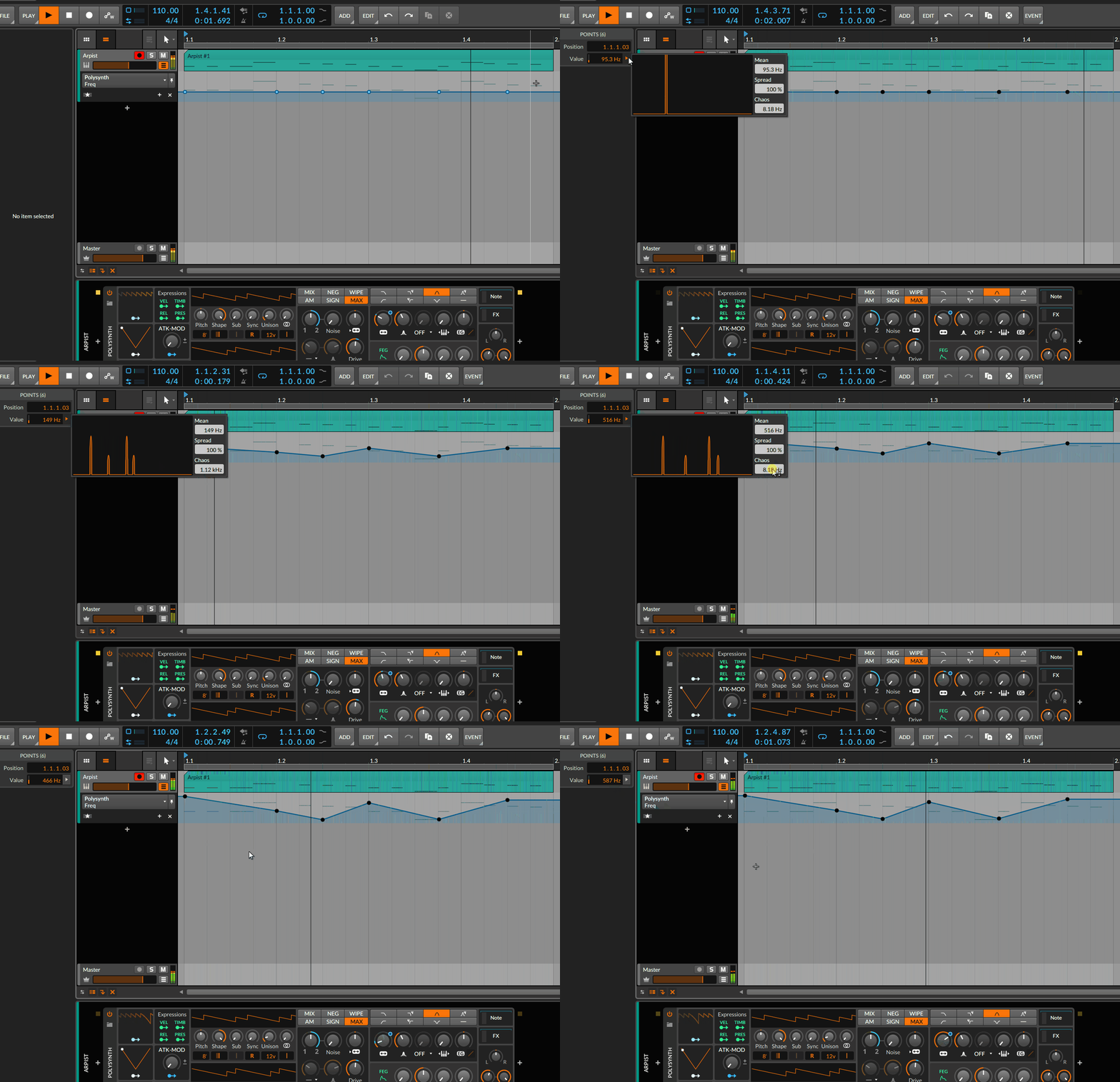
As always there are DAWs making X very well while being poor at Y... there is for me not a single DAW doing it all... but at the very end they are all useable in this regard...


I'm not saying it does the same or more. Just wanted to share this peculiarity I've not seen elsewhere. Also 50% is not accurate, because - AFAIK - you can't randomize a straight line of automation points in neither. So while Bitwig definitely is behind in terms of reshaping already existing automation, it pulls ahead in terms of actually creating it. And, as I said, this feature can be used for ANYTHING you can multiselect in Bitwig.Trancit wrote: Thu Apr 16, 2020 9:14 amBut it does only 50% of what does the transform tool of Ableton or S1

the beautiful state.Eclectrophonic wrote: Wed Apr 15, 2020 11:36 pmNo but thought about it. Causing Chaos there. What is Chaos exactly?

Yes and yes.Eclectrophonic wrote: Wed Apr 15, 2020 9:31 pm
2 things in that video that I know you can do in Reaper are adjusting automation points by right clicking and manually entering values and you can select a range or clip of automation points and reduce the amount. It brings up a box with the amount of points displayed in it. You can then manually type a different number in (I think?) or was there an amount slider? Can you draw or paste in automation shapes though in Reaper?

Chaos is the phenomenon when estimation error grows to infinity.What is Chaos exactly?
 I'm too lazy or not enough imaginative to create complex automation curves for sound design.
That's actually Alt+click. Right click just opens a context menu.electronic115 wrote: Thu Apr 16, 2020 11:25 pm propellerad Reason has the best automation
right click on anything and voila
Well they are not wrong since you get the Edit Automation option there, it's usually the first option.antic604 wrote: Fri Apr 17, 2020 12:41 amThat's actually Alt+click. Right click just opens a context menu.electronic115 wrote: Thu Apr 16, 2020 11:25 pm propellerad Reason has the best automation
right click on anything and voila
I meant Alt+click is faster, because you don't have to go to Edit Automationapoclypse wrote: Fri Apr 17, 2020 2:33 pmWell they are not wrong since you get the Edit Automation option there, it's usually the first option.

Wha-choo-on about?Distorted Horizon wrote: Thu Apr 16, 2020 6:42 am No such thing as "best", just different ways of doing it.

f**k off trollboi.Kinh wrote: Fri Apr 17, 2020 3:10 pmWha-choo-on about?Distorted Horizon wrote: Thu Apr 16, 2020 6:42 am No such thing as "best", just different ways of doing it.
Submit: News, Plugins, Hosts & Apps | Advertise @ KVR | Developer Account | About KVR / Contact Us | Privacy Statement
© KVR Audio, Inc. 2000-2026