

I've always liked this theme for Reaper.....

Skins you're most impressed by
-

- KVRAF
- 19801 posts since 16 Sep, 2001 from Las Vegas,USA
You do not have the required permissions to view the files attached to this post.
None are so hopelessly enslaved as those who falsely believe they are free. Johann Wolfgang von Goethe
-
- KVRAF
- 3496 posts since 30 Dec, 2014
Hive 2, has five gamma levels and the image shown is pictured using the darkest of these. The contrast is as high, lowering the contrast by increasing the brightness (gamma) would lower it. In bright natural daylight using the highest level of gamma the UI is fine. In the dark it works well also.recursive one wrote: Wed Mar 03, 2021 9:36 amSorry, but that's a good example of a skin made to look "impressive" but barely useable.
Everything is too dark, almost no contrast. The original Hive skin is much better in this aspect (and looks better overall, IMO)
The dark design actually has a higher contrast level than the original UI, with a minimal colour palette, so is less confusing and more visually cohesive.
In these screenshots of various alternate versions, you can see what else has changed when you compare it with the original here.
I'd check to see if your contrast settings are set right on your monitor, graphics card settings or that of your OS. Yes the UI's are dark, but they look fine on my Windows 7 and Window 10 OS to be near identical to be useable.
KVR S1-Thread | The Intrancersonic-Design Source > Program Resource | Studio One Resource | Music Gallery | 2D / 3D Sci-fi Art | GUI Projects | Animations | Photography | Film Docs | 80's Cartoons | Games | Music Hardware |
-
RugerioDelStereo RugerioDelStereo https://www.kvraudio.com/forum/memberlist.php?mode=viewprofile&u=466409
- KVRist
- 163 posts since 23 May, 2020
The Console Series skin for U-he's free Podolski vst is amazing:
You do not have the required permissions to view the files attached to this post.
-

- KVRian
- 996 posts since 23 Oct, 2009 from Italy
Olga
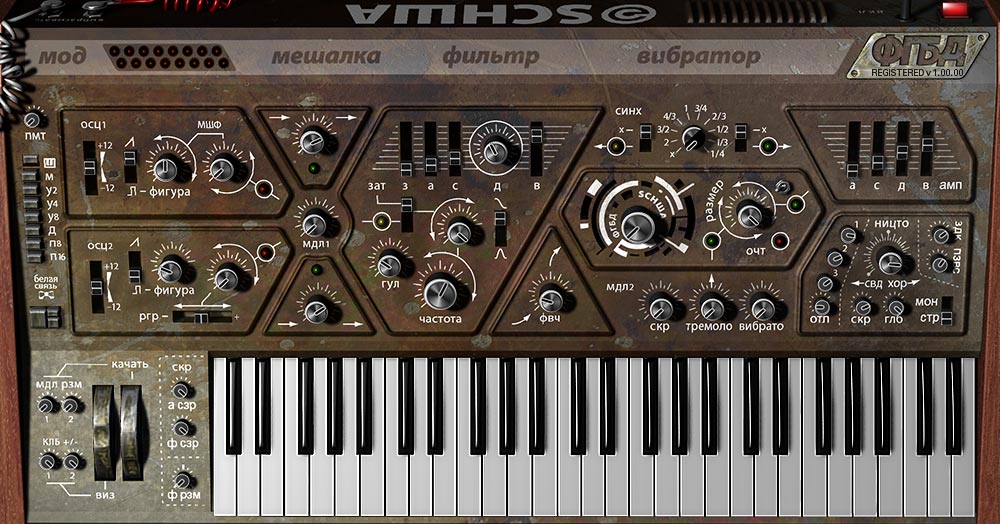
12 years old PC running :Reaper;Reason;Dune;Zampler;Kontakr;Reaktor;and many others countless vst 
-

- KVRian
- 1418 posts since 14 Apr, 2016 from Germany
Image upload as attachment doesn't work. Also [img] in the message box doesn't work. Even the image in my signature is gone. 

Intel® Core™ i9-9900K•Cubase 11•Presonus Eris E8 XT•Focusrite Scarlett 18i20 & Octopre•NI Kontrol S61 MK2•Steinberg CC121•Synthesizers: Arturia Casio Korg Roland Yamaha
-
- KVRAF
- 9144 posts since 7 Oct, 2005
It is OK. On my setup, the average preset uses about 20% CPU on average (Live 11). While the old Massive is about 5%.
Yes the browser is primitive! It is 2 steps back! Also, ignoring Midi learn is a stupid decision IMO, so most of the times I find myself using the old Massive instead!MX will be more popular when they add a browser, midi learn/automation and MSEG's.
But why do you think the P1...P3 can't be used as MSEGs? I haven't delved into making my own presets yet in MX as I haven't a need for it yet.
Using: Cubase Pro 15, Reason 13, Tascam US-4x4HR, MODX6, DM12D, LaunchKey 49, Yamaha guitar(Pacifica 612v) and bass (BB234) and some virtual instruments and synths.
-
- KVRAF
- 3496 posts since 30 Dec, 2014
That's not really true... at least not in my experience. You don't get fatigue when you look into a starry night sky for example. My eyes are so sensitive that the white light emitted from this forum is more unpleasant for me. Particularly when making a message in the pure white box.fgimian wrote: Wed Mar 03, 2021 10:37 am
I tend to agree. What many people don't seem to understand about dark themes, is that something which is too dark is just as fatiguing as something bright.
KVR S1-Thread | The Intrancersonic-Design Source > Program Resource | Studio One Resource | Music Gallery | 2D / 3D Sci-fi Art | GUI Projects | Animations | Photography | Film Docs | 80's Cartoons | Games | Music Hardware |
-

- KVRAF
- 26943 posts since 3 Feb, 2005 from in the wilds
20% for how many voices? I find MX is efficient with more voices.EnGee wrote: Wed Mar 03, 2021 9:43 pmIt is OK. On my setup, the average preset uses about 20% CPU on average (Live 11). While the old Massive is about 5%.Yes the browser is primitive! It is 2 steps back! Also, ignoring Midi learn is a stupid decision IMO, so most of the times I find myself using the old Massive instead!MX will be more popular when they add a browser, midi learn/automation and MSEG's.
But why do you think the P1...P3 can't be used as MSEGs? I haven't delved into making my own presets yet in MX as I haven't a need for it yet.
P1 - P3 cannot be per voice... they are global only, so more like sequencers than envelopes. Old Massive performers can be per voice.
The MX LFO's are not very capable and only have a fixed set of shapes without any phase control. So between that and no per voice MSEG's, it is actually fairly limited for fine control.
-
- KVRAF
- 26943 posts since 3 Feb, 2005 from in the wilds
Just cause something is true for you doesn't make it true for others...THE INTRANCER wrote: Wed Mar 03, 2021 10:16 pmThat's not really true... at least not in my experience. You don't get fatigue when you look into a starry night sky for example. My eyes are so sensitive that the white light emitted from this forum is more unpleasant for me. Particularly when making a message in the pure white box.fgimian wrote: Wed Mar 03, 2021 10:37 am
I tend to agree. What many people don't seem to understand about dark themes, is that something which is too dark is just as fatiguing as something bright.
-
- KVRAF
- 9144 posts since 7 Oct, 2005
I don't find a difference (or that difference) when I press one key or a chord! So, yes as you said. It seems more efficient with more voices.pdxindy wrote: Wed Mar 03, 2021 10:21 pm20% for how many voices? I find MX is efficient with more voices.EnGee wrote: Wed Mar 03, 2021 9:43 pm Yes the browser is primitive! It is 2 steps back! Also, ignoring Midi learn is a stupid decision IMO, so most of the times I find myself using the old Massive instead!
But why do you think the P1...P3 can't be used as MSEGs? I haven't delved into making my own presets yet in MX as I haven't a need for it yet.
Yes, you are rightP1 - P3 cannot be per voice... they are global only, so more like sequencers than envelopes. Old Massive performers can be per voice.
The MX LFO's are not very capable and only have a fixed set of shapes without any phase control. So between that and no per voice MSEG's, it is actually fairly limited for fine control.
 I haven't thought about P1 functioning like that. I thought it can be used as MSEG as well.
 Hmmm, I really prefer the original Massive design (by far!).
Using: Cubase Pro 15, Reason 13, Tascam US-4x4HR, MODX6, DM12D, LaunchKey 49, Yamaha guitar(Pacifica 612v) and bass (BB234) and some virtual instruments and synths.


-

- KVRist
- 446 posts since 29 Apr, 2019
ya they're pretty new, Sonic Charge only added the ability to skin a couple months ago, and ya they are a MASSIVE improvement over the default UI.
-
- KVRAF
- 3023 posts since 25 Feb, 2005
Is there a step by step what and where to download and how to install? I see a tone of confusing stuff but was looking for a straight forward "download this file" and here's how kind of thing for somebody who doesn't know much about skins. Thankstrackbout wrote: Thu Mar 04, 2021 1:44 am ya they're pretty new, Sonic Charge only added the ability to skin a couple months ago, and ya they are a MASSIVE improvement over the default UI.
-
- KVRAF
- 19801 posts since 16 Sep, 2001 from Las Vegas,USA
Download from here:
https://github.com/fredli74/microtonic-skins
Then put the files into a folder called Microtonic V3.3 Resources
Then make sure that folder is in the same location as the Microtonic .dll
There are detailed instructions in the link.
https://github.com/fredli74/microtonic-skins
Then put the files into a folder called Microtonic V3.3 Resources
Then make sure that folder is in the same location as the Microtonic .dll
There are detailed instructions in the link.
None are so hopelessly enslaved as those who falsely believe they are free. Johann Wolfgang von Goethe
-
- KVRAF
- 3023 posts since 25 Feb, 2005
Much appreciate you taking the time Teksonik. I'll give it a shot.Teksonik wrote: Thu Mar 04, 2021 2:48 am Download from here:
https://github.com/fredli74/microtonic-skins
Then put the files into a folder called Microtonic V3.3 Resources
Then make sure that folder is in the same location as the Microtonic .dll
There are detailed instructions in the link.