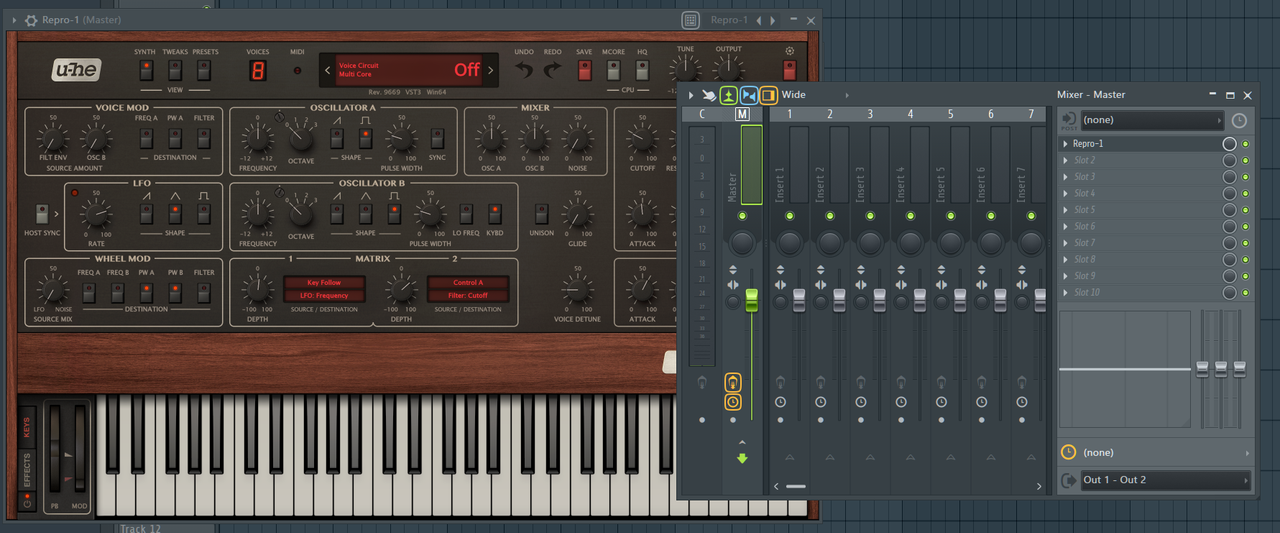
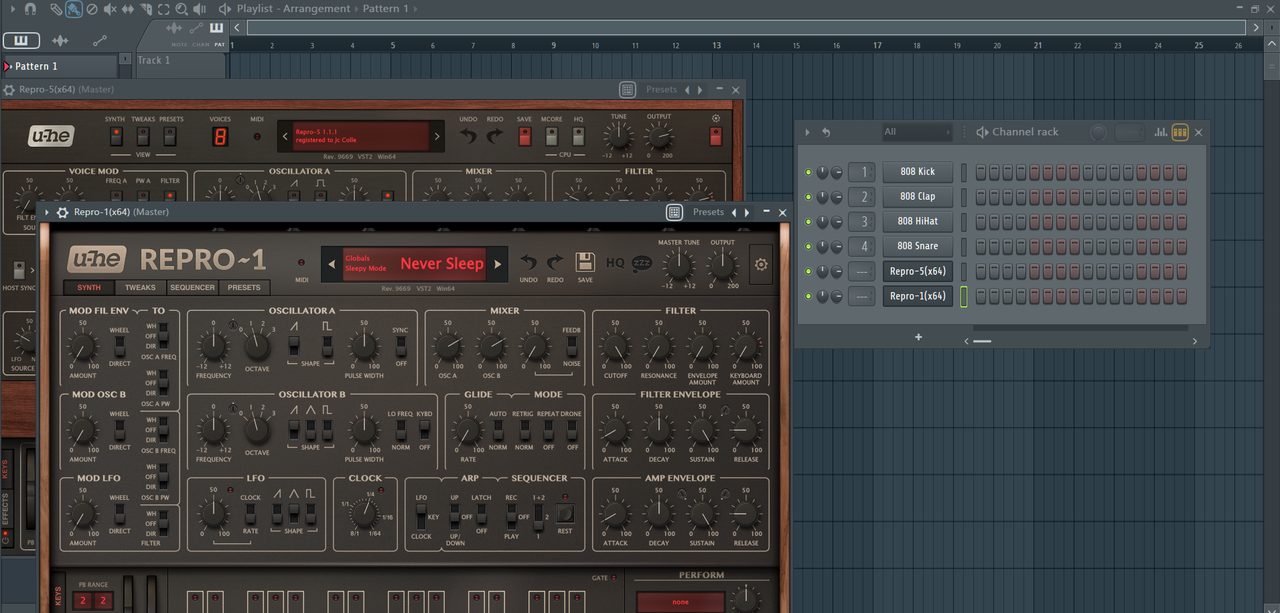
My Repro is an Effect Plugin :) (RESOLVED)

Official support for: u-he.com
Post Reply New Topic
RELATED
PRODUCTS

Post

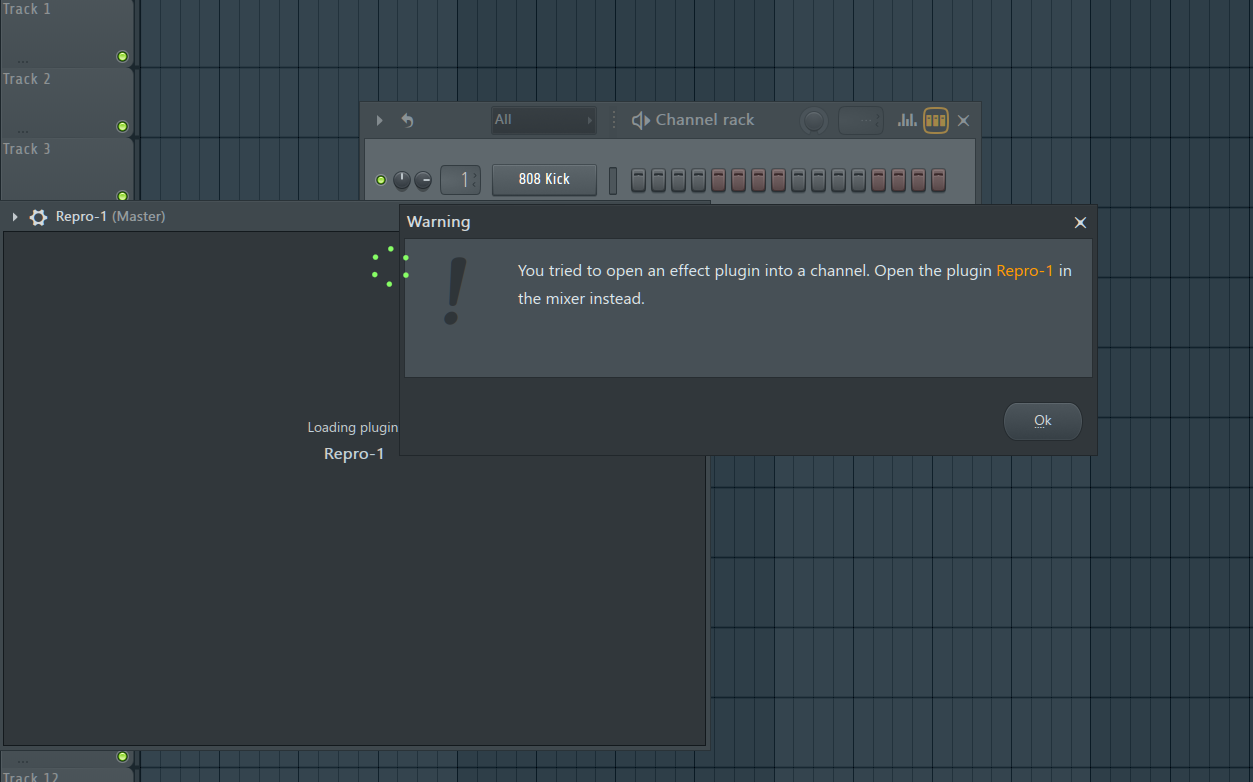
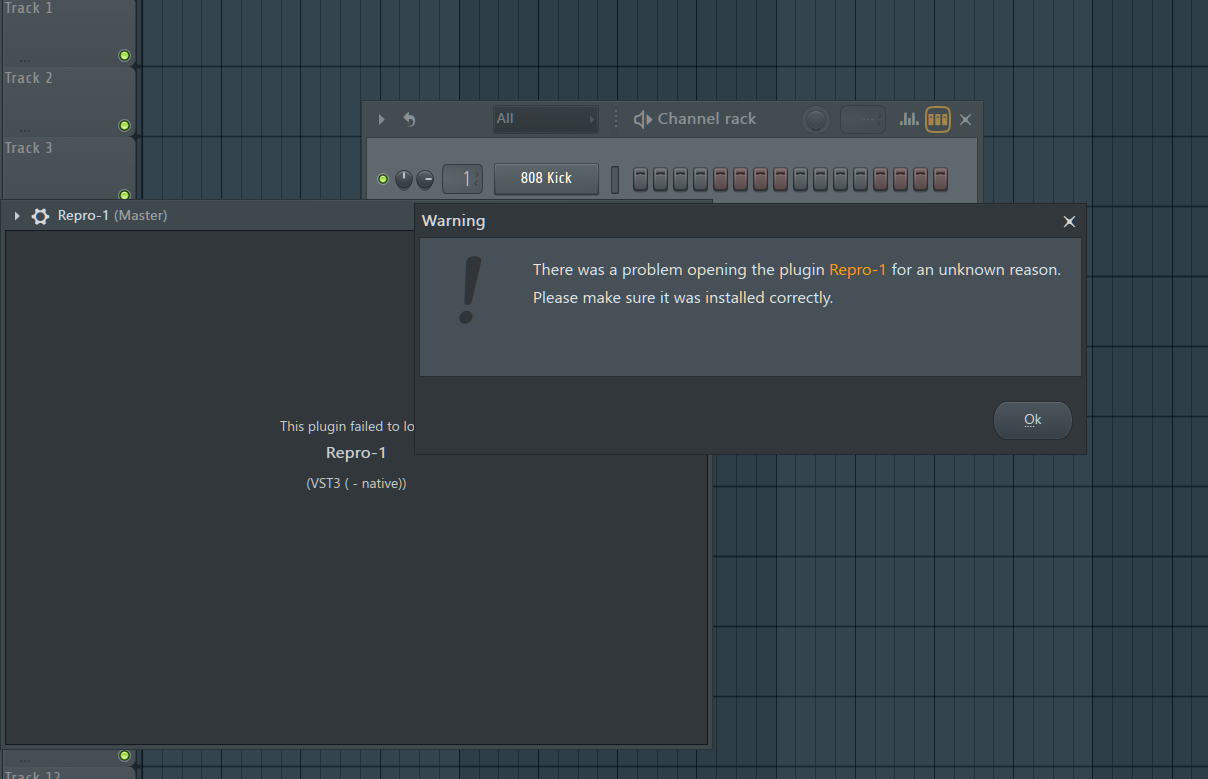
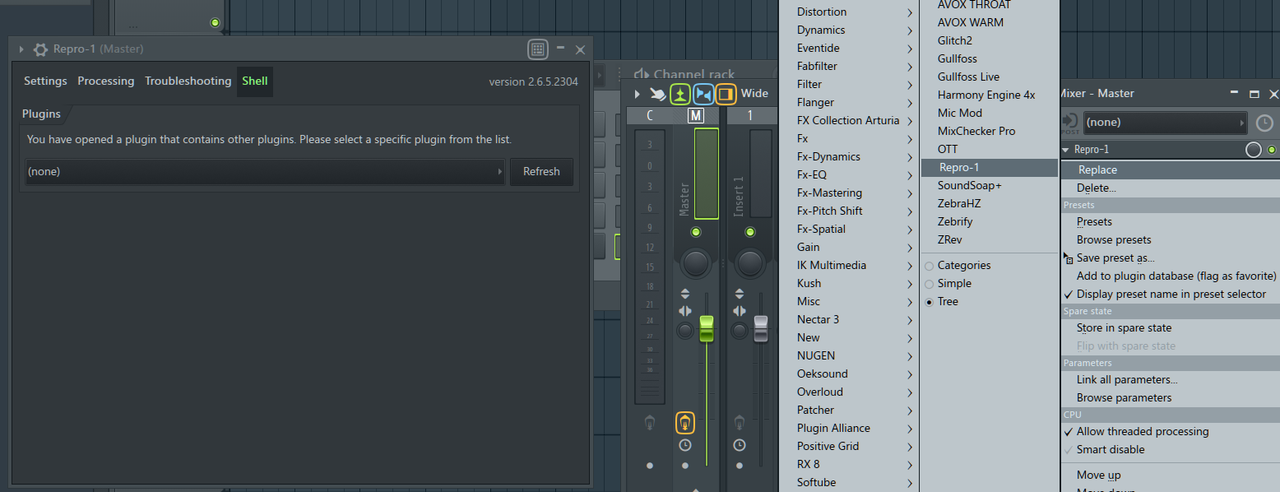
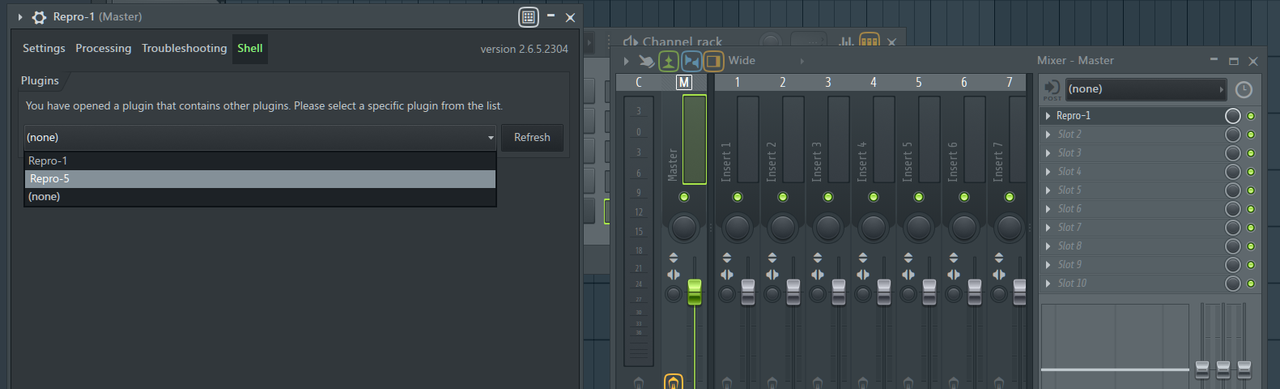
Pictrues say it all :( anyone can help me?

Image

Image

Image

Image

Image
Last edited by jcolle on Mon Jun 07, 2021 1:24 pm, edited 1 time in total.
Roots, Rock, Reggae

Post

FL Studio sometimes recognizes plugins wrongly, if they are plugins that contain multiple plugins.
I.e. there is only one Repro VST3 plugin that contains both Repro-1 and Repro-5.
That's nothing we can fix on our side, unfortunately.

There are a few things you could try:

1 - Update FL Studio to the latest version, if you're still using an older version.
2 - Try the VST2 version and see if FL Studio recognizes them correctly.
3 - In FL Studio's plugin settings, there used to be an option to let the user manually define the plugin as FX or Synth. I am not sure if that option is still available, though.
4 - FL Studio saves a small file for each plugin. Find and delete that file for the Repro VST3 plugin, and then let FL Studio do a rescan of the plugins.
That QA guy from planet u-he.

Post

tasmaniandevil wrote: Mon Jun 07, 2021 8:43 am FL Studio sometimes recognizes plugins wrongly, if they are plugins that contain multiple plugins.
I.e. there is only one Repro VST3 plugin that contains both Repro-1 and Repro-5.
That's nothing we can fix on our side, unfortunately.

There are a few things you could try:

1 - Update FL Studio to the latest version, if you're still using an older version.
2 - Try the VST2 version and see if FL Studio recognizes them correctly.
3 - In FL Studio's plugin settings, there used to be an option to let the user manually define the plugin as FX or Synth. I am not sure if that option is still available, though.
4 - FL Studio saves a small file for each plugin. Find and delete that file for the Repro VST3 plugin, and then let FL Studio do a rescan of the plugins.
Image

I try your suggestions point 2&4 as point 1&3 is not working for me.
I reinstall my Repro but only tick VST2 to be installed in my PC. Then rescan deep plugins and now it show as synth instead of an effect. Thank you so much!
Roots, Rock, Reggae

Post

For future reference just to clarify and eliminate a little frustration... In the browser of FLS in the plugin database many if not most plugins will show up in both the effects and generators folder's list which is kind of silly and has been this way for a looooong time. So if by chance you choose the effects folder and then choose to load Repro for example you will get that 1st error that you screenshot everytime. However if you go into generators, things will work as expected. If you have already noticed this or I have misunderstood your problem please ignore :hihi:

Post

I have the same problem in FL Studio.
When trying to open REPRO-1 VST3 version (no matter if I am opening it trough the browser>generators>vst3 or from insert>more plugins) FL Studio is telling me, that this is an effect and it does not function.

The VST2 version of REPRO-1 works like a charm - but I really want to try the VST3 in FLS, as i want to find out, if it is a little bit nicer to my CPU (not that it is somewhat bad for the VST2, but I am very curious if there might be a little improvement).

I tried the VST3 version in CUBASE 11 and Bitwig and both DAWs open it without any problem.

One important thing - REPRO-5 VST3 version works nicely.

My system:
Windows 10 Pro (21H2)
32GB RAM
AMD Ryzen 5 3600
nVidia RTX 3070
All software officially licensed.

EDIT:
okay, so I tried many things and this worked:
I installed the plugin(s) again (not re-installed, just installed the plugin again over the already installed one), this time I chose to install EVERYTHING (aas and 32bit versions included), just in case. Then I did full scan in "Manage plugins" in FL Studio with this options ticked:
- Verify plugins
- Rescan previously verified plugins
- Rescan plugins with errors
//also "Try to prevent pop-up windows" just to not to be distracted
---
Maybe the only thing You need to do is the rescan of plugins with verify and both rescan options ticked...

And now I can use the VST3 version. Problem solved (at least for me).
Last edited by praashek on Sat Jan 15, 2022 7:38 pm, edited 5 times in total.

Post

CRAFTMATIX wrote: Thu Jun 10, 2021 12:25 am For future reference just to clarify and eliminate a little frustration... In the browser of FLS in the plugin database many if not most plugins will show up in both the effects and generators folder's list which is kind of silly and has been this way for a looooong time. So if by chance you choose the effects folder and then choose to load Repro for example you will get that 1st error that you screenshot everytime. However if you go into generators, things will work as expected. If you have already noticed this or I have misunderstood your problem please ignore :hihi:
This does not work if there was previously an "effect" behaviour before. If this opens the plugin for you, it opens the VST2 version for sure, not the desired VST3.
Last edited by praashek on Sat Jan 15, 2022 7:36 pm, edited 2 times in total.

Post

...

Post

All that's really needed is to do a rescan with the "verify plugins" option enabled.
See this thread where a user found the solution: viewtopic.php?p=8302852#p8302852
That QA guy from planet u-he.

Post Reply

Return to “u-he”