


Blue Cat's PatchWork 2.6 Released
-
- KVRer
- 7 posts since 26 Jul, 2016
Sounds good, thanks! One other thing that would be cool is if the FX version supported more inputs and outputs to do more complex routing. I'd love to use Patchwork with something like VCV Rack VST which has 16 inputs and outputs.
-
- KVRist
- 61 posts since 11 Jan, 2020
I've been testing PatchWork 2.6 standalone on Win10 as a host to chain some beat making VST instruments.
In that context, I've been trying to find transport controls (start/stop) and tempo controls.
Did I miss something or are transport and tempo controls not (yet?) available?
In that context, I've been trying to find transport controls (start/stop) and tempo controls.
Did I miss something or are transport and tempo controls not (yet?) available?
-
 Blue Cat Audio Blue Cat Audio https://www.kvraudio.com/forum/memberlist.php?mode=viewprofile&u=39981
 - KVRAF
- Topic Starter
- 6343 posts since 8 Sep, 2004 from Paris (France)
Indeed, transport control is not available yet. But you can find the tempo setting in the audio/MIDI preferences pane (see the "Edit" menu or CTRL+P). It supports tap tempo via MIDI too.noizejoy wrote: Mon Oct 17, 2022 5:44 pm I've been testing PatchWork 2.6 standalone on Win10 as a host to chain some beat making VST instruments.
In that context, I've been trying to find transport controls (start/stop) and tempo controls.
Did I miss something or are transport and tempo controls not (yet?) available?
But there is a new preview available for customers that has basic transport control and tempo settings in the main user interface:
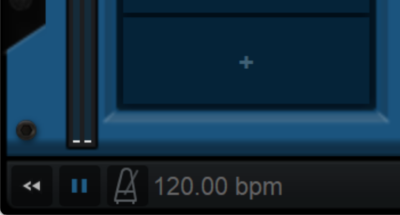
-
Blue Cat Audio Blue Cat Audio https://www.kvraudio.com/forum/memberlist.php?mode=viewprofile&u=39981
- KVRAF
- Topic Starter
- 6343 posts since 8 Sep, 2004 from Paris (France)
Now that you can manually choose the I/O in case the host fails to do it properly maybe we'll add more audio I/O in the future. Not sure though, as this uses more memory, and some customers are using PatchWork as a channel strip on ALL their tracks.nondes wrote: Mon Oct 17, 2022 12:56 pm Sounds good, thanks! One other thing that would be cool is if the FX version supported more inputs and outputs to do more complex routing. I'd love to use Patchwork with something like VCV Rack VST which has 16 inputs and outputs.
-
- KVRer
- 7 posts since 26 Jul, 2016
Thanks, got it. Another VST version of Patchwork with more inputs/outputs could be option, so existing users aren't affected, and it could be used when needed as an alternative to the current version.
-
- KVRist
- 61 posts since 11 Jan, 2020
Thanks for your reply - That is fantastic! It will make PatchWork even more useful than it already is!Blue Cat Audio wrote: Tue Oct 18, 2022 6:35 am
Indeed, transport control is not available yet. But you can find the tempo setting in the audio/MIDI preferences pane (see the "Edit" menu or CTRL+P). It supports tap tempo via MIDI too.
But there is a new preview available for customers that has basic transport control and tempo settings in the main user interface:
-
- KVRist
- 49 posts since 3 May, 2021
Are AU Rosetta plugins typically working? I was able to load up izotope Excalibur (which is presumably never being made AS native) into Cubase 12 M1, but once I tried to load up a delay preset it crashed the whole DAW. Will be bummed if I’m never able to get these Exponential plugins up and running in all of my DAWs.
-
Blue Cat Audio Blue Cat Audio https://www.kvraudio.com/forum/memberlist.php?mode=viewprofile&u=39981
- KVRAF
- Topic Starter
- 6343 posts since 8 Sep, 2004 from Paris (France)
It definitely depends on the plug-in. Some will load, some won't, and there i unfortunately not much we can do about it as PatchWork is relying on Apple's bridging service.Jmf1928 wrote: Sat Oct 22, 2022 1:09 pm Are AU Rosetta plugins typically working? I was able to load up izotope Excalibur (which is presumably never being made AS native) into Cubase 12 M1, but once I tried to load up a delay preset it crashed the whole DAW. Will be bummed if I’m never able to get these Exponential plugins up and running in all of my DAWs.
-
- KVRist
- 30 posts since 4 Apr, 2020
Testing out PW again, one of the first things I wanted to do was to easily reorder the controls. Even up/down icons in the new edit window would have been ok. Hope this ability gets added.Blue Cat Audio wrote: Mon Oct 17, 2022 5:16 am We will probably provide some simple way to reorder the parameters in the future (right now you have to re-assign the parameters manually).
-
Blue Cat Audio Blue Cat Audio https://www.kvraudio.com/forum/memberlist.php?mode=viewprofile&u=39981
- KVRAF
- Topic Starter
- 6343 posts since 8 Sep, 2004 from Paris (France)
Indeed. For now you should probably think in advance how you want to do your mapping, or manually re-map the controls if you want to change the order.
-
- KVRer
- 5 posts since 2 Nov, 2019
I see someone has already mentioned the issue of not being able to load the Synth version into Ableton Live. Just tried it this morning, still can’t. Any update on this problem? Regular version works fine.
-
Blue Cat Audio Blue Cat Audio https://www.kvraudio.com/forum/memberlist.php?mode=viewprofile&u=39981
- KVRAF
- Topic Starter
- 6343 posts since 8 Sep, 2004 from Paris (France)
Indeed (inly for the VST3 version - VST2 works fine). There is unfortunately no report from Live about what they dislike in the plug-in (it all loads fine, but gets rejected after being loaded). We have contacted Ableton to get more info about it, but haven't had an answer yet. If you guys can file a bug to the Ableton team, maybe it will help!tonepot wrote: Fri Dec 23, 2022 3:16 pm I see someone has already mentioned the issue of not being able to load the Synth version into Ableton Live. Just tried it this morning, still can’t. Any update on this problem? Regular version works fine.
-
- KVRer
- 4 posts since 21 Oct, 2018
Thanks for the tip. I installed the VST2 version and it indeed does work in the most recent version of Live, so at least I can now use the Synth version. If you get the VST3 version and Live to play nicely with each other, I hope you will make it widely known. I know I'm not the only one out here wondering why the VST3 Synth version isn't loading in Live.
Kind regards.
Kind regards.
Blue Cat Audio wrote: Fri Dec 23, 2022 4:46 pmIndeed (inly for the VST3 version - VST2 works fine). There is unfortunately no report from Live about what they dislike in the plug-in (it all loads fine, but gets rejected after being loaded). We have contacted Ableton to get more info about it, but haven't had an answer yet. If you guys can file a bug to the Ableton team, maybe it will help!tonepot wrote: Fri Dec 23, 2022 3:16 pm I see someone has already mentioned the issue of not being able to load the Synth version into Ableton Live. Just tried it this morning, still can’t. Any update on this problem? Regular version works fine.
-
- KVRer
- 4 posts since 21 Oct, 2018
Does this thing even work? I bought Patchwork specifically to route audio/midi to separate tracks in Ableton Live. As far as I can tell, it doesn't serve this purpose. You can load multiple synths to play all at the same time on one track in Live for sure, but I have yet to see an example anywhere of I/O routing that will send the various outputs from Patchwork/InstaComposer, for example, to multiple tracks in Live.
Lets see... there is an I/O routing button in the top menu bar. There is an I/O for each item in the PRE section, and there is I/O routing for each item in the PARALLEL CHAINS section, and no combination of any of them seems to route audio--plus the fact that the Synth version (VST3) doesn't work in Live, which I found out only by accident. The VST2 version seems to work.
I have asked in this forum about I/O routing to separate tracks in Live and I have not received a definitive example, or instructions other than a non-helpful reply or two from Blue Cat support (see included screen shot). The user docs for this product leave a lot to be desired and I have heard this same opinion on the Reddit music production forums.
Of course this could be all on me, which is why I am requesting specific instructions. I don't consider myself to be an I/O genius, but I have routed a lot of stuff in my day and Patchwork is the most confusing I've ever seen.
So for the Support person monitoring this forum, I am requesting a definitive, step-by-step guide (a video would be nice) regarding multi-channel audio routing from Patchwork into Ableton Live, or I would like a refund. I purchased the product specifically for this purpose and if clear, concise instructions cannot be provided, please let me know the process for obtaining a refund.
Thank you.
Lets see... there is an I/O routing button in the top menu bar. There is an I/O for each item in the PRE section, and there is I/O routing for each item in the PARALLEL CHAINS section, and no combination of any of them seems to route audio--plus the fact that the Synth version (VST3) doesn't work in Live, which I found out only by accident. The VST2 version seems to work.
I have asked in this forum about I/O routing to separate tracks in Live and I have not received a definitive example, or instructions other than a non-helpful reply or two from Blue Cat support (see included screen shot). The user docs for this product leave a lot to be desired and I have heard this same opinion on the Reddit music production forums.
Of course this could be all on me, which is why I am requesting specific instructions. I don't consider myself to be an I/O genius, but I have routed a lot of stuff in my day and Patchwork is the most confusing I've ever seen.
So for the Support person monitoring this forum, I am requesting a definitive, step-by-step guide (a video would be nice) regarding multi-channel audio routing from Patchwork into Ableton Live, or I would like a refund. I purchased the product specifically for this purpose and if clear, concise instructions cannot be provided, please let me know the process for obtaining a refund.
Thank you.
You do not have the required permissions to view the files attached to this post.
-
- KVRist
- 293 posts since 19 Jul, 2016
I use it this way in Digital Performer - Patchwork publishes its outputs so that track/buses in DP can see them, and I can choose them as inputs to a track or bus. Once I choose a multiple-output configuration in PW, such as 8 in - 16 out, DP creates 7 stereo (and 14 mono) bundles labeled PW Aux 1-7. I don't like this naming scheme, to be sure, it can be a bit confusing, but I'm guessing that the first 2 outputs in PW are main outputs that remain, thus it looks like PW is creating 7 stereo outputs but there are actually 8 outputs running. Anyway, I hope this helps you track it down in Live - BC did what they needed to do to make it possible, I don't use Live so I don't know if their implementation of multi-output synths works properly.