


Will make a video explanation once the work is finished.
DrivenByMoss: Bitwig extension for many hardware controllers (version 26.6.2)
-
- KVRer
- 21 posts since 14 Feb, 2016
Interesting, thanks for the context. I was hoping to use Bitwig to sync lasers/projection mapping and such, it would be quite awesome. Thanks for your hard work man.moss wrote: Thu Nov 10, 2022 8:48 amNot silly at all. Sending notes out of Bitwig is not supported because it is not possible to do this in a synchronized way. What could be done is to support sequencers but I decided against it since it would require many many commands.xv770 wrote: Thu Nov 10, 2022 3:23 am I'm new to OSC and have an embarrassingly simple question: I am able to send OSC messages from Bitwig to another app correctly, but so far I've only been able to send what seem to be "GUI" related messages (fader volumes, whether a channel is selected or muted, transport running etc).
I see there's a TON of options of messages to send, but I haven't figured out something super basic which is how to a) send midi triggers from Bitwig to OSC, and b) how to send modulation messages. Can someone please enlighten me what I'm missing?
Sorry for the silly question. Thanks.
For sending to Bitwig look at the /vkb_midi commands.
-

- KVRAF
- 4813 posts since 21 Jan, 2008 from oO
Hey Moss, do you think you could support for a simple Launch Control controller?
It's super basic, so I though it could be possible without having it in place maybe.
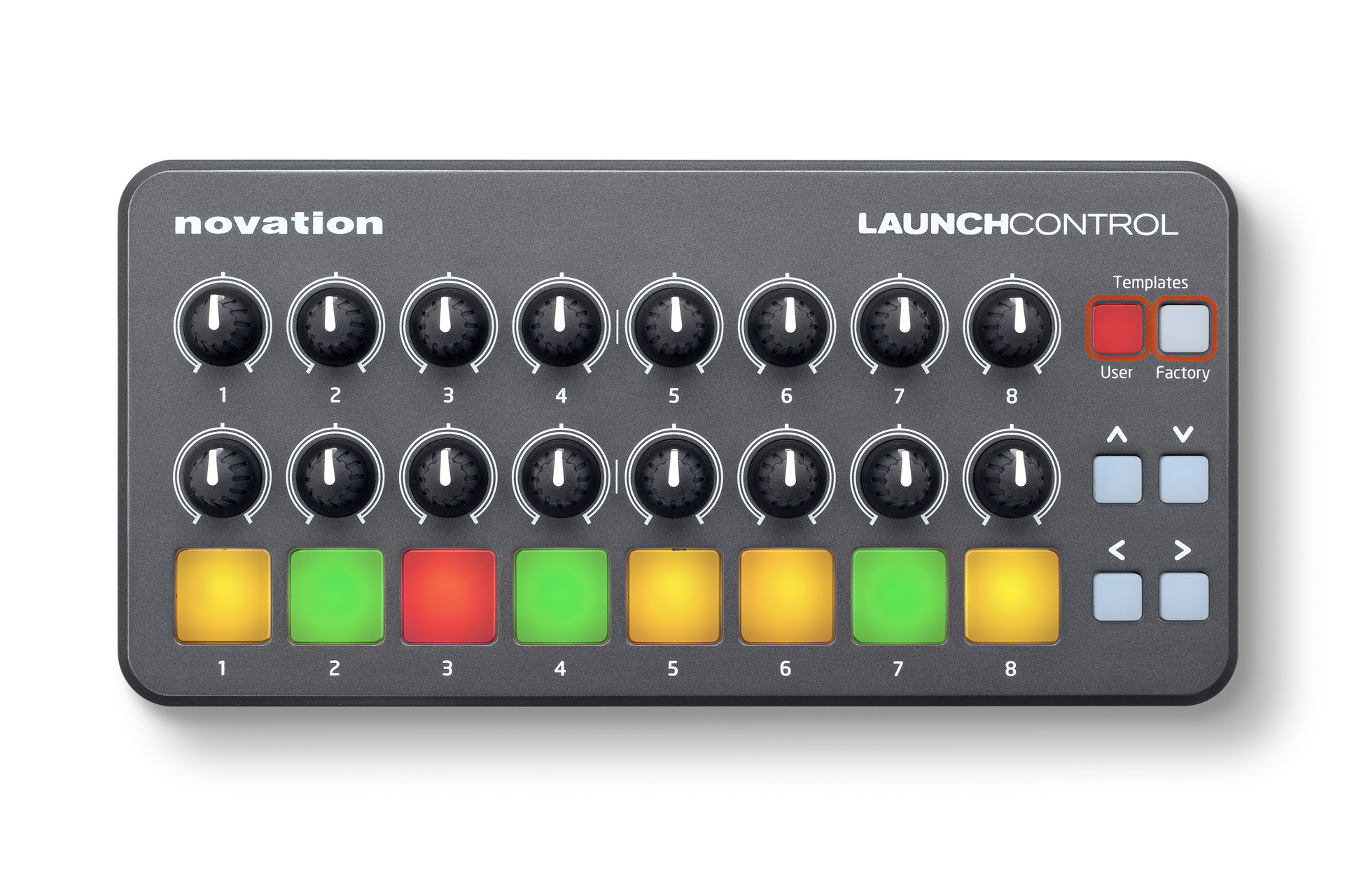
It's super basic, so I though it could be possible without having it in place maybe.
JamWide - a cross-platform Ninjam client for DAWs
-

- KVRAF
- Topic Starter
- 4909 posts since 13 May, 2004
The only way currently is good old MIDI sync.xv770 wrote: Thu Nov 10, 2022 4:56 pmInteresting, thanks for the context. I was hoping to use Bitwig to sync lasers/projection mapping and such, it would be quite awesome. Thanks for your hard work man.moss wrote: Thu Nov 10, 2022 8:48 amNot silly at all. Sending notes out of Bitwig is not supported because it is not possible to do this in a synchronized way. What could be done is to support sequencers but I decided against it since it would require many many commands.xv770 wrote: Thu Nov 10, 2022 3:23 am I'm new to OSC and have an embarrassingly simple question: I am able to send OSC messages from Bitwig to another app correctly, but so far I've only been able to send what seem to be "GUI" related messages (fader volumes, whether a channel is selected or muted, transport running etc).
I see there's a TON of options of messages to send, but I haven't figured out something super basic which is how to a) send midi triggers from Bitwig to OSC, and b) how to send modulation messages. Can someone please enlighten me what I'm missing?
Sorry for the silly question. Thanks.
For sending to Bitwig look at the /vkb_midi commands.
-
- KVRAF
- Topic Starter
- 4909 posts since 13 May, 2004
"Generic Flexi" is always the way to gollze wrote: Thu Nov 10, 2022 8:58 pm Hey Moss, do you think you could support for a simple Launch Control controller?
It's super basic, so I though it could be possible without having it in place maybe.

-
- KVRer
- 4 posts since 4 Nov, 2022
Hey Moss,moss wrote: Mon Nov 07, 2022 1:37 pmWill check.sonderBUILDS wrote: Sun Nov 06, 2022 12:09 pm Regarding the APC40 problem: There is still something wrong with the drum pads. Counting from the bottom up:
-The first row works fine, now. The drumpads play and select the according pads on the drum machine. (Row content: Kick1, Snare, Hi-Hat, Hi-Hat)
-The second row to the bottom only selects the drumpads from the second row of the drummachine, but no sound is triggered. Just like before the update. (Row content: Kick2, Clap, Rim, Snare)
-The third row from the bottom selects the drumpad from the third row, but plays the drumpad from the second row.
Shaker selected, Clap played (Row content: Kick3, Shaker, Clave, Cowbell)
You are still awesome!
after playing around with the APC40 i stumbled over some interesting things:
When using Major Scale, Base C, Chromatic, the bottom two rows are playing these notes:
H C C# D D# E F D#
G G# H C G# H C C#
I hope this helps regarding the false mapping of the drum pads.
-

- Banned
- 1376 posts since 23 Jun, 2007 from france
Hello Moss, I don't want to urge you but when do you plan to add this behavior ?.moss wrote: Wed Oct 19, 2022 7:16 amSince this came up sometimes in the last time, I will add it to the wishlist.dupont wrote: Tue Oct 18, 2022 6:29 pm I would like my APC40 to start in session view mode.
Currently I must hold shift and first row of the top scene launch button on the APC40.
Is it the purpose of the setting of the Jurgenbymoss drivers setting : play sequence, default view mode, play ?
I tried several settings but it does not start APC40 in session mode.
-
- KVRAF
- Topic Starter
- 4909 posts since 13 May, 2004
Argh, seems I should have pressed more than the first rowsonderBUILDS wrote: Sun Nov 06, 2022 12:09 pm Regarding the APC40 problem: There is still something wrong with the drum pads. Counting from the bottom up:
-The first row works fine, now. The drumpads play and select the according pads on the drum machine. (Row content: Kick1, Snare, Hi-Hat, Hi-Hat)
-The second row to the bottom only selects the drumpads from the second row of the drummachine, but no sound is triggered. Just like before the update. (Row content: Kick2, Clap, Rim, Snare)
-The third row from the bottom selects the drumpad from the third row, but plays the drumpad from the second row.
Shaker selected, Clap played (Row content: Kick3, Shaker, Clave, Cowbell)
You are still awesome!
I noticed the other mode mappings are also broken. Will fix it.
-
- Banned
- 1376 posts since 23 Jun, 2007 from france
I also noticed a long time bug during my yesterday live with bitwig : when I select the master track and after select an other track, both tracks are selected, I must select a 3rd track to deselect the master track.
-
- KVRAF
- Topic Starter
- 4909 posts since 13 May, 2004
I cannot reproduce that. Can you please tell me what buttons you press exactly and maybe also a screenshot of the Behavior page in the Bitwig settings?dupont wrote: Sun Nov 13, 2022 9:31 am I also noticed a long time bug during my yesterday live with bitwig : when I select the master track and after select an other track, both tracks are selected, I must select a 3rd track to deselect the master track.
-
- KVRAF
- Topic Starter
- 4909 posts since 13 May, 2004
Little demo of the new features for Ableton Push 1/2:
-
- KVRian
- 784 posts since 29 Mar, 2016
HI is the latest script good to go with 4.4.3 now?
-
- KVRAF
- Topic Starter
- 4909 posts since 13 May, 2004
Why not? If you mean the shutdown issue that was a bug in Bitwig 4.4.1 / 4.4.2 which got fixed in 4.4.3.
-
- KVRer
- 25 posts since 29 May, 2020
Hi Moss,
Thanks a million, those are super handy features. I've experimented a bit with the clip loop editor and it is awesome! I've found a strange behavior when it is set to 1/16th bar though. It is indeed possible to move the loop region with 1/16 granularity, but it is impossible to set the length to anything else than multiple of 4 (4/16th is possible, and the lower value accepted, but 5/16th for example is impossible. When I select an impossible value, it weirdly move the play_end cursor instead. As usual here is a terrible video trying to show the problem.
And when I am in session mode already, pressing the note button does not switch to the loop editor in my case (push one). I need to select another track, and go back to the track (while still being in note mode) for it to activate. Am I doing something wrong?
Also, this is only my humble opinion, but when setting the loop length, it would be more intuitive that while we keep our first finger on a pad, it stays into loop length selection instead of switching automatically to loop start selection when the next pad is pressed. And when selecting the loop start, I think it would be amazing if the previously set loop length would be kept.
-

- KVRer
- 22 posts since 7 Nov, 2016
Hello,
I have a question about the Flexi script.
As I said in another thread I have made a controller with some encoders and push buttons, and two of them are for selecting the track I'm on. Push right button, select next track. Push left button, select previous track.
The function selected on their slot is "Track: Select Next Track" and "Track: Select Previous Track".
The thing is I can only select tracks, and I would also like to get to the Send FX tracks and Master with these buttons, and they stop at the last track before the Send FX.
So the question is: Is there any other function that I could choose with which I could scroll through tracks, FX Tracks and Master track like I want?
I have a question about the Flexi script.
As I said in another thread I have made a controller with some encoders and push buttons, and two of them are for selecting the track I'm on. Push right button, select next track. Push left button, select previous track.
The function selected on their slot is "Track: Select Next Track" and "Track: Select Previous Track".
The thing is I can only select tracks, and I would also like to get to the Send FX tracks and Master with these buttons, and they stop at the last track before the Send FX.
So the question is: Is there any other function that I could choose with which I could scroll through tracks, FX Tracks and Master track like I want?