(Fixed) Melda Plugins Automation in Ableton (Melda Frequency Shifter "Step" Parameter)

Official support for: meldaproduction.com
Post Reply New Topic
RELATED
PRODUCTS

Post

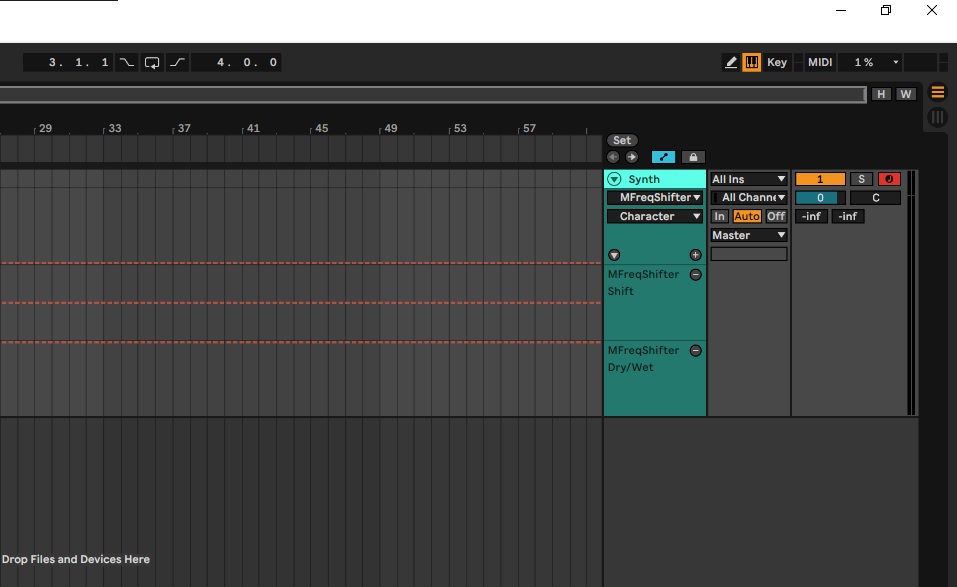
Hello, when I insert the Frequency Shifter, I notice that a variety of parameters are "pre-mapped" or lets say visible in Abletons "configure-mode".

See screenshot.

Image

So these parameters can be automated easily.

There are some other parameters I want to control/automate, but they don't show up. Usually with Ableton its easy, you click on "configure" (top right corner), then move any parameter within the VST GUI (in this case Melda Frequency Shifter Paramter "Step") and then it instantly pops up in the configure window and can be automated, nothing else needed.

Why does it not work here for Melda Frequency Shifter "Step" Parameter?
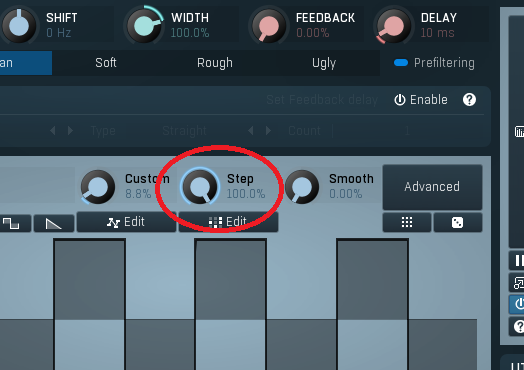
Image

I tried out some stuff in Meldas Midi settings, i right clicked the "Step" parameter and then tried some of the "midi learn" or "midi settings" stuff... but i am overwhelmed, no idea what im looking at.

Please help, thanks.


EDIT, I am a step further.
When I right click the "Step" parameter and then click "MIDI learn" and then move a fader from my controller, it is assigned to this fader and i can record and automate it.
It shows up in Ableton as "16 General Purpose 1"... so this parameter can be controlled, but why cant I just automate it live while recording with my mouse? or manually draw in an automation?
every time now I have to connect my hardware controller first and use meldas internal midi learn function before i can automate this parameter...
Last edited by Seelachsfilet on Fri Aug 25, 2023 7:50 am, edited 1 time in total.

Post

The number of parameters that are visible to the DAW is limited. As Melda has so many, only the common ones are there by default. But Multiparameters are always visible for automation, so you can attach the "Step" parameter to a free MP, and then automate that. You can name the MP to Step to help you identify it in the DAW.
Jason @ Melda Production

Post

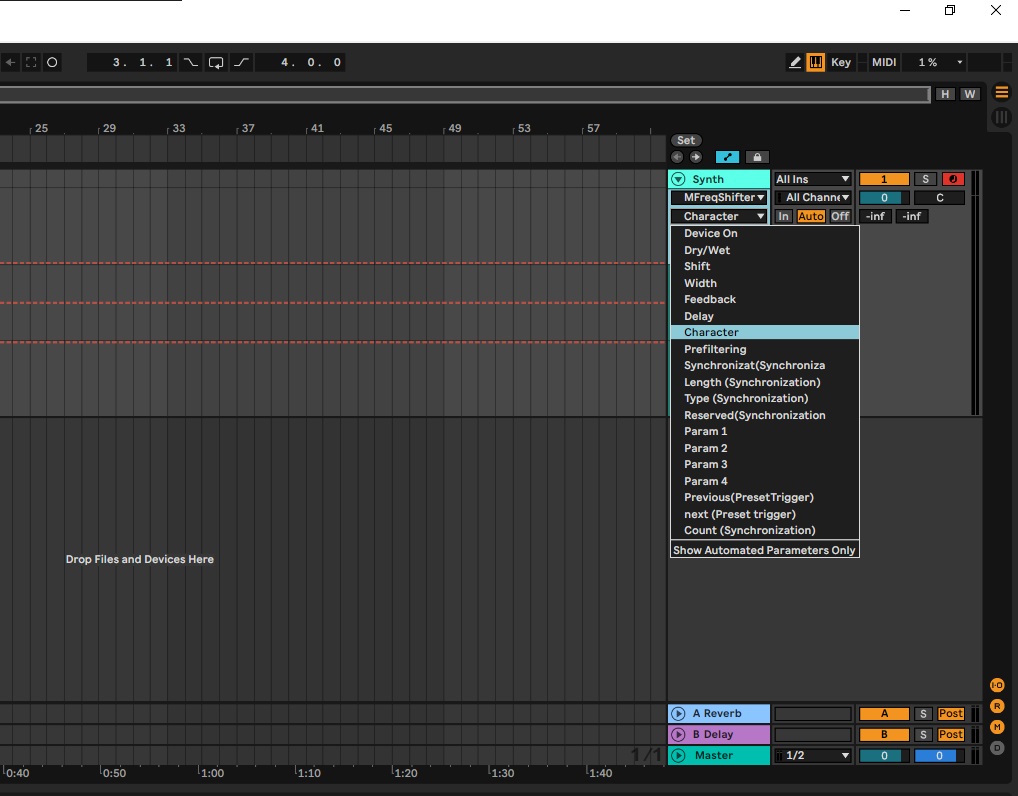
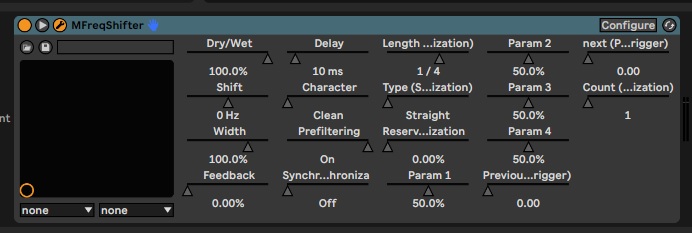
Hello jmg8, thank you very much for your quick reply. If I understand you correctly, under the multiparameters the "Step" parameter should be visible. For example, here if I add multiple parameters I can see the ones like "dry/wet" ... "character"... etc.:

Image

So, if I understand you correctly, when adding a new parameter here I should be able to see and select the "Step" parameter...but it still does not show up and only lets me choose the ones that have been premapped:

Image


This is driving me insane haha, I dont know what im doing wrong but it must be something obvious.

Post

Hey, i got it!!! Found a video about multiparameters on your youtube channel. lol i was totally on the wrong track with my last reply

Post

For anyone in the future: Within the Melda Settings of the plugin there is a part "Multiparameters"....
There I added the parameter "Step" and then Ableton was finally able to see and automate it.

Post Reply

Return to “MeldaProduction”