


Yes, I know that setting exists but I prefer the menu bar to always be visible except when apps are in full screen mode. My AppleScript allows this to happen for any app (not just MuLab) that does not fully utilise full screen mode on a Mac. For others your solution may be all that is required.Michael L wrote: Tue Apr 08, 2025 7:40 amDo you mean the System Preferences to automatically hide and show the menu bar and dock? That's my default so MuLab is full screen but I can show them on top.Calum wrote: Thu Apr 03, 2025 3:52 pmthe only way to open MuLab in full screen mode on a Mac is to hide the Menu Bar and Dock before launching MuLab.
MuLab 10.0.85
-
- KVRist
- 255 posts since 3 May, 2003
-

- KVRAF
- Topic Starter
- 13887 posts since 24 Jun, 2008 from Europe
I'll get back on this asap.ortseam wrote: Mon Apr 07, 2025 5:07 pm ... and one more question (please watch the attached video):
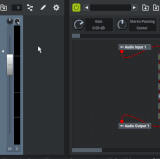
If I insert some Plugin with a sidechain input into a Rack_Module and create an additional Audio_Input wired to it in Rack Modular_Area, then each move of this Plugin from one slot to another results in automatic creation of a new Audio_Input while a previous wire connection gets lost. Was it meant to behave this way? I find it a bit inconvenient since you can't simply reorder the FX chain from Rack front panel without loosing a sidechain wiring. Moreover even after you remove a multiinput plugin all created inputs still remain as a useless garbage.
-
- KVRAF
- Topic Starter
- 13887 posts since 24 Jun, 2008 from Europe
I don't see a video there, only an error "No video with supported format..."4u610h346 wrote: Tue Apr 08, 2025 7:11 am Here you go, Jo. Tested on a different machine (track ball device), sorry for the jumpy pointer.
-> https://filebin.net/zr0874pclwgiuh4z
Noticed this on a client's remix/remaster reqest @ 44100 (old track). But this time it just played the file faster. However, I was able to recreate the previous issue, by using MuLab's provided stick sample.
-
- KVRAF
- Topic Starter
- 13887 posts since 24 Jun, 2008 from Europe
Indeedortseam wrote: Tue Apr 08, 2025 9:54 am Excuse me for inventing more and more weird tasks for the new v10 Rack module, but that's the way the testing is, isn't it?

That's an unsupported case.Another strange things take place when attempting to insert a Module_Slot into a Rack_Slot.
The fact that you found a way to do that is a bug.
The next update will show an appropriate alert for the case you show in the video.
-
- KVRist
- 84 posts since 11 Jul, 2011
One more note on this: Check please also the way MuLab v10 manages MuLab v9 presets containing Plugin_Slot inserted to Rack_Slot. As I can see, this also causes some weird things - Rack_Slot gets transformed into Module_Slot with a "strange behavior".
Thank you!
PS:
And one more thought (I guess, the craziest one
 ): why Rack_Slots inside Rack_Module can't simply be a Plugin_Slots - just like a Mixer_Strip, which looks like a universal non-specialized module inside a Rack shell?
-

- KVRAF
- 7414 posts since 8 Feb, 2003 from London, UK
Rack Slots trigger special behaviour when used in a Rack MUX (in an appropriate way that doesn't break itortseam wrote: Tue Apr 08, 2025 3:33 pmwhy Rack_Slots inside Rack_Module can't simply be a Plugin_Slots - just like a Mixer_Strip, which looks like a universal non-specialized module inside a Rack shell?
 ). Module Slots don't. Other than that, as far as I know, they should act alike?
-
- KVRist
- 55 posts since 26 Feb, 2024
Here is three, one of them should work.MuTools wrote: Tue Apr 08, 2025 12:40 pm I don't see a video there, only an error "No video with supported format..."
https://filebin.net/zr0874pclwgiuh4z
https://jumpshare.com/s/ufyByfzMde6M8MMrtpoS
https://streamable.com/mn3cc2
-
- KVRist
- 84 posts since 11 Jul, 2011
As far as I can see, Rack_Slots "live" only inside a Rack_MUX. Moreover, it is they that determine whether MUX is a Rack_MUX or not. If you delete all Rack_Slots from a Rack_MUX it becomes "normal" MUX and I found no way but UNDO to get it back as a Rack_MUX*.pljones wrote: Tue Apr 08, 2025 6:20 pm Rack Slots trigger special behaviour when used in a Rack MUX (in an appropriate way that doesn't break it
So the content defines MUX module status, not vice versa, which seems to me a bit unclear and inconsistent.
As to me, it would be more natural to have Rack_MUX status as a core primary setting, and make universal Module_Slot behave accordingly inside it, with no need of doubling it with Rack_Slot having almost the same functionality. Just like we have it with Poly_Synth module. Same blocks inside, different outer shell behavior.
UPD: There is such a way really. You just need to insert a new Rack_Slot to a MUX and it becomes Rack.
Last edited by ortseam on Thu Apr 10, 2025 2:32 pm, edited 2 times in total.
-
- KVRAF
- Topic Starter
- 13887 posts since 24 Jun, 2008 from Europe
The video now plays but i'm sorry to say this type of "moving view" video is unwatchable for me, this almost caused me an epileptic seizure4u610h346 wrote: Tue Apr 08, 2025 8:59 pmHere is three, one of them should work.MuTools wrote: Tue Apr 08, 2025 12:40 pm I don't see a video there, only an error "No video with supported format..."
https://filebin.net/zr0874pclwgiuh4z
https://jumpshare.com/s/ufyByfzMde6M8MMrtpoS
https://streamable.com/mn3cc2


 Please simply do a full screen recording
From the couple of fragments i could see (before the epileptic seizure) are you sure you know how Audio Sequences work? They will slice the audio and play them in sync with the tempo, unless you indicate you don't want that.
See https://www.mutools.com/info/M10/docs/m ... ences.html
-
- KVRist
- 55 posts since 26 Feb, 2024
Will do.MuTools wrote: Tue Apr 08, 2025 9:52 pm The video now plays but i'm sorry to say this type of "moving view" video is unwatchable for me, this almost caused me an epileptic seizure
Sorry, the saved project is already set to 120bpm, and the duplicating effort was at 128bpm.From the couple of fragments i could see (before the epileptic seizure) are you sure you know how Audio Sequences work? They will slice the audio and play them in sync with the tempo, unless you indicate you don't want that.
It has more options than I need (for this project). But it is also the most flexible tool, for what I need. I do thank you for pointing that out to me. Its a good read. I keep a copy locally.
The /samples/drums/rimsticks/sticks.org example I offered, is not a good example. The reverb-ish sound is likely the outcome of stretching.
The issue I am having, is added echo (at same tempo/no stretch), crackling beginning beginning halfway through (the added sequenced audio), and the audio panning to one side. I can't seem to force, duplicate it. When it happens, I can close and re-open the application. and it will still occur. Then next day, its fine (even though the machine was not restarted, or logged out of). It doesn't happen often.
I'll have to just wait, and screen capture right when it happens (full view).
-
- KVRist
- 55 posts since 26 Feb, 2024
So here is one I ran into, tonight. When it pans to one side (example not available, yet) it sometimes sounds like the provided example.
If this is just how things work, I've worked around this by creating the sample clip with an external editor (added the same way, from the user library). As of yet, none of the distortions have occurred, when adding these work around samples to the audio sequencer.
https://filebin.net/v3pj6p1guxs4jdpe/new.mp4
https://jumpshare.com/s/3rP368mrTvYqlBwdNn1Z
https://streamable.com/la7nvt
This particular project is on the back side of productivity, but I pick at it a little every night. I'll upload only events that differ in interesting ways. I would not say this is an extreme example. Note: the source media is 120bpm, but there may be very small amounts of stretching (once added to the audio sequencer).
Also, I have had MuSamplu do the same thing. However, I never hear it unless I render that track or export the mix. In those events I used "stretch", a lot.
If this is just how things work, I've worked around this by creating the sample clip with an external editor (added the same way, from the user library). As of yet, none of the distortions have occurred, when adding these work around samples to the audio sequencer.
https://filebin.net/v3pj6p1guxs4jdpe/new.mp4
https://jumpshare.com/s/3rP368mrTvYqlBwdNn1Z
https://streamable.com/la7nvt
This particular project is on the back side of productivity, but I pick at it a little every night. I'll upload only events that differ in interesting ways. I would not say this is an extreme example. Note: the source media is 120bpm, but there may be very small amounts of stretching (once added to the audio sequencer).
Also, I have had MuSamplu do the same thing. However, I never hear it unless I render that track or export the mix. In those events I used "stretch", a lot.
-
- KVRAF
- Topic Starter
- 13887 posts since 24 Jun, 2008 from Europe
What you here is the stretching algorithm applied on the full sample as you seemed to have created an Audio Sequence without slicing.
If you tell MuLab to slice the dropped sample into an Audio Sequence then each slice will be stretched individually and that will sound much better, much more like you expect.
See these 2 preferences: "Auto Create Transient Markers" and "Auto Snap New Audio Sequence Length".
-
- KVRAF
- Topic Starter
- 13887 posts since 24 Jun, 2008 from Europe
Yes that's correct.pljones wrote: Tue Apr 08, 2025 6:20 pmRack Slots trigger special behaviour when used in a Rack MUX (in an appropriate way that doesn't break itortseam wrote: Tue Apr 08, 2025 3:33 pmwhy Rack_Slots inside Rack_Module can't simply be a Plugin_Slots - just like a Mixer_Strip, which looks like a universal non-specialized module inside a Rack shell?
-
- KVRAF
- Topic Starter
- 13887 posts since 24 Jun, 2008 from Europe
MuLab App M10.0.48 beta is available on https://www.mutools.com/mulab/app/lates ... /beta.html
MuLab Plugin M10.0.48 beta is available on https://www.mutools.com/mulab/plugin/la ... /beta.html
What's changed:
MuLab Plugin M10.0.48 beta is available on https://www.mutools.com/mulab/plugin/la ... /beta.html
What's changed:
- You can now insert a Module Slot into a Rack Slot.
This also indirectly supports creating a fixed IO setup for a Rack Slot. - LFOs now show an animated dot that indicates the current play position.
- The "Full Screen" option added in M10.0.47 now is Windows only.
- There were some practical issues with the Mixer Strip editor when used in a Rack Slot or Module Slot. Fixed.
- Several of the changes listed in the M10.0.47 change log were not yet applied to the Mac version. Fixed.
- Inserting a Mixer Strip into a Rack Slot could lead to a crash. Fixed.
- Other small improvements.