Log InCreate An Account
  1. Plugins
  2. »
  3. Aly James Lab
  4. »
  5. VProm
  6. »
  7. Details

VProm

Drum Machine Plugin by Aly James Lab
MyKVRFAVORITE38WANT36
VProm
VProm VProm VProm VProm VProm VProm VProm VProm VProm
VProm by Aly James Lab is a Virtual Instrument Audio Plugin for macOS and Windows. It functions as an Audio Units Plugin and a VST 3 Plugin.
Product
Version
3.0.2.0
Windows 10, or newer,
64-bit Host, VST3
Product
Version
3.0.2
Catalina (10.15) or higher.
64-bit Host, VST3 or AudioUnit Host.
Instrument
Formats
Sample Formats
Loads and/or Saves
BIN 8-bit companded EPROM image, WAV
Copy Protection
Serial Number

MyKVR: Groups, Versions, ...

211 KVR members have added VProm to 167 MyKVR groups 286 times.

Download KVR Studio Manager (FREE)

Not In Your MY KVR Groups
(or group limitation prevents versioning)
+167 in private groups

KVR Rank

Overall: 582   503   576

30-Day: 499; 7-Day: 2429; Yesterday: 1062

VProm was first released in 2014 as a groundbreaking software plugin that faithfully emulated the internal circuitry and filtering of one of the most iconic drum machines of the early '80s; the LM-1. This legendary device revolutionized music production by being the first to incorporate real drum samples, setting a new industry standard and shaping the sound of an era...

Welcome to the next chapter - VProm 3

Over the years, VProm has become a staple in music production, celebrated for its accurate variable sample rate emulation of classic DACs and its ability to load swappable EPROM samples. Now, with the release of VPROM 3.0, I am taking things to the next level. This major upgrade enhances both features and usability. While previous versions excelled at replicating EPROM-based drum machines, primarily the LM-1, Version 3.0 expands its capabilities even further.

Concept

VProm offers an experience closest to the original hardware, as it does not rely on samples or typical sample-based reading. Instead, it precisely models clocks and counters that read EPROM memory, feeding the AM6070 DACs to decode EPROM data in real-time. The system emulates the CEM 3320 filters, with adjustable control over CV pulse shapes, allowing you to control the amount of transient that passes through unfiltered or completely bypass them. The special hi-hat circuitry and VCA generate unique hi-hat sounds on each trigger, with decay control for added versatility.

Each voice is individually tunable, with a wider range from the outset, without requiring electronic tweaks. VProm also features separate outputs for your DAW and handles velocity for enhanced expressiveness. You'll maintain that authentic raw sound on every tune, with true variable sample rates. Additionally, all voices can be replaced with external EPROM data, just like on the original hardware, unlocking an entirely new range of sounds—all while still being processed by the circuitry.

VProm Main Features:

  • Faithful Hardware Emulation – The closest software recreation of the legendary 80s drum machine, with real-time DAC and EPROM sound processing.
  • New Mac & Apple Silicon Support – Native VST3 & AU support for both Intel & M1/M2 Macs with Universal 2 compatibility.
  • Built-in WAV Resampler & EPROM Burner – Convert and preview samples, then burn them into authentic 8-bit EPROM images.
  • Real-Time µLaw DAC Curve Control – Modify decompression ratios for unique transient shaping and distortion effects.
  • Enhanced Mixer with Multi-Output Routing – Choose between Single Mix, Multi Post-Mixer, or Multi Pre-Mixer for flexible DAW integration.
  • Expanded Voice Card Features – New DMX-based controls, CEM filters, and optional VCA envelopes for deeper sound sculpting.
  • New 48 PPQN Internal Clock & Clock Drift – Accurately recreates vintage groove timing with adjustable humanized drift.
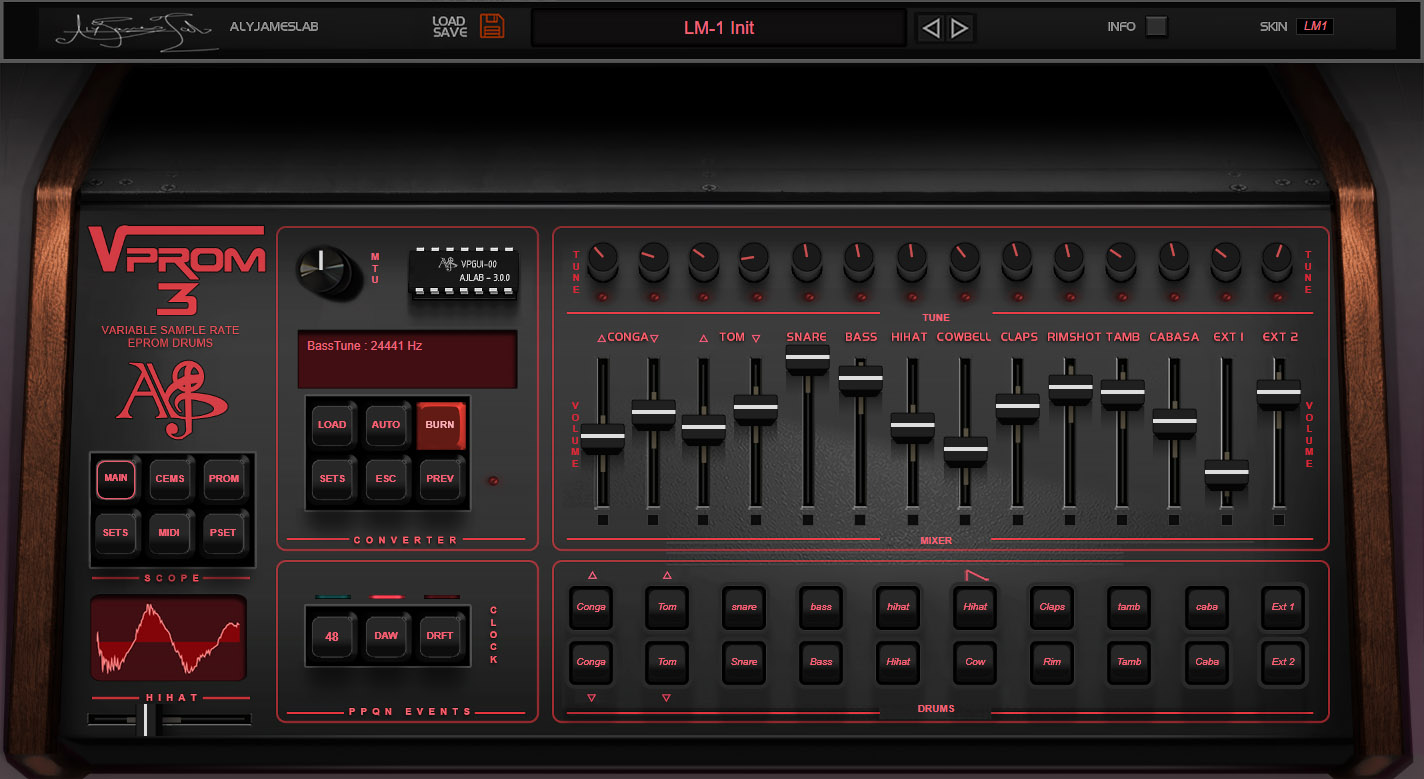
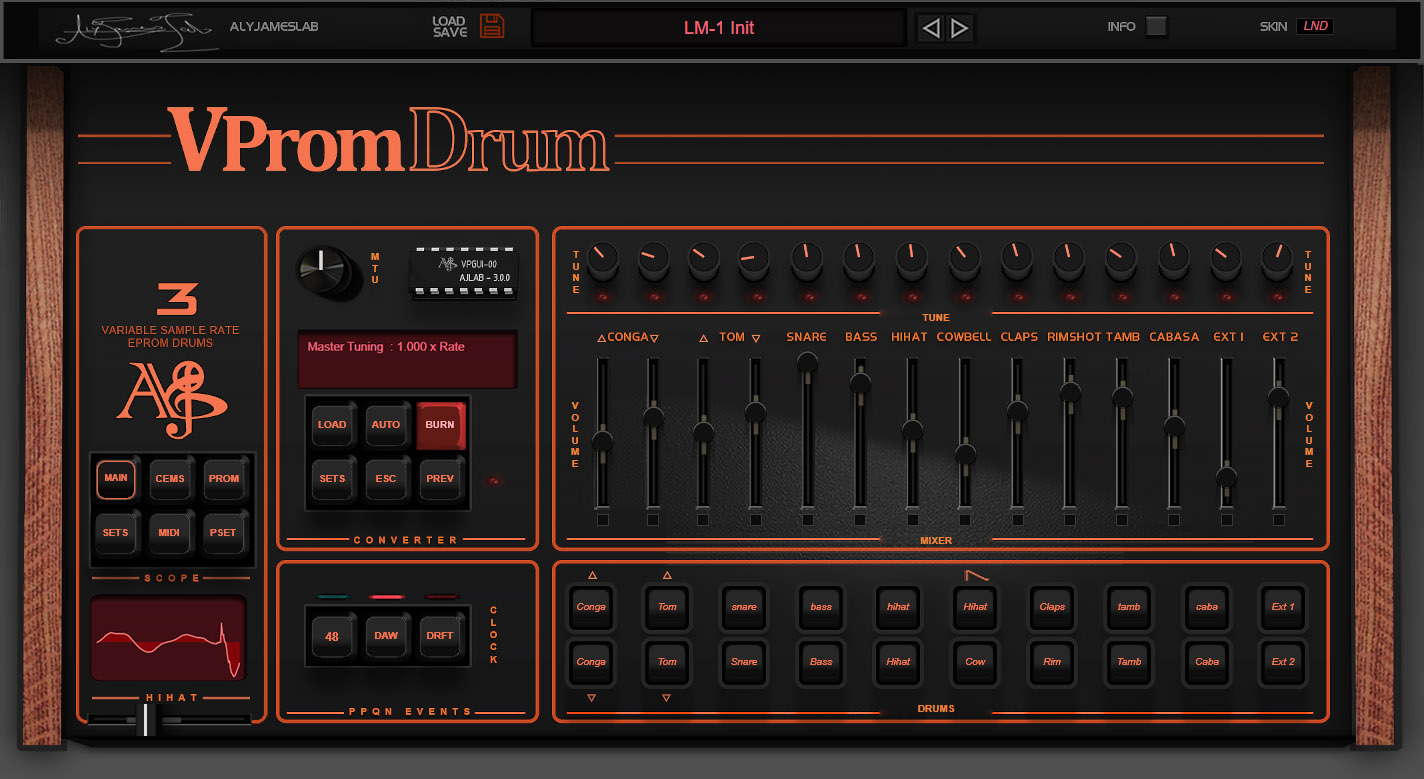
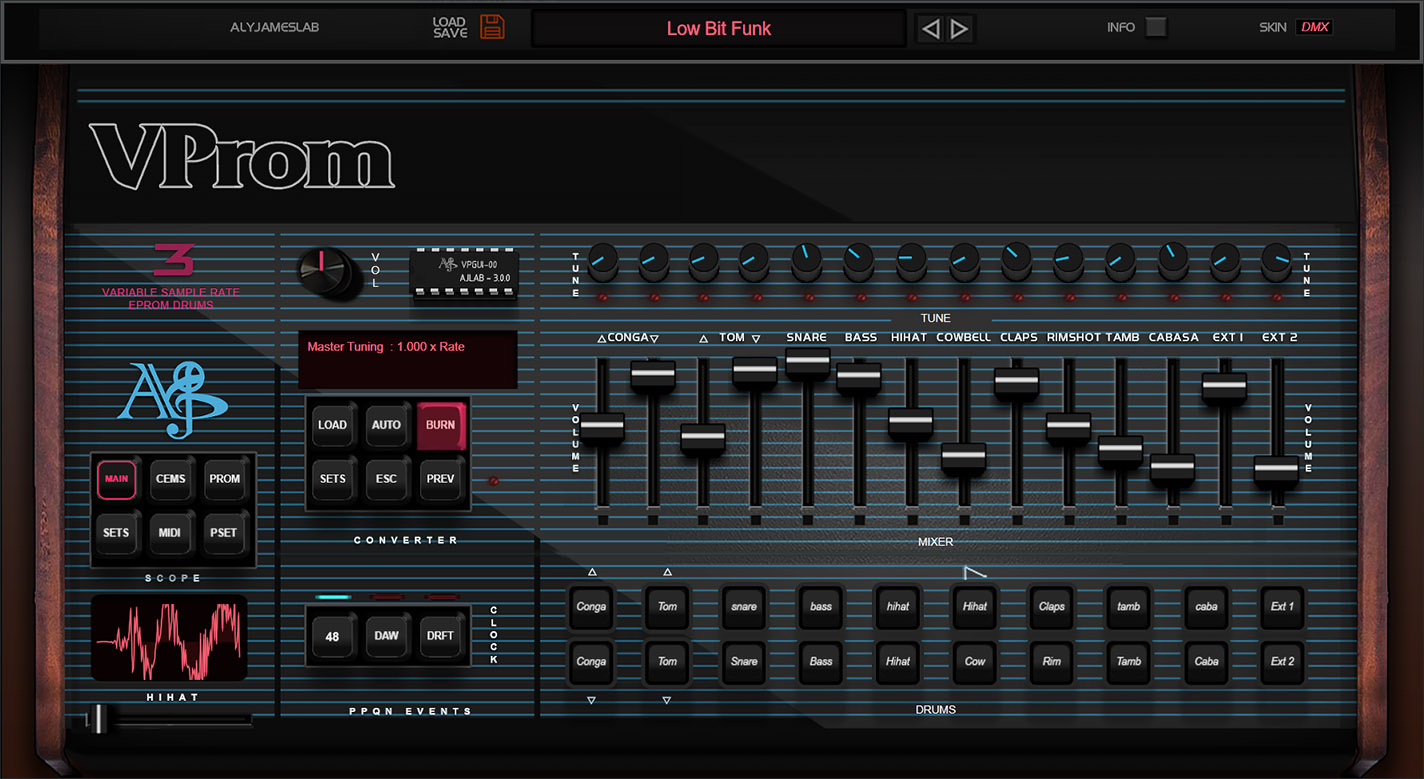
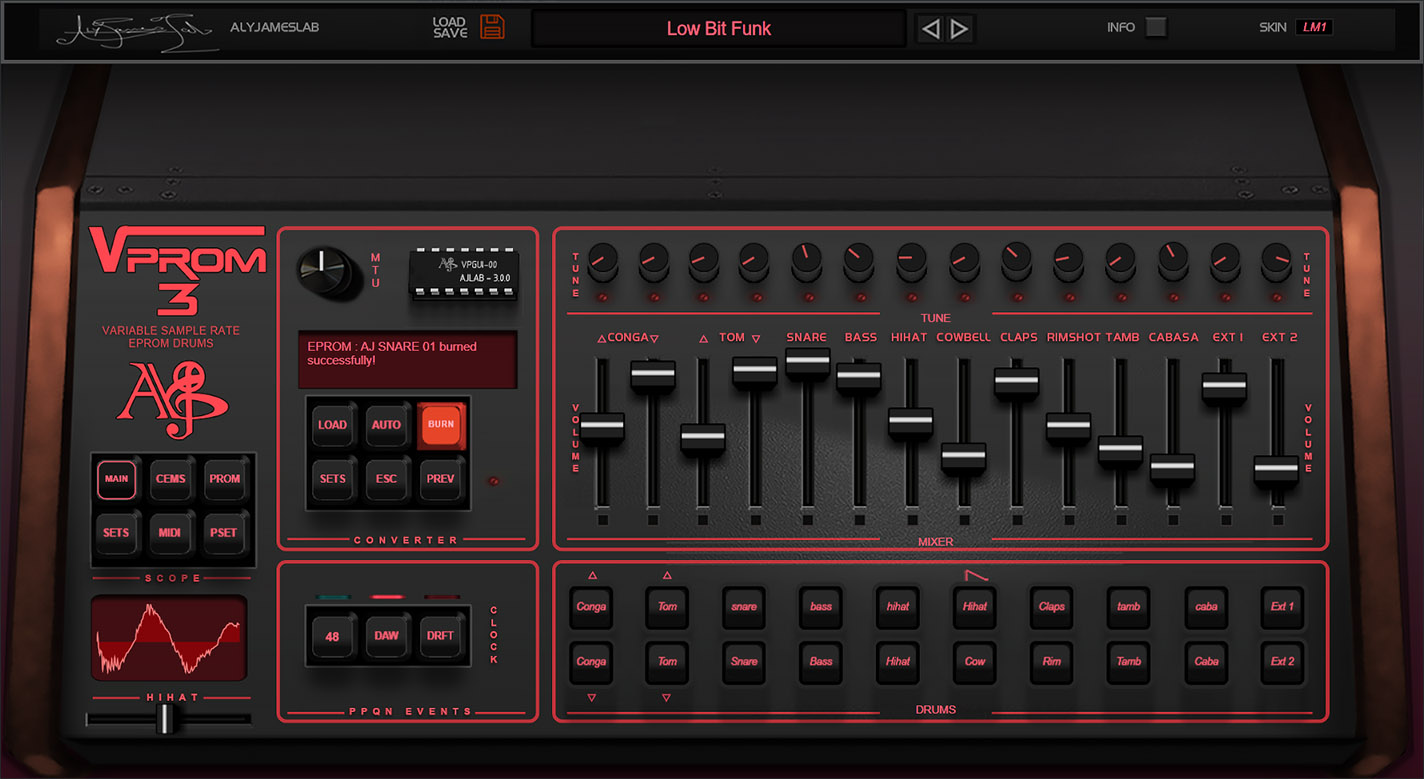
  • Revamped GUI & Skins – LM1, DMX, and Linndrum skins with vector graphics, DPI scaling, and HD visuals.
  • Amazing New EPROM Management Panel – View all 14 custom EPROMs in one window with waveform visualization, an internal EPROM library browser.
  • Advanced EPROM Playback Controls – Adjust start, loop modes, and memory playback in real time.
  • New "EPROM Kit" Format – Save and recall full custom EPROM drum sets separately from plugin presets.
  • New Drum Voice: "Ext2" – Expanding the kit to 14 sounds.
  • Enhanced Oversampling – New "X16 ALL" mode for full high-frequency processing.
  • Backward Compatible with VPROM v2.0 – Load existing presets, including custom EPROMs, directly in VPROM 3.0.
  • No Fake Samples – 100% Authentic – No EQ, no FX, just pure raw drum machine sounds.

VProm version 3.0 change-log

  • New Mac VST3 & AU Support – Now fully compatible with Apple Silicon (M1/M2+), offering native performance. Built as a "Universal 2" plugin, meaning both VST3 and AU work seamlessly on Intel x86-64 and ARM64 Macs.
  • Built-in WAV Resampler & EPROM Burner – Convert, preview, and load samples effortlessly.
    Import any WAV file and resample it (or keep it as-is) at ~27kHz with input stage emulation and µLaw 8-bit compression—just like the original hardware. Generates fully compatible .bin EPROM images.
  • Custom EPROM Manager – Advanced visualization, file handling, internal browser, and improved organization for easier workflow.
  • Real-Time µLaw DAC Curve Response Control – Fine-tune how your samples are decompressed for precise sound shaping.
    The AM6070 DAC chips used a built-in µLaw transfer function to decode and replay sound data. Now, you can subtly match real-world DAC chip variations—or push the transfer function further for creative sound design. This feature acts like a hybrid transient designer & distortion unit when dialed in aggressively.
  • Enhanced Mixer – Greater flexibility with multi-output routing and improved equal-power panning.
    Choose from three routing modes:
    Single - Main Mix: All voices are processed through the internal mixer (with volume, pan, etc.) and sent to the **Main Stereo Output**. Dedicated outputs are disabled.
    Multi Post-Mixer: All voices still pass through the internal mixer, but instead of going to the Main Stereo Output, they are routed to their own dedicated stereo outputs. The Main Stereo Output is disabled in this mode.
    - Multi Pre-Mixer: A hybrid mode where voices are sent **both** to the Main Stereo Output (post-mixer) and their dedicated outputs (pre-mixer, direct signal). This allows external processing while keeping a full internal mix or a quick sub mix.
  • Revamped GUI & Skins – New LM1, DMX, and Linndrum skins with HD graphics, vector knobs, full EPROM Kit View, and an enhanced CEM filters view. GUI now adapts to different DPI sizes for sharper visuals and UI scaling.
  • New 48 PPQN Internal Clock – Recreates the subtle groove and timing feel of vintage drum machines.
    Unlike modern clocks (~960 PPQN), this emulation locks trigger events to a true vintage-style clock pulse synced to your DAW. The effect is subtle but noticeable, especially on swung or loose beats.
  • Real-Time Clock Drift – Adds organic, human-like timing imperfections.
    Recreates the natural clock drift found in vintage drum machines, where internal clocks were never perfectly stable. Unlike the subtle effect of the 48 PPQN clock, this feature introduces a more noticeable, organic timing shift, mimicking the imperfections of classic hardware. With a tweakable drift range from 1ms to 40ms, you can achieve anything from a realistic analog-style drift to a more exaggerated laid-back groove, similar to a drummer playing with extreme looseness and feel.
  • Expanded Voice Card Features – New DMX-based controls for Bass, Congas, Toms, Ext1, and Ext2.
    CEM filters now offer full control over envelope response and decay, along with newly introduced VCA settings. "Expert Mode" unlocks advanced sound tweaking, while "Legacy Mode" preserves the simpler v2.0 pulse control. The optional VCA envelope introduced in VPROM 3.0 is crucial for accurately reproducing certain DMX sounds, especially the Bass Drum.
  • Advanced EPROM Playback Controls – Real-time control over EPROM reading, including sample start, length, and loop modes.
    You might be familiar with the LM1 hi-hat, which constantly loops and is shaped by a VCA. In VPROM 3.0, this behavior can now be applied to other voices. You can also modify loop behavior to either start in sync with triggers or run continuously, even for the hi-hat. By setting a short length (around 123 samples) and moving the start point, you can achieve a wavetable-like effect. While start and length modulation is possible, it does not operate at audio rate.
  • New Drum Voice: "Ext2" – Expands the total drum kit to 14 sounds.
  • New Master Controls – Master tuning & volume knobs for greater global control.
  • New Velocity Mode: "Original 2" – An alternative to the classic "Original" mode with a different approach to velocity handling.
    Similar to the "Original" mode, where velocity determines whether a sound plays at full or half volume. However, in "Original 2," the volume change is controlled by the trigger number itself. Each trigger has two assigned MIDI notes—one plays at full volume, and the other at half volume.
  • Enhanced Oversampling – New "X16 ALL" mode processes all 14 EPROM outputs at 16x oversampling.
    Previously, only high-frequency voices were processed at X16, but now all voices can benefit from this setting for greater flexibility when using custom EPROM.
  • Compatibility with VPROM v2.0 Presets – Load your existing .fxb presets, including ones with custom EPROMs, directly into VPROM 3.0.
  • New "EPROM Kit" Format – A new way to save and recall full drum kits independently of plugin presets.
    A .VpromKit file allows you to store and reload a complete custom EPROM drum set without saving a full plugin preset. This lightweight format only stores EPROM file paths and their assignation, CEM config and hihat loop state, no other settings are saved, making it easy to organize and reuse drum kits across projects without changing your current tuning or mix.
  • Additional Sound Tweaks – Fine-tune open hi-hat decay and enable dynamic hi-hat tuning. Dynamic tuning is also available for Toms, Congas, Ext1 & Ext2.
  • Bug Fixes – The infamous VST3 bug is now gone, no more reset or crashes.
  • Removed: VST2 & 32-bit Support – VPROM 3.0 is now **64-bit only** (VST3/AU).
  • Does NOT Replace VPROM v2.0 – VPROM 3.0 installs alongside v2.0 with its own plugin ID, ensuring backward compatibility with existing projects.

Latest User Reviews

Average user rating of 5.00 from 3 reviews
VProm

Reviewed By Fruitynator [all]
December 7th, 2025
Version reviewed: 3 on Windows

Unfortunately, I already bought a few software drum machines before this one. I could have saved myself all that money... If you're looking for something modern and clean, you might want to keep looking, but for retro fans, this is highly recommended. I have a lot of old drum machine sounds (Linn, 707, 505, ...). I can load them here, fine-tune them a bit, and they sound absolutely authentic. It's a lot of fun. :) (I know, for even more authenticity, original EPROMs are best) VProm also seems to work absolutely fine here in FL Studio. Thumbs up.

Read Review
VProm

Reviewed By torridgristle [all]
February 2nd, 2019
Version reviewed: v2.0.3 on Windows

VProm is the single most accurate and useful Linn LM-1 emulation I've found, possibly because it is the only one to actually emulate the hardware rather than play back some recorded samples. The big draw for this is the hihat which is actually a constantly looping sound with an amplitude envelope that opens up over it whenever the hihat is triggered; this causes each hihat hit to sound different which makes it sound more alive or organic. My singular gripe regarding this is the inability to load a custom hihat EPROM to loop like the original hihat, instead it only plays custom EPROMs as a one-shot.

Tuning samples down low causes the sounds to have a familiar gritty sound that you can't achieve in a modern day by just pitching down a sample and playing it back slower, and this is much appreciated as that gritty aliased sound is exactly what I wanted: Gritty, not muffled.

Each sound can have its own unique output from the plugin, allowing you to put your own effects on each drum sound while only using one instance of VProm.

Regarding custom EPROMs, this is where VProm gets even more fun for me. You can create authentically formatted sounds using Promenade from Electrongate (do not use wav2dmx or dmxwav as the math is reportedly incorrect) and load them into VProm to hear your own samples played back through an accurately modelled AM6070 DAC and optionally (on by default) CEM 3320 VCF filters on the bass, conga, and tom sounds that were in the original LM-1 hardware in order to remove noise from the tail-end of the drum sounds.

Additionally, the Oberheim DMX uses the same DAC as the Linn LM-1, and thus VProm can load its EPROMs with no trouble and it sounds, due to the similar hardware, pretty much just like the Oberheim DMX.

If you want an authentic vintage sampler sound, VProm is how you get it.

Read Review
VProm

Reviewed By BrockHardcastle [all]
May 22nd, 2014
Version reviewed: 7 on Windows

The VLINN by Aly James Lab is without a doubt the best VST drum machine out there for drum machine sounds. Period. Wave Alchemy, UVI, and others make emulations, but they don't touch the sound or features available here.

The LM-1 is a classic, and it's instantly recognizable for its punch, heft, and clarity and it's all recaptured here. The VLINN doesn't use samples, it uses the actual EPROM data and reads it in real time. Every sample I've paid for over the years are now useless because this thing does it all. You can alter the pitch of the samples; you can edit the cutoff/decay of the hi hats; you can route each channel to its own individual channel in your DAW for further processing. The best part about that is that it's automatically setup that way when opening the program.

BUT The most exciting feature of this program is the ability to load 4K, 8K, and 16K EPROM BIN files in to it. So that means that the DMX, DX, Drumtraks, and more are all instantly ready to pop in. Further to that, you can sample whatever other machine you want; convert the WAV to a BIN; then load it in to the machine. It's then run through all the modeled circuitry.

I can't say enough good things about the VLINN. It's absolutely essential for any fans of drum machines, the 80s sound, the Minnesota funk sound, and more.

Aly James knows what he's doing and doesn't cut corners or omit features. The big guys should take notes from his work and ear for authenticity.

Read Review

Products similar to VProm...

Comments & Discussion for Aly James Lab VProm

Discussion
Discussion: Active
murnau
murnau
25 May 2014 at 6:09am

wav2bin? then the samples you bought before not so useless as you said or? :-)

BrockHardcastle
BrockHardcastle
26 May 2014 at 7:14pm

My LM-1 samples are now useless and don't sound half as good as this. I would not load an inferior sample of the LM-1 in to the machine that already has pristine LM-1 BIN files in it. My other samples on the other hand are great to change to BIN and drop in to this thing. Gives them a new life.

BlackWinny
BlackWinny
26 May 2014 at 7:42pm

Yes, it's another new evidence that the modelling synthesis is the real future instead of the sample based instruments. First in sample based instruments, the sound can't be alive by itself (it needs effects to give it life) while in physically (or electronically) modelled synthesis the sound is alive in itself, by mathematical progressions, and second... while gigabytes of samples are needed in sample based synthesis, just some megabytes (a thousand times less) is enough for a modelling synthesis instrument... which will have a far better quality.

Thohi
Thohi
3 February 2017 at 4:39pm

The name of this entry really should be changed to reflect the current name of the product.

argealis
argealis
4 March 2018 at 6:53pm

I have a question about your the possibility to load additional banks :
If I load anadditional bank and if after I want to go back to original one, will it be necessary to re-load the default bank?
Where is located (on a Mac) this default bank (maybe called "vProm-Default.fxp")?
Thank you for your help.

c_voltage
c_voltage
28 December 2025 at 6:04am

"The VLINN doesn't use samples, it uses the actual EPROM data and reads it in real time."
Lol and that EPROM data do not contain samples ?

Please log in to join the discussion

Log In To KVR Audio
