46 KVR members have added Exp Filtertable to 33 MyKVR groups 58 times.
Download KVR Studio Manager (FREE)
Please watch the video first.
{See video at top of page}
YouTube.com/watch?v=mM7ebeFLk_I
Novel Methods
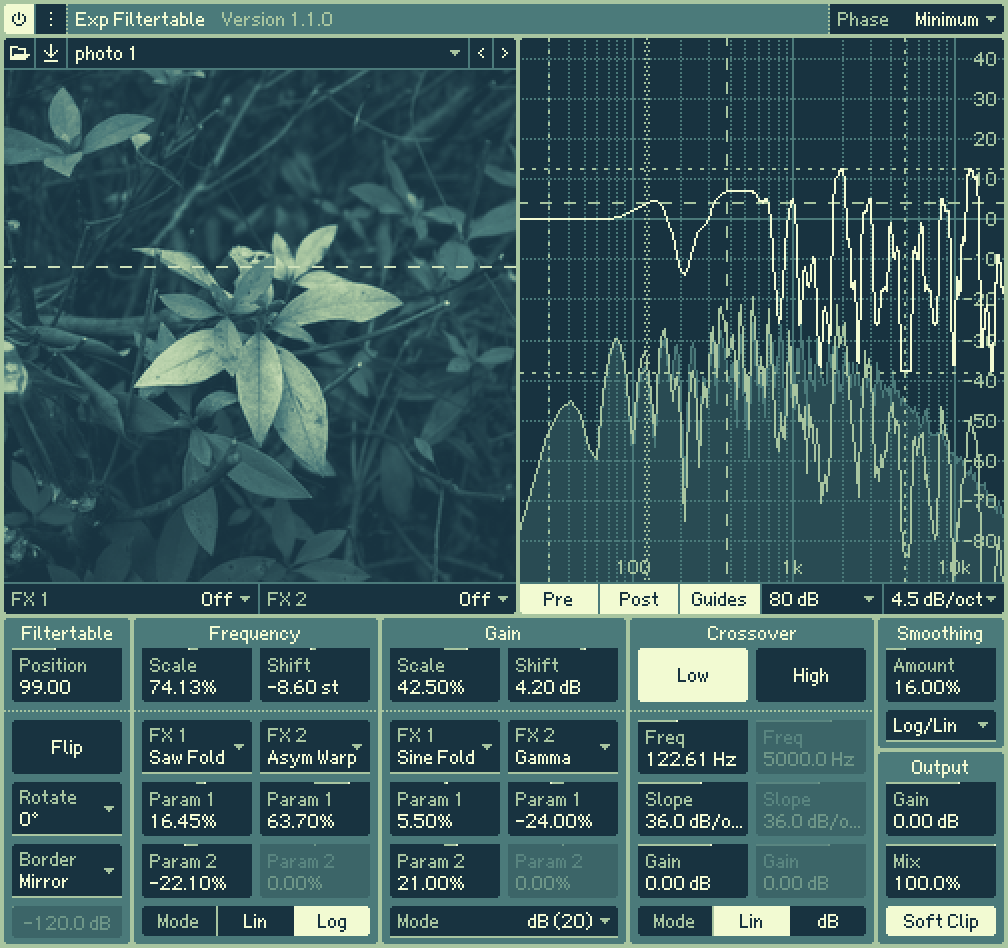
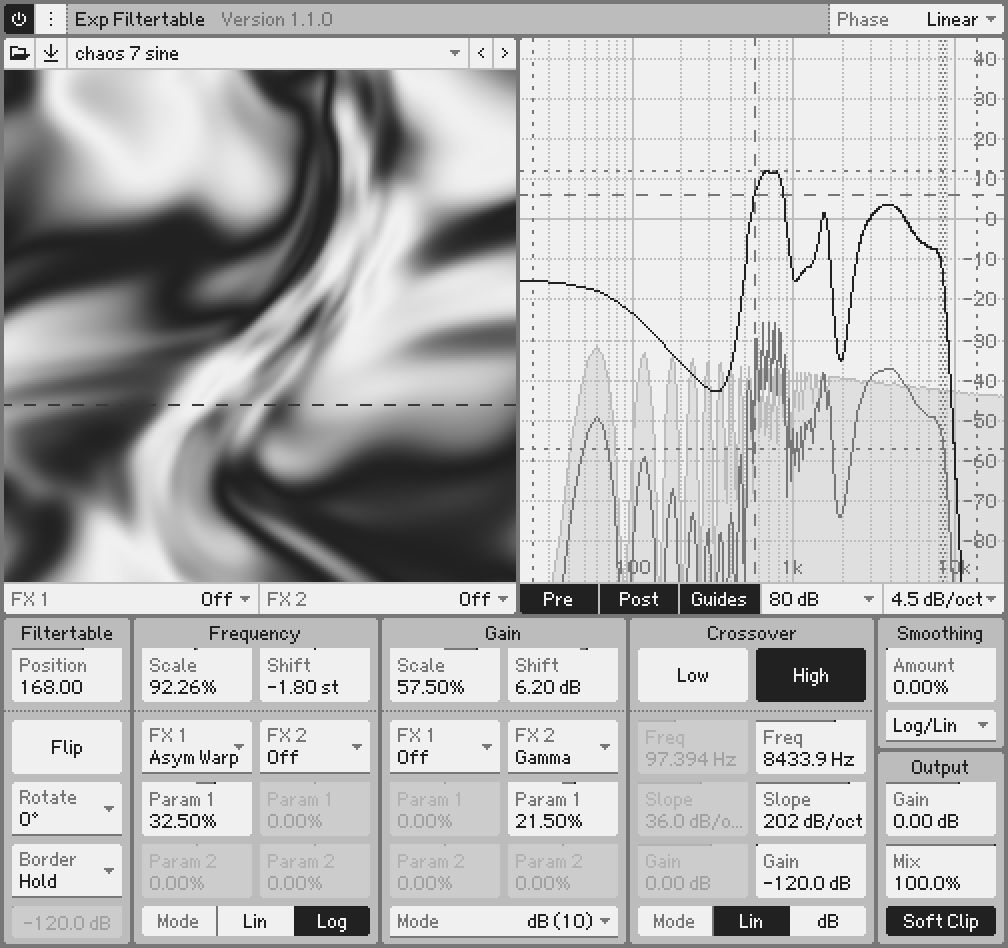
It's like a filter version of a wavetable. Complex filtering that is difficult with conventional methods can be easily performed.
The Quality
Exp Filtertable achieves complex filtering with exceptional sound quality by adopting a convolution-based approach, similar to commonly used linear-phase EQs, rather than the STFT-based method often found in typical spectral effectors, which can easily degrade sound quality. This approach avoids the inconsistencies and response fluctuations caused by misaligned STFT blocks, ensuring a consistent, complete response and phase at all times.
Many built-in Filtertables that depict a variety of frequency responses.
Frequency FX and Gain FX to create sounds never heard before.
Crossovers to protect sub-bass and treble frequencies.
Smoothing to smooth frequency response.
[New in 1.1.0+] Phase that can be switched between linear phase and minimum phase.
[New in 1.2.0+] Import Audio — Convert audio files into spectrograms or spectral envelopes.
Sound:
Smart Parameter Interpolation.
Smooth Bypass Transitions.
Supports sample rates from 100 Hz – 768 kHz.
Operability:
Parameter adjustment with the mouse wheel is also possible.
Text input of parameter values by double-clicking.
Modifier keys for customisable parameters, e.g. reset and fine-tune.
Drag direction of customisable parameters.
Drag sensitivity of customisable parameters.
Pen Tablet Mode support.
Interface:
Windows:
macOS:
 40%OFF$29.00Filter M1240%OFF$29.00Filter SEM40%OFF$29.00Filter MINI
Please log in to join the discussion
Submit: News, Plugins, Hosts & Apps | Advertise @ KVR | Developer Account | About KVR / Contact Us | Privacy Statement | Sell @ KVR | KVR Marketplace Terms & Conditions
© KVR Audio, Inc. 2000-2026