
16 KVR members have added MadMod to 14 MyKVR groups 17 times.
Download KVR Studio Manager (FREE)
Need a filter that moves with the audio, sweeping up or down when the sound gets louder or softer, track with...
Control
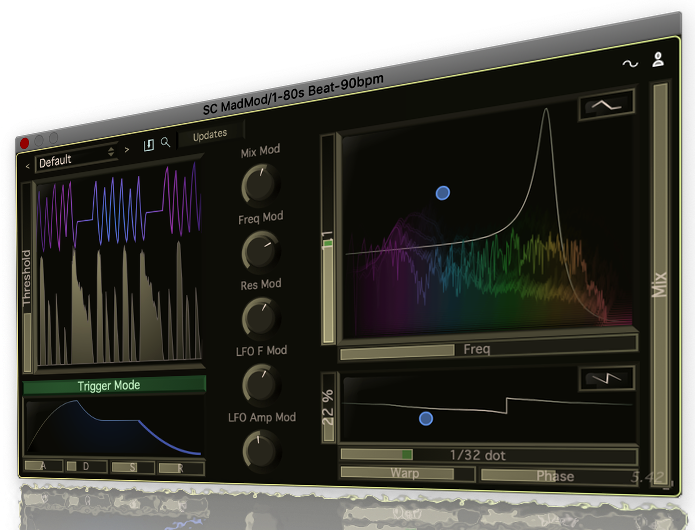
We take it much further than your typical reactive filter, linking 6 different parameters to incoming audio, and each with it's own custom scaling. This means you can cause the filter to fade in, skew higher, modulate more, flatten out, all at the same time and all scaled to incoming audio.
ADSR Versatility
We have added a trigger mode which changes how the mods react to audio. Rather than tracking, in trigger mode the mods will kick in when the threshold is passed, but then go through a decay phase, and release only when the threshold is crossed again.
Display
As with all of our plugins, the displays we add are in depth and powerful. Our design philosophy is that every knob should have a visible effect as well as audible, and that all graphs and images should be interactive.
Online Presets
Like all of our plugins, you can browse presets in the plugin that have just been created by Stagecraft and our users worldwide. New and interesting presets are added every week.
 $49.00Filter MS-20$49.00Filter SEM
Please log in to join the discussion
Submit: News, Plugins, Hosts & Apps | Advertise @ KVR | Developer Account | About KVR / Contact Us | Privacy Statement | Sell @ KVR | KVR Marketplace Terms & Conditions
© KVR Audio, Inc. 2000-2026

