
4 KVR members have added Persistent Nodes|BETA to 2 MyKVR groups 6 times.
Download KVR Studio Manager (FREE)
*Well... to be honest... 'Persistent Nodes' was a very experimental and creative challenge for us. Can you participate in this challenge and research? :D
1. Persistent Nodes
Persistent Nodes is a free, node-based audio effect plugin that allows users to directly design their own audio signal flow. While conventional audio plugins apply modules like EQs, compressors, delays, and reverbs sequentially within a predetermined structure, Persistent Nodes offers a significantly more open-ended approach.
In Persistent Nodes, the core of the plugin is not just a simple effect chain. The node graph itself where users place nodes on the screen, connect them like cables, and directly configure both audio and control signals becomes the complete FX chain.
In other words, rather than being a fixed multi-effect unit, Persistent Nodes is closer to a sound design platform that lets users construct DSP structures however they desire.
2. Node Graph Editor
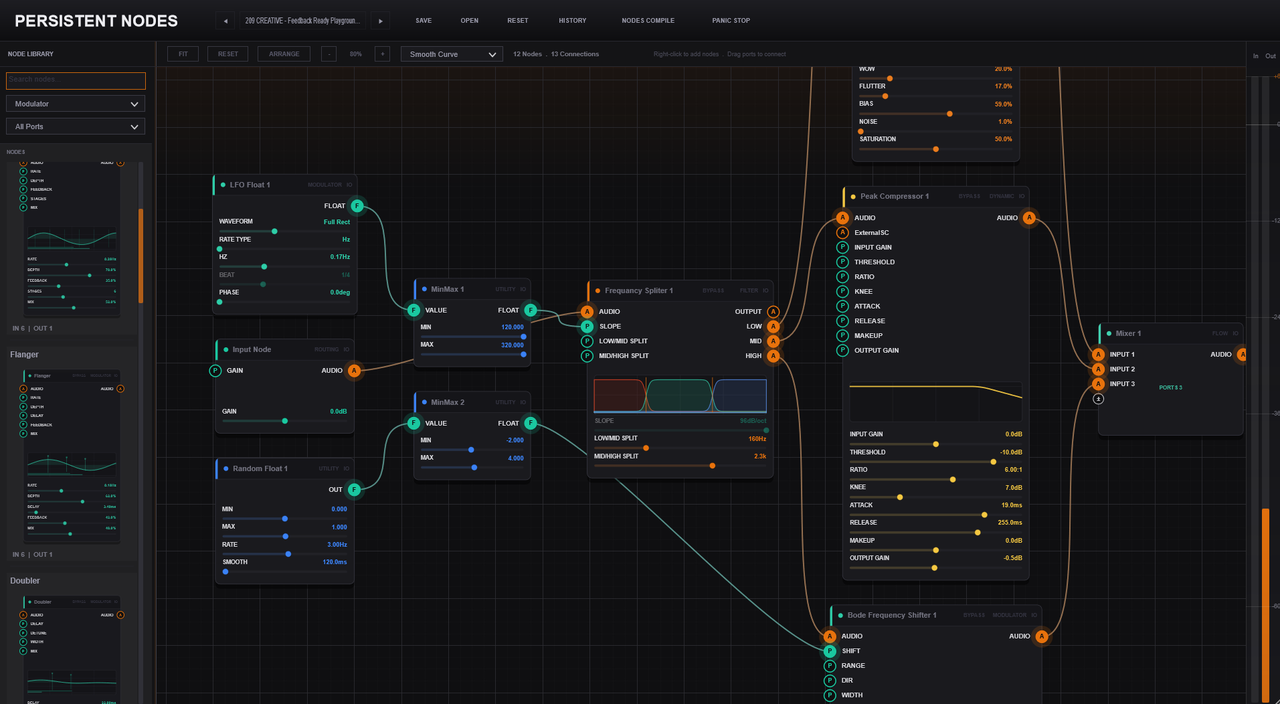
Node Graph Editor is the central graph editing environment of Persistent Nodes.
In this space, users can freely arrange and connect both audio and control nodes to design their own custom FX chains. Everything from serial and parallel chains to multiband splitting, feedback loops, and routing based on external inputs can be configured within a single graph. The plugin's overall behavior and architecture transform completely depending on how these nodes are connected.
3. AudioFX
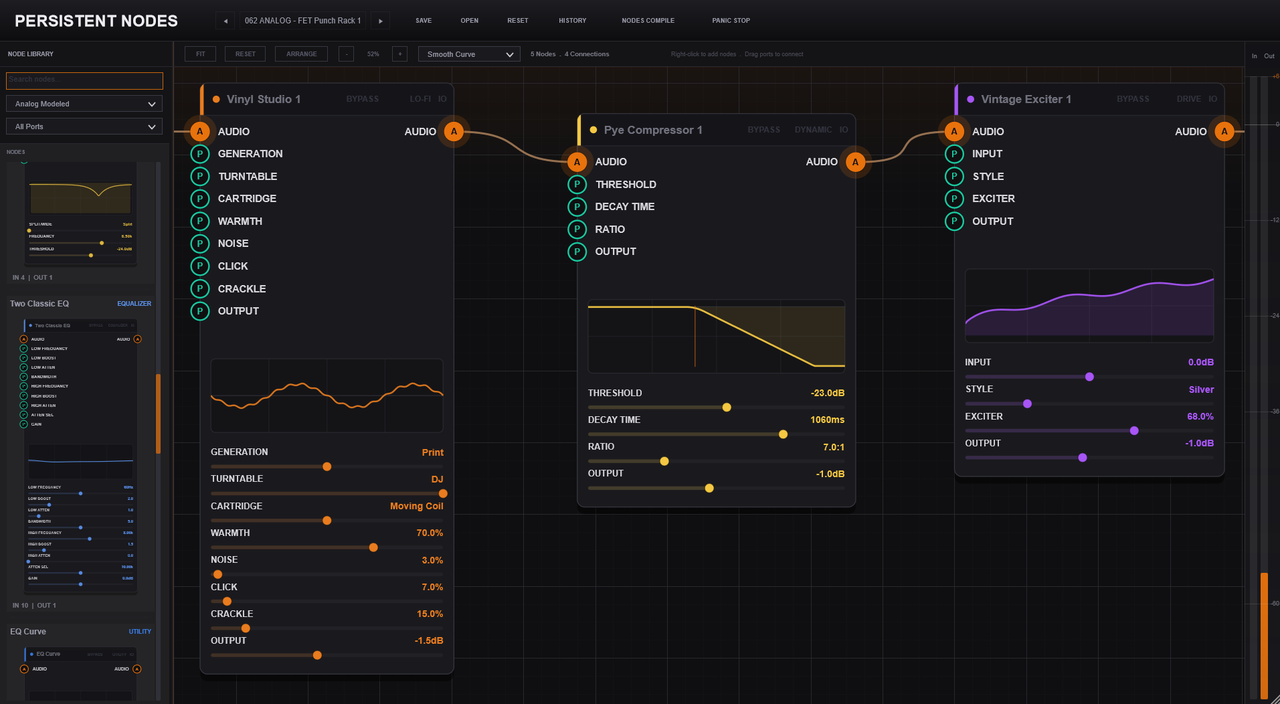
AudioFX is the core effect node section that processes actual audio signals within Persistent Nodes.
Users can freely arrange and connect a diverse range of audio processing nodes including Gain, Filter, Distortion, Delay, Reverb, Dynamics, and Mixer to create their own custom sound chains. Each AudioFX node is completely free from a fixed sequence, allowing it to be flexibly deployed in serial, parallel, multiband, or feedback configurations depending on the graph architecture designed by the user.
4. Variable/Math/Logic/Flow
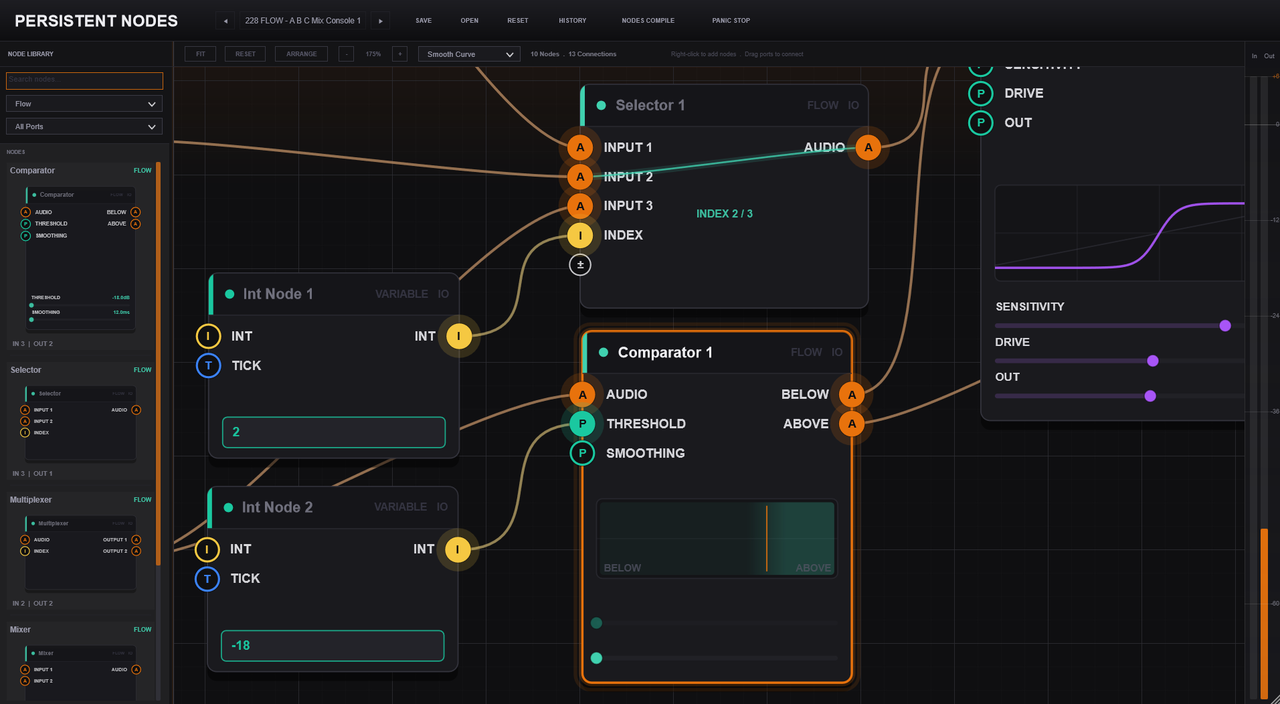
Variable / Math / Logic / Flow is the functional section dedicated to designing control structures within Persistent Nodes.
Variable stores values and shares them across multiple nodes, while Math calculates and transforms those values. Logic alters the graph's behavior based on specific conditions, and Flow branches or organizes signal and control routing. By utilizing this section, users can move beyond a simple effect chain to build complex, responsive DSP architectures that dynamically adapt to input signals and changing conditions.
5. Persistent Script & Faust Node
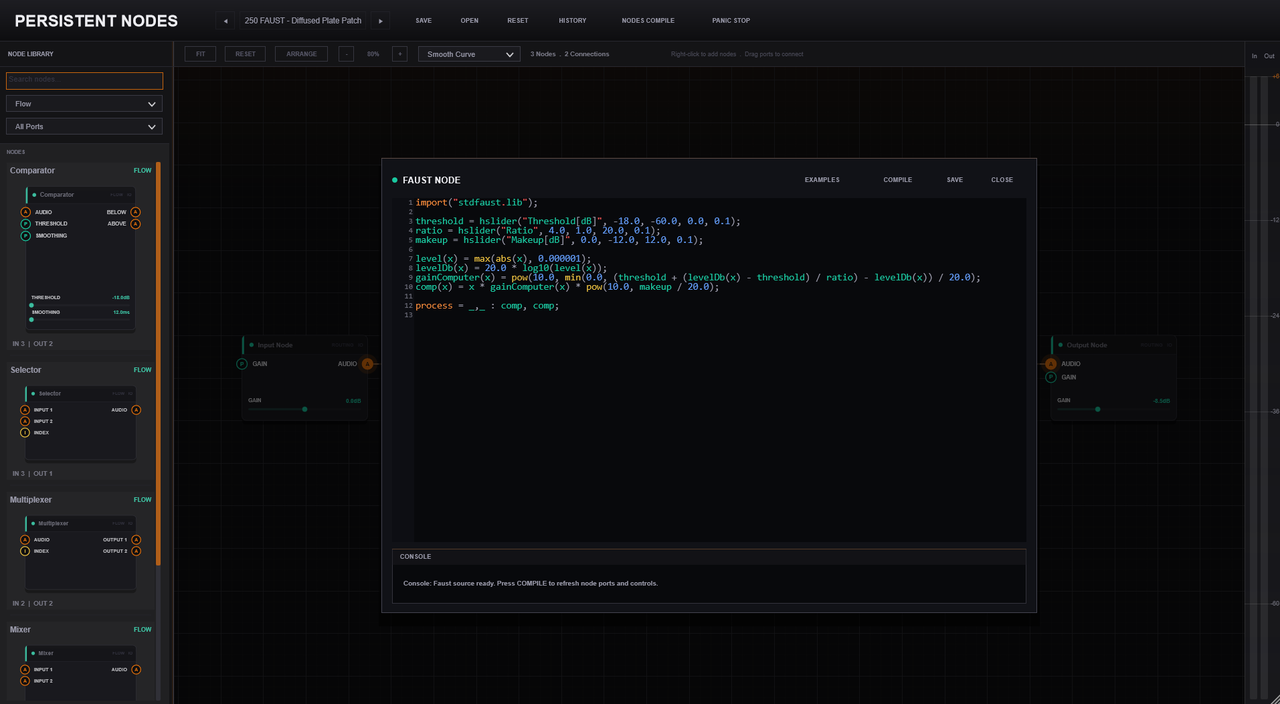
Persistent Script & Faust Node is an advanced expansion feature of Persistent Nodes.
Persistent Script is a scripting feature that allows users to write custom logic, conditional processing, parameter mapping, and macro controls. Meanwhile, Faust Node enables the creation of custom audio processing nodes by embedding Faust-based DSP code directly into the graph. Through these two features, users can push past the limitations of standard nodes to directly design their own unique control systems and DSP algorithms.
6. Annotations
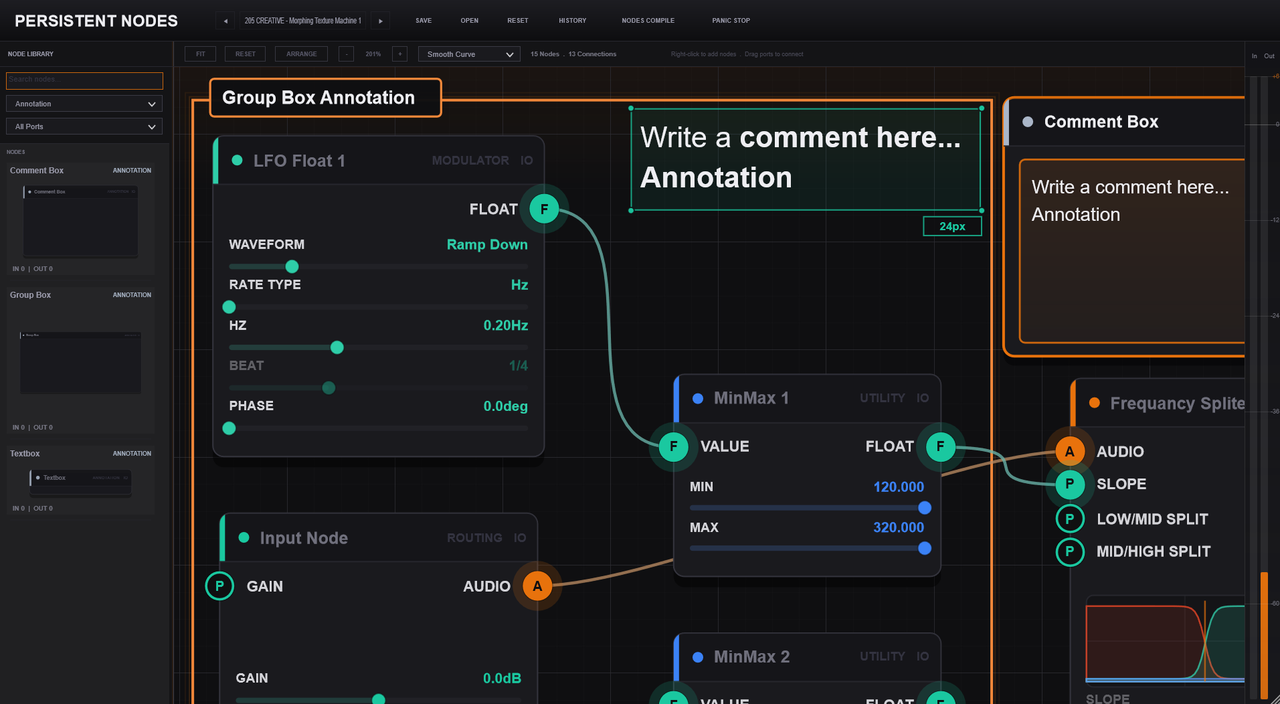
Annotations is a feature for adding descriptions and notes directly within the node graph of Persistent Nodes.
It allows users to leave explanations on complex routing structures, node groups, macro controls, Script/Faust nodes, and feedback paths, making the graph significantly easier to understand and manage. Especially when sharing .nodes presets, Annotations serves as an essential documentation tool that helps other users quickly grasp the graph structure and safely modify it.

Please log in to join the discussion
Submit: News, Plugins, Hosts & Apps | Advertise @ KVR | Developer Account | About KVR / Contact Us | Privacy Statement | Sell @ KVR | KVR Marketplace Terms & Conditions
© KVR Audio, Inc. 2000-2026

