Log InCreate An Account
  1. Plugins
  2. »
  3. MathAudio
  4. »
  5. Room EQ
  6. »
  7. Details

Room EQ

Room Correction Plugin by MathAudio
MyKVRFAVORITE0WANT4
Room EQ
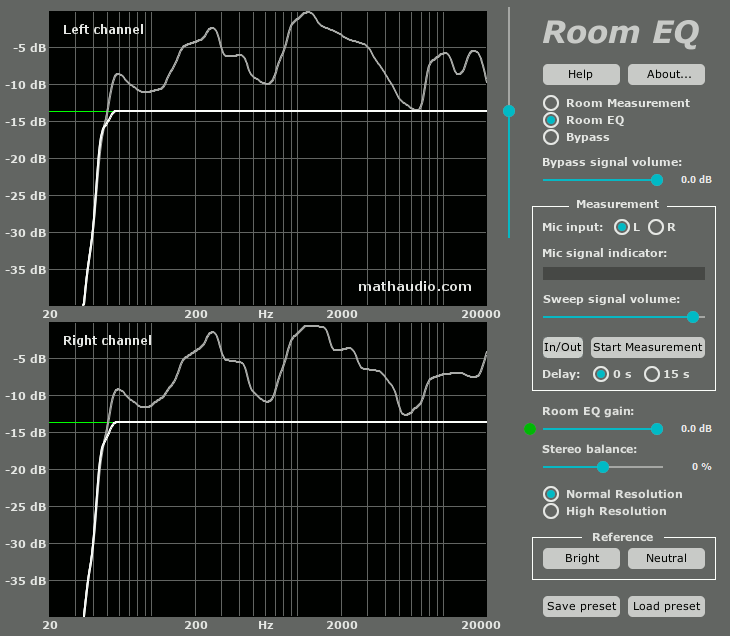
Room EQ by MathAudio is a Virtual Effect Audio Plugin for macOS and Windows. It functions as a VST Plugin, an Audio Units Plugin, a VST 3 Plugin and a CLAP Plugin.
Product
Version
3.0.6
Windows 10 or later
Product
Version
3.0.6
macOS 10.13 or later
Effect
Formats
Copy Protection
Serial Number

MyKVR: Groups, Versions, ...

12 KVR members have added Room EQ to 9 MyKVR groups 12 times.

Download KVR Studio Manager (FREE)

Not In Your MY KVR Groups
(or group limitation prevents versioning)
+9 in private groups

KVR Rank

Overall: 9024   7153   7997

30-Day: 7150; 7-Day: 9572; Yesterday: 5159

Room EQ:

  • Corrects deficiencies of room acoustics (multipoint compensation).
  • Corrects acoustic imperfections of speakers.
  • Avoids the pre-echo (pre-ringing) problem of conventional convolver-based room correction systems. The absence of pre-echo ensures the neutrality of the sound.
  • Works in rooms, halls and outdoor venues of any size.

  • Works with zero latency. Doesn't delay the audio track when playing video. Can be used for live performances and studio monitoring.

  • Performs frequency response correction, phase response correction and time domain correction.

  • Quells resonance peaks of frequency response while leaving the deep notches. Avoids the overcompensation which happens in conventional linearizing room correction systems.
  • Manually adjustable level of compensation allows one to reach the maximum transparency of the sound.
  • Supports full range of sample rates from 44,056 kHz up to 384 kHz. All sample rates are supported without resampling to avoid any possible loss in quality.
  • Includes a custom target curve feature.
  • Applies 64-bit signal path throughout.
  • Works with USB measurement microphones (e.g. MiniDSP UMIK-1 or Dayton Audio UMM-6) or standard measurement microphones (e.g. NADY CM100 or Dayton Audio EMM-6).
  • Supports microphone calibration files.
  • Applies a patented method of frequency response correction.
  • Works as a simple conventional mouse drawing EQ if necessary: load a new instance of Room EQ, select the "Room EQ" radio button, move the cursor of your mouse to one of the frequency response windows, press the left button of the mouse and draw your own frequency response.
  • Supports automatic scaling for 4k monitors. Supports manual window resizing (drag the bottom right corner of the window).
  • Supports VST, VST3, CLAP, Foobar2000 on Windows and AU, VST, VST3, CLAP on Mac.

Latest User Reviews

Average user rating of 0.00 from 0 reviews

Products similar to Room EQ...

Comments & Discussion for MathAudio Room EQ

Discussion
Discussion: Active

Please log in to join the discussion

Log In To KVR Audio
