
4 KVR members have added Sphinx 101 to 2 MyKVR groups 5 times.
Download KVR Studio Manager (FREE)
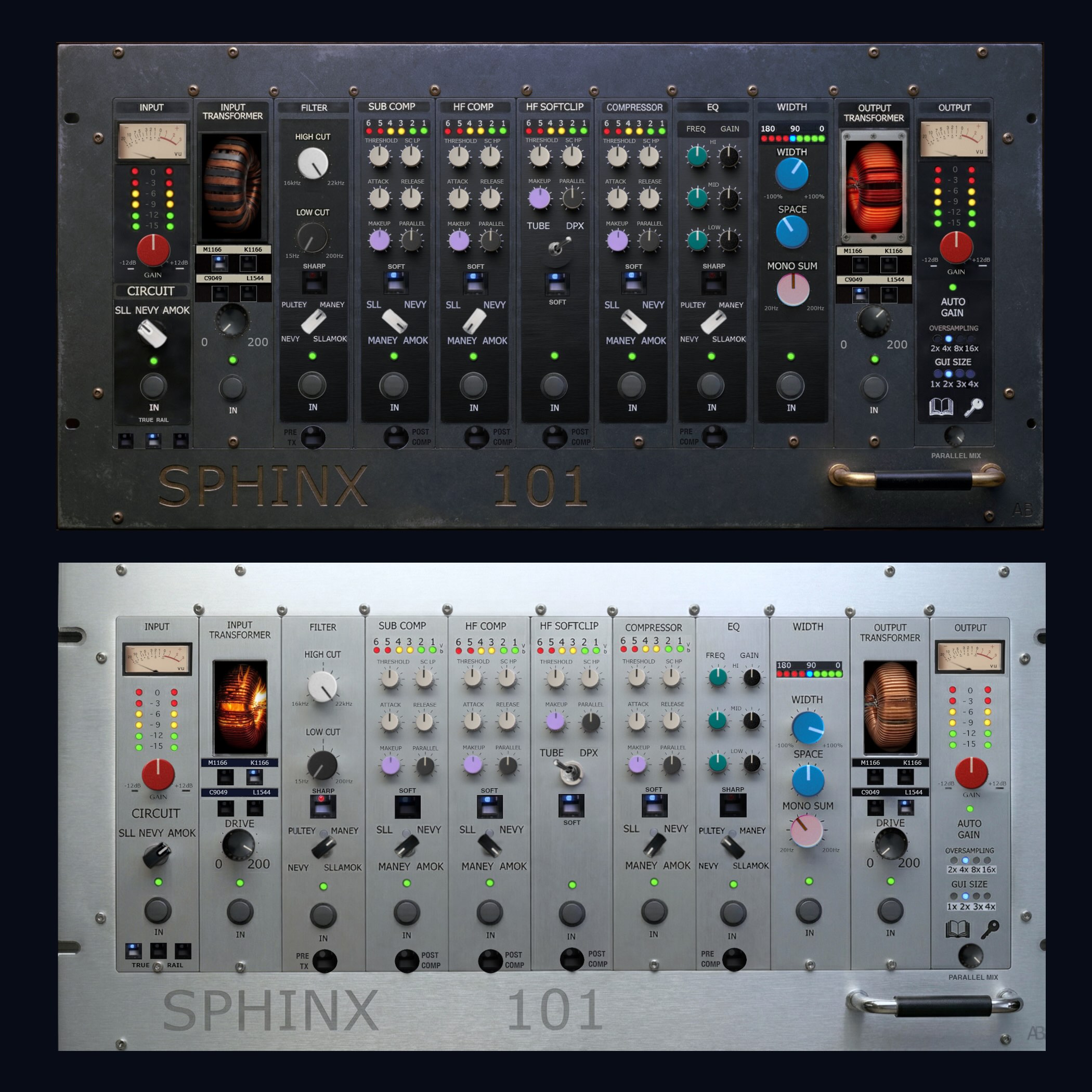
Master bus processor with the world's first shared voltage rail. Three console topologies, four transformer models, multiband dynamics, EQ, stereo width, filters, and HF soft clipping (tube and solid-state modes) - all physically modeled at the component level.
The core technology, TrueRail, connects all processing modules through a shared virtual power supply. When you push one module harder, every other module responds - rail sag, thermal drift, transformer saturation shifts, crosstalk between stages. Twelve analog mechanisms running simultaneously, just like real hardware.
Each plugin instance loads with unique per-component tolerance variation, so no two instances sound exactly alike.
Verified with 2,043 automated signal measurements across 9 test suites, zero failures. Full Plugin Doctor measurements published openly at https://analogrealism.com/pages/test-results.html
Free demo available - fully functional with brief periodic silence. No subscriptions.
 $149.00Saturn 2
Please log in to join the discussion
Submit: News, Plugins, Hosts & Apps | Advertise @ KVR | Developer Account | About KVR / Contact Us | Privacy Statement | Sell @ KVR | KVR Marketplace Terms & Conditions
© KVR Audio, Inc. 2000-2026

