2 KVR members have added Vibe by CoAless to 3 MyKVR groups 3 times.
Download KVR Studio Manager (FREE)
FREE during Beta
Describe a sound. Watch it build. Learn how it works.
Vibe by CoAless is an AI-assisted synthesizer that turns plain English into synth patches — with every parameter visible, editable, and explained.
{See video at top of page}
What It Is
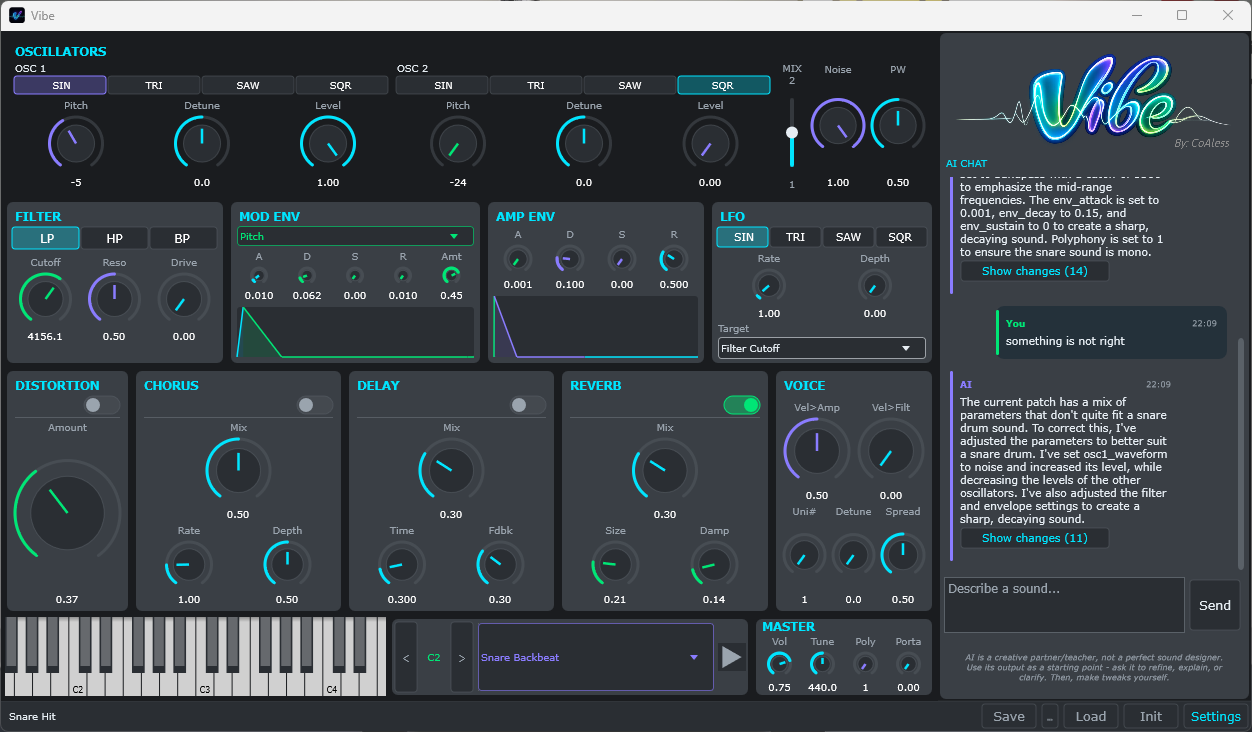
Most AI music tools generate audio you can't edit. Vibe does the opposite: it's a real synthesizer with 51 parameters. When you describe a sound, the AI sets those parameters — and you can see exactly what changed. Override anything. Ask follow-up questions. Learn synthesis by watching it happen.
How It Works
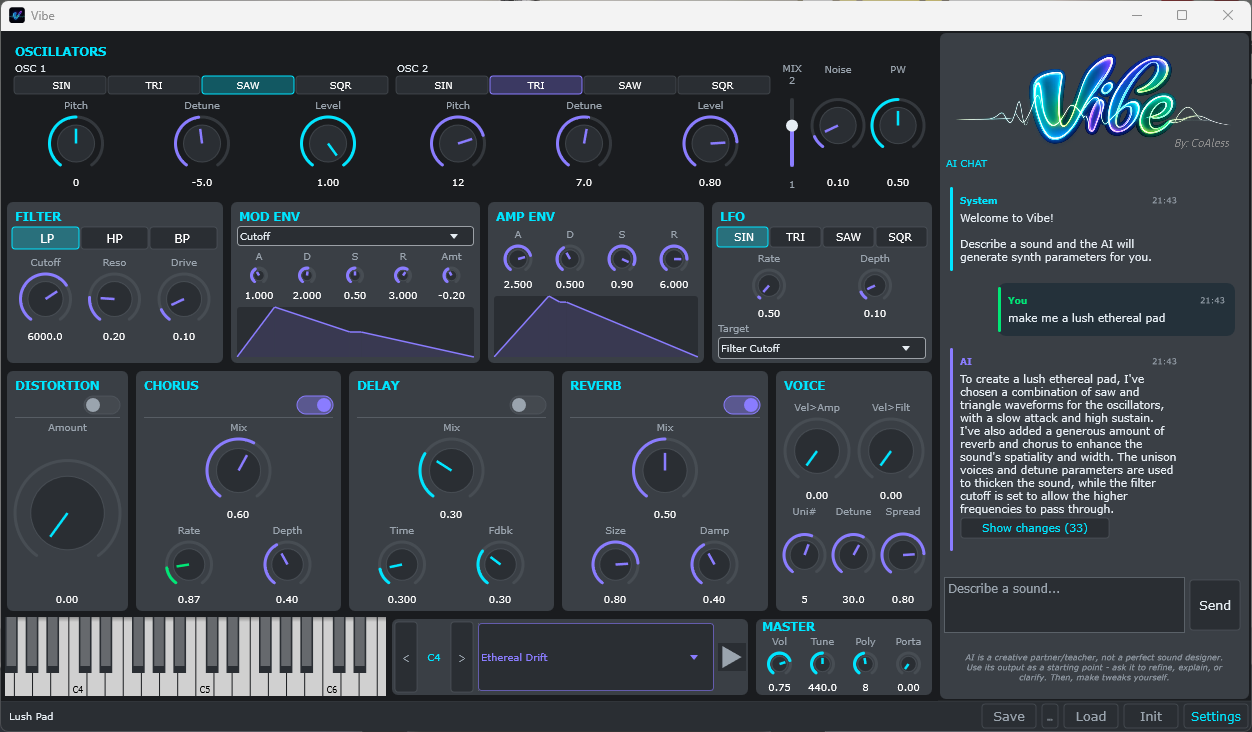
Type what you want. "Warm analog pad with slow attack and gentle chorus."
Watch the AI build it. Oscillators, filter, envelope, effects — all set in real time.
Refine through conversation. "Make it darker." "Add more movement." "Less reverb."
Learn as you go. Every parameter change is visible. The AI explains its choices.
Take full control. Every knob is yours. The AI is a starting point, not a black box.
Features
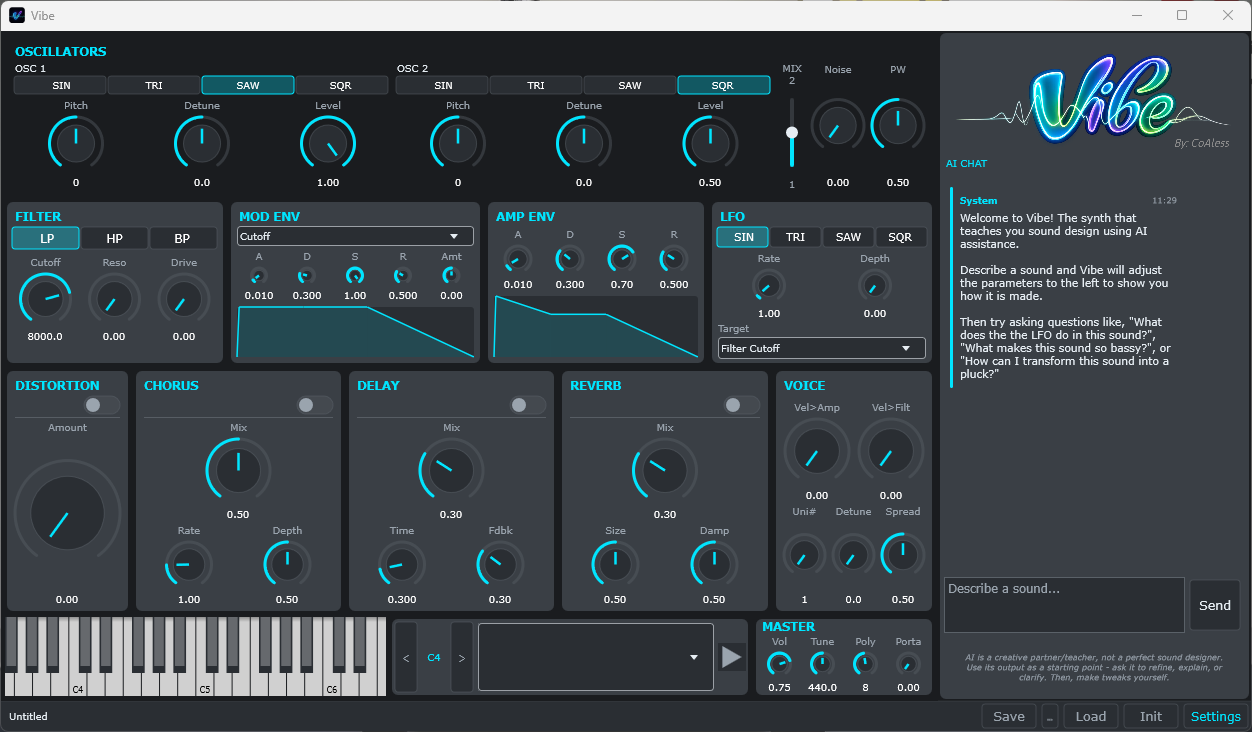
2 oscillators with 5 waveforms (sine, triangle, saw, square, noise).
Multimode filter (low-pass, high-pass, band-pass) with dedicated ADSR envelope.
Unison engine — up to 8 detuned voices with stereo spread.
LFO with multiple waveforms and targets.
Effects chain: distortion, chorus, delay, reverb.
51 fully visible and editable parameters.
AI provider options include both free and paid options with the ability to work fully offline (on capable computers).
Natural language chat with iterative refinement.
Save and load patches.
11 synth presets built by the developer using Vibe during testing.
MIDI support.
Standalone desktop app (Windows only) — Plugin version will be available shortly after the post-beta launch.
NEW features (updated 11 June 2026):
Who It's For
Beginners who want to learn synthesis in an easier more interactive way.
Intermediate producers who want faster sound design workflows.
Curious musicians who want to understand how sounds are made.
Anyone frustrated by AI generated presets they can't customize after generation.
What It's Not
It does not generate audio files or samples.
It does not replace your DAW or your existing synths.
It does not require a subscription.
It does not hide what it does — every parameter that contributes to the sound is visible and you can always tell who changed it last, you or the AI.
Beta Access
Currently free during beta. I'm a solo developer looking for honest feedback. Download it, break it, tell me what's wrong. Your feedback directly shapes the product.
The Beta version requires consent to capture data including chat history and patch information. This data is used to help improved Vibe. NO audio recording or personal data is captured.
Beta Access expires Sept 1, 2026 shortly after the official launch of the standalone product. A plugin version is planned for release a few months after the standalone version.
Although beta is free, pay what you want to help support the development of Vibe.


Hey Vibe Testers.
Thanks again for trying the Vibe beta, the sessions and bug flags you've sent in have directly shaped this update. Vibe v1.0.1-beta is now available, and it's got new features.
What's new:
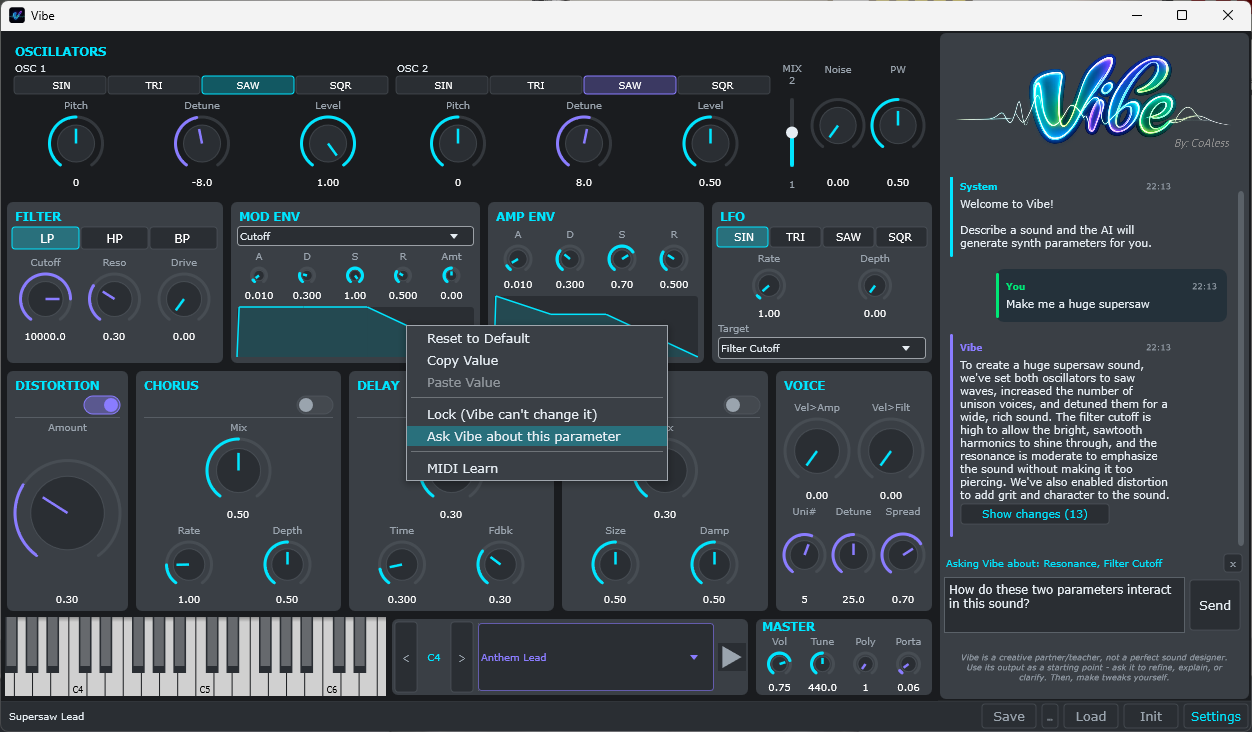
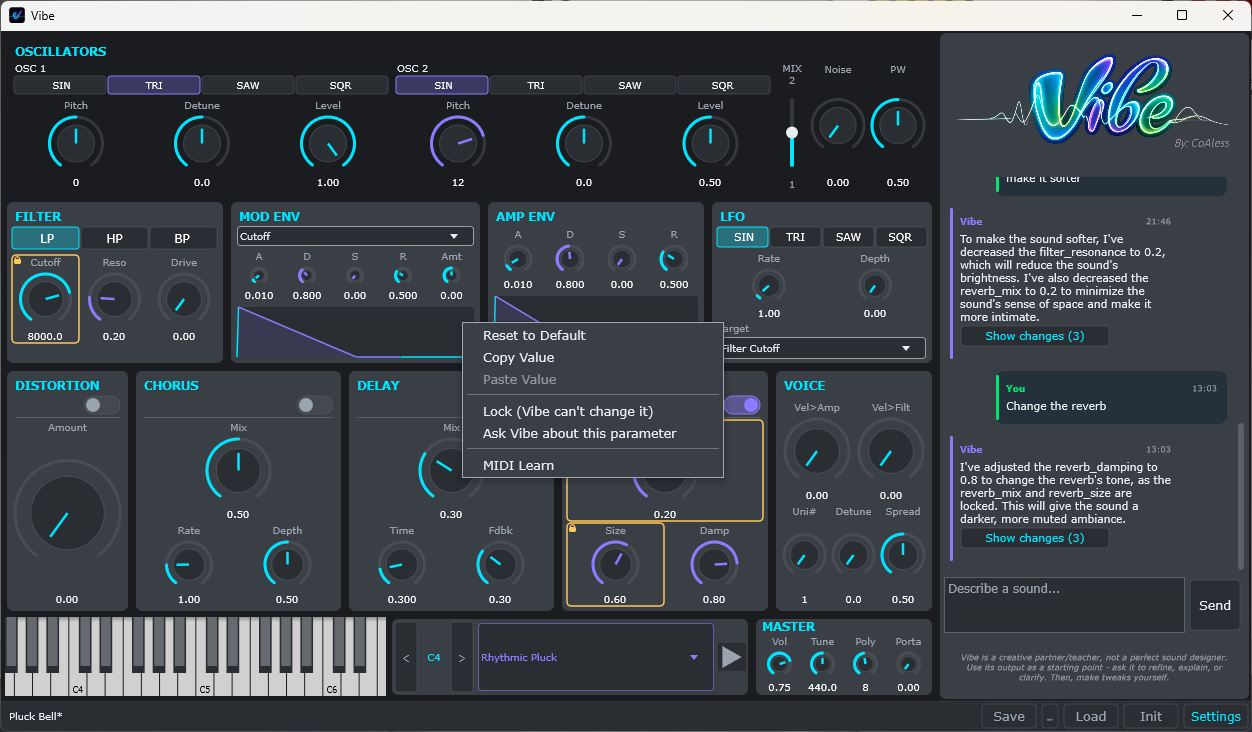
Lock any control. Right-click a knob, slider, or selector and lock it — Vibe won't touch it, and it'll tell you when a sound you asked for would have needed it, then do its best with everything else.
Ask Vibe about any parameter. Right-click any knob/slider/selector → "Ask Vibe about this parameter" for a focused answer about that control in the context of your current sound. Select several and ask things like "what's the difference between these?"
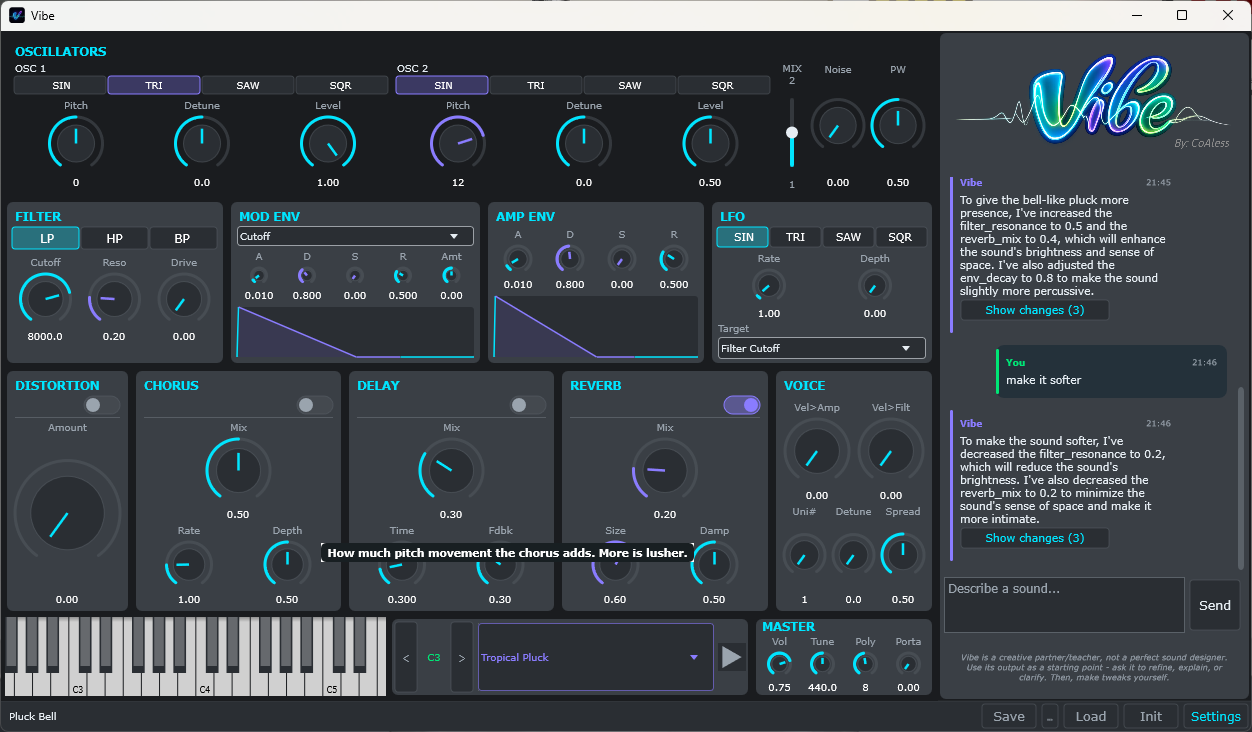
Hover tooltips on every control, so you can learn the synth as you go (toggle them off in Settings if you'd rather not).
How to update: download the new installer from KVR.
or get it from Gumroad: https://dailenbrown.gumroad.com/l/vibe.
It installs right over the old version and keeps all your patches and settings. Takes under a minute.
As always, the fastest way to report anything weird is to just tell Vibe in the chat — "this is a bug, tell the developers" — and it flags your session for me automatically.
Thanks for helping shape Vibe! More to come before the beta ends on September 1.
— Dailen / CoAless.
Please log in to join the discussion
Submit: News, Plugins, Hosts & Apps | Advertise @ KVR | Developer Account | About KVR / Contact Us | Privacy Statement | Sell @ KVR | KVR Marketplace Terms & Conditions
© KVR Audio, Inc. 2000-2026