



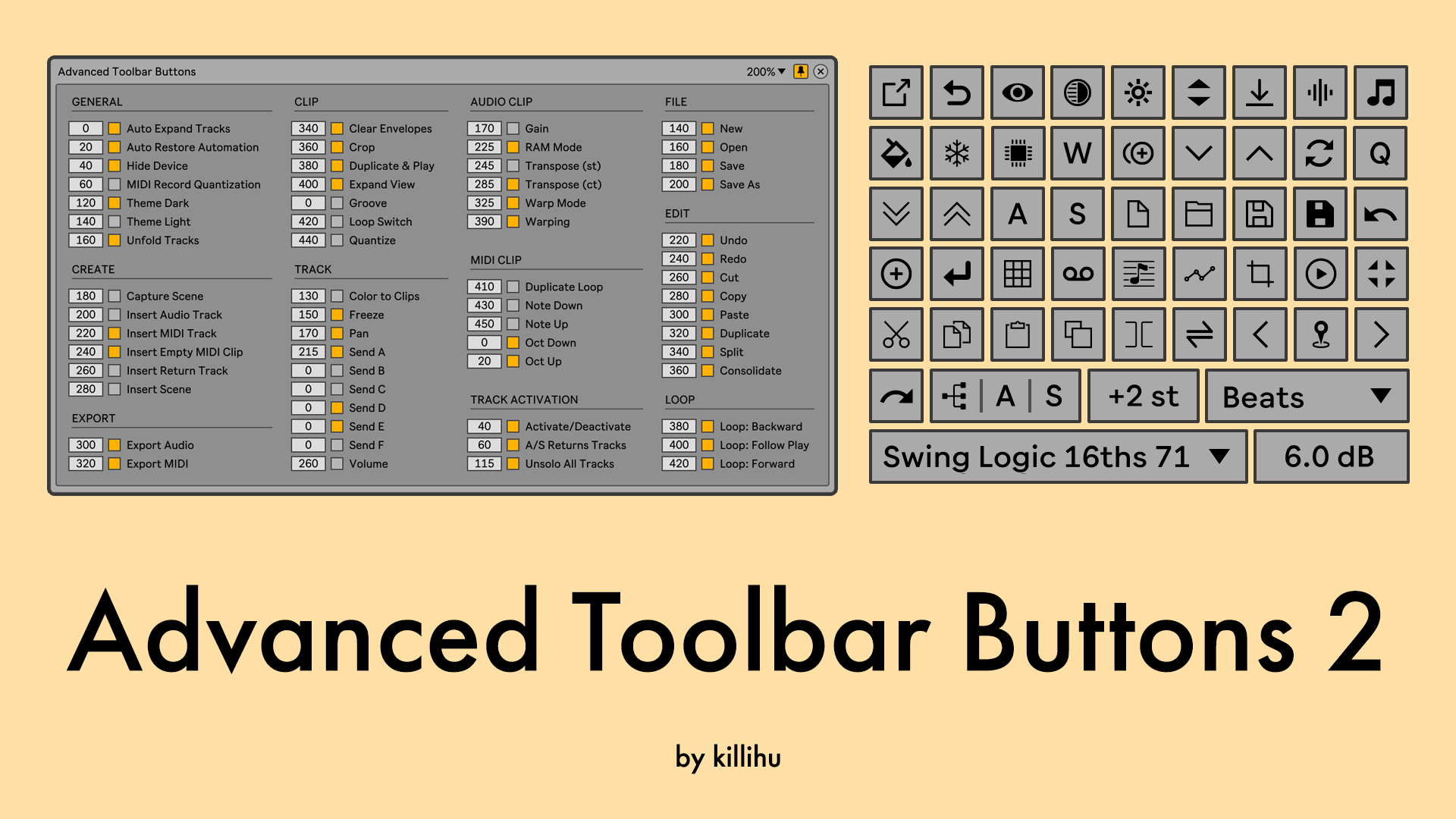
 killihu has released version 2.0 of Advanced Toolbar Buttons for Ableton Live.
Advanced Toolbar Buttons adds new buttons/controls and new features to work with Ableton Live. It consists of a button bar with a transparent background, where different button configurations can be created. The button bar can be positioned anywhere on the screen.
New features and improvements:
- New button positioning system that makes it easier to configure the device.
- It is now possible to show/hide all buttons at the same time using a button on the device rack that is mappable, or through a new floating button.
- It is now possible to save device presets to create different layouts, and load them using key mapping.
- It is now possible to set negative values when positioning the button bar. To easily move the button bar in multi-monitor setups.
- Clicking buttons now returns the focus to the Live window. Except for input boxes such as Clip Gain and others similar.
- The transpose control in cents for audio clips now works the same way as in the clip editing view.
- The clip loop button now also works on MIDI clips.
- Added function to automatically reset overwritten automation when starting or stopping transport.
- Added function to automatically unfold the selected track in the arrangement view and fold the other tracks in the project (beta, read the manual).
- Added button to apply track colors to all clips. It can be applied individually or to all tracks in the project.
- Added buttons to switch between two Live color themes without having to open the Live preferences window.
- Added buttons to transpose all notes in a MIDI clip in semitones.
- Added more track send controls.
- Added button to duplicate the selected clip in the session view and automatically trigger the new duplicate clip.
- Added button that duplicates the loop of the selected MIDI clip.
- Added button to delete all envelopes of the selected clip (with limitations, read the manual).
- Added button to freeze the selected track (only for Live 12).
- Added button to fold/unfold all tracks in arrangement view.
- Added button to expand the clip editing view.
- Added button to insert an empty MIDI clip into the time selection of the arrangement view.
- Added button to open the audio/video export window.
- Added button to export the selected MIDI clip.
- Added File menu buttons (New, Open, Save, Save As).
- Added Edit menu buttons (Cut, Copy, Paste, Duplicate, Split, Consolidate).
- Compatibility with the Fancy Menu Bar device. When using the two devices together, the Fancy Menu Bar hiding/displaying system will also act on Advanced Toolbar Buttons. The same applies to Live's color theme change buttons on both devices.
- Now when you click on the device rack icon, in addition to showing the device version, it checks if an update is available. If there is, a message is displayed indicating it.
- The device has been split into two devices. One for the main bar and another that is only visible in the arrangement view.
- Updated PDF Manual.
Bugfixes:
- Fixed bug that when Live's Zoom Display is set to anything other than 100%, the Clip Loop Switch and Clip Warping buttons sometimes display a graphical glitch when no audio clips are selected.
Price: 9€ (Free update for version 1 users).



 Other Related News