
46 KVR members have added +10dB Equaliser to 35 MyKVR groups 54 times.
Download KVR Studio Manager (FREE)
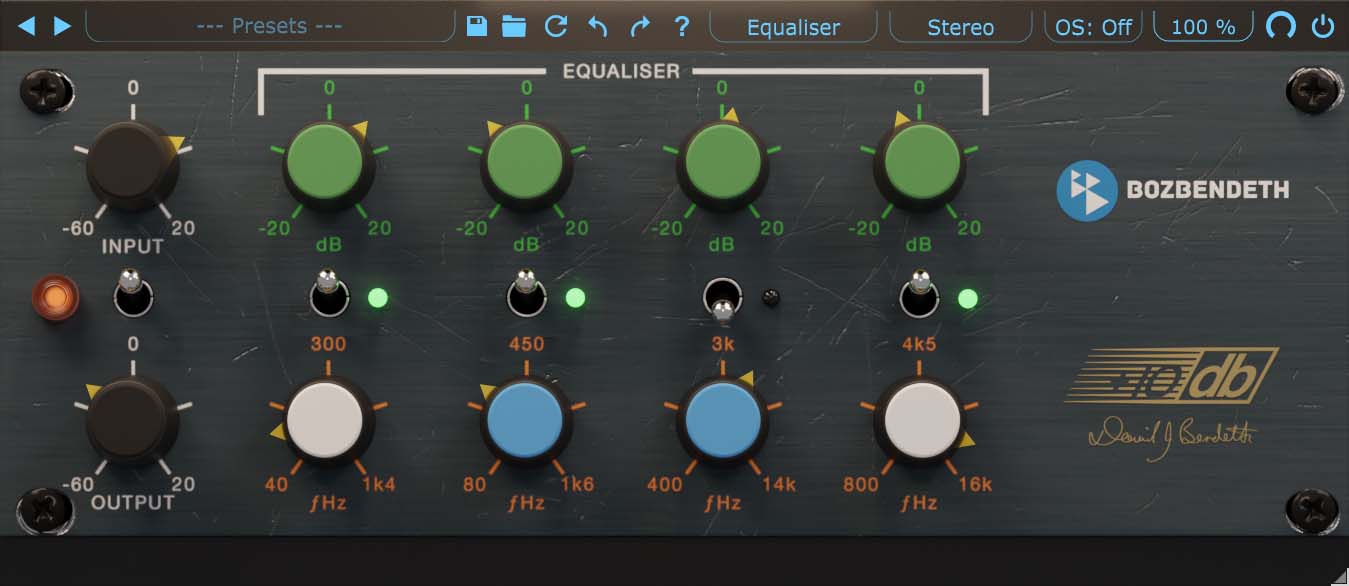
+10db Equaliser takes the EQ section from Boz Digital Labs' +10db Channel Strip plugin and puts it in a dedicated plugin. This plugin faithfully recreates the curves and subtleties of this hardware equaliser unit.
This EQ takes a different approach to equalization than your standard digital EQ. Instead of the standard series configuration, this EQ uses a parallel configuration, which makes for some very interesting effects, especially for bands that are close together. You will notice that you can use more extreme boost and cut settings without going into that harsh realm.
And of course, in order to preserve the spectral integrity of analog filters, we do not do any of the digital pre-warping tricks. Instead, each filter has a nice symmetric frequency response all the way up to Nyquist frequency, giving it a much more natural and musical response in the high frequencies.
The layout of this EQ makes you work with a different part of your brain than the standard parametric EQ. Don't get us wrong, we love parametric EQs too, but working with this EQ definitely opens up the creative side of our brain, which can open up entirely new creative possibilities.

Please log in to join the discussion
Submit: News, Plugins, Hosts & Apps | Advertise @ KVR | Developer Account | About KVR / Contact Us | Privacy Statement | Sell @ KVR | KVR Marketplace Terms & Conditions
© KVR Audio, Inc. 2000-2026

