
492 KVR members have added Stochas to 407 MyKVR groups 569 times.
Download KVR Studio Manager (FREE)
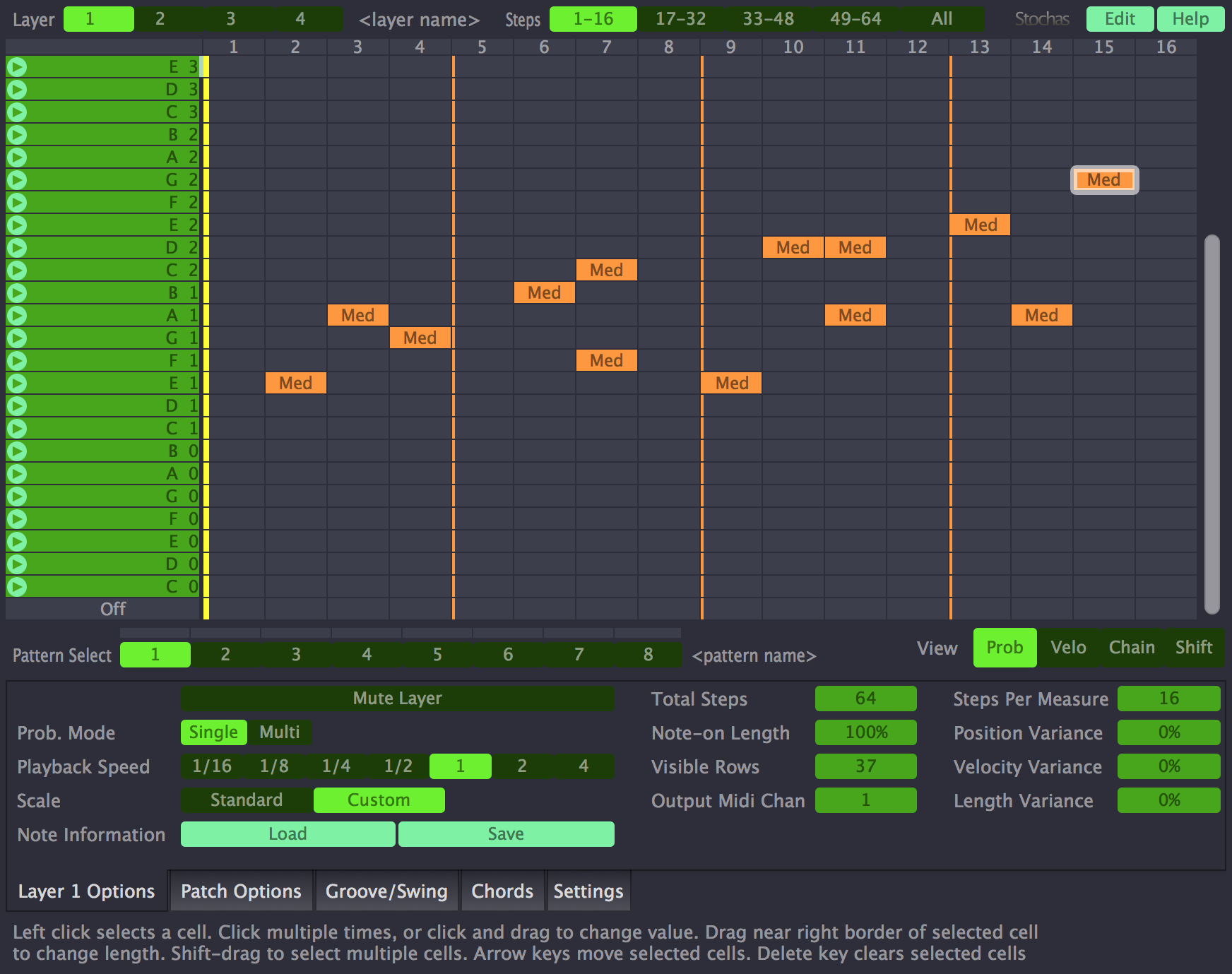
Stochas is a revolutionary new type of step sequencer that has a unique randomization engine. Designed to work either in mono or polyphonic modes the engine will select from a set of user inputted notes and takes into consideration the probability set for each, this means Stochas can be used to create evolving melodies, rich sounding string and synth sections, unique bass lines and even chaotic yet looping drum patterns, perfect for live and recorded performances. Chord input and predefined scales, make editing and inputting patterns quick and easy, without any knowledge needed of music theory.
With the ability to create polyrhythmic and polymetric patterns up to 64 steps in length, independently on each of the 4 layers, Stochas can create interesting ideas for your next musical project, be it a Phillip Glass style classical piece with varying rhythmical and metric sequences playing against each other, to a polymeric dance style project that has more life and rhythm than the standard 4/4 patterns. Patterns can be chained and created so that little phrases can be triggered randomly during the playback sequence, this can also be used to prevent repetition of the same note if using Stochas to write a bass line or to keep the pattern evolving.
With the groove template editor, you have total control over the timing and feel of the playback in Stochas, these can also be saved and loaded into other sessions, allowing you to recreate the same feel from track to track easily. MIDI input control means that you can use any hardware controller or another MIDI channel to control Stochas, allowing for live performance control of the polymeric lengths, transpositions, the bias of the maximum number of notes played.
Features:
Reviewed By albertoesse [all]
July 13th, 2024
Version reviewed: 1.3.10 on Windows
I had tried it some time ago, but I didn't understand it well. A few days ago I tried it again, after reading the documentation, and I like it a lot. Top!! Thanks to the developers.
I had an issue with the GUI and asked the Surge team on discord and they fixed it that same day.
There are a few good tutorials on YouTube in particular Reaper Mania. I am fascinated by this. It can do a lot more than drums. Suddenly I am writing things I had never managed to before.
I havnt delved to much into the plugin yet. But I just figured out how to get it to work on ableton so I thought I might share.
I needed to install the standalone Storchas, and then download loopmidi from http://www.tobias-erichsen.de/software/loopmidi.html.
Create a MIDI output on loopmidi.
Set the MIDI output on Storchas to the MIDI output created on loopmidi. Then set the MIDI input to Ableton to the MIDI output that was just created on loopmidi.
Boom.
:).
Unusable, since it only plays automatically when the host is set to play.
There is no option to toggle playback on and off via MIDI signal.

Please log in to join the discussion
Submit: News, Plugins, Hosts & Apps | Advertise @ KVR | Developer Account | About KVR / Contact Us | Privacy Statement | Sell @ KVR | KVR Marketplace Terms & Conditions
© KVR Audio, Inc. 2000-2026

